Akasa AK-ICR-07 | Internal 6-Port Media Card Reader
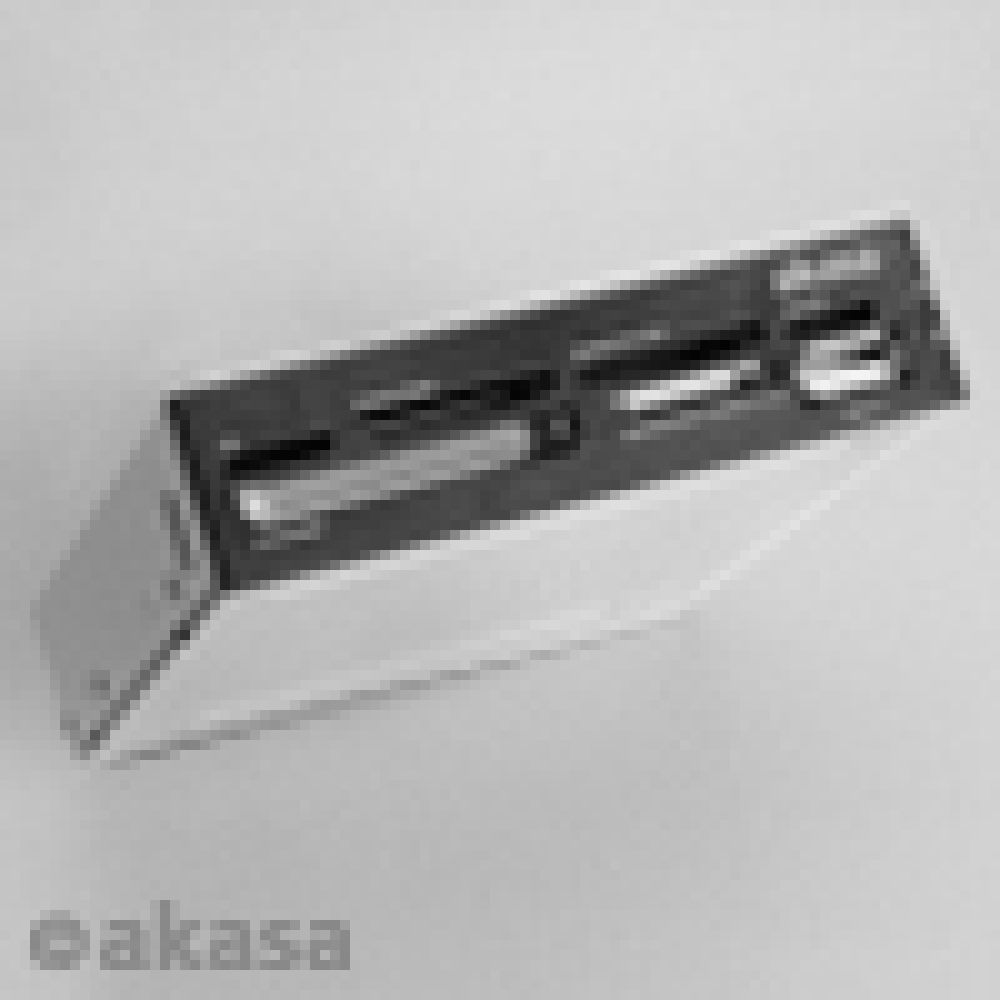
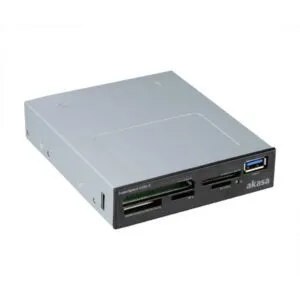
The Akasa AK-ICR-07 card reader USB 2.0 Internal brings six memory card slots to your desktop in a single 3.5″ bay. It supports SDHC, microSD, and M2 cards without adapters, plus an extra USB 2.0 port for quick data transfers from memory sticks or phones.
Key Specifications
| Metric |
Spec |
| Interface |
USB 2.0 |
| Data transfer rate |
480 Mbit/s |
| Supported drive bays |
3.5″ |
| Compatible OS |
Windows XP / Vista / 7 |
| SIM card support |
No |
All-in-One Card Access
With six dedicated slots, this reader handles the most common memory card formats in one place. SDHC compatibility means you can use high-capacity cards directly, while microSD and M2 ports remove the need for fiddly adapters. Two fascia panels—mat black or classic white—let you match your PC’s style.
Front-Panel Convenience
Mounting in a 3.5″ bay puts card access right at your fingertips, saving you from reaching around the back of your PC. The extra USB 2.0 port is ideal for quick plug-and-play transfers from USB sticks or mobile devices, making this a practical front-panel hub.
Visual Status Indicators
Two LED indicators keep you informed: one shows power-on status, another signals when a card is inserted or data is transferring. This visual feedback helps prevent accidental removal mid-transfer and confirms the reader is active.
In the box
- Akasa AK-ICR-07 card reader unit
- Two front fascia panels (mat black and classic white)
- Installation screws
- User manual
Before you order
- Confirm your PC case has an available 3.5″ internal drive bay.
- Verify your operating system is Windows XP, Vista, or 7.
- Ensure you have an internal USB 2.0 header on your motherboard.
- Check that your memory cards are SDHC, microSD, or M2 format.
Buyer FAQs
Does this card reader support SDXC cards?
No, it only supports SDHC cards, not SDXC.
Can I use this with Windows 10 or 11?
The manufacturer lists support only for Windows XP, Vista, and 7; compatibility with newer versions is not guaranteed.
Is a USB cable included?
No, it connects via an internal USB 2.0 header, so no external cable is needed.
Are card adapters required for microSD or M2 cards?
No, the unit has dedicated ports for both microSD and M2 cards.
Our recommendation
The Akasa AK-ICR-07 card reader USB 2.0 Internal is a straightforward upgrade for anyone needing quick, front-panel access to multiple memory card formats. Its clean design, dual fascia options, and status LEDs make it a practical fit for home or office PCs running supported Windows versions. Covered by the applicable manufacturer warranty.






Reviews
Clear filtersThere are no reviews yet.