

HPE Aruba AP-MNT-MP10-E 10-Pack Wall-mount Bracket Kit

SKU: R1C72A

£284.81

Out of stock

Out of stock

  • Free UK delivery on orders over £200
Order today, get it by Wed 28 Oct
  • DPD DPD tracked delivery
  • Klarna Buy now, pay later with Klarna
  • PayPal Pay in 3 instalments with PayPal

About This Item

  • Compatibility with Aruba 510 Series Campus Access Points
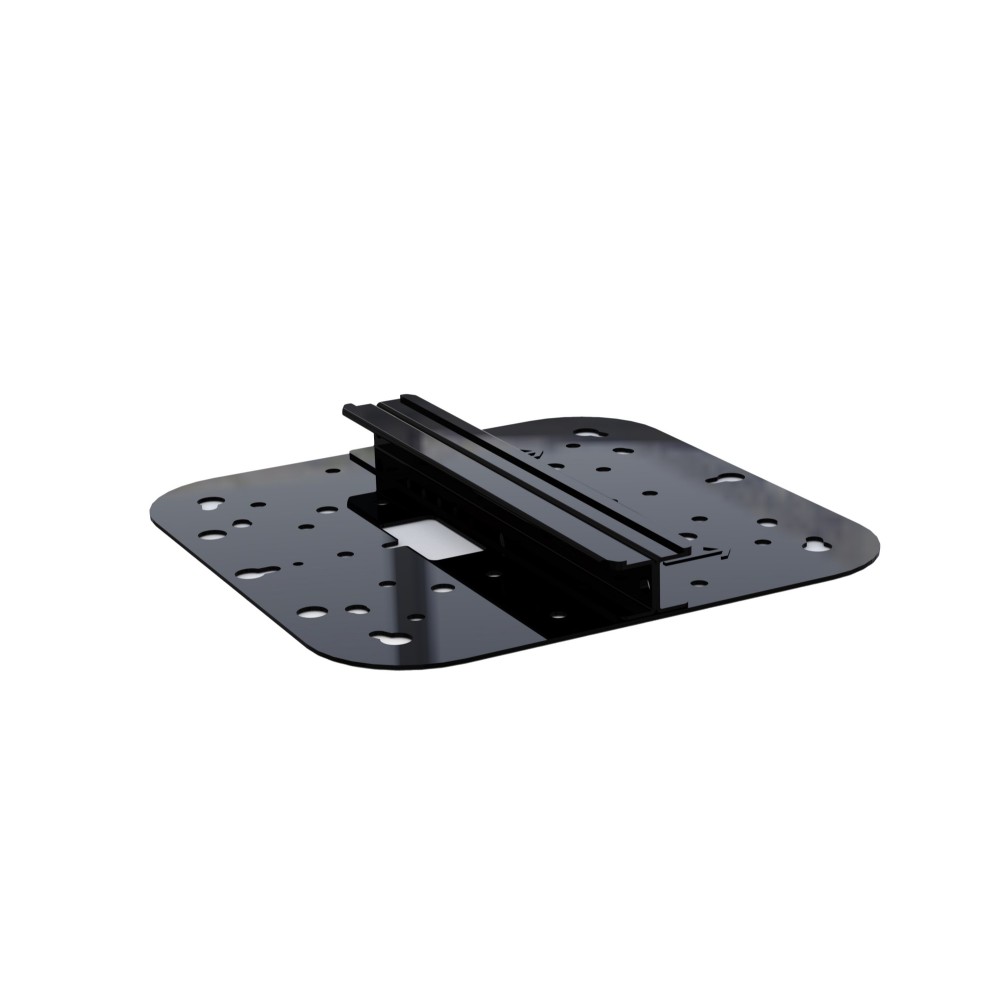
  • 10-pack wall-mount bracket kit for campus AP installations
  • Dimensions 165 mm height x 178 mm depth x 51 mm width
  • Total pack weight 136.1 g (0.3 lbs)
  • Harmonized System HS code 85177900
Description

HPE Aruba Networking AP-MNT-MP10-E – secure wall-box mounting for 510 Series APs

We supply the HPE Aruba Networking AP-MNT-MP10-E Campus AP 10-Pack Wall-box Mount Bracket Kit for network rollouts that demand a tidy, secure finish. This kit suits installers and IT teams deploying Aruba 510 Series Campus Access Points in offices, schools and retail sites. Its main benefit is a reliable, low-profile wall-box attachment that keeps each AP stable and aligned. The HPE Aruba Networking AP-MNT-MP10-E Campus AP 10-Pack Wall-box Mount Bracket Kit is designed for volume projects and standard UK backboxes.

Mounting essentials for this kit

Metric Spec.
Pack quantity 10 pc(s)
Compatible APs Aruba 510 Series
Weight per bracket 0.136 kg
Width 51 mm
Depth 178 mm
Height 165 mm

Streamlined wall-box integration

This bracket kit aligns neatly with standard UK wall-boxes. Because the fixings suit the Aruba 510 Series footprint, engineers can complete each install with minimal adjustment. In practice, this cuts job time and reduces visual clutter in public-facing areas.

Consistent AP alignment across rooms

Each bracket holds the access point at the intended angle. So you get uniform coverage and predictable signal distribution. For example, corridor APs sit flush and level, avoiding odd reflections or coverage gaps.

Secure fixings for busy environments

The hardware provides firm attachment without bulk. Also, the compact form factor reduces leverage on the wall-box. This helps prevent loosening in high-traffic sites such as corridors and lobbies.

Tidy cable management

The design leaves room for clean cable routing behind the AP. Because the bracket sits close to the wall-box, you can keep drops short and orderly. That aids airflow, service access and future upgrades.

Simplified project logistics

A 10-pack suits multi-room rollouts and staged deployments. We can pair this kit with matching APs for a single order. This reduces handling and helps maintain consistency across sites.

Buyer checklist

  • Confirm your AP model is Aruba 510 Series Campus Access Points.
  • Confirm your wall-box is a standard UK backbox with suitable fixings.
  • Confirm the installation height suits your coverage plan.
  • Confirm cable entry points align with the AP and bracket.

Frequently Asked Questions

Which access points does this kit support?
It is designed for Aruba 510 Series Campus Access Points.
How many brackets are in each pack?
Each pack contains ten brackets and related mounting hardware.
Is this suitable for UK wall-boxes?
Yes, the bracket geometry supports common UK backbox formats.
Can I mix this kit with other Aruba mount options?
Yes, but we recommend matching brackets to AP model for best fit.
Does the kit include cable ties or covers?
It focuses on the bracket; cable management accessories are separate.

Who should choose this kit

This 10-pack is ideal for network teams fitting multiple Aruba 510 Series APs in wall-box locations. It delivers secure mounting, tidy installs and consistent results across rooms.

Specifications
Features
CompatibilityAruba 510 Series Campus Access Points
Harmonized System (HS) code85177900
Weight & dimensions
Width51 mm
Weight136.1 g
Height165 mm
Depth178 mm
Packaging data
Quantity per pack10 pc(s)
Technical details
CompatibilityAruba 510 Series Campus Access Points
Weight (imperial)0.136 kg (0.3 lbs)
Logistics data
Harmonized System (HS) code85177900
Other features
Weight (imperial)0.136 kg (0.3 lbs)

Reviews

0 reviews
0
0
0
0
0

There are no reviews yet.

Write a review

Your email is never published.

You have to be logged in to be able to add photos to your review.