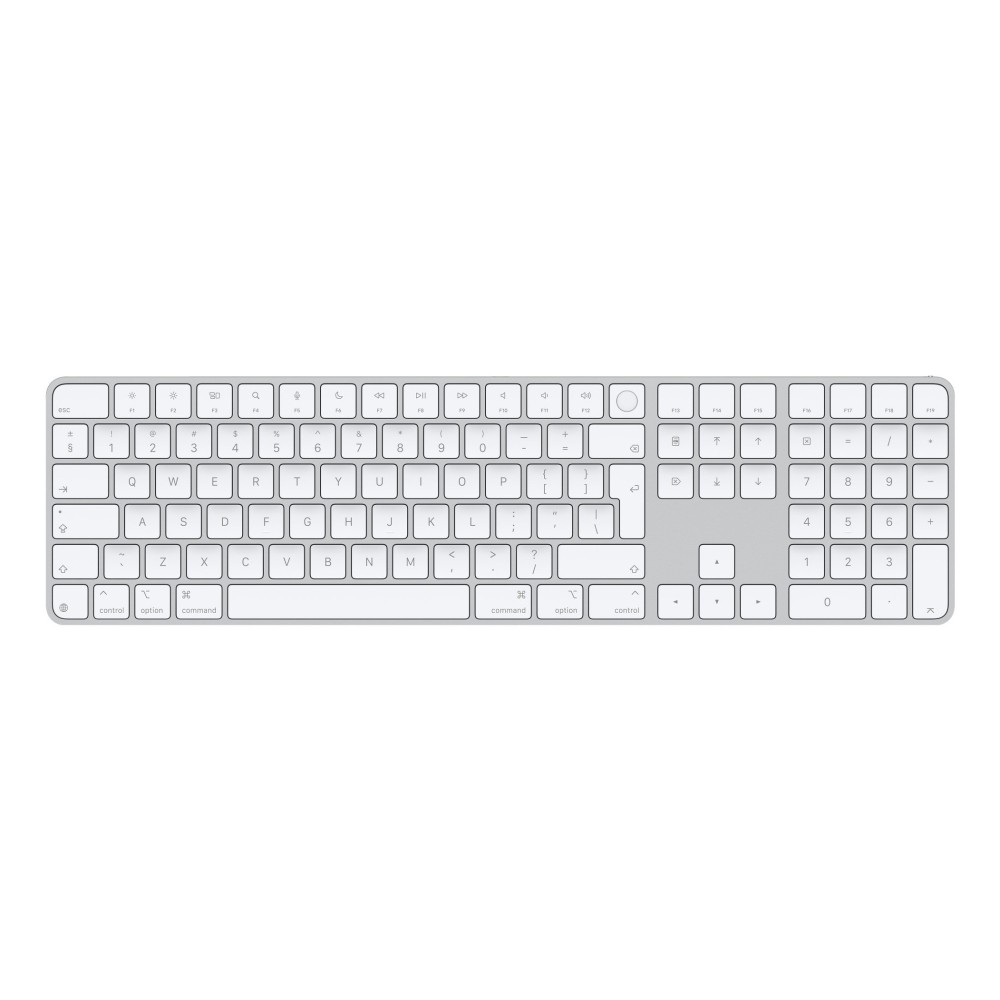
Apple Magic Keyboard with Touch ID and Numeric Keypad, Bluetooth & USB-C, English QWERTY, White, for Mac
£230.77
In stock
In stock
- Free Premium delivery on UK mainland orders
Order now, get it by Wed 18 Nov
-
DPD tracked delivery
-
Buy now, pay later with Klarna at checkout
-

Pay in 3 instalments with PayPal at checkout
About this item
- Touch ID fingerprint reader for secure Mac authentication
- Full-size English QWERTY layout with numeric keypad
- Bluetooth wireless and USB-C wired connectivity
- Rechargeable built-in battery with USB-C charging
- Compatible with MacBook, iMac, Mac Studio, Mac mini and Mac Pro
- Keyboard dimensions: 418.7 × 114.9 × 10.9 mm
You may also like
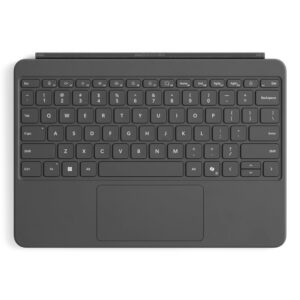
Microsoft Surface Pro 12-inch Keyboard Mechanical Switch Backlit Touchpad Docking Black
In stock
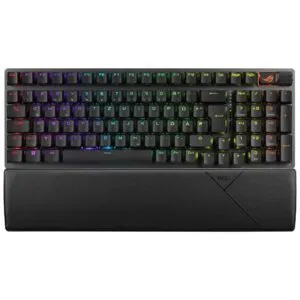
ASUS ROG Strix Scope II 96 Wireless Keyboard
In stock
Elgato Stream Deck Mini Gaming Keyboard 6 Customisable LCD Keys Wired USB Black
In stock
Microsoft Surface Pro Keyboard with Slim Pen Business Wireless QWERTY Mechanical Black Alcantara Touchpad Copilot Key for Surface Pro 8/9/10/11
In stock
DEQSTER USB-C Keyboard Prime QWERTY UK English Scissor Switch Numeric Keypad for iPad 10th 11th Gen
In stock
Apple Magic Keyboard with Touch ID and Numeric Keypad – secure Mac sign-in
The Apple Magic Keyboard with Touch ID and Numeric Keypad suits Mac users who want secure authentication and a full-size layout. Touch ID makes it easy to unlock your Mac and authenticate logins, while the numeric keypad gives you dedicated keys for figures and calculations.
Key details for your desk
| Metric | Specification |
|---|---|
| Layout | Full-size English QWERTY |
| Authentication | Touch ID fingerprint reader |
| Connection | Bluetooth or USB-C |
| Numeric keypad | Yes |
| Battery | Built-in rechargeable battery |
| Size and weight | 418.7 × 114.9 × 10.9 mm; 369 g |
Work comfortably with numbers and documents
The extended layout includes a numeric keypad, full-size arrow keys and document navigation controls. That makes data entry, spreadsheet work and scrolling more convenient. Multimedia keys also provide quick access to common controls.
There is no wrist rest or pointing device, so plan your desk setup around the keyboard itself. It has no backlighting, which is worth considering if you often type in dim surroundings.
Choose Bluetooth or a cable
Pair the keyboard with your Mac over Bluetooth, or connect it using the included USB-C cable. The cable also charges the built-in battery. Apple states that a charge lasts about a month or more, depending on use.
The keyboard pairs automatically with a Mac, helping you get started with fewer setup steps. Touch ID is designed for compatible Macs, so check your model before ordering.
In the box
- Apple Magic Keyboard with Touch ID and Numeric Keypad
- Woven USB-C Charge Cable
Check your Mac and setup
- Confirm your Mac model appears among the compatible models, including supported MacBook, iMac, Mac mini, Mac Studio and Mac Pro generations.
- Check that your Mac runs Mac OS X or macOS.
- Confirm you have a USB-C port available if you plan to connect or charge by cable.
- Check that a full-size keyboard with a numeric keypad suits your desk space.
Frequently Asked Questions
Q: Does this keyboard have Touch ID?
A: Yes. Its fingerprint reader supports secure authentication for logins and unlocking a compatible Mac.
Q: Can I use it wirelessly?
A: Yes. Connect it to your Mac over Bluetooth, or use the included USB-C cable.
Q: Does it include a numeric keypad?
A: Yes. The full-size layout includes a dedicated numeric keypad, full-size arrow keys and document navigation controls.
Q: Which Macs are compatible?
A: Supported models include MacBook Air and MacBook Pro generations listed for M1, M2 and M3, plus specified iMac, Mac mini, Mac Studio and Mac Pro models.
A practical choice for Mac users
Choose the Apple Magic Keyboard with Touch ID and Numeric Keypad if you want convenient Mac authentication, a dedicated number pad and a choice of Bluetooth or USB-C connection. Its extended layout is especially useful for regular spreadsheet and document work.
| Keyboard | |
|---|---|
| Fingerprint reader | Yes |
| Recommended usage | Universal |
| Keyboard form factor | Full-size (100%) |
| Keyboard layout | QWERTY |
| Wrist rest | No |
| Pointing device | No |
| Numeric keypad | Yes |
| Keyboard language | English |
| Connectivity technology | Wired & Wireless |
| Device interface | USB + Bluetooth |
| Multimedia keys | Yes |
| Design | |
| Product colour | White |
| Backlight | No |
| Wrist rest | No |
| Technical details | |
| Product colour | White |
| Backlight | No |
| Numeric keypad | Yes |
| Number of products included | 1 pc |
| Connectivity technology | Wired & Wireless |
| Multimedia keys | Yes |
| Features | |
| USB connector type | USB Type-C |
| Power | |
| Power source type | Battery, USB |
| Keyboard battery type | Built-in battery |
| Charging source | USB Type-C |
| USB Type-C charging port | Yes |
| USB Power Delivery (USB PD) | No |
| USB Type-C required charging power (min) | 2.5 W |
| USB Type-C required charging power (max) | 2.5 W |
| Mouse | |
| Mouse included | No |
| System requirements | |
| Mac operating systems supported | Mac OS X, MacOS |
| Weight & dimensions | |
| Keyboard weight | 369 g |
| Keyboard dimensions (WxDxH) | 418.7 x 114.9 x 10.9 mm |
| Packaging data | |
| Cables included | USB Type-C |
| Number of products included | 1 pc |
| Packaging content | |
| Cables included | USB Type-C |
| Number of products included | 1 pc |
| Other features | |
| Compatibility | MacBook Air (13-inch, M3, 2024) MacBook Air (15-inch, M3, 2024) MacBook Air (15-inch, M2, 2023) MacBook Air (13-inch, M2, 2022) MacBook Air (M1, 2020) MacBook Pro (14‑inch, 2023) MacBook Pro (16‑inch, 2023) MacBook Pro (13‑inch, M2, 2022) MacBook Pro (14‑inch, 2021) MacBook Pro (16-inch, 2021) MacBook Pro (13-inch, M1, 2020) iMac (24‑inch, M4, 2024) iMac (24-inch, M3, 2023) iMac (24-inch, M1, 2021) Mac Studio (2023) Mac Studio (2022) Mac mini (2023) Mac mini (M1, 2020) Mac Pro (2023) |
| Pointing device | No |
| Connectivity technology | Wired & Wireless |

Reviews
Clear filtersThere are no reviews yet.