ATEN KA7175 – Virtual media for KVM access
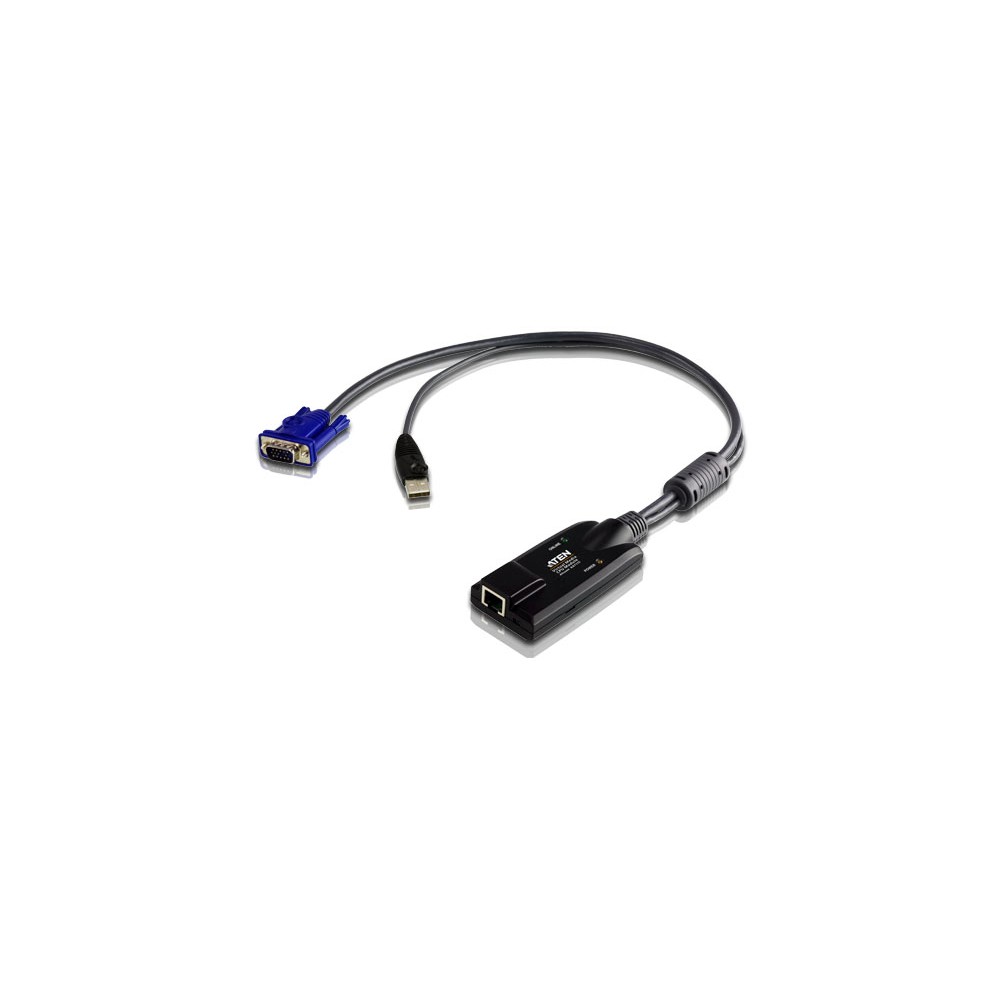
The ATEN KA7175 suits IT teams connecting a KVM switch to a computer’s VGA and USB ports. Its virtual media support lets you manage media through a compatible KVM setup, while signal compensation and delay-skew techniques help improve video quality.
Key connection details
| Metric |
Specification |
| Video connection |
VGA, HDB-15 |
| Keyboard and mouse |
USB |
| KVM connection |
RJ-45, female |
| Computer connections |
USB Type-A and HDB-15, male |
| Cable type |
Cat5e/6 |
| Dimensions |
43 × 90 × 21.8 mm |
Connect video and USB through one adapter
The adapter connects the KVM switch to the target computer’s VGA and USB ports. This gives the computer a straightforward connection for video, keyboard and mouse control through the KVM setup.
Virtual media support for remote work
Virtual media support makes this model suitable for KVM environments that use virtual media functions. Its signal compensation and delay-skew techniques are designed to enhance video quality.
Check your setup before ordering
- Confirm the target computer has a VGA port and a USB Type-A port.
- Check that your KVM switch uses an RJ-45 connection for its adapter.
- Confirm Cat5e/6 cabling suits your installation.
- Check that the adapter’s 43 × 90 × 21.8 mm dimensions fit your setup.
Included with the adapter
- KVM adapter cable
- Rack mount kit
- Rack mounting guide
Frequently Asked Questions
Q: Which video connection does the KA7175 use?
A: It uses VGA, with an HDB-15 connector for the computer connection.
Q: Which computer connections does it provide?
A: It connects to the computer’s VGA and USB ports.
Q: Does the adapter support virtual media?
A: Yes. The KA7175 supports virtual media through a compatible KVM setup.
Q: What comes in the box?
A: The box includes the adapter cable, a rack mount kit and a rack mounting guide.
A practical choice for KVM installations
Choose the ATEN KA7175 if your setup needs a VGA and USB computer connection, RJ-45 KVM cabling and virtual media support. It also suits installations where video quality benefits from signal compensation and delay-skew techniques.

 DPD tracked delivery
 Buy now, pay later with Klarna at checkout
 Pay in 3 instalments with PayPal at checkout

Reviews
Clear filtersThere are no reviews yet.