Neat Pad – simplify room control and booking
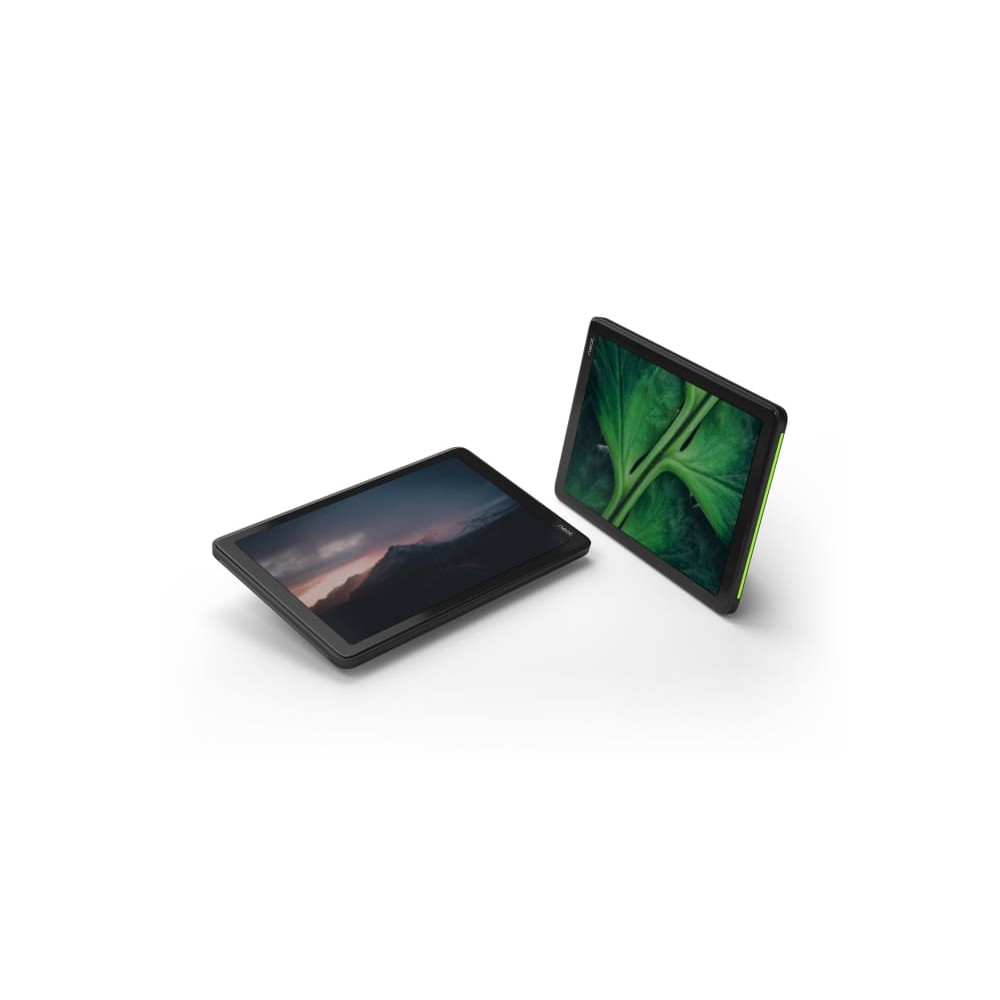
Neat Pad suits meeting rooms that need a dedicated touchscreen for meeting controls or room scheduling. Its strongest benefit is flexibility: configure it to manage a meeting or show room availability outside the door.
At a glance: display, connection and size
| Metric |
Specification |
| Display |
8-inch touchscreen |
| Resolution |
1280 x 800 pixels |
| Network connection |
1 Ethernet LAN RJ-45 port |
| Power |
Power over Ethernet |
| Colour |
Black |
| Dimensions and weight |
198 x 127 x 42 mm; 520 g |
Control meetings from the room
Configure Neat Pad as a controller for Zoom Rooms or a console for Microsoft Teams rooms. With a tap, users can start meetings and share their screen. They can also invite participants, mute them or record meetings.
For larger meeting tables, you can add multiple Neat Pads to a Zoom Room. This gives people access to the controls from different positions around the table.
Show availability outside the room
Set the display up as a scheduling panel for Zoom Rooms or Microsoft Teams rooms. Users can book the room directly from the screen, without switching to another calendar system. Integrated LED indicators show availability at a glance.
Position it where it works best
The display can sit on a table or be mounted on a wall or mullion. Its screen angle supports viewing and touch interaction. A single Power over Ethernet cable keeps it powered, so it does not rely on a battery.
The package includes a LAN (RJ-45) cable. The unit also has a Kensington cable lock slot, which can help secure it in a shared space.
Check your room setup
- Confirm your room uses Zoom Rooms or Microsoft Teams rooms for the intended controller or scheduling role.
- Check that an Ethernet connection with Power over Ethernet is available at the installation point.
- Choose a suitable table, wall or mullion position for the display.
- Confirm the 198 x 127 x 42 mm dimensions suit your chosen location.
Frequently Asked Questions
Q: What can Neat Pad do?
A: It can control Zoom Rooms or Microsoft Teams rooms, or display room availability and allow users to book the room.
Q: What is the screen resolution?
A: The 8-inch touchscreen has a resolution of 1280 x 800 pixels.
Q: How does it connect?
A: It has one Ethernet LAN RJ-45 port and uses Power over Ethernet.
Q: What cable is included?
A: The package includes a LAN (RJ-45) cable.
A practical choice for managed meeting rooms
Choose Neat Pad if you want a dedicated touchscreen for meeting control or room scheduling. Its PoE connection, flexible placement and clear availability indicators make it useful both inside and outside the room.

 DPD tracked delivery
 Buy now, pay later with Klarna at checkout
 Pay in 3 instalments with PayPal at checkout


Reviews
Clear filtersThere are no reviews yet.