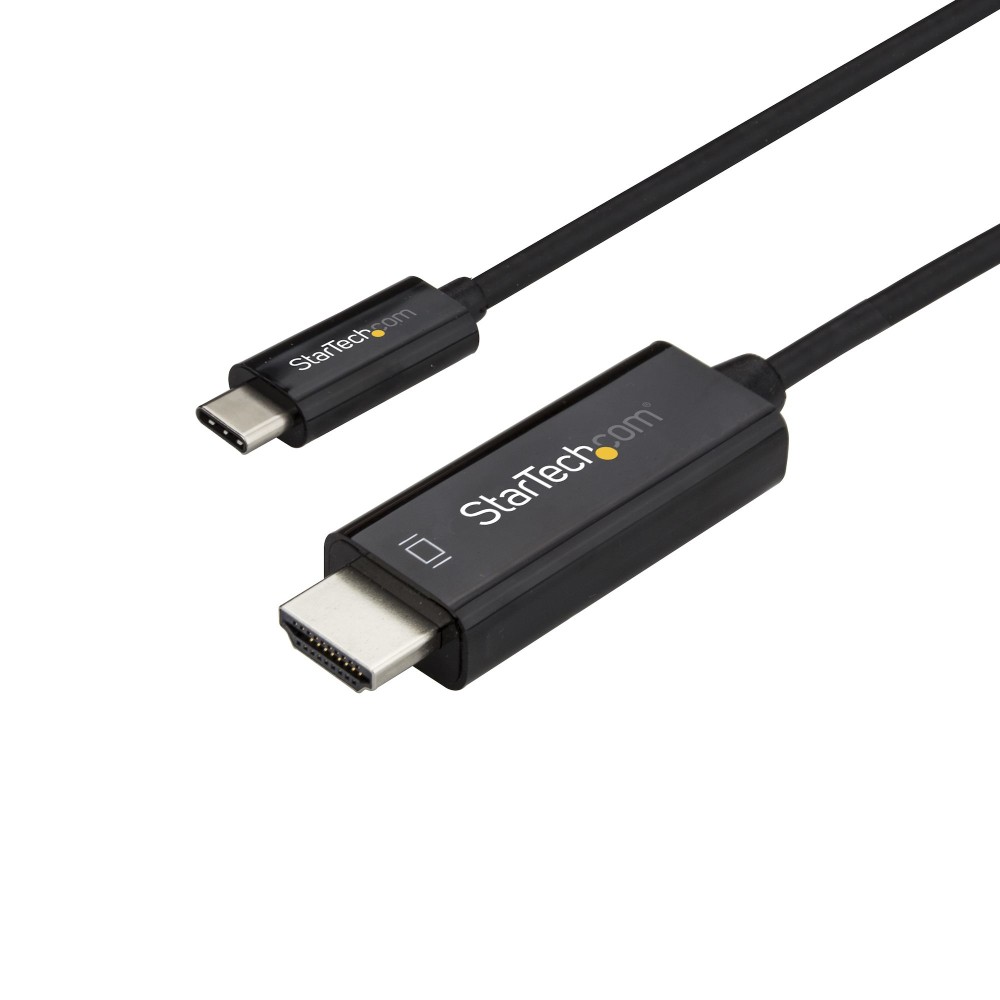
StarTech.com CDP2HD1MBNL USB-C to HDMI Cable, 1m, 4K 60Hz, DP Alt Mode, Thunderbolt 3 Compatible, Black

SKU: CDP2HD1MBNL

£46.97

In stock

In stock

  • Free Premium delivery on UK mainland orders

Order today, get it by Fri 20 Nov

  • DPD DPD tracked delivery
  • Klarna Buy now, pay later with Klarna at checkout
  • PayPal Pay in 3 instalments with PayPal at checkout

About this item

  • 4K UHD output at up to 60Hz
  • USB-C DisplayPort Alternate Mode and Thunderbolt 3 compatible
  • Male USB Type-C to male HDMI connectors
  • 1m direct-connection cable, no extra adapter required
  • HDMI 2.0 and DisplayPort 1.2 support
  • Supports HDCP 1.4/2.2 and 7.1-channel audio
Description

StarTech.com CDP2HD1MBNL – Connect USB-C directly to HDMI

The StarTech.com CDP2HD1MBNL suits anyone connecting a compatible laptop to an HDMI monitor, television or projector. Its direct 1 m cable connection avoids the need for a separate adapter.

Essential connection details

Metric Specification
Connectors USB Type-C male to HDMI male
Cable length 1 m
Maximum resolution 3840 x 2160 at 60 Hz
HDMI version HDMI 2.0
DisplayPort support DisplayPort 1.2 Alt Mode
Audio Up to 7.1 channels

Enjoy 4K at up to 60 Hz

Connect a compatible USB-C device to an HDMI display and output up to 3840 x 2160 resolution at 60 Hz. It also supports lower resolutions, including 1920 x 1080, for Full HD screens.

The cable supports HDCP 1.4 and 2.2. It is also plug and play, so you can connect it without a separate adapter.

Check USB-C video support first

USB-C devices must support DisplayPort Alternate Mode to send video through this cable. It is also compatible with Thunderbolt 3 ports. However, a USB-C connector alone does not confirm that a device supports video output.

Before you order

  • Confirm your computer’s USB-C port supports DisplayPort Alternate Mode, or use a Thunderbolt 3 port.
  • Check that your screen or projector has an HDMI input.
  • Confirm that 1 m provides enough reach between your device and display.

Frequently Asked Questions

Q: Can it output 4K at 60 Hz?

A: Yes. It supports resolutions up to 3840 x 2160 at a maximum refresh rate of 60 Hz.

Q: Does it work with every USB-C port?

A: No. The USB-C device must support DisplayPort Alternate Mode for video output.

Q: Can I use it with a Thunderbolt 3 port?

A: Yes. The cable is compatible with Thunderbolt 3 ports.

A tidy choice for compatible devices

Choose the StarTech.com CDP2HD1MBNL for a straightforward USB-C to HDMI connection, with 4K at 60 Hz support in a compact 1 m cable.

Specifications
Features
ChipsetVIA/VLI - VL100, Parade - PS176
HDMI version2.0
DisplayPort version1.2
Product colourBlack
Cable length1 m
Connector 1USB Type-C
Connector 2HDMI
Connector 1 genderMale
Connector 2 genderMale
Maximum resolution3840 x 2160 pixels
Supported graphics resolutions1024 x 768 (XGA), 1280 x 720 (HD 720), 1920 x 1080 (HD 1080), 1920 x 1200 (WUXGA), 2560 x 1440, 2560 x 1600 (WQXGA), 3840 x 2160
HDCPYes
Plug and PlayYes
Connector 1 form factorStraight
Connector 2 form factorStraight
Maximum refresh rate60 Hz
HDCP version1.4/2.2
Supported audio channels7.1
USB Type-C DisplayPort Alternate ModeYes
Operational conditions
Operating temperature0 - 45 °C
Storage temperature-10 - 70 °C
Operating relative humidity5 - 90%
Certificates
Compliance certificatesCE, RoHS
Other features
Width22 mm
Height14 mm
Depth1000 mm
Weight & dimensions
Width22 mm
Height14 mm
Depth1000 mm
Weight36 g
Package width252 mm
Package depth181 mm
Package height18 mm
Package weight40 g
Packaging data
Package width252 mm
Package depth181 mm
Package height18 mm
Package weight40 g
Quantity per pack1 pc
Packaging content
Quantity per pack1 pc
Technical details
Harmonized System (HS) code84733080
Compliance certificatesCE, RoHS
Logistics data
Master (outer) case width514 mm
Master (outer) case length331 mm
Master (outer) case height215 mm
Products per master (outer) case100 pcs
Harmonized System (HS) code84733080

Reviews

0 reviews
0
0
0
0
0

There are no reviews yet.

Write a review

Your email is never published.

You have to be logged in to be able to add photos to your review.