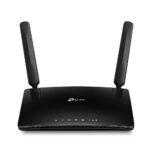
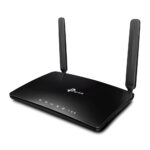
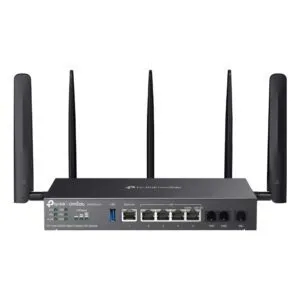
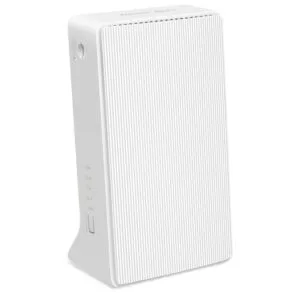
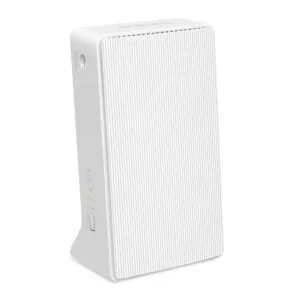
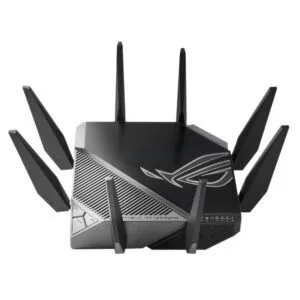
TP-Link Archer MR600 V2 Wireless Dual-Band Gigabit Router Wi-Fi 5 4G Black

SKU: ARCHER MR600 V2

£179.41

In stock

In stock

  • Free UK delivery on orders over £200
Order today, get it by Wed 28 Oct
  • DPD DPD tracked delivery
  • Klarna Buy now, pay later with Klarna
  • PayPal Pay in 3 instalments with PayPal

About This Item

  • Dual-band Wi-Fi 5 speeds up to 867 Mbit/s on the 5 GHz band and 300 Mbit/s on the 2.4 GHz band
  • Micro SIM card slot with 4G mobile network support and carrier aggregation up to 300 Mbps
  • Four Gigabit Ethernet LAN ports and one RJ-45 Ethernet WAN connection for wired devices
  • MU-MIMO technology and two detachable external antennas for simultaneous multi-device streaming
  • Built-in firewall, VPN server support, parental controls, and DoS attack prevention
  • Simultaneous wireless connection capacity for up to 64 devices
Description

TP-Link Archer MR600 V2 – Advanced Dual-Band 4G+ Connectivity

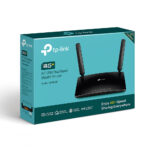
When you need reliable internet access in remote locations or want a dependable primary broadband backup, we recommend the TP-Link Archer MR600 V2 Wireless Dual-Band Gigabit Router Wi-Fi 5 4G Black. This desktop router suits home offices, rural properties, and busy environments where traditional wired connections are unavailable or unstable. By combining high-speed LTE-A mobile data with dual-band Wi-Fi 5, it delivers uninterrupted browsing, streaming, and online gaming.

Essential hardware metrics

Metric Spec.
Wi-Fi Standard Wi-Fi 5 (802.11ac)
Max Mobile Speed 300 Mbps (4G+ Cat6)
Ethernet LAN Gigabit (1000 Mbit/s)
Max Wireless Clients 64 simultaneous devices
Antennas 2 detachable external LTE

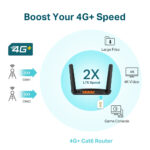
Harnessing carrier aggregation for faster mobile data

Because this unit supports 4G+ Cat6 technology, it combines multiple cellular bands to boost your download speeds significantly. You can stream high-definition media without buffering or download large files in seconds. However, actual performance depends on your local mobile network coverage and signal strength.

Seamless multi-device handling using MU-MIMO

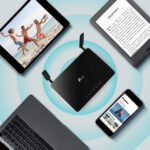
Modern households often connect dozens of gadgets simultaneously. Thanks to integrated MU-MIMO technology, this device communicates with multiple clients at once. This design reduces network congestion, lowers latency, and ensures every connected user enjoys a stable connection.

Expanding coverage with OneMesh integration

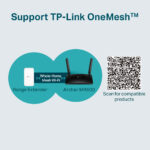
If you need to cover a larger property, you can easily pair this router with compatible OneMesh products. This setup creates a unified wireless network with a single name. As you move around your home, your devices switch seamlessly between nodes without dropping signal.

Gigabit wired connections for high-performance gear

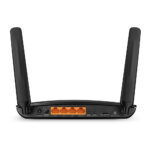
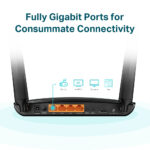
While wireless convenience is vital, wired stability matters for desktop PCs and consoles. We provide four fully gigabit Ethernet ports on the rear panel. These ports deliver maximum data transfer rates for bandwidth-heavy hardware like network-attached storage or smart TVs.

In the box

  • TP-Link Archer MR600 V2 Wireless Dual-Band Gigabit Router Wi-Fi 5 4G Black
  • LAN (RJ-45) cable
  • AC power adapter
  • Quick installation guide

Worth checking first

  • Confirm your micro SIM card has an active data plan before initial setup.
  • Confirm your physical location receives a reliable 4G LTE signal from your chosen mobile network operator.
  • Confirm your wired peripherals use standard RJ-45 Ethernet cables for connection.

Frequently Asked Questions

Q: How do I set up the TP-Link Archer MR600 V2 Wireless Dual-Band Gigabit Router Wi-Fi 5 4G Black?

A: Insert your micro SIM card, power on the device, and use either the web interface or the Tether mobile app.

Q: Can I connect external antennas to improve mobile signal reception?

A: Yes, the unit features two detachable external antennas designed for advanced LTE reception.

Q: How many wireless clients can connect at the same time?

A: You can share your mobile broadband connection with up to 64 wireless devices simultaneously.

Q: Does this model include wired network ports?

A: Yes, it includes four full gigabit Ethernet ports for high-speed wired devices.

Q: Can I use this router for a Mesh network setup?

A: Yes, it supports TP-Link OneMesh technology for seamless whole-home coverage.

The bottom line

We suggest this hardware if you require a robust mobile broadband solution that bridges the gap between wired and wireless performance. It suits users who need quick deployment without sacrificing network speed or device capacity.

Specifications
Ethernet LAN features
Ethernet WANYes
Ethernet LAN interface typeGigabit Ethernet
Ethernet LANYes
Ethernet LAN data rates1000 Mbit/s
Cabling technology10/100/1000Base-T(X)
DSL features
DSL WANYes
Mobile network
SIM card slotYes
3G/4G USB modem compatibilityYes
Mobile network generation4G
4G bands supported700,800,850,1800,2100,2600 MHz
3G standardsDC-HSPA+, HSPA+, UMTS
4G standardLTE-TDD & LTE-FDD
SIM card typeMicroSIM
3G bands supported700,800,850,900,1800,2100,2600 MHz
Network
Guest accessYes
Ethernet LAN interface typeGigabit Ethernet
Ethernet LANYes
Port forwardingYes
Networking standardsIEEE 802.11a, IEEE 802.11ac, IEEE 802.11b, IEEE 802.11g, IEEE 802.11n
Ethernet LAN data rates1000 Mbit/s
Cabling technology10/100/1000Base-T(X)
VPN serverPPTP VPN, OpenVPN
Dynamic DNS (DDNS)Yes
Maximum Tx power (5 GHz)23 dBmW
Maximum Tx power (2.4 GHz)20 dBmW
Protocols
DMZ supportYes
Universal Plug and Play (UPnP)Yes
Supported network protocolsIPv4, IPv6
DHCP serverYes
DHCP clientYes
Management features
Universal Plug and Play (UPnP)Yes
WPS push buttonYes
MU-MIMO technologyYes
Performance
Windows operating systems supportedWindows 10, Windows 2000, Windows 7, Windows 8, Windows 8.1, Windows 98SE, Windows NT, Windows Vista, Windows XP
Mac operating systems supportedYes
Linux operating systems supportedYes
Firmware upgradeableYes
Weight & dimensions
Package width307 mm
Package weight810 g
Package height70 mm
Package depth223 mm
Width202 mm
Height33.6 mm
Depth141 mm
Packaging content
Package typeBox
Cables includedLAN (RJ-45)
AC adapter includedYes
Quick installation guideYes
WAN connection
Ethernet WANYes
DSL WANYes
SIM card slotYes
3G/4G USB modem compatibilityYes
WAN connection typeRJ-45
Wireless LAN features
Top Wi-Fi standardWi-Fi 5 (802.11ac)
WLAN data transfer rate (max)867 Mbit/s
Wi-Fi bandDual-band (2.4 GHz / 5 GHz)
WLAN data transfer rate (first band)300 Mbit/s
WLAN data transfer rate (second band)867 Mbit/s
Wi-Fi standards802.11a, 802.11b, Wi-Fi 4 (802.11n), Wi-Fi 5 (802.11ac)
Ports & interfaces
USB portNo
Ethernet LAN (RJ-45) ports4
DC-in jackYes
Security
Security algorithms64-bit WEP, 128-bit WEP, WPA, WPA-PSK, WPA2, WPA2-PSK
Guest accessYes
FirewallYes
DoS attack preventionYes
DMZ supportYes
Parental controlYes
Access Control List (ACL)Yes
Design
Product typeDesktop/pole router
Product colourBlack
Certificates
CertificationCE, RoHS
Software
Windows operating systems supportedWindows 10, Windows 2000, Windows 7, Windows 8, Windows 8.1, Windows 98SE, Windows NT, Windows Vista, Windows XP
Mac operating systems supportedYes
Linux operating systems supportedYes
Antenna
Antenna designExternal
Detachable antenna(s)Yes
Antennas quantity2
Features
Firmware upgradeableYes
CertificationCE, RoHS
Harmonized System (HS) code85176990
Power
Power source typeDC
Output voltage12 V
Output current1.5 A
AC input voltage100 - 240 V
AC input frequency50 - 60 Hz
External power adapterYes
Operational conditions
Storage relative humidity (H-H)5 - 90%
Operating temperature (T-T)0 - 40 °C
Operating relative humidity (H-H)10 - 90%
System requirements
Windows operating systems supportedWindows 10, Windows 2000, Windows 7, Windows 8, Windows 8.1, Windows 98SE, Windows NT, Windows Vista, Windows XP
Mac operating systems supportedYes
Linux operating systems supportedYes
Packaging data
Package width307 mm
Package weight810 g
Package typeBox
Package height70 mm
Package depth223 mm
Cables includedLAN (RJ-45)
AC adapter includedYes
Quick installation guideYes
Logistics data
Harmonized System (HS) code85176990

Reviews

0 reviews
0
0
0
0
0

There are no reviews yet.
Write a review

Your email is never published.

You have to be logged in to be able to add photos to your review.