Western Digital Elements 14TB – Add high-capacity desktop storage
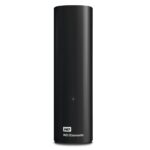
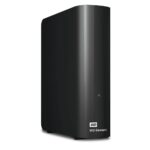
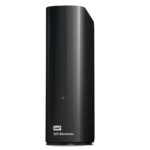
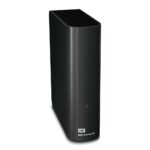
The Western Digital Elements 14TB suits home and office users who need room for large photo, video, music and document libraries. Its 14TB capacity gives you substantial extra storage for files that would otherwise fill your PC’s internal drive.
Key details at a glance
| Metric |
Specification |
| Storage capacity |
14TB |
| USB version |
USB 3.2 Gen 1 |
| Interface |
USB 3.0 / USB 2.0 |
| Connector |
Micro-USB B |
| Supported Windows versions |
Windows 10, Windows 8.1, Windows 7 |
| Dimensions |
48 × 135 × 165.8mm |
Make room for your important files
Move files to the Elements drive to free space on your PC’s internal storage. This can help when your drive is nearly full, without needing to delete files you want to keep. Use it for extra space for photos, videos, music and other files.
Connect through USB
The drive uses a Micro-USB B connector and supports USB 3.2 Gen 1. It also supports USB 2.0, so you can connect it to devices with that interface. Plug and Play support helps make setup straightforward with compatible Windows PCs.
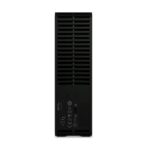
This is a desktop drive, so it needs an external power adapter. It has no Wi-Fi, Ethernet LAN or Thunderbolt connection. Plan to place it near your computer and a suitable power source.
In the box
- USB cable
- User guide
- External power adapter
Check compatibility and setup
- Confirm your PC runs Windows 7, Windows 8.1 or Windows 10.
- Check that your computer has a compatible USB port.
- Confirm you have space for a desktop drive measuring 48 × 135 × 165.8mm.
- Check that you can connect the external power adapter near your chosen setup.
Frequently Asked Questions
Q: How much storage does this drive offer?
A: It has a capacity of 14TB.
Q: Which Windows versions does it support?
A: It supports Windows 7, Windows 8.1 and Windows 10.
Q: Does it work with USB 2.0?
A: Yes. It supports USB 2.0 as well as USB 3.0.
Q: Does it need an external power adapter?
A: Yes. The drive uses an external power adapter.
A practical choice for expanding storage
Choose the Western Digital Elements 14TB if you want substantial desktop storage for your files and a USB connection for a compatible Windows PC. Its large capacity and Plug and Play support make it a straightforward way to add space.



 DPD tracked delivery
 Buy now, pay later with Klarna at checkout
 Pay in 3 instalments with PayPal at checkout

Reviews
Clear filtersThere are no reviews yet.