Western Digital Elements 20TB – Add substantial storage to your PC
We recommend the Western Digital Elements 20TB to PC users who need room for large photo, video, music and document libraries. Its 20TB capacity lets you move files off a crowded internal drive and keep them accessible in one place.
Key details at a glance
| Metric |
Specification |
| Storage capacity |
20TB |
| Connection |
USB Type-A |
| USB interface |
USB 3.0/2.0 |
| Power |
External power adapter |
| Dimensions |
48 × 135 × 165.8mm |
| Weight |
900g |
Room for sizeable file collections
With 20TB of storage, this drive suits extensive collections and regular backups. Move files from your PC to free space on its internal drive. That can help when a nearly full drive is slowing down everyday use.
Straightforward USB connection
The drive connects through USB Type-A and supports USB 3.0 and USB 2.0 devices. So you can use it with a compatible USB port on your PC. Windows PC plug-and-play support makes it simple to add storage without a complicated setup.
An external power adapter is required. Plan a suitable space near your computer and a power outlet, rather than treating this as a pocket-sized portable drive.
A practical desktop footprint
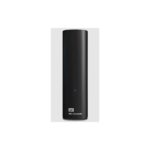
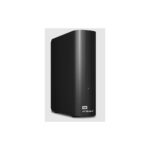
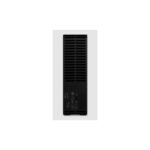
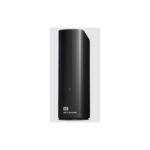
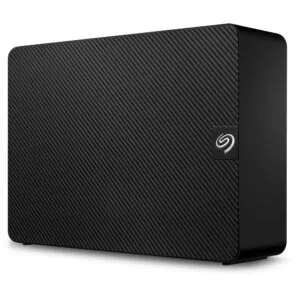
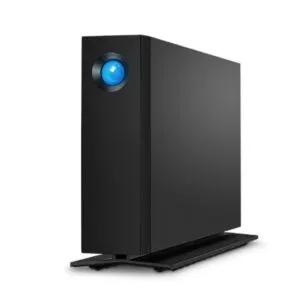
The black enclosure measures 48mm wide, 135mm deep and 165.8mm high. At 900g, it is better suited to a desk or workstation than carrying around with a laptop. Its compact footprint helps keep added storage close to your PC.
Check before you order
- Confirm your PC has a USB Type-A port available.
- Check that you have a suitable nearby power outlet for the external adapter.
- Confirm your operating system and intended use suit a Windows PC plug-and-play drive.
- Check that you have enough desk space for its 135 × 165.8mm base.
Frequently Asked Questions
Q: How much storage does this drive offer?
A: It has a 20TB hard drive capacity.
Q: Which USB connection does it use?
A: It connects through USB Type-A and supports USB 3.0 and USB 2.0 devices.
Q: Does it need an external power adapter?
A: Yes. This drive uses an external power adapter.
Q: What is included with the drive?
A: The package includes a USB Type-A cable and a quick start guide.
A strong fit for expanding PC storage
Choose the Western Digital Elements 20TB if you want substantial desktop storage for files and media. Its large capacity, USB Type-A connection and straightforward Windows PC setup make it a practical option for a growing library.



 DPD tracked delivery
 Buy now, pay later with Klarna at checkout
 Pay in 3 instalments with PayPal at checkout

Reviews
Clear filtersThere are no reviews yet.