ATEN CM1942 – switch two DisplayPort PCs across dual displays
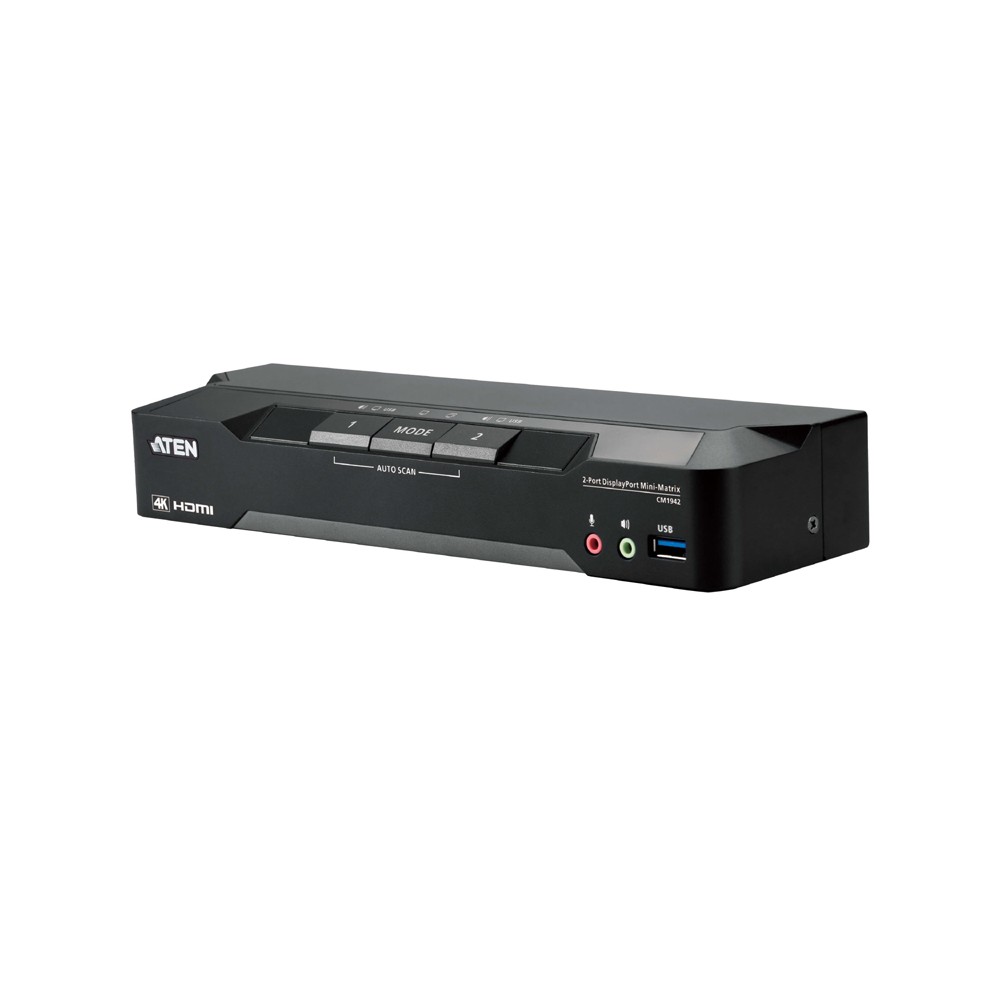
The ATEN CM1942 suits desk setups where you need to control two DisplayPort computers from one dual-display console. Its two PC modes let you show one computer across both screens or view both computers separately.
Key specifications at a glance
| Metric |
Specification |
| Computers |
2 DisplayPort PCs |
| Display setup |
Dual-display console |
| Maximum resolution |
4096 × 2160 at 60 Hz |
| PC modes |
Single PC and Dual PC |
| USB hub |
2-port USB 3.1 Gen 1 |
| USB data rate |
Up to 5 Gbps |
Choose the display layout for your work
In Single PC Mode, the computer with KVM focus appears on both monitors. This is useful when you want one desktop spread across two screens.
Dual PC Mode shows each computer on a separate monitor. The displays remain independent of KVM focus, so you can keep both systems visible while switching control between them.
Switch control in the way that suits you
Select a computer using the front-panel pushbuttons, hotkeys, mouse wheel, mouse cursor or remote port selector. Boundless Switching lets you move the cursor across screen borders to switch between video sources.
The built-in USB hub supports two peripherals and transfers data at up to 5 Gbps. Peripheral switching works independently of KVM focus, which helps when you want to change computers without changing the selected peripherals.
Keep high-resolution video clear
The CM1942 supports resolutions up to 4K DCI, or 4096 × 2160, at 60 Hz. Video DynaSync helps optimise resolutions when switching ports and prevents display problems during computer start-up.
Check your setup before ordering
- Confirm both computers use DisplayPort connections.
- Check that your monitors support the resolution and refresh rate you plan to use.
- Confirm your two USB peripherals suit the built-in USB 3.1 Gen 1 hub.
- Choose Single PC Mode for one computer across both displays, or Dual PC Mode for one computer per display.
Frequently Asked Questions
Q: Can I display both computers at the same time?
A: Yes. Dual PC Mode displays the two computers separately on two monitors, regardless of KVM focus.
Q: Can one computer use both monitors?
A: Yes. In Single PC Mode, the computer with current KVM focus appears across both monitors.
Q: How can I switch between computers?
A: Use the pushbuttons, hotkeys, mouse wheel, mouse cursor or remote port selector.
A practical choice for dual-PC desks
We recommend the ATEN CM1942 for users who need to manage two DisplayPort computers across two screens. Its flexible display modes, cursor-based switching and integrated USB hub support a more efficient multi-PC workspace.

 DPD tracked delivery
 Buy now, pay later with Klarna at checkout
 Pay in 3 instalments with PayPal at checkout

Reviews
Clear filtersThere are no reviews yet.