Never Unplug It: What Is an ONT Box, the Openreach Box on Your Wall, and What the Lights Mean
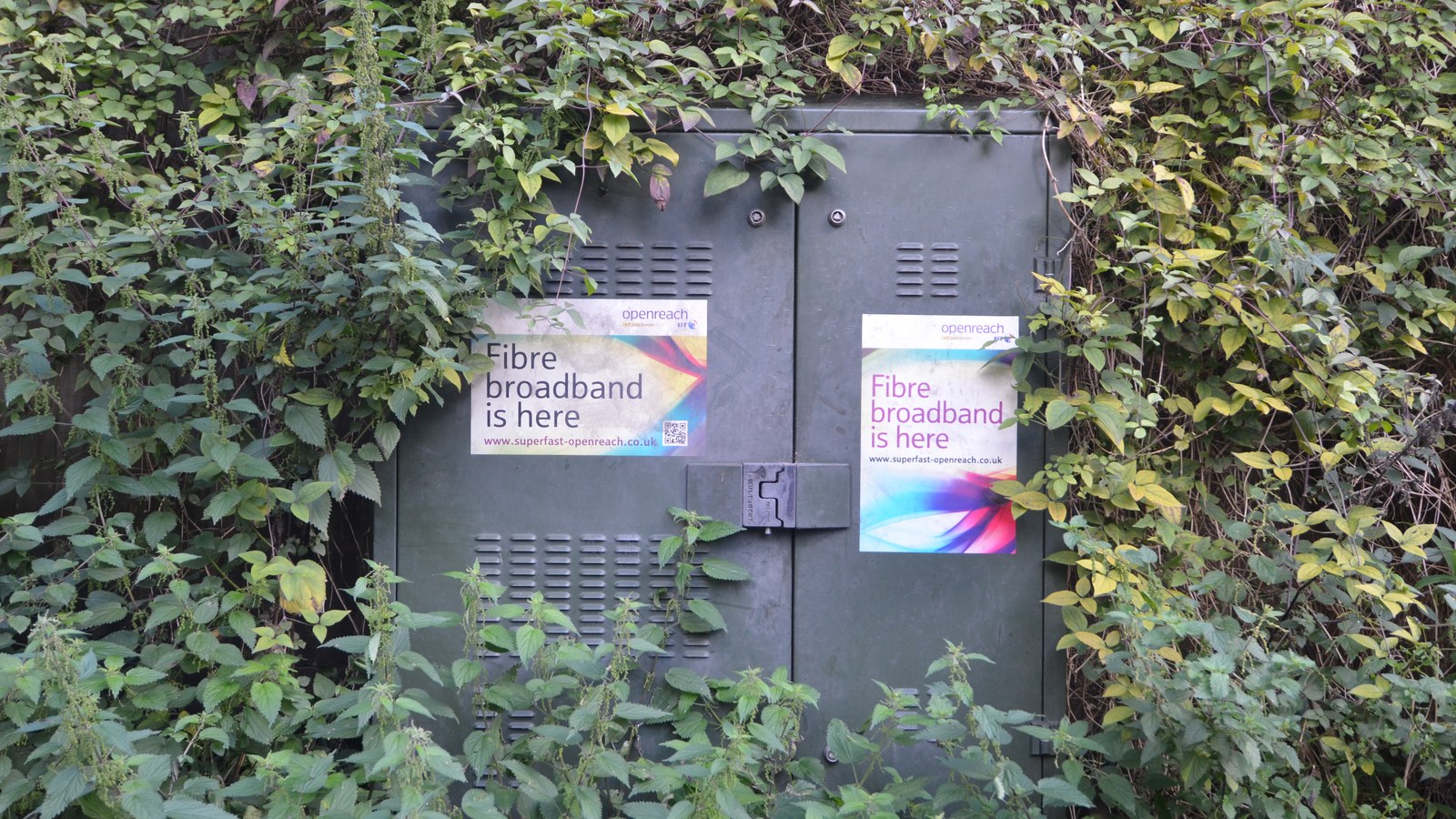
It is an Optical Network Terminal, and it is the point where the fibre network stops and your home begins. The fibre running to your house carries light, not electricity, and nothing in your home can read light. The ONT converts it. Openreach describes its job in one line: the ONT converts the incoming fibre signal, and your router plugs into it. You do not configure it, you do not own it, and the one thing you must not do is unplug it.
What brought you here?
- There is a white box on my wall and I do not know what it isStart at the top. What an ONT box actually is
- A light is red, or one has gone outPON and LOS are the two that matter. What every light means
- I want to know which one I haveThere are five. The Openreach ONT models
- I was told I have fibre, but is it real fibre?Two very different things were sold as fibre. FTTP vs FTTC
- I want to know how it gets to my streetFollow it back to the exchange. The chain from the exchange
- Why is my speed shared?One fibre feeds your whole street. How GPON splits it
- Do I need a spare plug socket?Yes, and this catches people out. The ONT power supply
- I have an install bookedWhat the engineer does, inside and out. Installation day
- What is an ONT box? The white box on your wall
- FTTP vs FTTC: why "fibre broadband" meant two different things
- How does fibre optic broadband work, from the exchange to your street?
- What is GPON, and why your fibre is shared with the street
- Openreach ONT models, and how to tell which one you have
- Openreach ONT lights: what each one is telling you
- The Openreach ONT power supply, and the socket nobody warns you about
- What happens on FTTP installation day
- Full fibre broadband in the UK: who can get it, and who actually buys it
- Quick answers
What is an ONT box? The white box on your wall
If a fibre engineer has been to your house, you have a plain white box screwed to a wall somewhere near where the cable comes in. Under the stairs, in the hall, behind the telly. It has a few lights on the front, one thin cable going into it and one Ethernet cable coming out. That is the ONT, short for Optical Network Terminal. Some people call it the Openreach modem, and BT’s support pages use both names for the same thing.
Here is the part that makes sense of everything else. The cable arriving at your house is glass, and it carries pulses of light. Nothing you own can read light. Your router, your laptop, your TV all speak electrical Ethernet. Something has to sit between the two and translate, and that something is the ONT. Openreach puts it in a single sentence: the ONT converts the incoming fibre signal, your router plugs into it, and your router creates and distributes the signal around your home.
Three things follow from that, and they answer most of the questions people arrive with.
You do not own it. The ONT belongs to Openreach, not to you and not to your broadband provider. If you move house you leave it on the wall. If you switch from BT to Sky to Vodafone, the box usually stays exactly where it is and only the router changes.
You do not configure it. There is no app, no settings page, no password. It has no job except translation. Everything you actually control lives in the router plugged into it.
You do still need a router. The ONT gives you exactly one Ethernet socket carrying your connection. It does not do Wi-Fi, it does not hand out addresses to your devices, and it will not share that one socket. Plug a single laptop straight into it and you may get online; plug the house in and you will not. That is the router’s job, which is why it is worth reading our guide to choosing a router once the fibre side is sorted.
FTTP vs FTTC: why “fibre broadband” meant two different things
For about a decade in the UK, two completely different products were both sold as fibre broadband, and the difference is the reason some people get 74Mbps and their neighbour gets 900.
FTTC is fibre to the cabinet. Fibre runs from the exchange to the green street cabinet, and then the last few hundred metres to your house travel over the same copper telephone pair that has been in the ground for decades. The fibre part is real. The bit that decides your speed is not fibre at all.
FTTP is fibre to the premises, and it is what people now mean by full fibre. Glass runs the whole way, from the exchange into your hallway, with no copper anywhere in the path. This is the connection that ends at an ONT. If you have an ONT on your wall, you have FTTP.
| FTTC (fibre to the cabinet) | FTTP (full fibre) | |
|---|---|---|
| Last stretch to your home | Copper telephone pair | Optical fibre |
| Does distance matter? | Yes. Every extra metre of copper from the cabinet costs you speed. | No, not in any way you would notice at household distances. |
| Box in your home | A master socket, and often a small modem or a router with a DSL port | An ONT, powered, with an Ethernet handoff |
| Typical upload | Far slower than download | Often symmetrical or close to it, depending on the package |
| Affected by wet weather and old joints | Yes, this is a real and common fault type | No |
The practical test is the box, not the marketing. Copper into a socket means FTTC. A fibre into a powered white box means FTTP. If you are still on FTTC and full fibre has reached your street, the upgrade is not a speed bump, it is a different network.
How does fibre optic broadband work, from the exchange to your street?
Work backwards from the box on your wall and the whole national network unfolds in about five steps. One note before we start: if you search for how does fibre optic internet work and get American results, that is the same technology under a different spelling. The UK writes fibre, the US writes fibre, and the kit is identical.
1. The exchange. Your connection starts at a building operators call an exchange or a central office. Inside it sits a rack of equipment called an OLT, the Optical Line Terminal. The OLT is the other end of your fibre and the boss of the whole arrangement. It decides which home transmits when, it hands out the bandwidth, and it is the point where your street’s traffic joins the operator’s core network and, from there, the rest of the internet.
2. The feeder fibre. One fibre leaves the OLT and heads out towards your area. Not one fibre per house. One fibre for a whole group of houses. This is the design decision that makes national fibre affordable, and everything else follows from it.
3. The splitter. Somewhere between the exchange and your street, in a cabinet or a chamber under the pavement, that single fibre reaches an optical splitter. The splitter divides the incoming light into many outgoing fibres. The important word is passive. It has no power supply, no electronics, no fans and nothing to fail. It is a piece of engineered glass that splits light the way a prism does. Nothing between the exchange and your home needs electricity, which is why the whole design is called a passive optical network.
4. The drop cable. From the splitter, one fibre is dedicated to your address. It runs to a small connection point on your street, usually a pole or a chamber, and then a thin drop cable makes the final hop to your outside wall.
5. Into the house. The engineer drills a small hole, brings the fibre through to a wall fitting inside, and terminates it at the ONT. That is where the light stops and Ethernet starts.
Between cities the same principle scales up. Long-haul fibre runs alongside motorways and railways and under the sea, carrying many wavelengths of light down one strand at once. The equipment gets larger and the distances get longer, but the physics on your street is the physics on the seabed.
What is GPON, and why your fibre is shared with the street
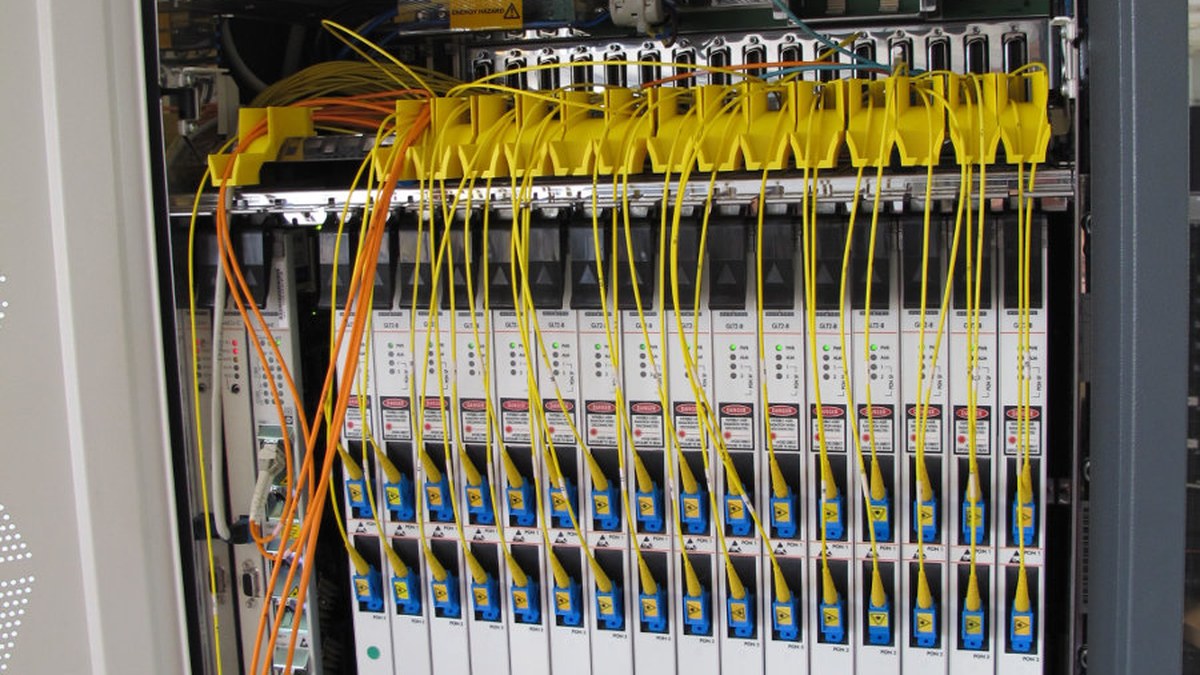
GPON stands for Gigabit Passive Optical Network. It is the system that lets one fibre from the exchange serve a whole group of homes, and it is defined by an international standard, ITU-T G.984.
A typical split serves 16 to 64 homes from one feeder fibre. The standard allows up to 128. So your connection is shared, and it is worth understanding exactly how, because the shape of the sharing is stranger than most people assume.
Downstream, everything is broadcast to everybody. The OLT sends one stream of light down the fibre, the splitter copies it to every home on the split, and your ONT receives your neighbours’ traffic along with your own. It ignores what is not addressed to it, and the traffic is encrypted with AES so that ignoring it is not a matter of good manners. This is not a flaw anyone patched later; it is how the standard is built.
Upstream, everybody takes turns. If two homes transmitted at the same instant, their light would collide in the splitter and both would be lost. So the OLT measures how far away each ONT is, works out the travel time for each one, and then issues grants: permission to transmit during a precisely timed slot. The schedule is recalculated every few milliseconds, which is why a neighbour starting a large upload does not lock you out. It just changes the shape of the next few milliseconds.
The generation matters for the speeds you can buy.
| Standard | Shared downstream | Shared upstream |
|---|---|---|
| GPON (ITU-T G.984) | 2.4 Gbit/s | 1.2 Gbit/s |
| XG-PON (ITU-T G.987, 2010) | 10 Gbit/s | 2.5 Gbit/s |
| XGS-PON (ITU-T G.9807.1, 2016) | 10 Gbit/s | 10 Gbit/s |
| 50G-PON (approved 2021 and 2022) | 50 Gbit/s class | varies by variant |
Read that first row carefully. GPON gives 2.4 Gbit/s to be shared by up to 64 homes. That is the reason gigabit packages on older GPON kit are sold the way they are, and the reason operators are moving to XGS-PON, which is symmetrical: ten gigabits in each direction. If your provider has started offering matching upload and download speeds, XGS-PON is usually why.
One footnote worth knowing. The whole idea is British. Passive optical networking was first proposed by British Telecommunications in 1987, and BT researchers later demonstrated a version reaching 1,024 users at 10 Gbit/s over 100 kilometres. The technology now feeding fibre to homes worldwide started in a UK lab.
Openreach ONT models, and how to tell which one you have
BT’s support documentation lists five types of Openreach modem. They look different, the lights are labelled differently, and they all do the same job. Knowing which one is on your wall matters mainly when you are reading a light or counting sockets.
| Model | Lights on the front | Worth knowing |
|---|---|---|
| Huawei 1-port | Power, Tel, Port, LOS, PON | Comes with a battery back-up unit in a separate white box, so the phone keeps working through a power cut |
| Huawei 4-port | Power, Tel (x2), Port (x4), LOS, PON | Four Ethernet ports, but you will almost certainly only ever use PORT 1 |
| ECI | Power, Optical, Tel (x2), LAN (x4) | Calls the fibre light “Optical” rather than PON |
| ECI C-Series | Power, Optical, Tel (x2), LAN (x4) | Same light names as the ECI above |
| Nokia | Power, PON, TEL (x2), Port | No separate LOS light |
The sockets are the same idea across the range, and they are labelled on the box.
- Optical is where the fibre from the exchange lands. Do not touch this one.
- PORT 1 (or LAN 1) is the Ethernet socket your router plugs into.
- TEL 1 is for a phone handset if you are on a digital voice service.
- BBU connects the battery back-up unit, on models that have one.
- DC is the power input, which on some models comes via the battery unit rather than straight from the plug.
If you have a four-port model and you are wondering whether to plug several devices straight into it, do not. Use PORT 1 to your router and let the router handle the house. If you need more wired sockets, that is what a network switch is for.
Openreach ONT lights: what each one is telling you
This is the reason most people go looking for information about the box in the first place. Something has stopped working and there is a light that was not on yesterday. Two lights carry almost all of the meaning.
| Light | What you want to see | What it means if it is wrong |
|---|---|---|
| POWER | Steady green | Off means the box has no power. Check the plug is in and switched on at the socket, and that nobody has borrowed it for a phone charger. |
| PON (or Optical on ECI models) | Steady green | Solid green means the optical link back to the exchange is up and the network recognises your box. Flashing usually means it is still trying to establish that link. |
| LOS | Off, completely | LOS is Loss of Signal. If it is lit, the box is not seeing light from the network. That is a fibre problem, not a router problem. |
| PORT / LAN | Green, or flickering green | Traffic is passing to your router. Dark with a cable plugged in points at the cable or the router’s WAN port. |
| TEL | Green if you use digital voice | Dark is normal if you do not have a phone service on the line. |
The one combination worth memorising: PON solid green and LOS off means the fibre side is healthy. If you see that and you still have no internet, the fault is on your side of the ONT. Restart the router, check the Ethernet cable between the two, and try a different port on the router before you phone anyone.
If LOS is lit, stop troubleshooting and report it. There is nothing you can do at home about a broken fibre path, and no amount of restarting the router will bring the light back. That is a job for an engineer.
The Openreach ONT power supply, and the socket nobody warns you about
Fibre carries no power. Copper phone lines did, which is why an old corded telephone kept working in a power cut. Fibre does not, and this catches people out in two specific ways.
The ONT needs its own mains socket, permanently. Openreach is blunt about it: the power supply unit is a plug that powers the ONT, and if it is unplugged your broadband stops. That means the wall where the engineer mounts the box needs a free socket within reach of the lead, and it needs to stay free. A surprising number of broadband faults are somebody unplugging the small white plug to charge something.
Your router needs a socket too. The ONT and the router are two separate devices with two separate plugs. This is why installers ask about a double socket. If the only outlet near the entry point is a single, say so before install day rather than discovering it afterwards.
Some models include a battery back-up unit, a second white box that keeps the phone service alive briefly during a power cut. It backs up the voice service, not your broadband, and not every install gets one. If you rely on a landline for a care alarm or any other safety-critical service, raise it with your provider directly, because that is a conversation about the phone service rather than about the box on the wall.
What happens on FTTP installation day
The install is usually two jobs in one visit, one outside and one inside, and it typically takes a few hours.
Outside. The engineer brings the drop cable from the nearest connection point to your property. If your street is served from poles, that is an overhead run to the wall. If it is served underground, the fibre comes through an existing duct. Most homes already have a duct or a pole route from the old phone line, and the fibre follows the same path. Digging up a driveway is the exception, not the rule, and it happens when the existing duct is blocked or collapsed.
At the wall. A small external box goes on the outside of the house where the cable lands, and the engineer drills a hole through to bring the fibre inside.
Inside. The fibre terminates at a wall fitting, and the ONT is mounted next to it and plugged into the mains. The engineer connects your router with an Ethernet cable, checks the lights, tests the line, and confirms the service is live before leaving.
Two things are worth deciding before the engineer arrives, because they are difficult to change afterwards. First, where the box goes: the ONT and the router want to be together, and the router wants to be reasonably central in the house rather than in a corner cupboard. Second, whether the position has power. If you get this wrong you end up with the router in the worst possible spot for coverage, which is a problem no router upgrade fully fixes. Our guide to getting strong Wi-Fi in every room covers what to do if the box has already gone in the wrong place.
Full fibre broadband in the UK: who can get it, and who actually buys it
Ofcom measures this twice a year, and the most recent update was published on 13 May 2026 with a snapshot of the country as it stood in January 2026.
| Measure | January 2026 |
|---|---|
| Homes that can get full fibre | 24.9 million, or 82% of the UK’s 30.5 million homes |
| Added in the previous six months | 1.2 million homes |
| Homes with gigabit-capable broadband available | 27.1 million, or 89% |
| Premises actually connected to full fibre | 12.4 million, or 47% of those who can get it |
| Premises with no access to affordable decent broadband | 4,000 |
The gap in that table is the interesting part. Eight homes in ten can have full fibre. Fewer than five in ten have taken it. More than half the country with a fibre connection sitting outside the door has not asked for it to be brought in.
Some of that is people on contracts that have not ended. Some of it is a reasonable calculation that the connection they have is fine. But a large part of it is simply not knowing the network arrived, because nothing visible changes on your street when it does. The build happens in ducts and on poles, and the first most people hear about it is a leaflet.
If you want to know where you stand, your provider or Openreach can check your address directly. And if you are on FTTC today, the thing to compare is not the headline download number. Compare the upload speed, and ask whether the line still depends on copper. That is the difference that shows up on video calls and cloud backups, not in a speed test screenshot.
Quick answers
Yes. The ONT converts the fibre signal and gives you one Ethernet socket. It does not do Wi-Fi, it does not hand out addresses to your devices, and it will not share that socket with a whole house. Openreach puts it plainly: your router plugs into the ONT and the router creates and distributes the signal around your home. A single computer plugged straight in may work; a household will not.
A plain white plastic box, roughly the size of a paperback, screwed to a wall near where the cable enters the house. It has a row of small lights on the front labelled with some combination of Power, PON or Optical, LOS, Port or LAN, and Tel. There are five different Openreach models, from Huawei, ECI and Nokia, and they vary in size and in how the lights are labelled.
If you have no ONT, you are not on full fibre. You are most likely on FTTC, where the last stretch to your house is copper and the connection ends at a phone socket rather than a powered box. Check with your provider whether FTTP has reached your address. If it has, the upgrade includes an engineer visit to install the ONT.
On an FTTP connection, yes, and it is not optional. Fibre carries light and no consumer equipment can read light directly. The ONT is the only device in the chain that converts the optical signal into the Ethernet your router understands. It also belongs to Openreach rather than to you, so it stays on the wall when you move or switch provider.
Usually not. Most homes are already served by an existing underground duct or an overhead pole route from the old phone line, and the fibre follows the same path. Digging is the exception, and it happens when the existing duct is blocked or has collapsed. If your property needs work of that kind, the engineer will discuss it with you rather than start unannounced.
Because the install puts two powered devices on your wall, not one. The ONT needs a permanent mains socket of its own, and your router needs another. Fibre carries no power of its own, unlike the old copper phone line, so if the ONT is unplugged the broadband stops. If the only outlet near your entry point is a single socket, say so before installation day.
You do not lose the ability to make calls, but the service moves. Traditional analogue phone service runs over copper, and a full fibre line has no copper in it. Your number moves to a digital voice service that plugs into the TEL socket on the ONT or into the router, depending on your provider. Some ONT models ship with a battery back-up unit so the phone keeps working briefly during a power cut. If anyone in the house depends on a landline for a care alarm or similar, raise that with your provider directly before the switch.
The fibre itself is installed by the engineer, so there is nothing for you to buy there. The only cable you may want to think about is the Ethernet lead between the ONT and your router, which is supplied with the install. If you later move the router further away, a longer Cat5e or Cat6 lead does the job; there is no benefit in anything more exotic over household distances.
Sources
- Openreach, Openreach equipment in your home
- BT Help, Openreach modem (ONT) explained: ports and models available
- BT Help, What do the lights on the Openreach modem mean?
- Ofcom, Connected Nations update: Spring 2026, published 13 May 2026
- ITU-T Recommendation G.984 (GPON), G.987 (XG-PON) and G.9807.1 (XGS-PON)
- Zen Internet, Fixing a Full Fibre ONT issue
About Hardvance Team
The Hardvance Team is the editorial team at Hardvance, a UK computer and electronics retailer based in Mildenhall, Suffolk. We build and upgrade PCs and sell laptops, phones, networking gear, monitors and printers, and our guides cover the same ground. Every guide names its sources and explains how we checked the figures, and we say plainly when something is our opinion rather than a tested result.
View all posts by Hardvance Team