Wear, Not Dirt: How to Fix Stick Drift PS5, Xbox and Switch, Testing Before You Buy
Stick drift is almost always mechanical wear inside the stick, not dirt on it. So test before you clean, and clean before you buy. Put the controller down, touch nothing, and watch a stick readout: if the stick reports movement while your hands are off it, the resting position has moved. Cleaning buys weeks when the cause is contamination. When the cause is a worn track, only a new stick module ends it.
Find your situation:
- You have a PS5 padSony documents a reset and a firmware update, and nothing else. There is no drift fix in the menus. What actually works
- You have an Xbox padMicrosoft ships a recalibration tool, and says in writing that it will not fix wear drift. The tool and its limit
- You have drifting Joy-ConNintendo repairs control stick drift free in the UK, out of warranty included. How to claim it
- You want to test it firstYour console and your PC already have a stick test built in. Run it in a minute
- You are about to buy another padMagnetic sticks have no track to wear through. What Hall effect changes
- You want it gone for goodThe only repair that lasts, and who can do it
Search for a stick drift test and the whole first page is websites you plug a controller into. Nobody there mentions that Nintendo, Microsoft and Windows all ship a test already, or that Nintendo will fix a drifting stick for nothing.
- What is stick drift, and what causes stick drift
- Stick drift test: check your sticks before you fix anything
- How to fix stick drift PS5 and DualSense controllers
- How to fix stick drift on Xbox controller
- How to fix stick drift Switch Joy-Con controllers
- Electronic contact cleaner for stick drift
- PS5 controller stick drift repair and Xbox controller stick drift repair
- How to get rid of stick drift for good
- Anti stick drift controller PS5 and Xbox options
- How long until a controller gets stick drift
- Quick answers
What is stick drift, and what causes stick drift
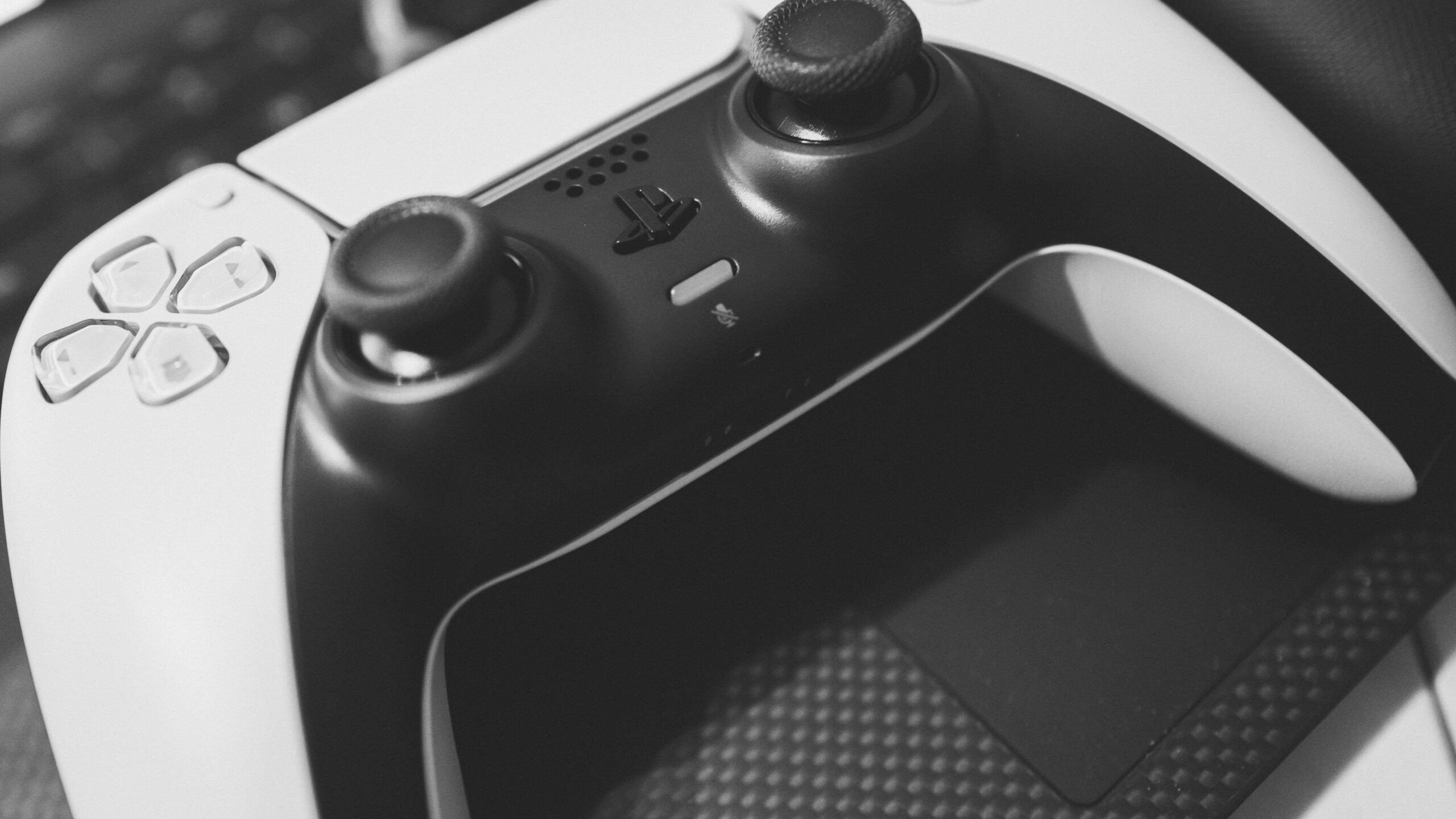
Stick drift is your character moving while your thumb is nowhere near the stick. The menu scrolls on its own. The camera creeps left. The car pulls to one side on a straight road.
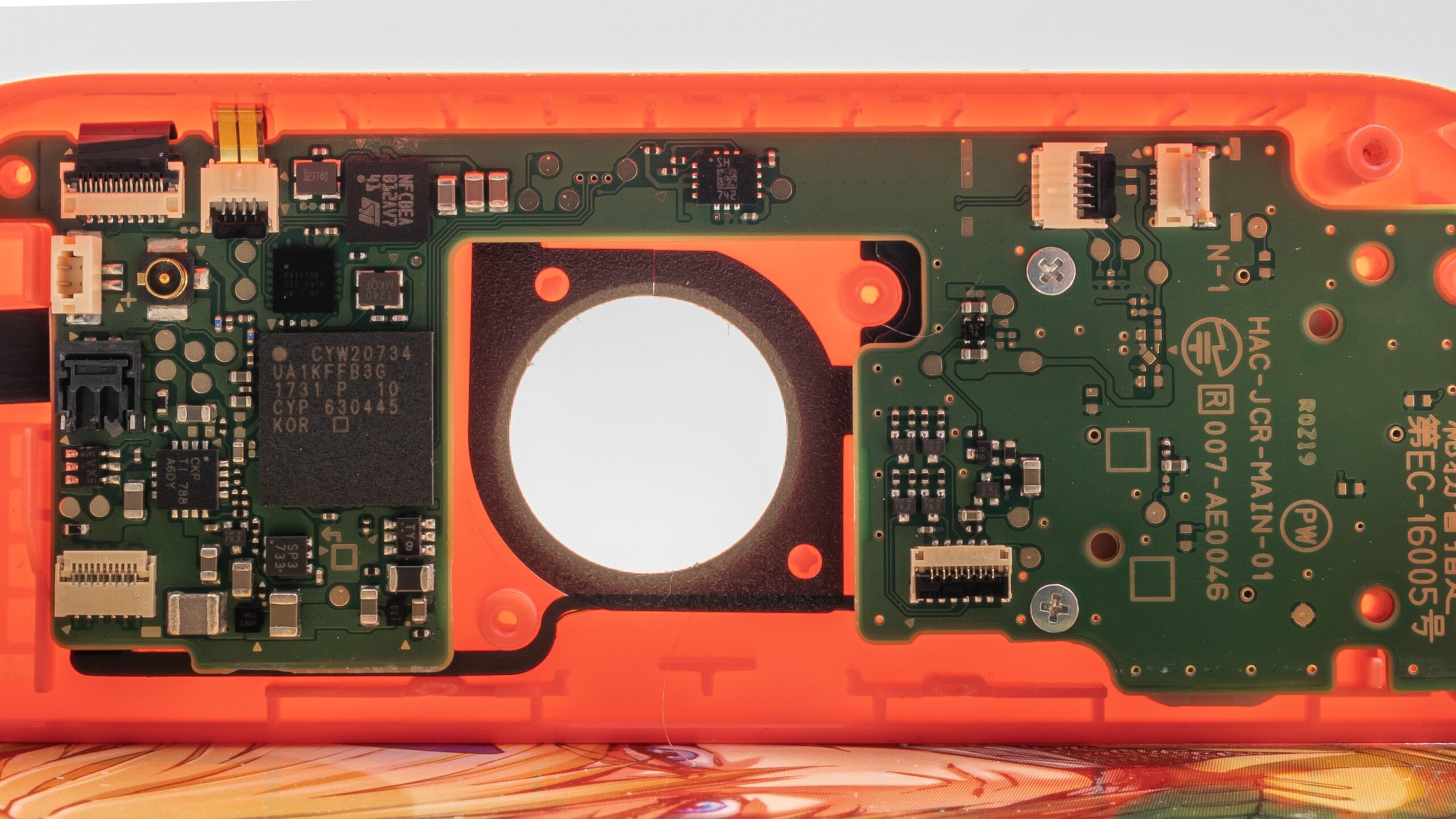
To understand what causes stick drift you have to know what is under the thumbstick, and it is simpler than most people expect. iFixit describes the mechanism plainly: “As you tilt the stick, small conductive wipers move over an electrically resistive pad. The position of these wipers creates a difference in voltage output (due to variances in electrical resistance) which your PlayStation translates into directional information.”
Two small arms scrape across a printed track, and where they sit on that track is your stick position. That is the whole design, and it is the design in almost every controller sold, on every platform.
Now the failure. In iFixit’s words, over time “this resistive material wears away. This changes the way the sticks behave. Voltages will no longer read as expected.” Push it far enough and “parts of the resistive track might wear through altogether.”
So how does stick drift happen? The track that reports your stick position gets thinner where you use it most, which is the centre. The controller keeps reading a voltage from a surface that is no longer the shape it was, and it reads a position you are not holding.
Why a tiny amount of wear becomes a visible problem
Every controller ignores a small ring of movement around the centre so that a resting thumb does not steer. That ring is the dead zone, and Sony defines it in its own documentation: “Deadzone is the range that you can tilt the stick before it’s recognised as an input. For example, with a deadzone of 10% you need to exceed a tilt of 10% before your game registers an input.”
Drift becomes visible at the moment the stick’s resting reading drifts past the edge of that ring. Before that point the wear is already there, doing nothing you can see. That is why drift seems to arrive overnight after months of nothing. It did not arrive overnight. It crossed a line.
Dirt and grease do cause drift as well, and that kind is genuinely fixable. The problem is that the two feel identical from the sofa, which is why the next section comes before any fixing.
Stick drift test: check your sticks before you fix anything
Run a stick drift test first. It takes a minute and it decides everything after it: whether to clean, claim, repair or replace.
Search the phrase and the results are a wall of websites that want you to plug a controller into a browser. A browser stick drift tester works perfectly well. But those sites are not your only option, and they are not the one a manufacturer will accept as evidence. Your own hardware has a test in it.
On Nintendo Switch
Nintendo documents this one properly. From the HOME Menu go to System Settings, scroll down to Controllers and Sensors, then select Calibrate Control Sticks. Nintendo’s instruction is to “tilt the control stick in any direction for a few seconds on the controller you want to calibrate” and then “follow the on-screen prompts to verify the control stick functionality”. It covers Joy-Con, the Switch Pro Controller and the Nintendo 64 controller.
On Switch 2 the path changed slightly: Controllers & Accessories, then Calibrate Control Sticks.
The screen shows you where the console thinks your stick is. Let go of it. If the marker does not sit dead centre and stay there, you have your answer.
On Xbox
Microsoft’s tool lives in the Xbox Accessories app, which runs on the console and on Windows. It is a guided self-calibration for sticks and triggers. Read the limit before you pin any hope on it, because it is in the next section and it matters.
On a Windows PC
Windows has carried a game controller panel for decades. Press Windows and R together, type joy.cpl and press Enter, pick your controller, click Properties and open the Test tab. You get a live crosshair that moves with the stick.
One note on that panel. Microsoft’s old support article for it now redirects to the Xbox support home page, so the steps above are not manufacturer-documented; they are community-verified rather than official. The panel is still present in Windows 11 and opens the same way it has for years, but Microsoft no longer publishes instructions for it. Windows also does not guarantee a calibration button for every device. If the panel does not show your controller, use the Xbox Accessories app for an Xbox pad, or one of the browser testers.
What you are looking for
- Hands off. Rest the controller on a table, touch nothing, and watch the readout. Any movement at all is drift.
- Let it snap back. Push the stick to its edge and release. The marker should return to the same centre point every time. A centre that lands somewhere different each time is a worn track.
- Both sticks, then both directions. Drift usually starts on one axis of one stick. Knowing which one tells a repairer exactly what to quote for.
- Use a browser tester as a second opinion. A controller stick drift test in a browser reads the same axes, and a gamepad tester for stick drift will show the same off-centre value. It is a cross-check, not a replacement for the manufacturer’s own tool.
- Record it. Photograph or film the readout. A test screen showing an off-centre stick with nobody touching it is much harder to argue with than a description.
How to fix stick drift PS5 and DualSense controllers
Start with the awkward part. Ask how to fix PS5 stick drift and the manufacturer’s answer is thinner than you would expect. Sony’s official troubleshooting for the DualSense offers a controller reset and a system software update, and then it routes you to its repair service. There is no PS5 stick drift fix in the menus, no calibration screen, and no dead zone slider for a standard DualSense.
That is not a reason to skip the official steps. Sometimes a stick misreads because of a firmware or pairing fault rather than wear, and the reset is free.
Sony’s reset
- Turn off the PS5 console.
- Disconnect the controller from the USB cable.
- Find the reset button in the small hole next to the Sony logo on the back of the controller.
- Use a pin or a similar tool to press and hold the reset button for at least 5 seconds.
- Connect the controller to the console with the official USB cable and press the PS button.
Sony also asks you to update the PS5 system software to the latest version available before deciding the controller is faulty. Controller firmware travels with it.
How to fix stick drift on PS5 controller without opening it
After the reset, your options without a screwdriver are narrow and you should know that going in. Owners asking how to fix stick drift on a PS5 controller without tools have three, and none of them is a PS5 controller drift fix that survives a worn track.
- Work the stick. Push it to full lock and rotate it slowly, several times, in both directions. Where the cause is contamination this sometimes clears it. Where the cause is wear it changes nothing.
- Play on PC through Steam. Steam Input carries its own dead zone settings, so a PS5 pad that drifts on the console can still be usable on a PC. It masks the fault rather than fixing it.
- Accept what the pad cannot do. A standard DualSense has no user dead zone control. If you want one on PlayStation hardware, it is a DualSense Edge feature: Settings > Accessories > DualSense Edge Wireless Controller > Custom Profiles, then Stick Sensitivity/Deadzone, with six sensitivity curves to choose from.
However the question is phrased, how to fix PS5 controller stick drift has one answer: the module swap. Everything short of it buys time.
That Edge dead zone control is the closest thing PlayStation has to a drift fix, and it is worth being clear about what it does. Widening the dead zone tells the console to ignore a bigger ring around the centre. The worn track is still worn. You have told the machine not to listen to the part that lies.
How to fix stick drift on Xbox controller
Microsoft is the only platform holder that ships a stick recalibration tool to ordinary owners, and it is also the only one that tells you plainly what the tool cannot do. That makes how to fix Xbox controller stick drift an easier question to answer than the PlayStation one, even though the ending is the same.
The tool is in the Xbox Accessories app. Microsoft describes it as being for people “experiencing minor issues with the sticks or triggers” on a controller, or for people recalibrating after a self-repair.
Then comes the sentence from Microsoft’s support page that should shape your whole plan:
“Not all stick or trigger issues can be resolved with this recalibration tool, including drift due to normal wear and tear.”
Read that again if you have just spent an evening on articles promising seven quick methods. The company that makes the controller says its own calibration tool does not fix worn sticks. It fixes sticks that are reporting wrong for other reasons.
Two more limits worth knowing before you go looking for it. Microsoft says the self-calibration tool is “currently available for the XBOX Wireless Controller and XBOX Elite Wireless Controller Series 2 only”, and that where you are recalibrating after a repair, it “should be used after you have replaced the controller’s base and circuit board”.
How to fix stick drift Xbox Elite Series 2 sticks
The Elite Series 2 is worth separating out, because it is easy to assume it is more repairable than it is. It is one of the two pads the recalibration tool supports, and Microsoft ships it with a stick adjustment tool that “lets you tweak the tension in the left and right sticks until they’re just the way you like them”. Tension, though, is not drift. The thumbstick tops come off and swap, and the tension changes, but the stick mechanism itself is on the circuit board like every other pad. Microsoft gives that away when it says the recalibration tool should be used after you have replaced the controller’s base and circuit board.
An Xbox controller drift fix follows the same logic as the PlayStation one. Recalibration buys weeks, not years, so if you fix Xbox controller drift that way alone you will be back. Anyone asking how to fix stick drift Xbox controller sticks show after a couple of years of play is looking at a parts problem, not a settings one.
How to fix stick drift Switch Joy-Con controllers
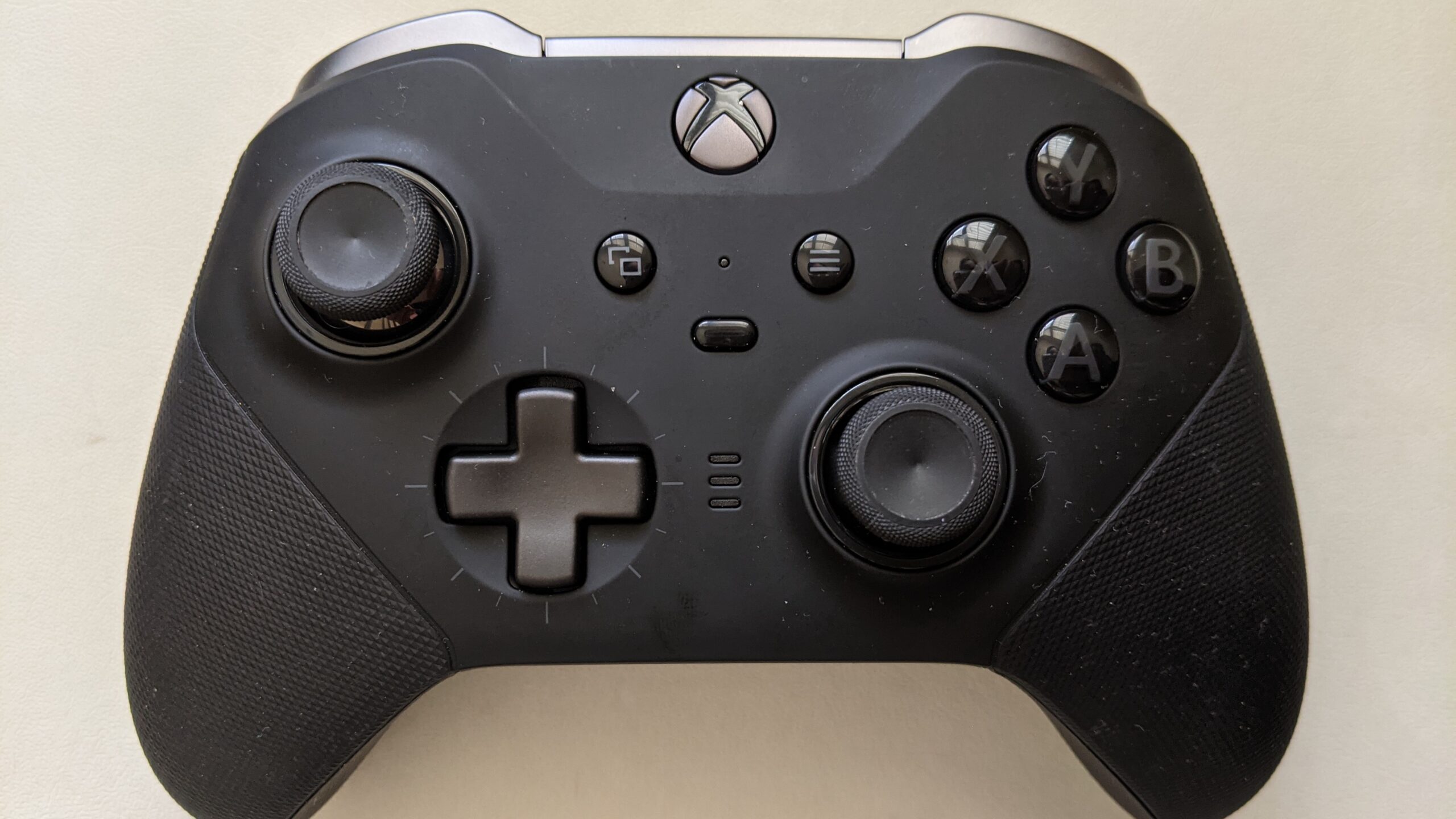
Nintendo Switch Joy-Con drift repair is the one genuinely good outcome on this page, and it is the one almost nobody mentions. If your drifting controller is a Joy-Con, stop reading fix guides and go and claim a free repair.
Try the calibration first, because Nintendo asks you to
Before a repair request, Nintendo asks you to “calibrate the control sticks and verify that the control stick configuration is set to the standard inputs”. The path is System Settings > Controllers and Sensors > Calibrate Control Sticks. If that does not settle it, Nintendo suggests putting the console into sleep mode and waking it, and resetting the controller by “pressing the SYNC Button once, then press any other button to power it on again”.
Then claim the free repair
Nintendo UK’s position on control stick drift, which it calls responsiveness syndrome, is written down:
“repairs for responsiveness syndrome relating to control sticks will be conducted at no charge by official Nintendo repair centres. This applies even if the syndrome is caused by wear and tear and even if the 24-month manufacturer’s warranty provided by Nintendo has expired.”
Wear and tear is covered. An expired warranty is not a barrier. That is unusually generous and it is worth taking.
Nintendo does list conditions where it will refuse. It can decline if the fault was caused by non-Nintendo accessories, if the controller was used for rental or commercial purposes, if the cause was accidental damage or negligence, if the controller “has been opened, modified or repaired by any person or company other than Nintendo or its authorised partners”, or if the serial number has been altered or removed.
That fourth condition is the one to think about before you watch a teardown video. Opening a Joy-Con yourself can cost you a free repair that Nintendo would otherwise have done.
Electronic contact cleaner for stick drift: what it fixes and what it hides
Electronic contact cleaner is the most searched home remedy for this fault, and it deserves a straight answer rather than either the enthusiasm or the sneering it usually gets.
It works when the cause is contamination. Dust, skin oil and crumbs get into the gap around the stick and sit on the track. A cleaner made for electronics dissolves that and evaporates without leaving a residue. If that was your fault, the drift goes and it may not come back for a long time.
It does nothing when the cause is wear, because there is nothing to dissolve. A track that has thinned or worn through is a physical shape problem, and no solvent restores material. iFixit is blunt about the ceiling here: “even cleaning may be a temporary fix”.
That is the real risk of the cleaning route. Not that it damages anything, but that it works for two weeks, you conclude the problem is solved, and you stop pursuing a repair or a warranty claim that was actually available to you.
If you are going to do it anyway
- Use a cleaner sold for electronics or electrical contacts. Household sprays, lubricants and oils are not the same thing and some attack plastics.
- Do it with the controller off and give it time to dry fully before powering up.
- Work the stick through its full range while the cleaner is still wet, which is what carries it onto the track.
- Re-run the stick test afterwards rather than judging by feel. Feel is generous.
- If you have a Joy-Con, do not do this before reading the free repair terms in the section above.
Compressed air is the other common suggestion and it is a weaker version of the same idea. It moves loose debris. It does not lift anything that has stuck.
PS5 controller stick drift repair and Xbox controller stick drift repair
When the test says wear, repair means one thing: the stick module comes out and a new one goes in. Everything else is delay.
PS5 stick drift repair and the Xbox version of it are the same job on different boards, because Xbox controllers stick drift by the same mechanism. Fixing stick drift properly ends in the same place on every platform: new parts.
The standard pads
On a standard DualSense or a standard Xbox Wireless Controller, the stick modules are soldered to the board. That puts the job in the hands of someone with a soldering iron and some practice, or a repair shop. iFixit rates this class of repair as needing intermediate soldering skill and describes desoldering the module as difficult but doable with patience.
For most people the decision is therefore not “can this be repaired” but “is it worth paying someone to repair it”. Both answers are legitimate. A repair keeps a working controller out of a bin and is usually the cheaper route for a pad that is otherwise fine.
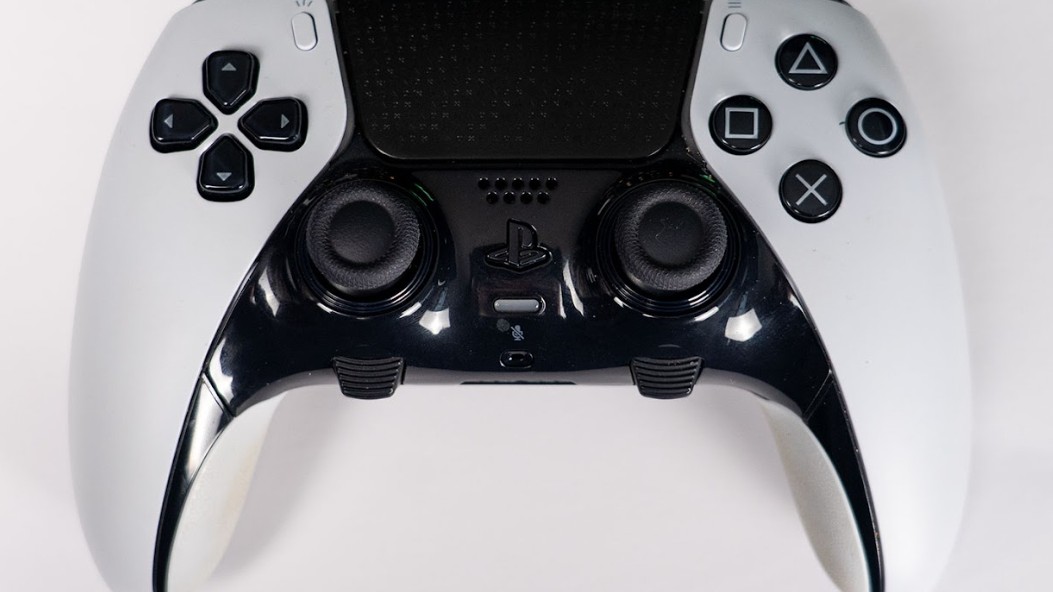
The DualSense Edge, which was designed for this
Sony built the Edge so the sticks come out without tools or solder. The stick modules are sold as a spare part, and Sony confirms that “left and right stick modules are interchangeable and can be attached to either side”.
The swap:
- Make sure the player indicator is off. If it is on, hold the PS button until it turns off.
- Disconnect the USB cable from the controller.
- Slide the RELEASE latch on the back to remove the front cover.
- Raise the release lever.
- Remove the stick module and attach the new one, sliding it along the grooves until it clicks.
- Lower the release lever.
- Align the cover with the notches and push it into place until it clicks.
Seven steps and no soldering. That is what a controller designed around a known wear part looks like.
The Joy-Con
Covered above, and the answer is different: let Nintendo do it, for nothing, and do not open it first.
Older pads
None of this is new to the current generation. How to fix stick drift PS4 pads show, and how to fix stick drift on PS4 controllers specifically, has the same answer as the PS5 one, because the stick design is the same idea. The difference is only what a replacement pad costs you against a repair.
How to get rid of stick drift for good
How to get rid of stick drift PS5 owners ask more than anyone else does, but the answer does not change by platform. There is a short answer and you have probably guessed it. iFixit puts it in one line: “the only way that joystick wear can be solved is replacing your sticks altogether.”
Can you fix stick drift at home? Sometimes, when dirt caused it. Is there a way to fix stick drift permanently without fitting new parts? No. Everything else on the internet sits on a spectrum between temporary and cosmetic:
- Resetting and updating firmware. Free, fast, and fixes the small number of cases that were never mechanical. Do it first.
- Cleaning. Real fix for contamination. Temporary or useless for wear.
- Widening the dead zone. Hides the symptom by telling the machine to ignore the bad region. Available on DualSense Edge, on PC through Steam Input, and in some games individually. Perfectly reasonable as a stopgap, and it is not a repair.
- Replacing the stick module. The actual fix.
- Replacing the whole controller. Also a fix, at the cost of throwing away a working pad.
How to stop stick drift coming back
Here the facts are more useful than a checklist. You cannot prevent wear on a part that works by scraping. Every hour of play moves those wipers across that track, and the track is consumable.
What you can influence is the contamination half and the speed of the wear:
- Clean hands. Skin oil and food are what end up on the track.
- Store the controller somewhere without dust settling into the stick gap, rather than face up on a shelf for months.
- Ease off the full-lock rotation where a game does not need it. Hard circles at the edge are the roughest thing you do to a stick.
- Skip the silicone stick covers if they trap grit underneath, which is the opposite of what people buy them for.
None of that makes a potentiometer stick last forever. Which is the argument for the next section.
Anti stick drift controller PS5 and Xbox options
An anti stick drift controller is one of the rare cases where the label describes something real. It means a different sensor under the stick, and the difference matters.
Hall effect sticks measure a magnetic field instead of scraping a track. A magnet moves with the stick and a sensor reads the field around it, and nothing touches anything. TMR sticks, which use tunnel magnetoresistance, work on the same contactless principle with a different sensor technology.
Remove the contact and you remove the wear. That is the entire claim, and it follows directly from the cause described at the top of this page. iFixit lists Hall effect replacements among the fixes for exactly this reason, and calls out their frictionless operation and longer life.
What that does and does not promise
- It does remove wear drift. There is no resistive track to thin out.
- It does not make a controller immortal. Sensors can still fail, magnets can be disturbed, and the rest of the pad still has buttons and a battery.
- It is not automatically better to play with. Feel comes from the springs and the gate, not the sensor. Some people prefer the response of a good potentiometer stick.
Where to actually find them
On the market as it stands, the companies doing the most here are not Sony, Microsoft or Nintendo. GuliKit pushed Hall effect sticks into mainstream controllers first, 8BitDo sells them in several pads, and there is a healthy trade in Hall effect and TMR replacement modules for people repairing an existing controller. Several third-party PS5 and Xbox pads now advertise magnetic sticks as the headline feature.
Anti stick drift controllers all rest on this one sensor change, whether the listing promises a PS5 controller no stick drift or an Xbox controller no stick drift. Anti stick drift controller Xbox buyers face exactly the same choice as PlayStation ones.
The first-party pads are the ones still shipping potentiometer sticks, which is why this whole page exists. That may change with the Xbox Elite Series 3, which leaked in October 2026 with Hall effect or TMR stick options. If you buy a controller specifically to stop having this conversation again, read the sensor type before the button layout.
If you are rebuilding a desk around gaming, our gaming accessories and our gaming headset guide are worth a look.
How long until a controller gets stick drift
PS5 controllers stick drift to no published schedule, because no manufacturer states a stick lifespan. What there is, in quantity, is owners counting.
Read enough of them and the pattern is consistent and grim. People report drift arriving somewhere between a few months and a couple of years, with heavy play at the short end. One owner describes buying a fourth PS5 controller, not by choice. Another, writing about the premium DualSense Edge, reports drift at four months in the left stick and five in the right, after what they describe as light use. A third counts three controllers, drifting at roughly a year, a year, and eighteen months.
Treat those as what they are: self-selected reports from people annoyed enough to post. People whose controller is fine do not write about it. But the direction is not in doubt, and it matches the mechanism. A part that works by scraping wears at a rate set by how hard and how often you scrape it.
The legal backdrop, briefly
This is a known issue rather than an internet rumour. A class action was filed against Sony in the United States in February 2021 alleging that DualSense controllers contain a defect causing on-screen movement without input from the player. Much of what has happened since has turned on the arbitration clause in PlayStation’s terms rather than on the controllers themselves. Nintendo has faced its own litigation over Joy-Con drift, and its free repair policy arrived in that context.
For a UK buyer the practical read is simpler. Nintendo has written the free repair commitment down. The other two have not, so your route there is the retailer, consumer law and the repair options above.
If you are weighing up replacing hardware more broadly at the moment, the same supply pressures pushing up memory prices are moving console and accessory pricing too, which we covered in our piece on the 2026 console price increases.
Quick answers
Replace the stick module. How do you fix stick drift on a PS5 controller for good? The same way. iFixit states it directly: the only way joystick wear can be solved is replacing the sticks altogether. Cleaning, resetting and widening the dead zone all have their uses, but none of them restores a worn track. On a DualSense Edge you can swap the module yourself in seven steps. On a standard PS5 or Xbox pad it is a soldering job. How to fix PS5 controller drift, or a PS5 controller drift repair booked with a shop, both end at that same part.
For the same reason most controllers do. Stick drift PS5 controller owners see usually starts on one axis of one stick, because the stick reports its position using conductive wipers scraping across a resistive track, and that track wears unevenly. The DualSense is not built around a different principle from its competitors, so it wears the same way. What sets PlayStation apart is the lack of any fix in the menus: no calibration tool, and no dead zone control unless you own the Edge.
Not as a stated policy. Sony's published troubleshooting offers a controller reset and a system software update, and then directs you to its repair service. Nintendo is the platform holder that has committed in writing to free control stick repairs. For a PS5 pad still inside its warranty period, your claim runs through the retailer you bought it from.
No manufacturer publishes a figure. Owner reports cluster between a few months and around two years, with heavy use at the short end. Those reports are self-selected, since nobody posts about a controller that works, but they are consistent enough to plan around. Treat a controller as a wearing part rather than a permanent one.
Yes, if you mean replacing the stick module, and that fix lasts. If you mean making a worn stick behave again without replacing anything, then usually no. Cleaning fixes the cases caused by dirt and grease. It cannot fix the cases caused by wear, which are the majority of long-running drift. Ask how to fix controller drift on any platform and the split is the same.
Wear, mostly. Inside the stick, small conductive wipers move across a resistive pad, and the position of those wipers is what the console reads as your stick position. That material wears away with use and can wear through completely, so the console reads a position you are not holding. Dirt and grease on the same track cause the identical symptom, which is why testing matters.
You cannot turn it off, but you can tell the machine to ignore it by widening the dead zone, which is the ring of movement around the centre that gets treated as no input. On PlayStation that control exists only on the DualSense Edge, under Custom Profiles and Stick Sensitivity/Deadzone. On a PC, Steam Input has its own dead zone settings. This hides the fault rather than repairing it, and it is the practical answer to how to stop stick drift PS5 pads have already developed.
Sometimes, briefly, and only when loose debris is the cause. Compressed air moves what is loose and lifts nothing that has stuck, so it is the weakest version of the cleaning approach. A cleaner made for electrical contacts does more. Neither does anything at all for a worn track.
Rest the controller on a table, touch nothing, and watch a live stick readout. Any movement is drift. Then push each stick to the edge and release, and check that it returns to the same centre every time. Nintendo has a test under System Settings, Controllers and Sensors, Calibrate Control Sticks. Xbox has one in the Xbox Accessories app. On Windows, press Windows and R, type joy.cpl, open Properties and use the Test tab.
Shops that take controller trade-ins do check sticks, because drift affects what a used pad is worth. It is not a diagnosis you need to outsource though. The same test takes a minute at home using the tool already built into your console or PC, and filming the result gives you something to show a retailer or a repairer.
Sony does not publish one. In practice the sticks are the part that decides it, and owner reports put drift anywhere from a few months to a couple of years depending on how hard the controller is used. The battery is the other wearing part. Everything else tends to outlast both.
Yes, by replacement of the stick module, and that is a real repair rather than a workaround. The confusion comes from guides that present cleaning as a fix. Cleaning is a fix for one cause out of two. Microsoft says the same thing about its own tool, noting that not all stick issues can be resolved with it, including drift due to normal wear and tear. A PS5 controller stick drift fix that lasts means new parts.
Yes. A class action was filed in the United States in February 2021 alleging that PS5 DualSense controllers contain a defect that moves characters or gameplay on screen without input from the player. Much of the case since has turned on the arbitration clause in PlayStation's terms rather than on the hardware. Nintendo has also faced litigation over Joy-Con drift.
Not all, but the mechanism applies to all of them, so it is better understood as a wearing part than as a defect that either exists or does not. How long yours lasts depends on hours played, how hard you push the sticks, and how much dirt reaches the track. A controller with magnetic Hall effect or TMR sticks removes the wear path entirely.
Sources
- Microsoft: using the Xbox Accessories recalibration tool. The source for the quoted note that the tool does not resolve drift due to normal wear and tear, and for the controllers it supports.
- Microsoft: adjust the sticks on your Xbox Elite Wireless Controller Series 2. The source for the stick adjustment tool and the tension quote, and the reason we do not describe the Elite as having replaceable stick modules.
- Sony: how to troubleshoot DualSense wireless controller issues. The reset button sequence and the five second hold.
- Sony: how to replace a stick module on your DualSense Edge. The seven step swap and the interchangeable modules.
- Sony: how to set profiles for your DualSense Edge on PS5. The Stick Sensitivity/Deadzone path and Sony's definition of a dead zone.
- Nintendo UK: Joy-Con control sticks are not responding or respond incorrectly. The free repair commitment, the wear and tear wording, and the conditions for refusal.
- Nintendo UK: how to calibrate the controllers on Nintendo Switch. The Calibrate Control Sticks menu path and supported controllers.
- iFixit: DualSense controller stick drift. The quoted explanation of the wipers and the resistive pad, the wear description, and the conclusion that replacement is the only cure.
- Xbox, PS5 and Switch 2 price increases, our own reporting on what the memory shortage is doing to console pricing.
- Best gaming headset in 2026 and our gaming accessories.
About Hardvance Team
The Hardvance Team is the editorial team at Hardvance, a UK computer and electronics retailer based in Mildenhall, Suffolk. We build and upgrade PCs and sell laptops, phones, networking gear, monitors and printers, and our guides cover the same ground. Every guide names its sources and explains how we checked the figures, and we say plainly when something is our opinion rather than a tested result.
View all posts by Hardvance Team