Wrong Socket, No Gain: Best WiFi Extender and WiFi Booster UK, Plus Sky, BT and Virgin Boosters
For most UK homes, the best WiFi extender is the Mercusys ME80X, plugged in about halfway between your router and the weak room. Plug it into a socket where the router’s signal is already failing and you gain nothing, because an extender can only repeat what it can hear. Check your broadband plan before you pay, too: Virgin Media, Sky and Vodafone include a booster on some plans.
Your situation, what to do:
- One weak room, most homesMercusys ME80X. Why
- Tight budgetMercusys ME60X. Why
- You have a WiFi 7 routerASUS RP-BE58. Why
- You have an ASUS routerASUS RP-AX58. Why
- Sky, Virgin Media, BT, EE or VodafoneCheck your plan first. What each one gives you
- Garden office or shedSkip the plug-in. What works
- The picks side by side
- Best for most homes
- Best budget booster
- Best WiFi 7 extender
- Best mesh extender
- The wrong socket test
- Sky, Virgin, BT, EE, Vodafone
- Do they work?
- Booster vs extender vs repeater
- Ethernet ports
- The cheapest boosters
- Long range and outdoor
- Powerline
- How to set one up
- What we would do
- Questions
Best WiFi extender UK: the picks side by side
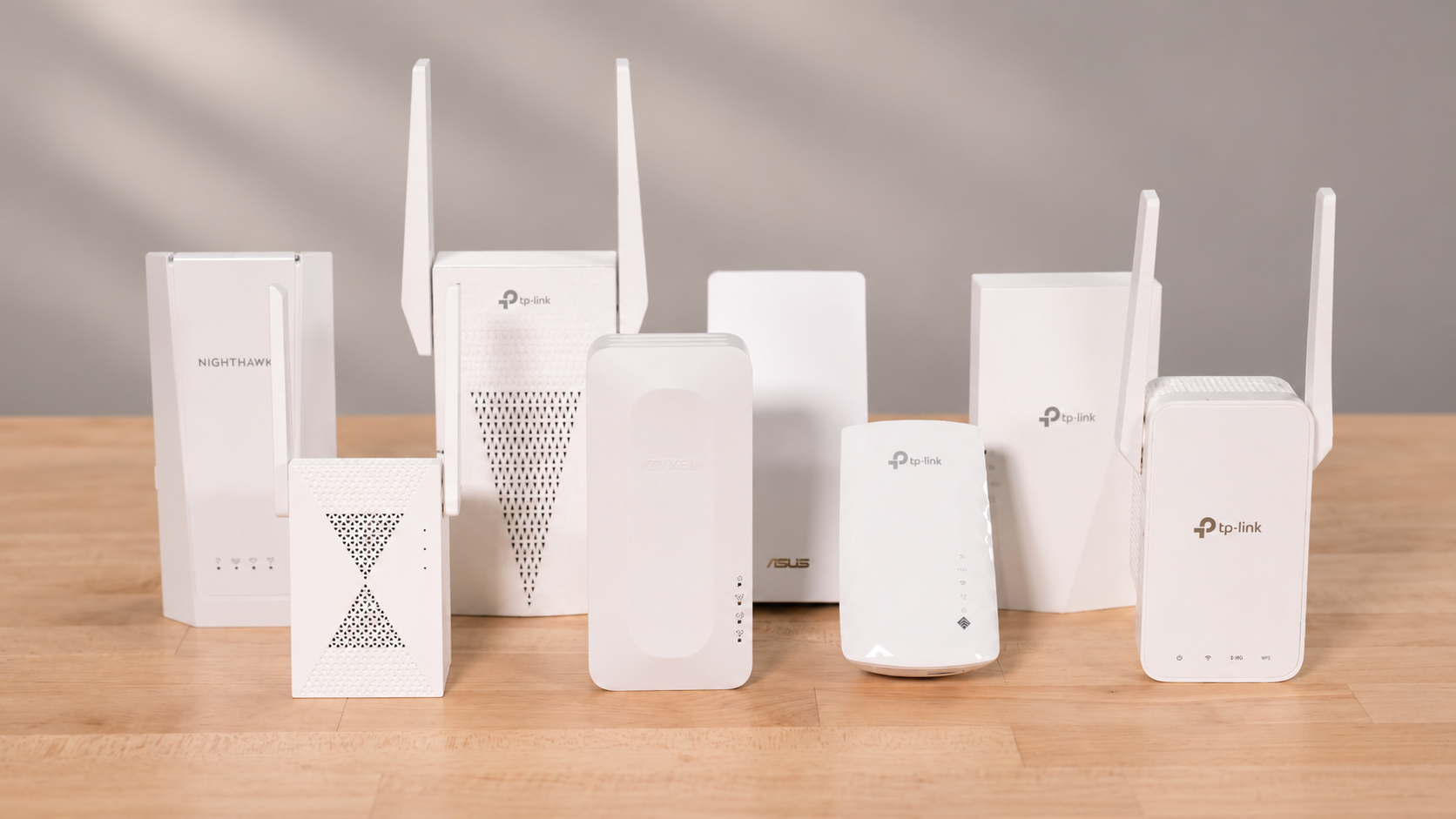
These seven cover nearly every home. The speeds are the makers’ ratings for each band, and you will see far less in real use. What matters is the WiFi generation of your router and whether you need the Ethernet port.
| Pick | WiFi | Rated speed, 5GHz + 2.4GHz | Ethernet port | Best for |
|---|---|---|---|---|
| Mercusys ME80X | Wi-Fi 6 | 2,402 + 574Mbps | Gigabit | Most homes |
| TP-Link RE705X | Wi-Fi 6 | 2,402 + 574Mbps | Gigabit | The same speeds with the bigger test record |
| Mercusys ME60X | Wi-Fi 6 | 1,201 + 300Mbps | Gigabit | A tight budget |
| TP-Link RE315 | Wi-Fi 5 | 867 + 300Mbps | 100Mbps | Browsing and streaming, nothing wired |
| ASUS RP-AX58 | Wi-Fi 6 | 2,402 + 574Mbps | Gigabit | ASUS AiMesh routers |
| ASUS RP-BE58 | Wi-Fi 7 | 2,882 + 688Mbps | Gigabit | WiFi 7 routers |
| TP-Link RE235BE | Wi-Fi 7 | 2,882 + 688Mbps | 2.5Gbps | WiFi 7 routers and a fast wired link |
Best WiFi extender for most homes: Mercusys ME80X or TP-Link RE705X
Wi-Fi 6, a gigabit port and the top speed rating among the Wi-Fi 6 picks here. Buy this unless your router gives you a reason not to.
- 5GHz2,402Mbps
- 2.4GHz574Mbps
- WiFiWi-Fi 6
- Ethernet1 gigabit port
- MeshEasyMesh
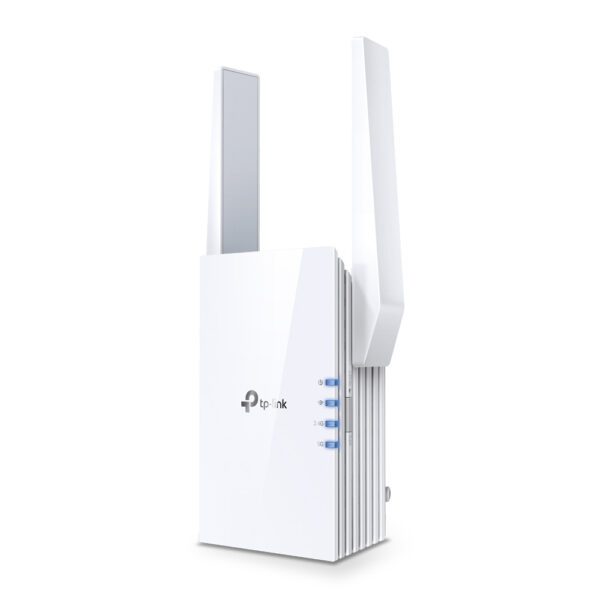
Mercusys ME80X AX3000 Wi-Fi 6 Range Extender
- Wi-Fi 6 AX3000 extender with dual-band 2.4/5 GHz support
- 2 external antennas for boosted coverage to hard-to-reach areas
- 1 x 1000 Mbps Ethernet port for wired connectivity
- Good for: one weak room, such as a back bedroom or a loft
- Good for: a TV or console near the extender, which can use the gigabit port
- Skip it if: you want every room covered on one network: read our mesh, powerline and access point guide
- Skip it if: you game online or take video calls in that room: run a cable if you can
The test to look at is Generation-NT’s. At the edge of its WiFi network, a phone reached more than 180Mbps through the ME80X, against 20Mbps at most on the original network. The same phone hit 500Mbps beside the router. So you do not get your router’s full speed back, but a slow corner becomes a fast one.
Setup is simple. The light shows green when the connection is good and red when the extender is not ready, which helps when you are choosing the socket.
The TP-Link RE705X has the same rated speeds, the same kind of port and EasyMesh too. Engadget names it best overall after testing it in a basement. Its speeds were much slower than the router’s, as they were on nearly every extender there, yet the reviewer worked on it for hours, streaming and running dozens of browser tabs, without any hiccups. Go for it if you want the model with the bigger test record or you already use TP-Link’s Tether app.
TP-Link RE705X Wi-Fi 6 Range Extender White
- AX3000 Wi-Fi 6 network transmitter and receiver with dual-band support
- External antennas quantity: 2
- Maximum Wi-Fi data rate of 2400 Mbit/s and LAN data transfer rate of 1000 Mbit/s
Best budget WiFi booster for home: Mercusys ME60X
The cheapest route on this page to Wi-Fi 6 and a gigabit port, which is what you should want from a budget extender.
- 5GHz1,201Mbps
- 2.4GHz300Mbps
- WiFiWi-Fi 6
- Ethernet1 gigabit port
- MeshEasyMesh
Mercusys ME60X AX1500 Wi-Fi 6 Range Extender
- Wi-Fi 6 AX1500 range extender
- Dual-band (2.4 GHz / 5 GHz) with 2 adjustable high-gain antennas
- Backward compatible with Wi-Fi 4/5/6 standards
- Good for: one weak room in a small house or flat
- Good for: everyday streaming and browsing
- Good for: wiring in a TV or console through the gigabit port
- Skip it if: you want a published test behind your choice: the RE315 has one
The TP-Link RE315 is the budget pick at Engadget and a budget-friendly choice at Which?. In that test its speeds were only slightly lower than the RE705X’s, with little difference in real use. Compare the two spec lines before you choose, though. The RE315 is Wi-Fi 5 and its Ethernet port stops at 100Mbps, so it is the one to skip if anything will plug into it.
TP-Link RE315 AC1200 Mesh Wi-Fi Range Extender Wi-Fi 5 Dual-Band Fast Ethernet White
- Dual-band Wi-Fi 5 performance with maximum data transfer rates up to 1167 Mbps
- Two external antennas delivering 300 Mbps on the 2.4 GHz band and 867 Mbps on the 5 GHz band
- Fast Ethernet LAN port supporting 10/100 Mbit/s cabling technology and access point mode
Best WiFi 7 extender: ASUS RP-BE58 or TP-Link RE235BE
Only worth buying if your router is WiFi 7. Match the extender to the router, or you pay for speed you cannot use.
- 5GHz2,882Mbps
- 2.4GHz688Mbps
- WiFiWi-Fi 7
- BandsDual-band, no 6GHz
- RatingBE3600
Both are BE3600 extenders with the same rated speeds. The ASUS RP-BE58 has a gigabit port and works as a node in an ASUS AiMesh network, so it is the natural choice with an ASUS router.
The TP-Link RE235BE has a faster 2.5Gbps port and supports EasyMesh. Expert Reviews names it the best Wi-Fi 7 extender and got file transfers of up to 44.1MB/sec from it, which is about 350Mbps. That is plenty, but it is a long way from the 2,882Mbps on the box, so do not buy a WiFi 7 model expecting that number.
ASUS RP-BE58 BE3600 Dual-Band Wi-Fi 7 Range Extender White
- Network repeater with 3600 Mbit/s data transfer rate
- Maximum transfer distance of 204 m
- WPS push button for easy setup
TP-Link RE235BE BE3600 Dual-Band Wi-Fi 7 Range Extender, 2.5 Gbps Port, White
- 3.6 Gbps Dual-Band Wi-Fi 7 with 2882 Mbps (5 GHz) + 688 Mbps (2.4 GHz)
- Multi-Link Operation (MLO) for increased throughput and reduced latency
- 1× 2.5 Gbps Ethernet port for multi-gigabit connectivity
Best mesh WiFi extender: match it to your router
A basic WiFi extender usually makes a second network, often your network name with EXT on the end, and your phone has to change between them as you walk around. That can also cause drop-outs. A mesh-ready extender joins your existing network instead, but only if your router speaks the same language.
- EasyMesh: the ME80X, ME60X, RE705X, RE315 and RE235BE can form one network with a router that supports EasyMesh. Check your router’s manual first. Do not assume a broadband provider’s hub supports it.
- AiMesh: ASUS’s own version, for ASUS routers. The ASUS RP-AX58 is PCMag’s best ASUS mesh-ready extender. It also has a gigabit port and can run as an access point or a media bridge.
ASUS RP-AX58 AX3000 Wi-Fi 6 Range Extender White
- AX3000 dual-band WiFi 6 range extender
- 160 MHz bandwidth for up to 3000 Mbps
- 2.5X faster than WiFi 5 dual-band repeater
If you want more than one room fixed, a full mesh system usually beats any extender. Our WiFi router guide has the mesh pick.
Where to plug in a WiFi extender: the wrong socket test
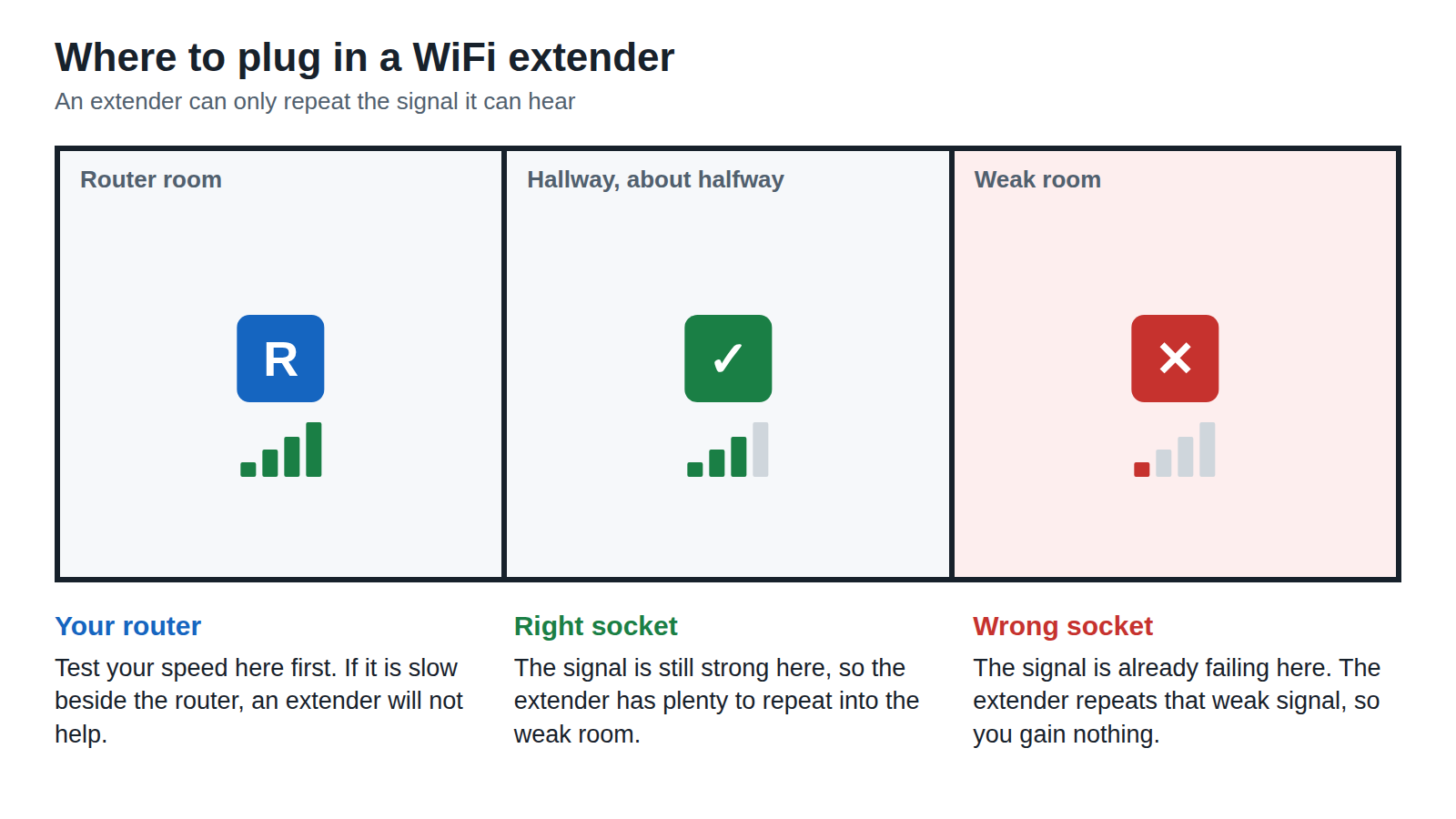
This is the mistake that makes people think extenders do not work. They buy one and plug it into the room with the bad signal. An extender in that socket hears a weak signal and repeats a weak signal. One poster in a UK thread on r/HomeNetworking, about WiFi in a converted garage, put it plainly: “A wifi extender will only extend a crappy signal.”
The rule is simple: about halfway between the router and the weak spot. That usually means the hallway outside the back room, not the back room itself. Here is how to find your socket with a phone:
- Fix the router first. This costs nothing: put it centrally, off the floor, and away from metal, glass, water and other electronics.
- Run a speed test beside the router. If it is slow there, an extender will not help. Call your provider instead.
- Run the test in the weak room. Note the number.
- Run it at the socket about halfway. You want a clearly better number than the weak room. If you do not get one, try a socket nearer the router.
- Plug in and watch the light. The ME80X and ME60X have a signal indicator made for this, as do the RE705X and RE315.
Need a number to aim for? Use the providers’ own promises in every room: 10Mbps at Vodafone, 10Mbps or 25Mbps at Sky depending on your plan, and 30Mbps at Virgin Media.
Check the socket itself too. Most plug-in models are bulky enough to block the outlet next to them, and a UK double socket often has something in it already.
Sky, Virgin Media, BT, EE and Vodafone: is your WiFi booster or WiFi extender free?
Sometimes, yes. Look at your plan before you buy anything. Prices are as of 1 November 2026, and they change.
| Provider | No extra cost on | Otherwise | Two years at that price | Promise for every room |
|---|---|---|---|---|
| Virgin Media | Gig1, Gig2, Volt, Ultimate Oomph | £8 a month | £192 | 30Mbps or £100 credit |
| Sky | Gigafast+ | From £6 a month | From £144 | 10Mbps or 25Mbps, or money back |
| Vodafone | Pro 2, Pro 3 | £7 a month | £168 | 10Mbps, or leave free |
| TalkTalk | Not listed | £8 a month | £192 | Guaranteed coverage |
| EE | Packages that include it | £10 a month | £240 | Check your terms |
| BT | Extra discs, once you have the add-on | Paid add-on, price varies by deal | Ask BT | Reliable signal or £100 back |
If your plan already includes one, use it and stop reading. If it does not, do the sum. Over two years those add-ons cost £144 to £240, which is more than most plug-in extenders on this page. What the fee buys you is a written promise and kit designed for your hub. You usually hand the kit back when you leave.
Sky WiFi booster and Sky WiFi extender
Sky’s booster is the Sky Max Pod, and it comes with WiFi Max: from £6 a month on a 24-month term, free with Gigafast+ and not offered on Ultrafast. You do not get a Pod automatically. Sky lends you up to three if your speed falls below the guarantee, and you return them if you cancel WiFi Max. So a free Sky WiFi booster means a free Pod after a failed speed check, not a free box on request. Buying your own? A Sky community Superuser says Stream pucks will work with any extender but Q Mini boxes will not.
Virgin Media WiFi booster
Virgin Media calls its booster a WiFi Pod and includes WiFi Max at no extra cost on Gig1, Gig2, Volt and Ultimate Oomph. M50 to M500 customers pay £8 a month, and Essential broadband is excluded. It is only offered in eligible Virgin Fibre areas. Virgin checks your speeds first. If you do not reach 30Mbps in every room it sends a Pod, up to three in all, or you get a £100 credit.
BT WiFi extender and BT WiFi booster
BT’s Complete Wi-Fi add-on gives you a new Smart Hub 2 and a Wi-Fi Disc. Up to two extra discs are free of charge if you need them, and you get £100 back if you cannot get a reliable signal in every room. The discs only work with the Smart Hub 2. BT also recommends removing any extender before you install Complete Wi-Fi, as it may cause interference, so choose one route or the other. BT also lists Complete Wi-Fi Plus, which uses its own extender rather than a disc.
EE WiFi booster and EE WiFi extender
EE’s WiFi Extender add-on is £10 a month unless your package includes it, or £15 with the Smart Hub 7 Pro. It is on loan. Send it back within 60 days of ending your service or you pay £55, or £85 for the 7 Pro.
Vodafone WiFi booster
The Super WiFi Booster comes with Pro 2 and Pro 3 and costs £7 a month on the standard plan. You can get up to three at no extra cost if you do not reach 10Mbps in each room. If you still do not after that, you can leave with no early termination fee.
TalkTalk WiFi booster
Total Home Wi-Fi costs £8 a month and includes guaranteed coverage from a WiFi boosting device.
Buy your own when the promise stops at the back door. BT’s guarantee covers your main dwelling only, not outbuildings, gardens or sheds. Sky’s does not cover gardens, sheds or garden offices. If that is where you need WiFi, go to the long range section.

Do WiFi extenders work? What a WiFi booster can and cannot fix
Yes, for one job: reaching a spot your router cannot. WiFi extender reviews keep coming back to the same point: you get a wider area of coverage, not a better connection.
- They do not add speed. Your WiFi will never outperform your broadband service. A slow line stays slow.
- They cut speed. An extender talks to your router over WiFi as well as to your devices, so Wired puts the theoretical limit at 50% of your router’s speed and says real results are lower. The ME80X test above fits: 180Mbps is about a third of the 500Mbps beside the router.
- They add lag. Skip them for online gaming or video calls. For a TV in the back room that keeps buffering, you will be fine.
WiFi booster vs WiFi extender vs WiFi repeater: what is the difference?
In a shop, nothing. WiFi extender, WiFi booster, WiFi repeater and range extender are all sold as the same plug-in box that picks up your signal and sends it on.
The words matter more on a provider’s site. Vodafone uses “booster” for a mesh device on your existing network and says an extender or repeater makes a separate one. EE, on the other hand, calls its own device a WiFi Extender. So ignore the name and ask one question: does it keep the same network name as your router? If it does, your phone can move between them without you doing anything.
WiFi range extender with Ethernet port: check the port speed first
An Ethernet port lets you do two useful things. You can plug in a TV or console that has no good WiFi, and many models can run as an access point. In that mode you run a cable from your router to the extender, so it no longer has to share WiFi to reach the router. A cable is the best way to get fast internet anywhere, so use one if you can.
- 2.5Gbps: RE235BE.
- Gigabit: ME80X, ME60X, RE705X, RP-AX58, RP-BE58 and RE450.
- 100Mbps, so skip it for wired use: the RE315 and the 300Mbps models in the next section.

The TP-Link RE450 is Cord Busters’ top pick, with a gigabit port and three antennas. It is an older Wi-Fi 5 design, so choose it for the antennas rather than the speed. See our PoE guide if you would rather power an access point over the cable.
TP-Link RE450 Wi-Fi Extender, Dual Band, Gigabit Ethernet
- Dual-band Wi-Fi speeds up to 1300 Mbit/s
- Three external antennas for stronger coverage
- 1× Gigabit Ethernet port for wired devices
The cheapest plug-in WiFi booster: when to skip it
Two things to look for on the box: 300Mbps and N300. The TP-Link TL-WA850RE and Mercusys ME10 are this kind. That means Wi-Fi 4 on 2.4GHz only, with a 100Mbps Ethernet port. Those are the slowest specs on this page, and cheap extenders in general have a poor record in tests.
Skip them for streaming or work. They only make sense for something slow in a spare corner, such as a smart plug, and only if you already know the signal at that socket is good.
TP-Link TL-WA850RE Wi-Fi 4 300 Mbit/s Network Repeater Range Extender White
- Single-band Wi-Fi 4 network repeater supporting data transfer rates up to 300 Mbit/s
- Fast Ethernet LAN port providing 10/100 Mbit/s data rates for wired device connections
- Internal dual-antenna design with 0 to 20 dBmW transmit power range
Mercusys ME10 300 Mbps Wi-Fi Range Extender
- 300 Mbps Wi-Fi range extender for eliminating dead spots
- Single-band 2.4 GHz with IEEE 802.11b/g/n support
- WPS button for one-touch setup
Be careful with unbranded plug-in boosters sold on big promises. An extender cannot give you more speed than your broadband provides, and anything you buy should carry the CE mark.
Best long range WiFi extender for thick walls, gardens and outdoor use
No plug-in has a long distance trick, and none will push WiFi through anything. The longest range you get depends on the signal it has to repeat. Brick internal walls are harder to get through than hollow ones, and water, metal and glass block the signal too. A higher WiFi number does not help: the picks above all use the same 2.4GHz and 5GHz bands, and 2.4GHz has the better range. So in a far room, connect the device that needs it to 2.4GHz.
Thick walls: put the extender in the last room with a good signal, on your side of the wall. If that still fails, skip to powerline below.
Garden office, garage or shed: this is the question in that r/HomeNetworking thread, and several replies said to run an external-rated Cat6 cable and fit an access point. You will get the best result that way, and BT’s and Sky’s guarantees will not help you out there anyway. Our wireless access point guide covers what to buy.
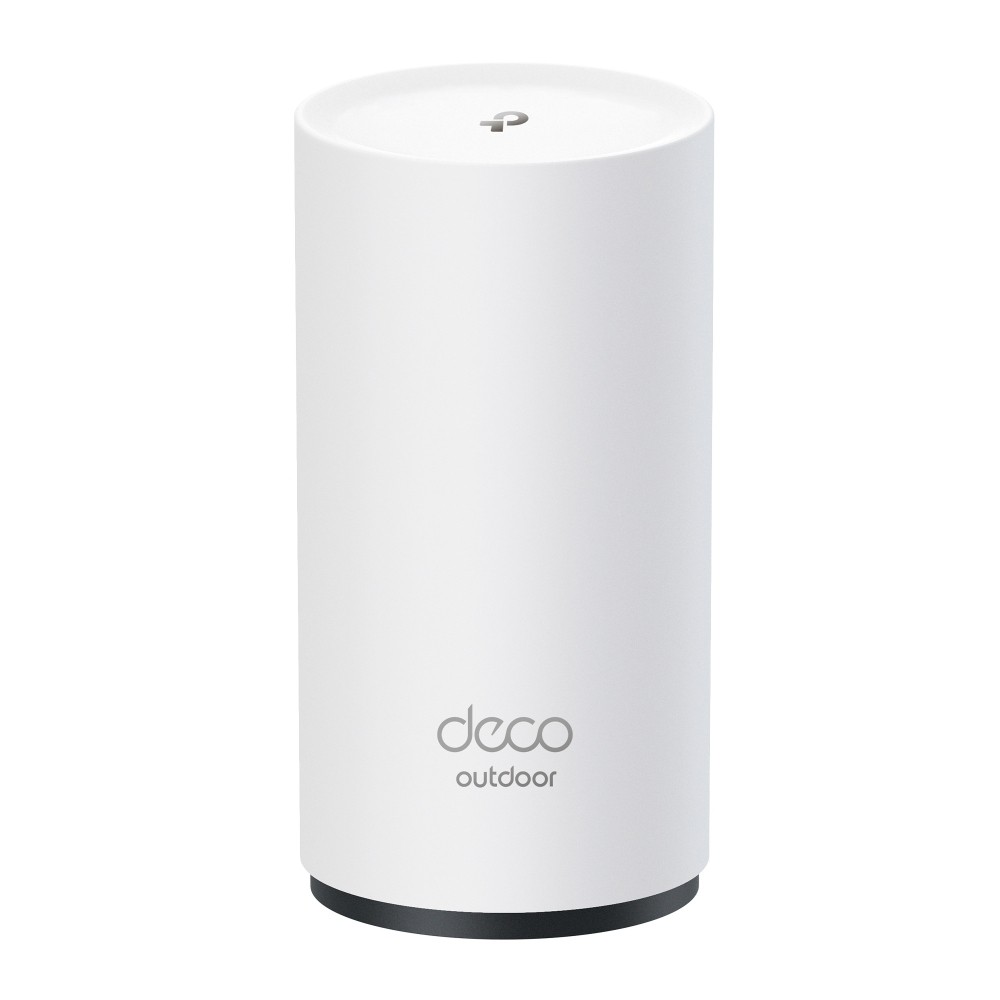
Outdoors: you need weatherproof kit, not a plug-in. The TP-Link EAP225-Outdoor is an IP65 access point with a gigabit port and a PoE adapter in the box. The TP-Link Deco BE25-Outdoor is an IP65 Wi-Fi 7 mesh unit with two 2.5Gbps ports, and it runs on PoE or mains power.
TP-Link Omada EAP225-Outdoor 1200 Mbps PoE White
- 1200 Mbit/s wireless speed with 2.4 GHz and 5 GHz bands
- Detachable external antennas for customised coverage
- IP65 weatherproof enclosure for outdoor installation
TP-Link Deco BE25-Outdoor BE3600 Outdoor/Indoor Mesh Wi-Fi 7 Unit, IP65, 2x 2.5G PoE Ports, 1-Pack
- One Deco BE25-Outdoor unit (1-pack) for outdoor or indoor use
- BE3600 dual-band Wi-Fi 7: 2882 Mbps on 5 GHz plus 688 Mbps on 2.4 GHz
- IP65 weatherproof, lightning and ESD protection, -30 °C to 60 °C
Powerline WiFi range extender: when the signal cannot get through
Powerline sends your connection through the house wiring instead of through the air, so it does not need a good WiFi signal at the far socket. One adapter sits by the router on an Ethernet cable and the other makes WiFi in the far room. How well it works depends on your wiring, so buy from somewhere you can return it to.
The TP-Link TL-WPA4220 KIT is the simple version, with AV600 powerline and 300Mbps WiFi on the far adapter, plus two Ethernet ports. The TP-Link TL-WPA7617 KIT steps up to AV1000 powerline and AC1200 WiFi on both 5GHz and 2.4GHz. Our whole-home WiFi guide compares powerline with mesh.
TP-Link TL-WPA4220 KIT PowerLine Network Adapter Wi-Fi 4 300 Mbit/s 2 Fast Ethernet Ports White
- Wi-Fi 4 wireless standard delivering up to 300 Mbit/s data transfer rates across 802.11b, 802.11g, and 802.11n networks
- HomePlug AV powerline technology supporting data transmission speeds up to 500 Mbit/s over existing electrical wiring
- Two Fast Ethernet LAN RJ-45 ports supporting 10 and 100 Mbit/s data rates
TP-Link TL-WPA7617 KIT AV1000 PowerLine Adapter Kit 1200 Mbps Wi-Fi White
- 1200 Mbps Wi-Fi 5 (802.11ac) with dual-band support
- 1 Gigabit Ethernet port for wired connections
- HomePlug AV2 PowerLine standard with 300 m range
TP-Link WiFi extender setup: how to set up a WiFi repeater with WPS or the app
The steps below are TP-Link’s, and other brands work in much the same way. Do the setup next to the router, then move it.
- Plug it in near the router, within about 5 metres.
- Use WPS if your router has the button. Press WPS on the router, then press it on the extender within two minutes. Wait two minutes and check that the signal light is on.
- No WPS? Use the Tether app, or connect to the extender’s WiFi (the default name starts TP-Link_Extender) and go to tplinkrepeater.net in a browser.
- Move it to the socket you chose in the wrong socket test.
These extenders work with almost any WiFi router, but not always with routers on altered or outdated firmware. Changed your router? Hold the Reset button for one second with the extender switched on, then set it up again.
What we would do before buying a WiFi booster
Move the router first and test again. Then check your broadband plan. If you are on a plan that includes a booster, ask for it. If not, run the speed test at the halfway socket, and only then buy the ME80X, or the ME60X if money is tight. If the room is outside the house, skip the plug-in and run a cable.
WiFi extender questions
Yes, for a specific weak spot. They spread your signal further but they do not add speed, and they cut the speed your devices get compared with being near the router. Put the extender about halfway between the router and the weak room, not in the weak room.
For most homes, the Mercusys ME80X: Wi-Fi 6 with a gigabit port and EasyMesh. Choose the ME60X on a tight budget, the TP-Link RE705X for the bigger test record, or the ASUS RP-BE58 with a WiFi 7 router.
The highest rated picks on this page are the RP-BE58 and RE235BE, at 3.6Gbps combined. Rated speed is not reach, though. For a far room, a wired access point or powerline will do more than any plug-in.
TP-Link turns up most often in the big review lists, with Netgear and ASUS also well represented. Mercusys has similar ratings on paper but fewer published tests.
No better than older WiFi on the same band. The Wi-Fi 7 extenders here use the same 2.4GHz and 5GHz bands as Wi-Fi 6, and 2.4GHz still has the better range.
Yes. Connect each one directly to the router for the best result. You can chain them, but TP-Link advises no more than two in a chain. If you need several, a mesh system is usually the better buy.
No. They can make a weak spot much faster than it was, but the speed cannot exceed your broadband, and the extender has to share WiFi to reach your router, so expect half your router’s speed at most.
Nearly. You plug it in near the router, pair it using WPS or an app, then move it to the socket you chose. That is usually a short job, and you only do it once.
Press WPS on the router, then press WPS on the extender within two minutes, and wait about two minutes for the signal light. If your router has no WPS button, use the maker’s app or its setup web page.
With the extender switched on, hold the Reset button for one second to return it to factory settings. Then set it up again on your new network. You can also do this in its web page under Settings, System Tools, Backup and Restore.
Yes. Connect your phone to the extender’s WiFi, then use the Tether app or go to tplinkrepeater.net in your phone’s browser. Turn off mobile data if the app cannot find it.
Only through WiFi Max. It costs from £6 a month, or is free with Gigafast+. Sky then lends you up to three Sky Max Pods at no extra cost if your speed falls below its guarantee.
Usually. Extenders work with almost any WiFi router. The exception to watch is BT Complete Wi-Fi, where BT advises removing extenders because they may cause interference.
Sources
- Mercusys ME80X test, Generation-NT. More than 180Mbps through the extender at the edge of the network, against 20Mbps at most, and 500Mbps beside the router.
- The best Wi-Fi extenders, Engadget. RE705X best overall and RE315 best budget, with the test notes and the halfway rule. Updated 27 February 2026.
- No, Even the Best Wi-Fi Extender Isn’t Worth Your Time, WIRED. The 50% limit, lag, cheap models, bulky plugs and placement.
- The best Wi-Fi range extenders, PCMag. RP-AX58 as best ASUS mesh-ready extender.
- The best Wi-Fi extenders, Expert Reviews. RE235BE as best Wi-Fi 7 extender, 44.1MB/sec.
- 6 ways to improve wi-fi in the garden, Which?. RE315 as a budget choice, 2.4GHz range.
- Best WiFi range extenders in the UK, Cord Busters. RE450 as top pick. Updated 1 March 2025.
- Improving your wifi experience, Ofcom. Router placement, walls, powerline, the CE mark and the broadband limit.
- WiFi extenders explained, Uswitch. Testing beside the router first.
- WiFi Max, Sky and Sky WiFi Max help. Price, Gigafast+, Pods on loan, guarantee speeds and what the guarantee leaves out.
- How to order WiFi Pods, Virgin Media and WiFi Guarantee, Virgin Media. Included plans, £8 a month, 30Mbps and £100 credit.
- Complete Wi-Fi, BT. Discs, the Smart Hub 2 limit, the guarantee and its limits, and the advice to remove extenders.
- Home price guide, EE. WiFi Extender add-on price, loan terms and non-return charges, from 1 March 2026.
- Broadband, Vodafone and How does a WiFi booster work?, Vodafone. Booster plans, £7 a month, the 10Mbps promise and the mesh booster wording.
- Total Home Wi-Fi, TalkTalk. £8 a month and guaranteed coverage.
- Range extender setup and troubleshooting, TP-Link and WPS setup, TP-Link. Halfway placement, 16 feet at setup, chaining, reset, tplinkrepeater.net and the WPS steps.
- Maker specs: ME80X, ME60X, ME10, RE705X, RE315, RE235BE, RE450, TL-WA850RE, TL-WPA4220 KIT, TL-WPA7617 KIT, Deco BE25-Outdoor, EAP225-Outdoor, RP-AX58 and RP-BE58.
- What owners say: Wifi Extender Recommendations (UK based), r/HomeNetworking, decent Wifi extender?, Overclockers UK and Wifi Extender Recommendations, Sky Community.
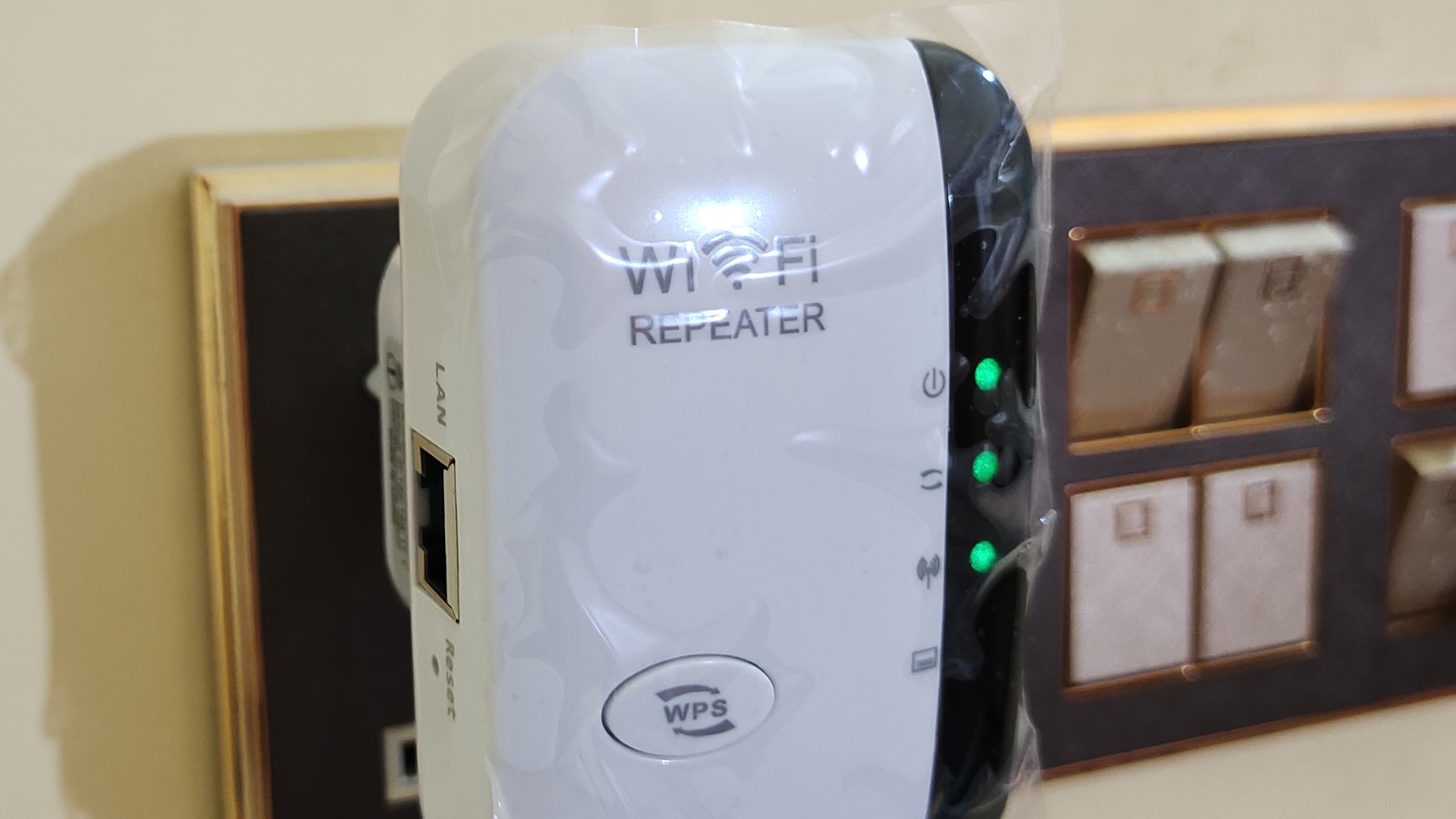
- Photos: TP-Link extender in a wall socket by joho345 (CC BY-SA 3.0), cropped and brightened, shared under the same licence.
About Hardvance Team
The Hardvance Team is the editorial team at Hardvance, a UK computer and electronics retailer based in Mildenhall, Suffolk. We build and upgrade PCs and sell laptops, phones, networking gear, monitors and printers, and our guides cover the same ground. Every guide names its sources and explains how we checked the figures, and we say plainly when something is our opinion rather than a tested result.
View all posts by Hardvance Team