The Business Label Trap: The Best Laptop for Work in 2026, Picks by Budget and What Pro Adds
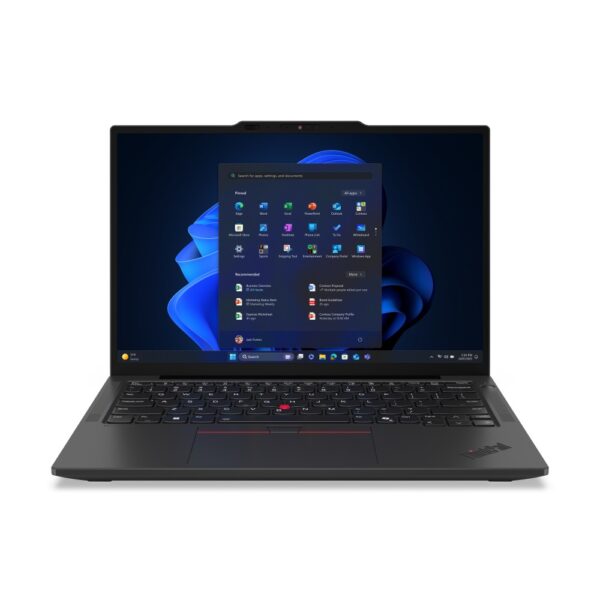
The best laptop for work for most people in 2026 is a 14-inch business model with 16GB of memory, Windows 11 Pro and a three-year warranty, and the one we would buy first is the Lenovo ThinkPad T14 Gen 7. On a tighter budget, the ThinkPad E14 Gen 8 gives you almost all of it with one year of cover instead of three. The word “business” does not make a laptop faster. On the spec sheets we checked, it mostly buys you Windows 11 Pro, a fingerprint reader and, on the better models, a longer warranty.
Find your situation:
- Office work, most peopleThinkPad T14 Gen 7: three-year warranty. Why this one
- Small business on a budgetThinkPad E14 Gen 8. The value pick
- Commuting or travellingThinkPad X13 Gen 6, 962 g. The light one
- Working from home all dayThinkPad E16 Gen 4 plus a monitor. The big screen
- You already work on a MacMacBook Air M5. The Mac option
- Buying for a team on a budgetConsider ex-lease. What we would do
- The picks side by side
- Business laptop vs a normal laptop
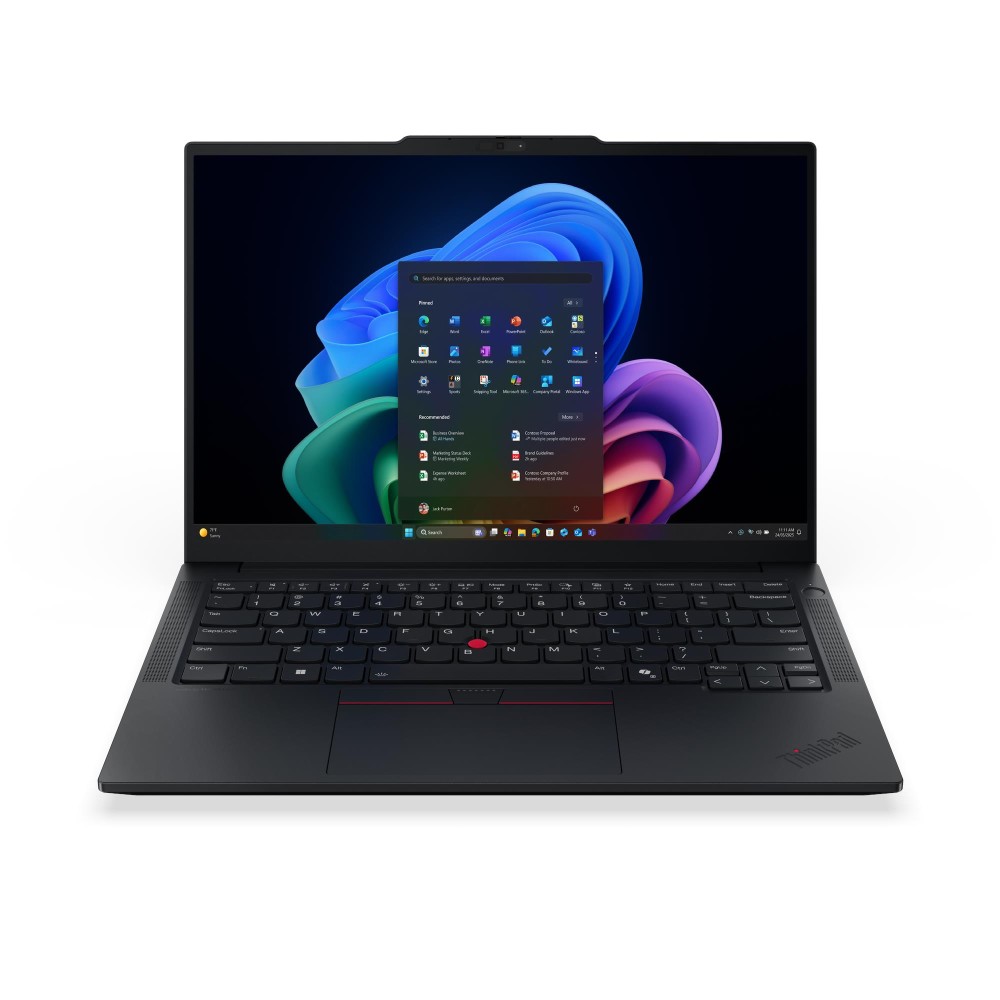
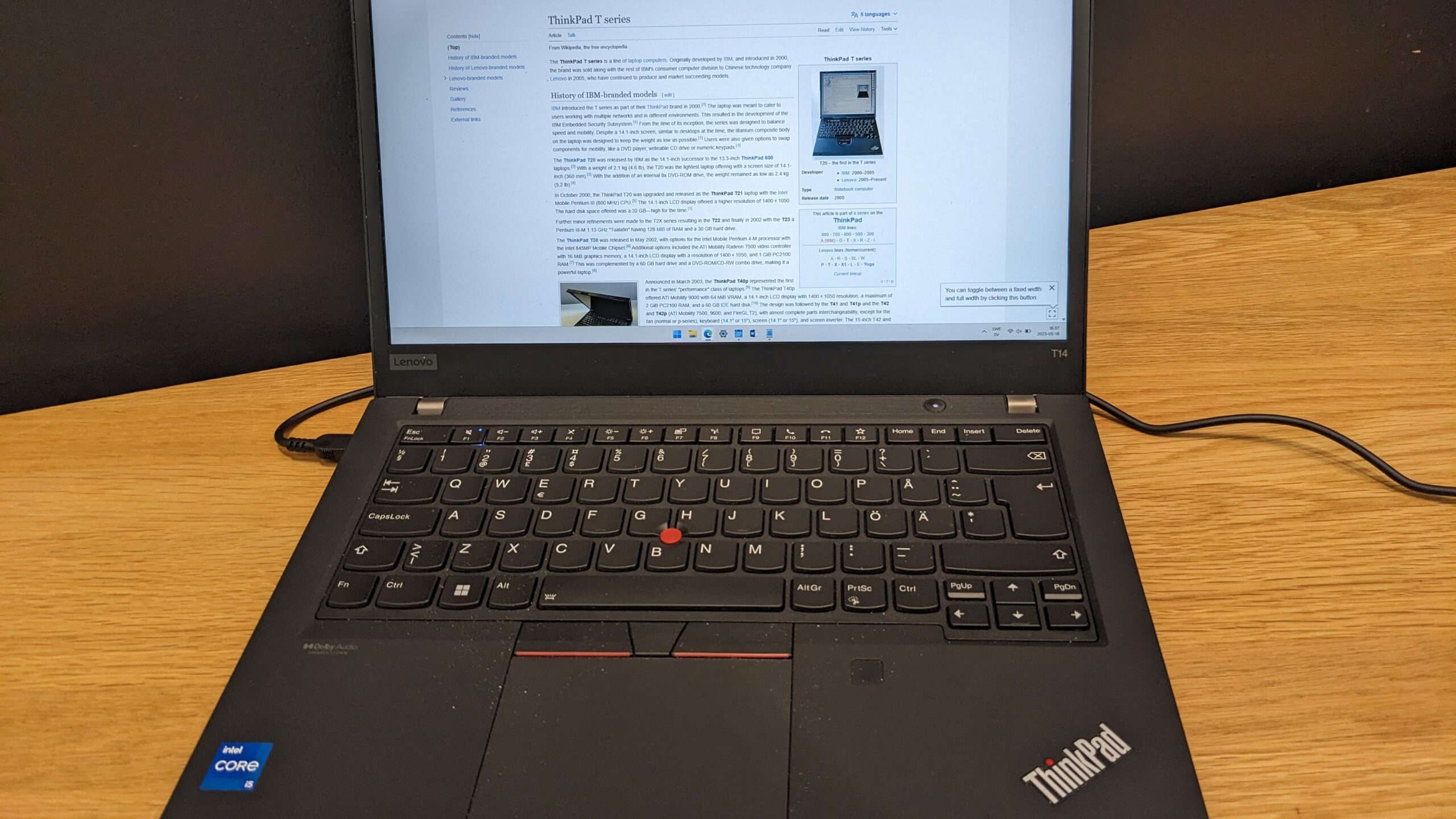
- Best overall: ThinkPad T14 Gen 7
- Small business budget: ThinkPad E14 Gen 8
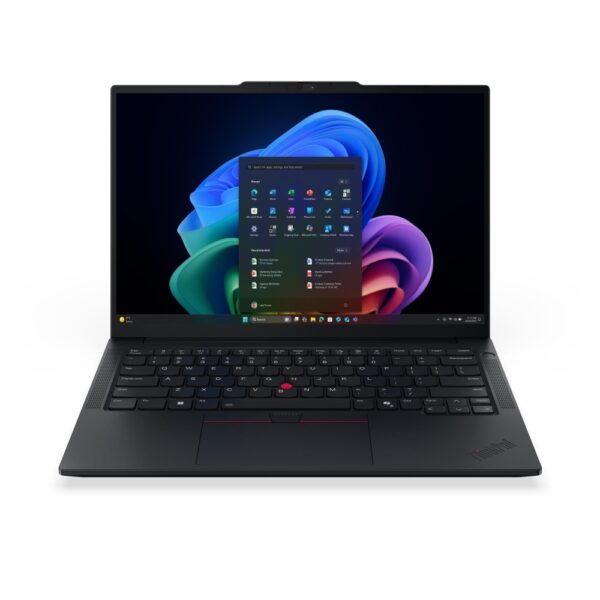
- Commuting: ThinkPad X13 Gen 6
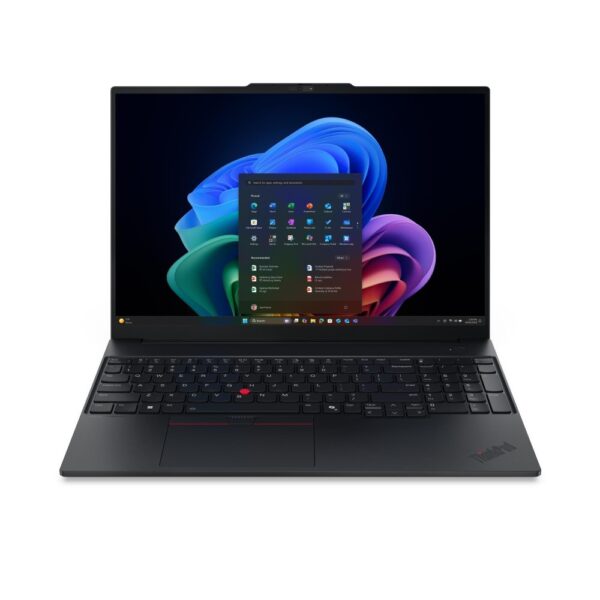
- Working from home: ThinkPad E16 Gen 4
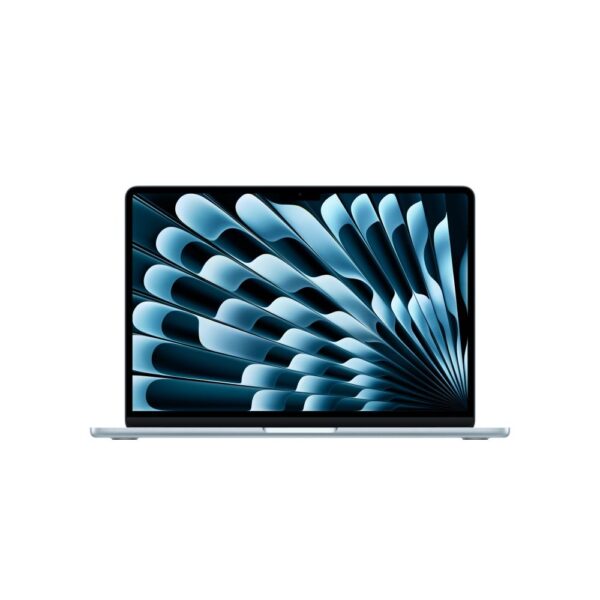
- On a Mac: MacBook Air M5
- If budget is not the issue
- Specs for office work and Excel
- Windows 11 Pro and the 24H2 cut-off
- What we would actually do
- Quick answers
The best laptops for work in 2026, side by side
Five picks and one premium option. Read the warranty column first: it is where business laptops really differ.
| Pick | Warranty | Memory | Battery | Weight |
|---|---|---|---|---|
| Overall: ThinkPad T14 Gen 7 | 3 years | 16GB, upgradeable to 64GB | 60Wh | 1.27kg |
| Budget: ThinkPad E14 Gen 8 | 1 year | 16GB, one stick (2 slots) | 64Wh | 1.34kg |
| Commuting: ThinkPad X13 Gen 6 | 3 years | 16GB, soldered | 54.7Wh | 962g |
| Home working: ThinkPad E16 Gen 4 | 1 year | 16GB, one stick (2 slots) | 64Wh | 1.65kg |
| Mac: MacBook Air M5 | 1 year | 16GB, soldered | 53.8Wh | 1.23kg |
| Premium: ThinkPad X1 Carbon Gen 14 | 3 years | 32GB, soldered | 58Wh | from 0.998kg |
Business laptop vs a normal laptop: what the spec sheets actually show
Two things really separate them: Windows 11 Pro and a fingerprint reader. We went through the spec sheets of the Windows laptops in our catalogue: 304 from business ranges such as ThinkPad, EliteBook, ProBook, Dell Pro, Latitude and Surface, and 207 others.
Almost every business laptop, 302 of 304, comes with Windows 11 Pro, against 31 of the 207 others. And 172 of the 304 business spec sheets confirm a fingerprint reader, against just 14 of the 207 others.
Face login, webcam shutters, TPM and what really differs inside the business ranges
Two features people often think of as business extras are not. An infrared camera for Windows Hello face login is confirmed on 48% of business laptops and 45% of the rest, and a physical shutter over the webcam on 41% and 44%. A TPM 2.0 security chip is not an extra at all: Microsoft requires one on every Windows 11 PC. If a shop tells you a laptop is “business grade” because it has those, it is telling you very little.
What the spec-sheet count cannot show is the difference inside the business ranges, and that is where your money goes. The ThinkPad T14 Gen 7 and X13 Gen 6 come with a three-year warranty, the cheaper E14 Gen 8 and E16 Gen 4 with one year. The T14 and X13 also pass the MIL-STD-810H durability tests, a set of drop, heat and vibration checks from the US military that laptop makers use as a toughness benchmark. So check the warranty and the build tier before the processor.
Best laptop for work overall: Lenovo ThinkPad T14 Gen 7
The most complete work laptop we list: three years of cover, memory you can upgrade and the ports an office needs.
- Warranty3 years
- Memory16GB, upgradeable to 64GB
- Battery60Wh, 18.1h tested
- Weight1.27kg
- ProcessorCore Ultra 5 325
Lenovo ThinkPad T14 Gen 7 Intel Core Ultra 5 14″ WUXGA 16GB 512GB SSD
- Processor: Intel Core Ultra 5 325
- Display: 14" · 1920 × 1200 · 60 Hz
- Memory: 16 GB LPDDR5X
- Good for: one laptop for office work over four or five years
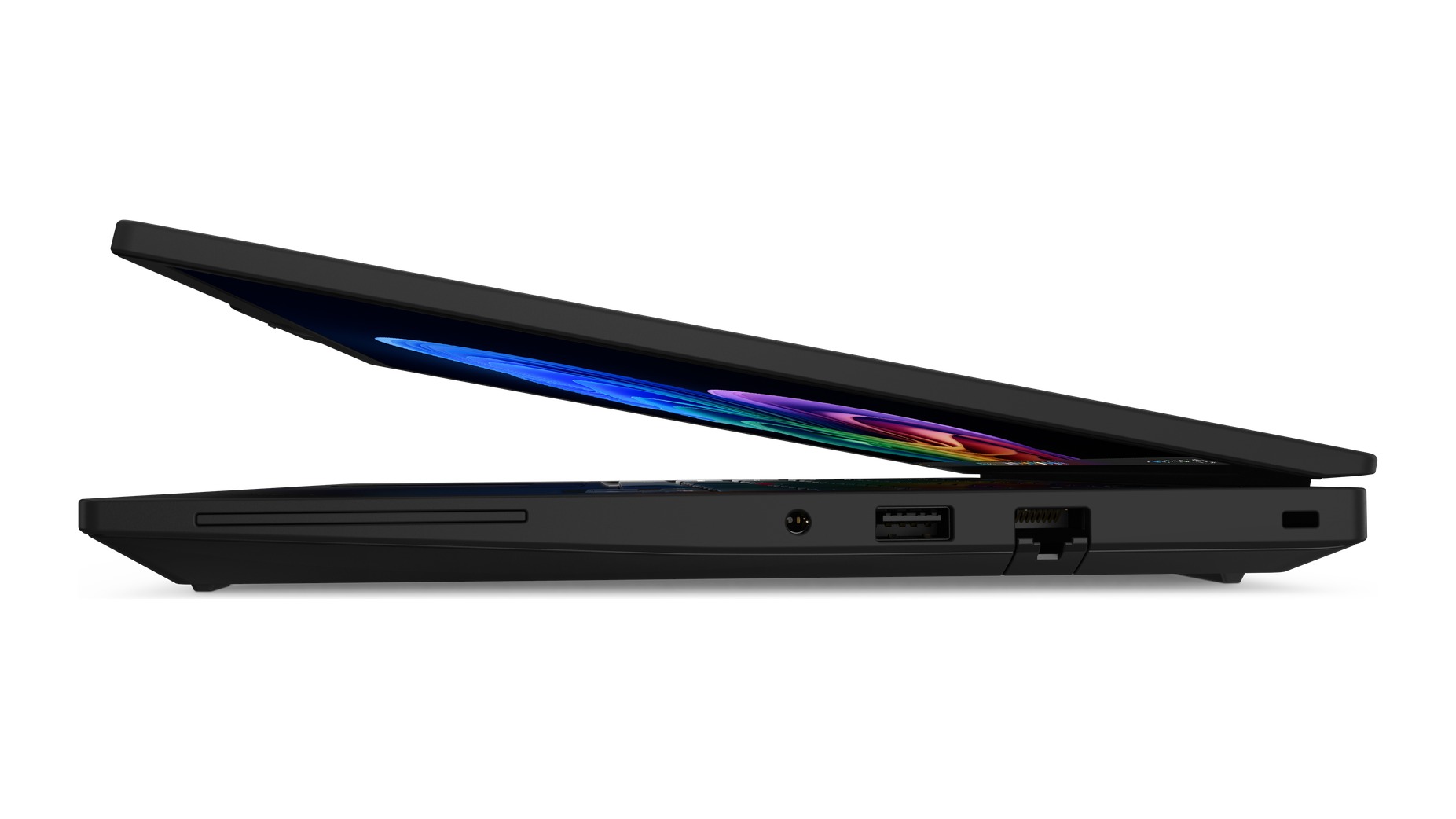
- Good for: offices with wired networks or smart cards: it has Ethernet and a card reader
- Skip it if: your IT department needs Intel vPro: this model does not have it
- Skip it if: you edit photos: the screen covers only 45% of the NTSC colour range
If you are simply after the best ThinkPad for work, the T14 Gen 7 is it. Notebookcheck’s test unit, with the same Core Ultra 5 325 as the model we sell, lasted 18.1 hours in its Wi-Fi browsing test.
Full spec notes: memory, ports, security and screen
- Memory you can upgrade: 16GB on a LPCAMM2 module, a new type of removable laptop memory, with room for up to 64GB. Most thin laptops now solder the memory to the board, so what you buy is what you keep.
- Ports for an office: two Thunderbolt 4 ports that also charge it, two USB-A, HDMI 2.1, a smart card reader and a full-size Ethernet socket for wired networks.
- Security and sign-in: a fingerprint reader in the power button, an IR camera with a privacy shutter and a separate TPM 2.0 chip.
- Cover: a three-year courier or carry-in warranty on this UK model, with one year on the battery, and MIL-STD-810H tested.
The 14-inch 1920 x 1200 screen reaches 400 nits, bright enough for an office with big windows. It covers only 45% of the NTSC colour range, which is fine for documents but not for photo editing.
You do not get Intel vPro on this model, the remote-management system some IT departments use to look after laptops over the network. If your company needs vPro, ask before you buy; most small businesses do not.
Best business laptop for a small business budget: ThinkPad E14 Gen 8
Almost everything the T14 has, plus a bigger battery and easy upgrades. You give up two years of warranty.
- Warranty1 year
- Memory16GB, one stick, 2 slots
- Battery64Wh
- Weight1.34kg
- ProcessorCore Ultra 5 325
Lenovo ThinkPad E14 Gen 8 Laptop Intel Core Ultra 5 325 16GB DDR5 512GB SSD 14″ WUXGA IPS Windows 11 Pro Black
- Processor: Intel Core Ultra 5 325
- Display: 14" · 1920 × 1200 · 60 Hz
- Memory: 16 GB DDR5
- Good for: sole traders and small teams on a budget
- Good for: anyone who will add memory or a second SSD later: two memory slots and two M.2 slots
- Skip it if: you want three years of cover without paying for an extension
- Skip it if: you need a smart card reader
- Skip it if: you want dual-channel memory from day one: it ships with one 16GB stick, and a matching second stick cost about £220 in October 2026 (PriceSpy)
The ThinkPad E14 Gen 8 has the same processor and 400-nit screen as the T14, two Thunderbolt 4 ports, Ethernet and a fingerprint reader, in an aluminium body. If you need two screens or a big spreadsheet open all day, add the second memory stick on day one.
Battery test, the single-stick catch and who should pay for the T14 instead
Notebookcheck tested the AMD version of the E14 Gen 8 and got 13 hours 20 minutes of Wi-Fi browsing, and called it a well-balanced business laptop with good upgrade options. It also found that a single memory stick held its test unit back, especially the built-in graphics. A second matching stick fixes that and gives you 32GB.
Is it the best laptop for business on a budget? For most, yes. If you employ a few people and want the laptops to last, pay for a three-year warranty extension or buy the T14. If you are a sole trader who can live without a laptop for a week if it breaks, the E14 is the sensible money.
Best work laptop for commuting: ThinkPad X13 Gen 6 at 962 g
The lightest pick on this page, with the full business toolkit and a three-year warranty.
- Weight962g
- Warranty3 years
- Screen13.3in, 100% sRGB
- Memory16GB, soldered
- Battery54.7Wh
Lenovo ThinkPad X13 Gen 6 Laptop 13.3″ WUXGA Intel Core Ultra 5 225U 16GB RAM 512GB SSD Windows 11 Pro Black
- Processor: Intel Core Ultra 5 225U
- Display: 13.3" · 1920 × 1200
- Memory: 16 GB LPDDR5X
- Good for: a laptop that goes in your bag every day
- Good for: presentations and photos: the screen covers the full sRGB range
- Skip it if: you want to upgrade memory later: it is soldered
- Skip it if: you plug into wired Ethernet at your desk: there is no socket, so plan on a USB-C dock
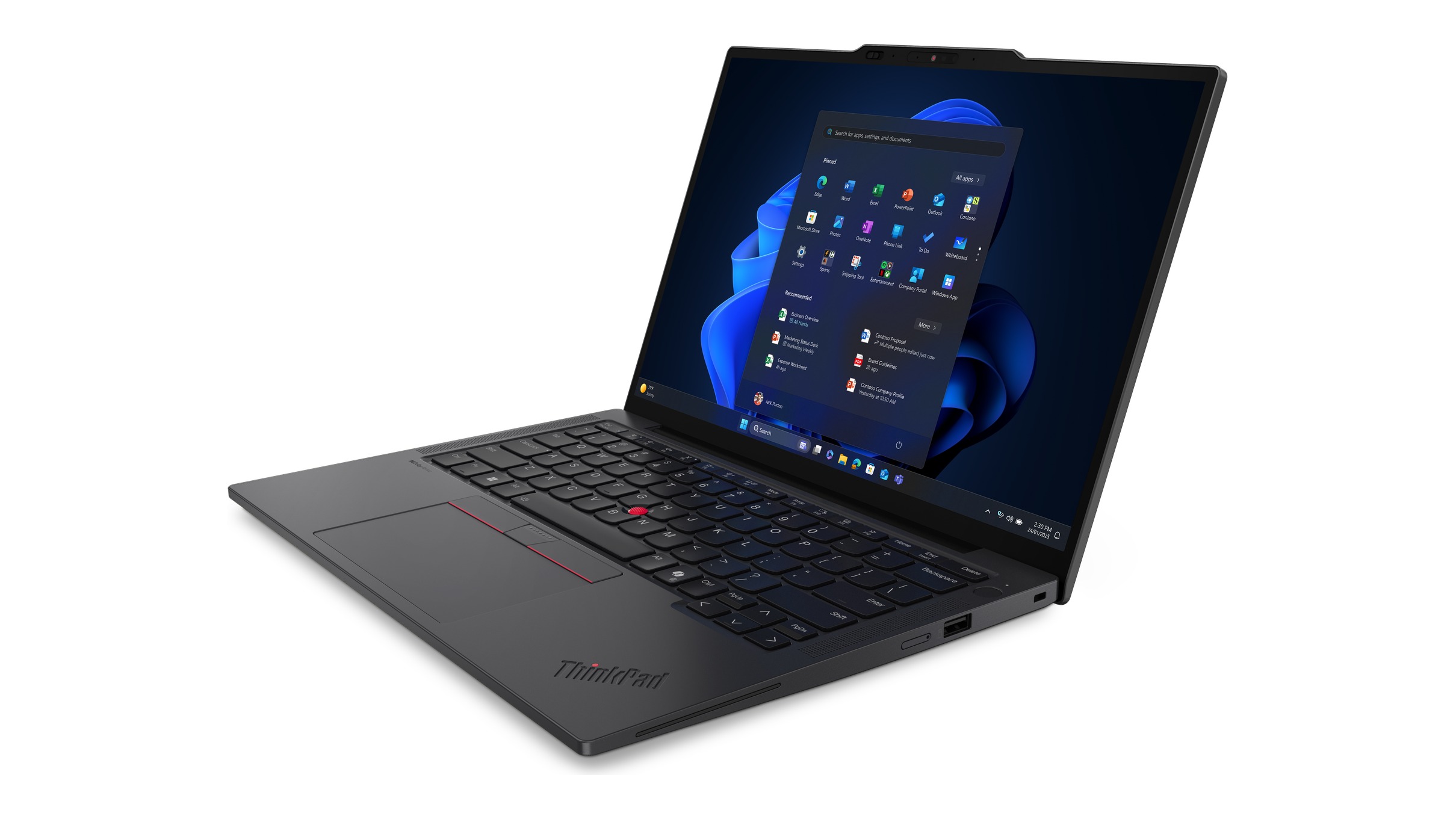
The ThinkPad X13 Gen 6 keeps the fingerprint reader, IR camera, smart card reader, two Thunderbolt 4 ports, HDMI, USB-A and MIL-STD-810H testing. Its Core Ultra 5 225U handles office work with ease. The 54.7Wh battery is the smallest here, the price of the weight.
Best laptop for working from home: the 16-inch ThinkPad E16 Gen 4
The E14 on a 16-inch screen, for people who work on the laptop screen alone all day.
- Screen16in, 1920 x 1200
- Memory16GB, one stick, 2 slots
- Battery64Wh
- Weight1.65kg
- Warranty1 year
Lenovo ThinkPad E16 Gen 4 Laptop 16″ WUXGA Intel Core Ultra 5 325 16 GB DDR5 512 GB SSD Windows 11 Pro Black
- Processor: Intel Core Ultra 5 325
- Display: 16" · 1920 × 1200 · 60 Hz
- Memory: 16 GB DDR5
- Good for: long days on the laptop screen without a monitor
- Skip it if: you will use an external monitor anyway: the 14-inch E14 does the same job and is lighter on office days
The ThinkPad E16 Gen 4 has the same processor, battery, memory slots and one-year warranty as the E14 Gen 8. Lenovo lists it with one 16GB stick, so the same second-stick advice applies.
The bigger upgrade for home working
A bigger laptop screen helps, but the biggest upgrade for home working is not the laptop at all. It is a proper monitor at eye level and a separate keyboard. A 24 or 27-inch business monitor connected through one USB-C cable or a laptop dock turns any of these laptops into a desktop, and our dual monitor guide shows how to run two. If you do that, the 14-inch E14 is just as good at home, and lighter the days you go into the office.
Best laptop for work on a Mac: MacBook Air M5
Up to 15 hours of battery by Apple’s figures, if your work runs in Microsoft 365, Google Workspace and a browser.
- Batteryup to 15h (Apple), 15h28m tested
- Memory16GB, soldered
- Weight1.23kg
- Storage1TB
- Screen13.6in, 2560 x 1664
Apple MacBook Air 13-inch M5 – 10-core CPU, 10-core GPU, 16GB RAM, 1TB SSD, Sky Blue
- Processor: Apple M5
- Display: 13.6″ · 2560 × 1664
- Memory: 16 GB unified memory
Apple MacBook Air 13-inch M5 – 10-core CPU, 10-core GPU, 16GB RAM, 1TB SSD, Midnight
- Processor: Apple M5
- Display: 13.6″ · 2560 × 1664
- Memory: 16 GB unified memory
- Good for: office and web work on a light laptop
- Good for: two external monitors: Apple says it drives two while still using its own screen
- Skip it if: any software you need is Windows-only
- Skip it if: you need Ethernet or HDMI without a dock
The 13-inch MacBook Air M5 weighs 1.23kg and has a 53.8Wh battery, rated for up to 15 hours of wireless web use; Tom’s Hardware got 15 hours 28 minutes in its test. The version we sell has a 1TB drive, twice Apple’s starting size. For the full choice between Macs, see which MacBook to buy.
Best laptops for work if budget is not the issue: X1 Carbon and EliteBook X
Two premium laptops beat our main picks on battery and weight, and cost a lot more.
Lenovo ThinkPad X1 Carbon Gen 14
- Weightfrom 0.998kg
- Battery58Wh, 23h13m tested
- Memory32GB, soldered
- ProcessorCore Ultra 7 355
- Warranty3 years
Lenovo ThinkPad X1 Carbon Ultra 7 355 32GB RAM 512GB SSD 14″ Win 11 Pro
- Processor: Intel Core Ultra 7 355
- Display: 14" · 1920 × 1200 · 60 Hz
- Memory: 32 GB LPDDR5X
Lenovo’s flagship. The X1 Carbon Gen 14 we sell has a 500-nit touchscreen and three Thunderbolt 4 ports. Notebookcheck’s test unit, with the cheaper Core Ultra 5 325, lasted 23 hours 13 minutes in its Wi-Fi browsing test, the longest of any business laptop in its comparison.
HP EliteBook X G2i
- Memory32GB, soldered
- ProcessorCore Ultra 5 325
- Battery17h59m tested
HP EliteBook X G2i Laptop 14″ OLED 3K 120Hz Intel Core Ultra 5 325 32GB 512GB SSD Windows 11 Pro Blue
- Processor: Intel Core Ultra 5 325
- Display: 14" · 2880 × 1800 · 120 Hz
- Memory: 32 GB LPDDR5X

HP’s answer. Notebookcheck’s EliteBook X G2i unit weighed 1.21 kg with a 68Wh battery and lasted 17 hours 59 minutes, and the reviewer called its keyboard one of the best they had tried recently. Its criticisms were soldered memory, a loud fan under heavy load and HP’s SureView privacy screen, which has poor viewing angles, so pick a different screen unless you need the privacy filter.
What IT departments say they buy
In a September 2026 r/sysadmin thread with 106 comments about which laptops companies are standardising on, IT staff named Dell Pro 16s on three-year leases, HP ProBooks and EliteBooks, ThinkPad T14 and E16 models, MacBook Airs and 13.8-inch Surface Laptops. One admin praised Microsoft’s Surface replacement service for needing “3 photos at most compared to Dell’s 20”. You can browse the Dell Pro, HP EliteBook and Surface Laptop ranges we list.
Best laptop for office work and Excel: the specs you really need
For office work you do not need a fast laptop. You need a comfortable one that does not run out of memory. This is what we would look for, in order:
| Part | What to buy | Why |
|---|---|---|
| Memory | 16GB minimum, 32GB for big spreadsheets | Teams, a browser and Excel open together use more memory than the processor ever needs |
| Storage | 512GB SSD | Enough for local copies of your files; more if you work offline |
| Screen | 14-inch, 1920 x 1200, 300 nits or more | Taller than 1080p, so you see more rows of a document or sheet |
| Processor | Any current Core Ultra 5, Ryzen 5 or Apple M-series | Office apps rarely use more; spend the difference on memory |
| Ports | Two USB-C or Thunderbolt that also charge | One cable to a dock or monitor runs your whole desk |
| Warranty | Three years if the laptop is essential to your income | A week without a laptop costs more than the extension |
Big Excel workbooks, and why memory prices matter this year
Very large workbooks with heavy formulas use a lot of memory and a fast processor core, so if that is your day, go for 32GB and consider a higher-end chip. For almost everyone else, the extra money is better spent on the warranty or a monitor. Memory prices have also risen sharply this year, as our RAM and SSD prices report explains, which is one more reason to choose a laptop you can upgrade later.
Windows 11 Pro on a business laptop, and the 24H2 update cut-off
Windows 11 Pro is the part of “business” that you can feel. Microsoft lists three things Home does not have that matter at work: BitLocker drive encryption, so a lost laptop does not mean lost data; Group Policy, which lets IT set rules across all of a company’s PCs; and access to organisation files when you sign in with a work Entra ID account. Every Windows pick on this page comes with Pro.
If you already own a work laptop: check its Windows version
Microsoft’s release information lists 13 October 2026 as the end of updates for Windows 11 version 24H2 on Home and Pro, so a laptop still on 24H2 no longer gets security fixes. To check, open Settings, System, About and look at the version. If it says 24H2, run Windows Update and install version 25H2, which Microsoft supports until October 2027 on those editions. On a new laptop, run Windows Update as part of setting it up.
What we would actually do
- One laptop for your own work: the ThinkPad T14 Gen 7, for the three-year warranty and the memory you can upgrade later.
- Kitting out a small team on a budget: the ThinkPad E14 Gen 8, with a second 16GB memory stick added before it goes out and a warranty extension for anyone whose job stops without it.
- On the move every day: the ThinkPad X13 Gen 6, or the X1 Carbon Gen 14 if the budget stretches and battery life is the priority.
- At home all day: any of the 14-inch picks plus a 27-inch monitor on a dock, rather than a bigger laptop.
- Budget is the hard limit: look at refurbished ex-lease business laptops. In the r/sysadmin thread, one IT consultant said they now buy commercial ex-lease laptops for price-conscious customers, at about half the cost of new. A good ex-lease business laptop is usually built better than a new consumer one at the same money.
If you are choosing a laptop for study rather than work, our student laptop guide covers that, and for general advice on screen sizes and processors, see how to choose a laptop.
Quick answers
For most people, a 14-inch business laptop with 16GB of memory, Windows 11 Pro and a three-year warranty. Of the laptops we list, the Lenovo ThinkPad T14 Gen 7 fits that best. On a tighter budget, the ThinkPad E14 Gen 8 is the value choice.
There is no single best brand. Lenovo ThinkPad, HP EliteBook and ProBook, Dell Pro and Latitude and Microsoft Surface are all built for business use. What matters more is the tier within each brand: the warranty, build and ports change a lot between a cheap and a premium model from the same maker.
In our catalogue, 99% of business laptops come with Windows 11 Pro against 15% of other Windows laptops, and 57% of business spec sheets confirm a fingerprint reader against 7%. Face-login cameras and webcam shutters turn up about as often on both, and every Windows 11 PC needs a TPM 2.0 chip. The better business ranges also add longer warranties and more ports, but that depends on the model.
Look for 16GB of memory, a 512GB SSD and a 1920 x 1200 screen, and do not pay extra for a faster processor. The ThinkPad E14 Gen 8 is a good example. If the budget is tight, a refurbished ex-lease business laptop often gives you better build quality than a new consumer laptop at the same price.
16GB is the sensible minimum in 2026 if you run Teams, a browser and Microsoft 365 at the same time. Choose 32GB for very large spreadsheets or lots of browser tabs. Many thin laptops have soldered memory that cannot be upgraded, so decide before you buy.
Yes, if your laptop holds work data. Microsoft lists BitLocker drive encryption, Group Policy and access to organisation files with an Entra ID account as Pro features that Home does not have. Most business laptops already include Pro.
Any comfortable 14-inch business laptop connected to a proper monitor, keyboard and mouse. If you will use the laptop screen on its own all day, a 16-inch model such as the ThinkPad E16 Gen 4 is easier on the eyes.
Yes, if your work runs on Microsoft 365, Google Workspace and web apps. The MacBook Air M5 is light, lasted more than 15 hours in Tom’s Hardware’s battery test and drives two monitors (our full MacBook Air M5 review has the test results). Check first that none of the software you need is Windows-only.
Not always. The ThinkPad T14 Gen 7, X13 Gen 6 and X1 Carbon Gen 14 come with three years, the ThinkPad E14 Gen 8 and E16 Gen 4 with one. Check the warranty on the exact model, not the range.
A light 13 or 14-inch laptop with long battery life and an HDMI port for classroom screens. The ThinkPad X13 Gen 6 weighs 962 g and has HDMI, and the ThinkPad T14 Gen 7 adds Ethernet and a bigger battery. Check first whether your school or trust sets up its own laptops, since many do.
One with 32GB of memory for large spreadsheets, a bigger screen or an external monitor, and Windows if your accounts software needs it. A 16-inch ThinkPad E16 Gen 4 with a second memory stick added, plus a 27-inch monitor, is a sensible setup.
There is no reliable survey of what executives use. In a September 2026 r/sysadmin thread, one IT admin said their VPs and above get a Surface Laptop 8, while regular staff get a ThinkPad T16.
Sources
- ThinkPad T14 Gen 7 (Intel), model 21WN006YUK, Lenovo PSREF. Processor, LPCAMM2 memory, 60Wh battery, 1.27 kg, ports, smart card reader, non-vPro, three-year warranty, MIL-STD-810H.
- ThinkPad E14 Gen 8 (Intel), model 21Y60044UK, Lenovo PSREF. Single 16GB SODIMM, two memory and two M.2 slots, 64Wh, 1.34 kg, one-year warranty.
- ThinkPad X13 Gen 6 (Intel), model 21RK003YUK, Lenovo PSREF. 962 g, soldered 16GB, 54.7Wh, 100% sRGB screen, ports, three-year warranty.
- ThinkPad E16 Gen 4 (Intel), model 21YC0045UK, Lenovo PSREF. 16-inch screen, 1.65 kg, 64Wh, one-year warranty.
- ThinkPad X1 Carbon Gen 14 Aura Edition, model 21V70021UK, Lenovo PSREF. Core Ultra 7 355, 32GB, weight from 0.998 kg, three Thunderbolt 4, three-year warranty.
- MacBook Air tech specs (13.6-inch 2560 x 1664 screen, one-year limited warranty) and Apple introduces the new MacBook Air with M5, Apple, 3 March 2026. Weight, battery, two external displays; part MDHJ4B/A checked on Apple’s UK store as the 13-inch M5 with 16GB and 1TB.
- Lunar Lake is still the Intel battery life king: ThinkPad T14 Gen 7 vs. T14 Gen 6, Notebookcheck, 2 June 2026. 18.1 hours Wi-Fi runtime for the T14 Gen 7 with a Core Ultra 5 325.
- Lenovo ThinkPad E14 G8 review, Notebookcheck. 13 hours 20 minutes Wi-Fi runtime for the AMD version, and the single-channel memory finding.
- Lenovo ThinkPad X1 Carbon Gen 14 review, Notebookcheck, July 2026. 23 hours 13 minutes Wi-Fi runtime with a Core Ultra 5 325.
- HP EliteBook X G2i review, Notebookcheck, 7 September 2026. 1.21 kg measured, 17 hours 59 minutes Wi-Fi runtime, keyboard, fan noise and SureView findings.
- Apple MacBook Air (13-inch, M5) review, Tom’s Hardware, 23 March 2026. 15 hours 28 minutes in its battery test.
- Windows 11 release information, Microsoft. End of updates for version 24H2 Home and Pro on 13 October 2026, and for 25H2 in October 2027.
- Compare Windows 11 Home vs Pro and Windows 11 for business, Microsoft. BitLocker and Entra ID access as Pro features, and Group Policy with Windows Server.
- Windows 11 specifications, Microsoft. TPM 2.0 is a requirement for every Windows 11 PC.
- What laptops are you standardizing on in 2026 with prices where they are?, r/sysadmin, 7 September 2026. The models IT staff are buying, ex-lease buying, and the Surface replacement comment.
- PriceSpy UK: Crucial 16GB DDR5-5600 laptop memory. The cost of a second memory stick, 13 October 2026.
- Feature counts: supplier spec sheets for 511 Windows laptops in the Hardvance catalogue, counted 28 September 2026.
- Images: photo of an earlier ThinkPad T14 by Edvard10, via Wikimedia Commons, public domain (CC0), cropped to 16:9 by us. ThinkPad T14 Gen 7 and X13 Gen 6 product images from Lenovo PSREF, placed on a 16:9 white background by us.
About Hardvance Team
The Hardvance Team is the editorial team at Hardvance, a UK computer and electronics retailer based in Mildenhall, Suffolk. We build and upgrade PCs and sell laptops, phones, networking gear, monitors and printers, and our guides cover the same ground. Every guide names its sources and explains how we checked the figures, and we say plainly when something is our opinion rather than a tested result.
View all posts by Hardvance Team