Best OLED Monitor UK 2026: OLED Gaming, 4K and Work Picks, and the Burn-In Warranty Trap

0
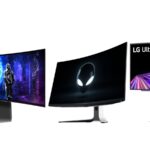
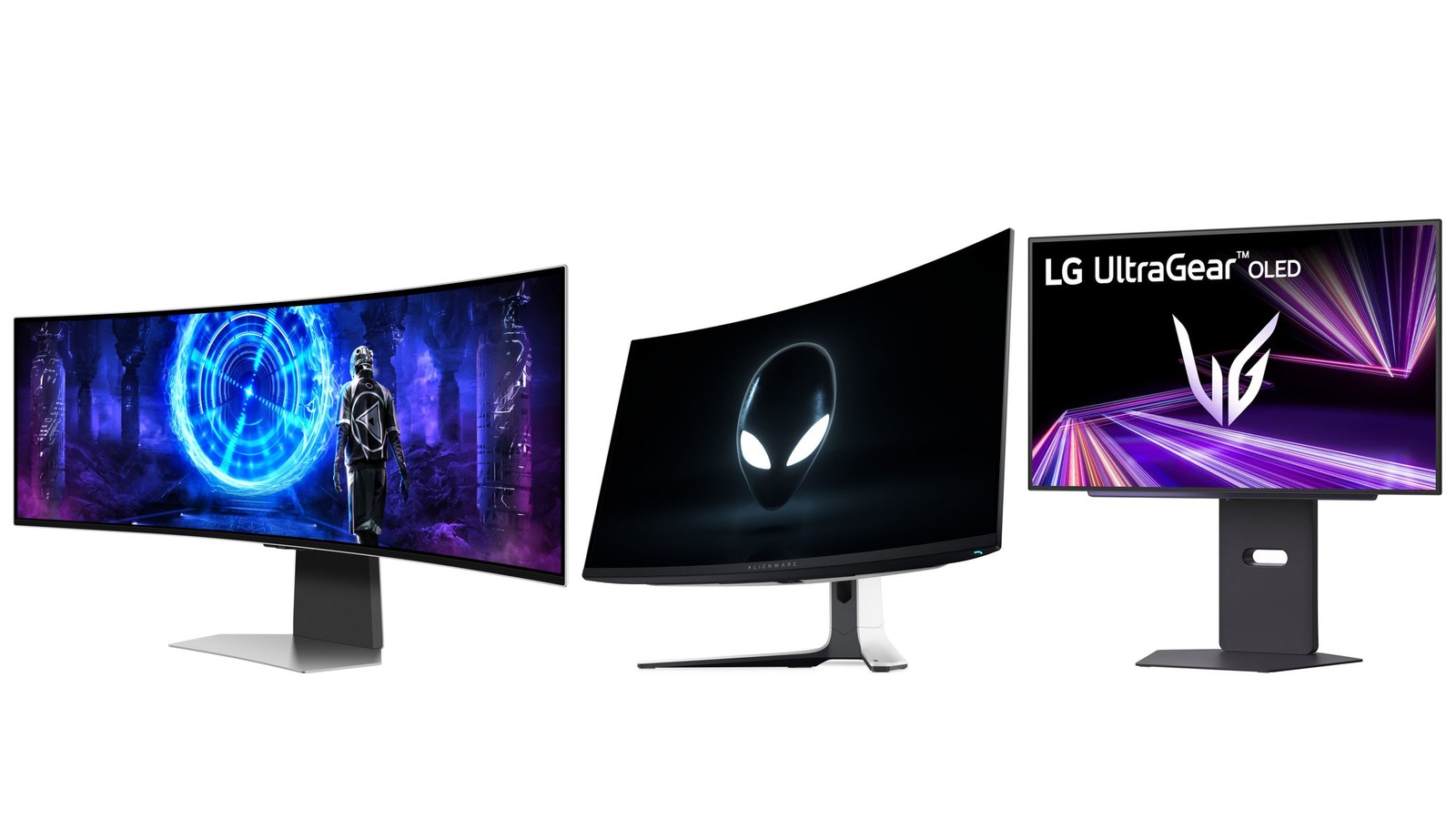
Three OLED monitors side by side on a white background: a 49-inch curved Samsung Odyssey OLED G9 showing a game scene, a curved Alienware 32-inch monitor showing the alien logo, and a flat LG UltraGear OLED on a dark stand

Top: three of the picks below, the 49-inch Samsung Odyssey OLED G9, the 32-inch Alienware AW3225QF and the 27-inch LG UltraGear 27GX700A-B. Product photos: Samsung, Dell and LG.

The best OLED monitor for most people is a 27-inch 1440p QD-OLED like the Alienware AW2725DF: 360Hz for fast games, and a three-year UK warranty that names burn-in. That last part matters more than any spec. Burn-in cover varies by brand, and some UK pages don’t promise it at all. Check the warranty table first, then pick by what you play and where you sit.

Your best pick:

  • Fast games at 1440pAlienware AW2725DF. Why
  • The sharpest 27-inch pictureAlienware AW2725Q. Why
  • A bigger 4K screenAlienware AW3225QF. Why
  • A bright roomLG UltraGear 27GX700A-B. Why
  • Racing and flight simsSamsung Odyssey OLED G9. Why
  • Work and photo editingDell UltraSharp U3226Q. Why
  • The lowest outlayAlienware AW2725D. Why

OLED monitor burn-in: check the UK warranty before you buy

Burn-in is the one real weakness of an OLED monitor. Each pixel makes its own light. Pixels that show the same bright, static thing for thousands of hours, such as a taskbar or a game’s health bar, age faster than the rest. They can leave a faint, permanent ghost. Modern monitors work hard to prevent it, but no maker claims it can’t happen.

So the warranty is your safety net, and the costly mistake is assuming every OLED has the same one. Some brands state three years of burn-in cover on their UK pages. One brand’s UK page limits its burn-in cover to the EU. Others don’t mention burn-in at all, and a warranty that doesn’t name it may not cover it. Here’s what each maker says:

BrandBurn-in cover for UK buyersWhat the maker says
Alienware and DellYes, 3 yearsDell UK product pages for every Dell monitor in this guide say the replacement service “includes OLED burn-in”.
MSIYes, 3 years, on its QD-OLED modelsCover is void if the monitor’s OLED Care protection has been turned off or delayed.
ASUS2 or 3 years, by modelNewer OLED models get 3 years including burn-in, some earlier ones 2 years. The model’s Tech Specs page gives the term.
Philips EvniaYes, 3 years on QD-OLED modelsPhilips UK backs each QD-OLED monitor with a 3-year burn-in warranty, as long as you follow its care rules.
AOCUnclear: EU only, says AOC’s UK pageAOC promises 3 years with burn-in cover, then adds that the cover is “valid in the EU region only”.
SamsungNot statedSamsung’s UK page for the Odyssey OLED G9 describes burn-in prevention, not burn-in cover.
LGConfirmed in the US, not for the UKLG covers burn-in for 2 years on UltraGear OLED monitors sold in the US. Ask about UK terms.

Terms change, and some depend on following the maker’s care rules. Ask the seller, or the maker, to confirm burn-in cover in writing before you pay.

UK buyers have been caught by this before. On Samsung’s own community forum in 2024, someone ready to buy a 32-inch Odyssey OLED found that Samsung’s site gave only a 24-month warranty. It said nothing on burn-in, and live chat gave different answers. Another buyer’s view in the same thread: if it is not explicitly stated that it is covered, it is not.

Your statutory rights still apply whatever the warranty says. Under the Consumer Rights Act you can claim against the retailer for goods that aren’t of satisfactory quality. But burn-in builds up slowly, and after six months it’s up to you to show the fault was there from the start. A warranty that names burn-in avoids that argument.

Best OLED gaming monitor at 1440p: Alienware AW2725DF

If you play fast shooters or anything competitive, a 27-inch 1440p OLED is the sweet spot. The Alienware AW2725DF runs at 360Hz, which Dell calls its fastest QD-OLED gaming monitor. At 1440p, a mid-range graphics card can reach frame rates that make 360Hz worth having, which isn’t true at 4K.

It has two DisplayPort 1.4 inputs for the full 360Hz, and HDMI 2.1 at up to 144Hz for a console or a second PC. HDR is certified to VESA DisplayHDR True Black 400. Dell UK’s page says its three-year Advanced Exchange service includes OLED burn-in: if a replacement is needed after diagnosis, Dell ships one the next business day.

Alienware AW2725DF 27″ Quad HD QD-OLED Monitor

  • 27″ QD-OLED gaming monitor with 2560 x 1440 resolution
  • 360Hz refresh rate and 0.03ms response time for ultra-smooth gameplay
  • DisplayHDR 400 True Black with 1500000:1 contrast ratio for vivid visuals

More fast panels are under 360Hz monitors. If you’re torn between this and a 4K screen, QHD vs 4K gaming monitors goes through the trade-off.

Best 4K 240Hz OLED monitor at 27 inches: Alienware AW2725Q

The Alienware AW2725Q puts 4K into 27 inches at 240Hz. Dell rates that at 166 pixels per inch, which it says is the highest pixel density of any QD-OLED monitor. In plain terms, you’ll see sharper text and finer detail than on any 1440p screen this size, so it suits your everyday work as well as your games.

It supports Dolby Vision HDR, and both of its HDMI 2.1 ports run 4K at 240Hz, so a PS5 or Xbox Series X plugs straight in. The catch is the graphics card: 4K at high frame rates needs a powerful one, so check the best graphics cards before you commit. Dell UK’s page lists a three-year warranty with Advanced Exchange that includes OLED burn-in, and a graphite sheet behind the panel to help prevent it.

Alienware AW2725Q 4K QD-OLED Monitor

  • 4K QD-OLED monitor with 240 Hz refresh rate and 0.03 ms response time
  • DCI-P3 99% colour coverage with DisplayHDR 400 True Black technology
  • G-SYNC Compatible and FreeSync Premium Pro for tear-free gaming
Best 32-inch OLED monitor for 4K gaming: Alienware AW3225QF

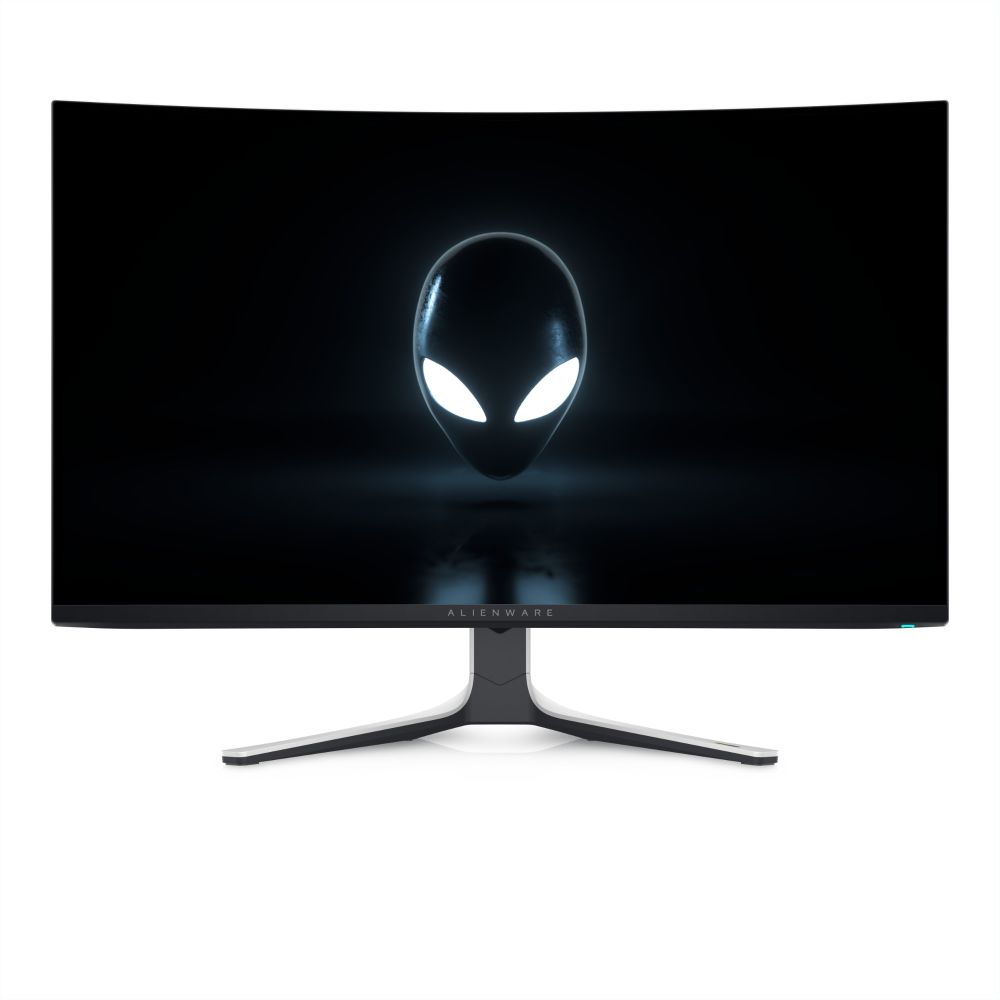
A 32-inch OLED makes 4K worth it for games and films. The Alienware AW3225QF has a 31.6-inch 4K QD-OLED panel at 240Hz with a gentle 1700R curve, which Dell says brings more of the game into your peripheral vision. It supports Dolby Vision and VESA DisplayHDR True Black 400.

Its HDMI 2.1 ports give your console 4K at 120Hz, so it doubles as the screen for a PS5 next to your PC. Dell UK’s page states a three-year warranty with Advanced Exchange that includes OLED burn-in. If you’d rather have a flat 32-inch panel, browse 32-inch monitors.

Alienware 32″ 4K Ultra HD QD-OLED Monitor

  • 32-inch 4K QD-OLED monitor with 240Hz refresh rate
  • Curved 1700R panel with 1500000:1 dynamic contrast
  • DCI-P3 99% colour gamut with Dolby Vision HDR
Best OLED monitor for a bright room: LG UltraGear 27GX700A-B (tandem OLED)

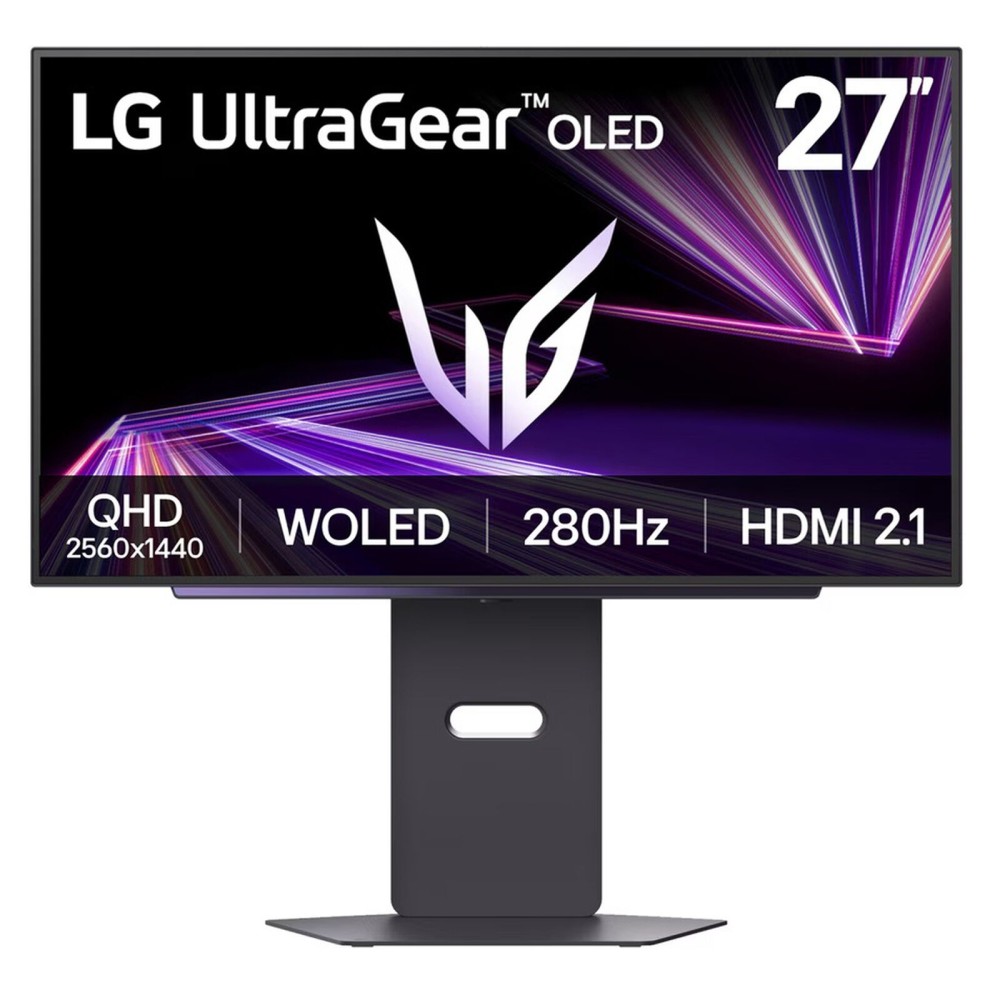
If your desk faces a window, you’re better off with an LG panel than a QD-OLED. RTINGS, which tests monitors in its lab, found that LG-made WOLED panels keep their blacks better in a well-lit room, where QD-OLED blacks turn greyish-purple. The LG UltraGear 27GX700A-B uses LG’s fourth-generation tandem OLED panel, a newer WOLED design that RTINGS found brighter than older OLED panels of either type.

It’s a 27-inch 1440p screen at up to 280Hz, so it suits fast games as well. The trade-off is colour: bright, saturated colours look a little less vivid than on a QD-OLED. LG has confirmed two years of burn-in cover for its UltraGear OLED monitors in the US. Ask LG or the seller to confirm UK cover in writing.

LG UltraGear 27GX700A-B 27″ QHD 280Hz Tandem WOLED Gaming Monitor, 0.03ms, DisplayHDR True Black 500

  • 27-inch QHD (2560 × 1440) Tandem WOLED display
  • 280Hz refresh rate for fast-paced gaming
  • 0.03ms grey-to-grey response time

Best curved and ultrawide OLED monitor: Samsung Odyssey OLED G9 (G95SD)

If you play racing games or flight sims, or want a very wide desktop, look at the Samsung Odyssey OLED G9 G95SD. It’s a 49-inch curved QD-OLED with a 32:9 shape and an 1800R curve. Its 5120 x 1440 resolution is the same as two 27-inch 1440p screens side by side, at 240Hz.

Samsung’s Glare Free coating is 54% less glossy than its earlier anti-reflection film, says Samsung, which helps in a lit room. On burn-in, though, Samsung’s UK page talks about prevention: the monitor dims static images such as logos and taskbars. It doesn’t say the warranty covers burn-in, so get that confirmed first. More wide screens are under ultrawide monitors.

Samsung Odyssey OLED G95SD 49″ Dual QHD 240Hz QD-OLED Gaming Monitor Silver

  • 49 inch Dual QHD QD-OLED panel with 240Hz refresh rate and 0.03ms response time
  • AMD FreeSync Premium Pro compatibility for smooth gameplay without screen tearing
  • Tizen operating system with Gaming Hub and built-in Bixby voice control

Best OLED computer monitor for work and photo editing: Dell UltraSharp U3226Q

Most OLED monitors are built for games. The Dell UltraSharp U3226Q is built for colour work. It’s a 31.5-inch 4K QD-OLED at 120Hz with an anti-glare, low-reflectance screen. A colorimeter is built in, so it can calibrate itself. It’s certified to VESA DisplayHDR True Black 500 and supports Dolby Vision.

For a laptop desk it’s a dock as well. One Thunderbolt 4 cable carries the picture and up to 140W of charging, and a built-in KVM lets one keyboard and mouse switch between two computers. Dell UK’s page includes OLED burn-in in its Advanced Exchange service. If your work means static spreadsheets all day, read how to avoid burn-in first.

DELL UltraSharp U3226Q 31.5″ 4K Ultra HD QD-OLED Monitor

  • 31.5-inch 4K Ultra HD QD-OLED flat panel with 140 ppi pixel density
  • 120 Hz maximum refresh rate with 0.3 ms GTG response time
  • 100% sRGB, 94% Adobe RGB, and 99% DCI-P3 colour coverage

Cheap OLED monitor worth buying: Alienware AW2725D

Cheaper OLED monitors exist, but the cheapest are the ones where burn-in cover gets vague. AOC’s QD-OLED models are often the lowest priced, and AOC’s UK page limits their burn-in cover to the EU. The Alienware AW2725D keeps the warranty that matters: Dell UK’s page includes OLED burn-in in its three-year Advanced Exchange service.

It’s a 27-inch 1440p QD-OLED at 280Hz, a little slower than the AW2725DF’s 360Hz, which only the most competitive players will notice. Dell says a graphite film heatsink behind the panel helps protect it from burn-in.

Alienware AW2725D 27″ 2560×1440 QHD QD-OLED Monitor

  • 27-inch QD-OLED flat panel with Quad HD 2560 x 1440 resolution and 111 ppi pixel density
  • Ultra-fast 280 Hz refresh rate with 0.03 ms GTG response time for smooth gaming
  • AMD FreeSync Premium Pro and NVIDIA G-SYNC compatibility with DisplayHDR 400 True Black
QD-OLED vs WOLED and tandem OLED: which panel suits your room

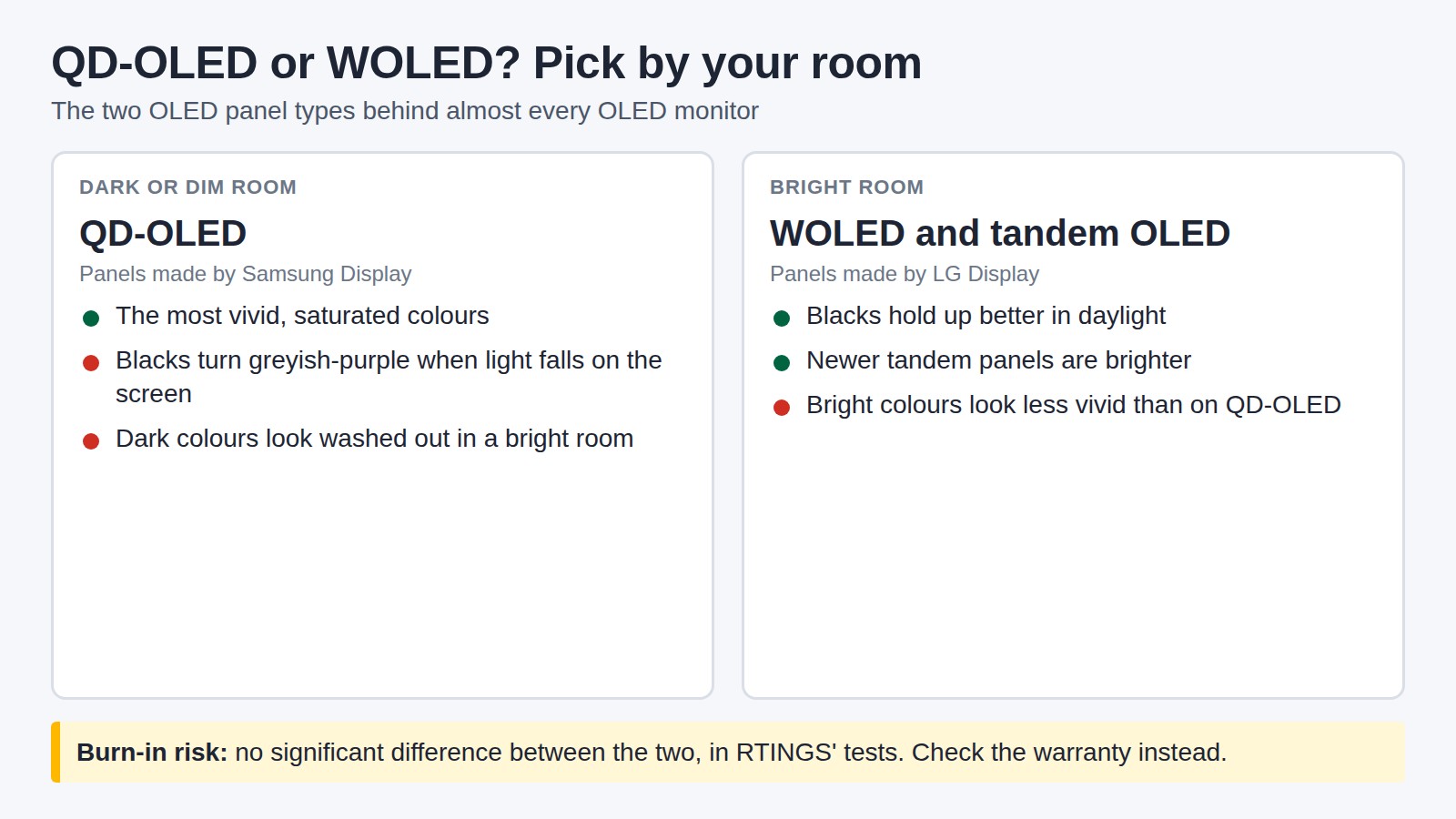
Almost every OLED monitor uses a panel from one of two makers, whatever brand is on the front. QD-OLED panels come from Samsung Display. WOLED panels, including the newer tandem OLED, come from LG Display. Both give the near-perfect blacks and instant response that make OLED worth buying. Where they differ is light.

Diagram comparing QD-OLED and WOLED. QD-OLED, made by Samsung Display, suits a dark or dim room: the most vivid colours, but blacks turn greyish-purple and dark colours look washed out when light falls on the screen. WOLED and tandem OLED, made by LG Display, suit a bright room: blacks hold up better in daylight and newer tandem panels are brighter, but bright colours look less vivid. Burn-in risk shows no significant difference between the two in RTINGS tests.
RTINGS' rule of thumb: QD-OLED for a dark room, WOLED for a bright one.
  • QD-OLED (a QD-OLED monitor) has the more vivid colours. It has no polariser, so in a bright room its blacks lift and look purple, and dark colours wash out. In a dim room it looks its best.
  • WOLED adds a white subpixel to each pixel. That keeps blacks deeper in daylight but makes bright colours less pure.
  • Tandem OLED, which reached monitors in late 2025, stacks extra light-emitting layers. RTINGS measured these panels as brighter than older OLEDs of either type.
  • Text shows slight colour fringes on both types, in different patterns. In RTINGS’ side-by-side test of 27-inch 1440p screens, the QD-OLED had the sharpest text with Windows ClearType on.

On burn-in, RTINGS found no significant difference between the two, so let your room decide. More QD-OLED screens are under QD-OLED monitors.

OLED vs IPS monitor: is an OLED worth it?

An IPS monitor lights its pixels from behind, so blacks are really dark grey and the backlight can glow in dark scenes. OLED switches each pixel off, so black is black and a single star on a night sky stays a single point of light. OLED pixels also change state almost instantly, so fast motion looks cleaner.

IPS still wins in three places. It gets brighter on a full white screen, where RTINGS finds OLEDs particularly dim, and that matters for office work in a sunny room. Burn-in isn’t a concern. And it usually costs much less at the same size and resolution. Go OLED if you play games or watch films and mainly use the screen in mixed or dim light. Stay with IPS if the monitor shows the same spreadsheet or dashboard all day. For the wider case for and against, see why you should own an OLED monitor, and who shouldn’t.

How to avoid OLED burn-in on a monitor

The scariest burn-in photos come from torture tests. RTINGS ran OLED TVs for 126.5 hours a week at maximum brightness, to squeeze years of wear into months. It says itself that the test doesn’t represent normal use. Its advice is that burn-in is a real risk if you leave the same taskbar or windows on screen all day, every day. Changing what’s on screen helps. A few habits cut the risk further:

  1. Leave the panel care switched on. Features such as pixel shift, taskbar dimming and pixel refresh are there to prevent burn-in. MSI’s warranty is void if its OLED Care has been turned off or delayed.
  2. Let pixel refresh finish. When the monitor asks to run it, let the cycle complete rather than switching off at the wall.
  3. Don’t leave a static image up for hours. Philips advises no more than four hours. Auto-hide the Windows taskbar and use full-screen modes where you can.
  4. Keep the monitor out of direct sunlight. Philips lists this among its care rules too.
  5. Vary the content. A mix of games, films and browsing is far easier on the pixels than the same static layout every day.

Best OLED monitor: your questions

What is the best OLED monitor in the UK?

For most people, a 27-inch 1440p QD-OLED with a high refresh rate, like the Alienware AW2725DF, is the best value. For sharper detail, the 27-inch 4K AW2725Q. Whatever you choose, check that the UK warranty names burn-in.

Is OLED or QD-OLED better?

QD-OLED is a type of OLED panel, made by Samsung Display. It has more vivid colours than LG Display’s WOLED panels, but its blacks lift in a bright room. Pick QD-OLED for a dark room and WOLED or tandem OLED for a bright one.

Is a 27 or 32 inch monitor better for gaming?

27 inches suits fast competitive games, because the whole screen stays in view and 1440p reaches high frame rates. 32 inches suits 4K, single-player games and films, but needs a stronger graphics card to drive it.

Does OLED burn-in go away?

Short-term image retention fades, often after the monitor runs its pixel refresh. True burn-in is permanent wear on the pixels and doesn’t go away, which is why burn-in cover in the warranty matters.

Will gaming on OLED cause burn-in?

Varied gaming carries little risk. The danger is the same static element, such as a health bar or minimap, on screen for thousands of hours. Keep the panel care switched on and mix what you play.

Which has better text clarity, WOLED or QD-OLED?

Both show slight colour fringes on text. In RTINGS' test of three 27-inch 1440p screens, the QD-OLED had the sharpest text with Windows ClearType on. 4K screens make fringing much harder to see.

Is an OLED monitor worth it over IPS?

For games and films in mixed or dim light, yes: perfect blacks and faster motion. For all-day static office work in a bright room, an IPS monitor is brighter, can’t burn in and costs less.

Sources

Leave a Reply

Your email address will not be published. Required fields are marked *