Security Updates Until 2028: Windows 11 26H2 Release Date, KB5124010 and the End of 24H2
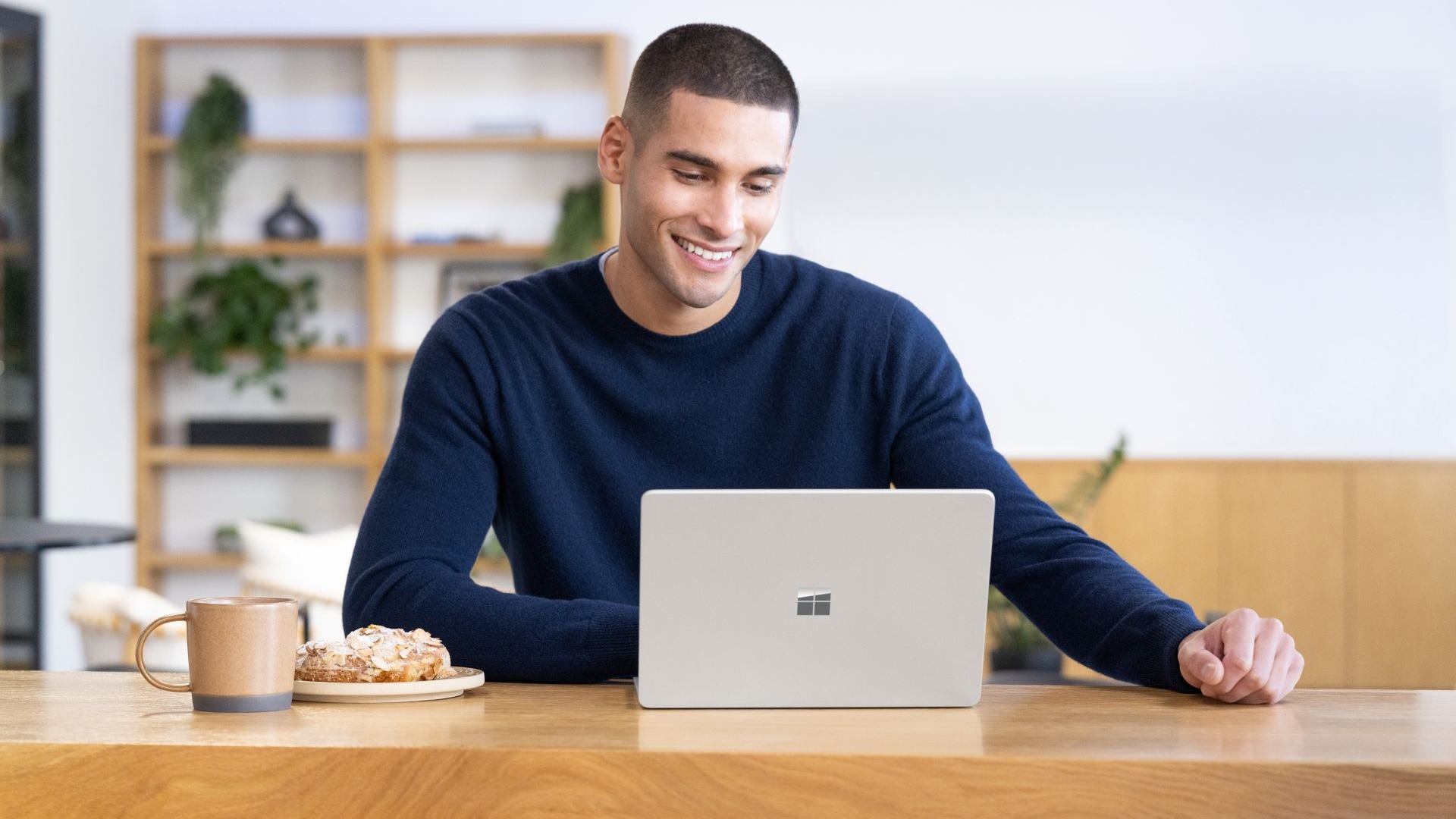
Windows 11 26H2, the Windows 11 2026 Update, has been out since 29 September 2026. On a PC running 24H2 or 25H2 it is a small update with one restart, and it gives Home and Pro editions security updates until 10 October 2028. If you are on 24H2 Home or Pro, install it now, because Microsoft’s updates for that version end on 13 October 2026. The one real catch is not 26H2 itself. KB5124010, an update from 22 September, can make older games and apps crash when they play Dolby Digital sound, and as of 12 October Microsoft had still not fixed it.
Start with your situation:
- Your PC is on 24H2 Home or ProUpdate now. Its updates end on 13 October 2026. The support dates
- You play older games or use old media softwareWatch for the Dolby Digital crash. What breaks
- Your PC is on 25H2No rush. You are covered until October 2027. Is it worth it
- You hope it frees up RAM on an 8GB laptopDo not count on it. The RAM claim
- Your work laptop is managed by ITLeave the timing to them. Known issues
- You want an ISO or a clean installMicrosoft’s download page has it. How to download
- Windows 11 26H2 release date: out since 29 September, in phases
- Windows 11 24H2 end of support date and end of life: 13 October 2026 for Home and Pro
- KB5124010 and the Dolby Digital crash: what breaks, and why 26H2 is not the cause
- Is Windows 11 26H2 safe? The other known issues on Microsoft’s list
- Windows 11 26H2 RAM usage: what the 2GB claim actually rests on
- Windows 11 26H2 features: is it worth it over 25H2?
- How to download Windows 11 26H2: Windows Update, Installation Assistant or ISO
- What we would actually do
- Quick answers
Windows 11 26H2 release date: out since 29 September, in phases
Microsoft released Windows 11 version 26H2, which it also calls the Windows 11 2026 Update, on 29 September 2026. It is rolling out in phases and Microsoft says availability will expand over the next few months, so your PC may not be offered it yet.
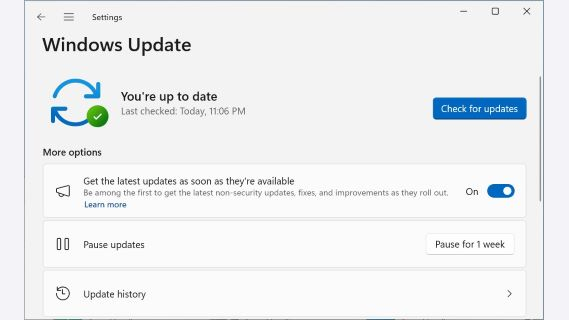
If you want it now, open Settings, then Windows Update, and turn on Get the latest updates as soon as they’re available. If the update is ready for your PC, it downloads and installs, and a single restart finishes the job. Microsoft can hold the update back on PCs where it has found a compatibility problem. It calls this a safeguard hold, and it is the reason a friend’s PC may get 26H2 before yours.
26H2 is not a full reinstall of Windows. On a PC that runs 24H2 or 25H2 it arrives as an enablement package: a small update that switches on features Microsoft has already delivered in monthly updates over the past year. All three versions share the same code underneath, which is why the install feels like a normal monthly update rather than a big upgrade.
To see which version you have, press Windows + R, type winver and press Enter. 26H2 shows as OS build 26300, 25H2 as 26200 and 24H2 as 26100.
You may also see 26H1 mentioned. That is a separate version for certain new PCs that went on sale from early 2026, and Microsoft does not offer it as an update to existing machines. For almost everyone, you can ignore it.
Windows 11 24H2 end of support date and end of life: 13 October 2026 for Home and Pro
If your PC runs 24H2 Home or Pro, this is the date that matters. Microsoft’s release information lists 13 October 2026 as the end of updates for 24H2 Home, Pro, Pro Education and Pro for Workstations. After that, Microsoft says, those PCs get no more security updates, no fixes for known issues and no technical support. The PC keeps working. It just stops being patched.
| Version | OS build | Released | Updates end: Home and Pro | Updates end: Enterprise and Education |
|---|---|---|---|---|
| 26H2 | 26300 | 29 Sep 2026 | 10 Oct 2028 | 9 Oct 2029 |
| 25H2 | 26200 | 30 Sep 2025 | 12 Oct 2027 | 10 Oct 2028 |
| 24H2 | 26100 | 1 Oct 2024 | 13 Oct 2026 | 12 Oct 2027 |
| 23H2 | 22631 | 31 Oct 2023 | Already ended | 10 Nov 2026 |
Moving off 24H2 is the easy part. Microsoft offers 26H2 to 24H2 PCs as the same small enablement package that 25H2 PCs get, and installing it resets the support clock to 24 months for Home and Pro.
If you are still on 23H2, Home and Pro updates have already stopped. Microsoft only offers the small package to 24H2 and 25H2, so a 23H2 PC needs the full upgrade, through the Installation Assistant or an ISO, both covered below.
KB5124010 and the Dolby Digital crash: what breaks, and why 26H2 is not the cause
Several headlines say 26H2 is crashing games. Microsoft’s release health page tells a narrower story. The problem started with KB5124010, an optional preview update released on 22 September, a week before 26H2, for 24H2, 25H2 and 26H2 alike. On 2 October Microsoft confirmed that after this update “some applications which require the decoding of AC-3 (Dolby Digital) audio might close unexpectedly.”
AC-3 is the Dolby Digital sound format used on DVDs and in TV broadcasts. Microsoft says an affected app may fail to launch, close without warning, or work normally until you use a certain feature, such as playing music. It names games, media players and certain productivity apps. Most modern apps carry their own audio decoder, so the bug mainly hits older software that still relies on the decoder built into Windows.
One real example is already doing the rounds. Players on the Fallout: New Vegas subreddit are sharing a warning that KB5124010, on build 26200.9550, makes the 2010 game crash, and they point at msmpeg2ac3dec.dll, a Windows audio decoder file.
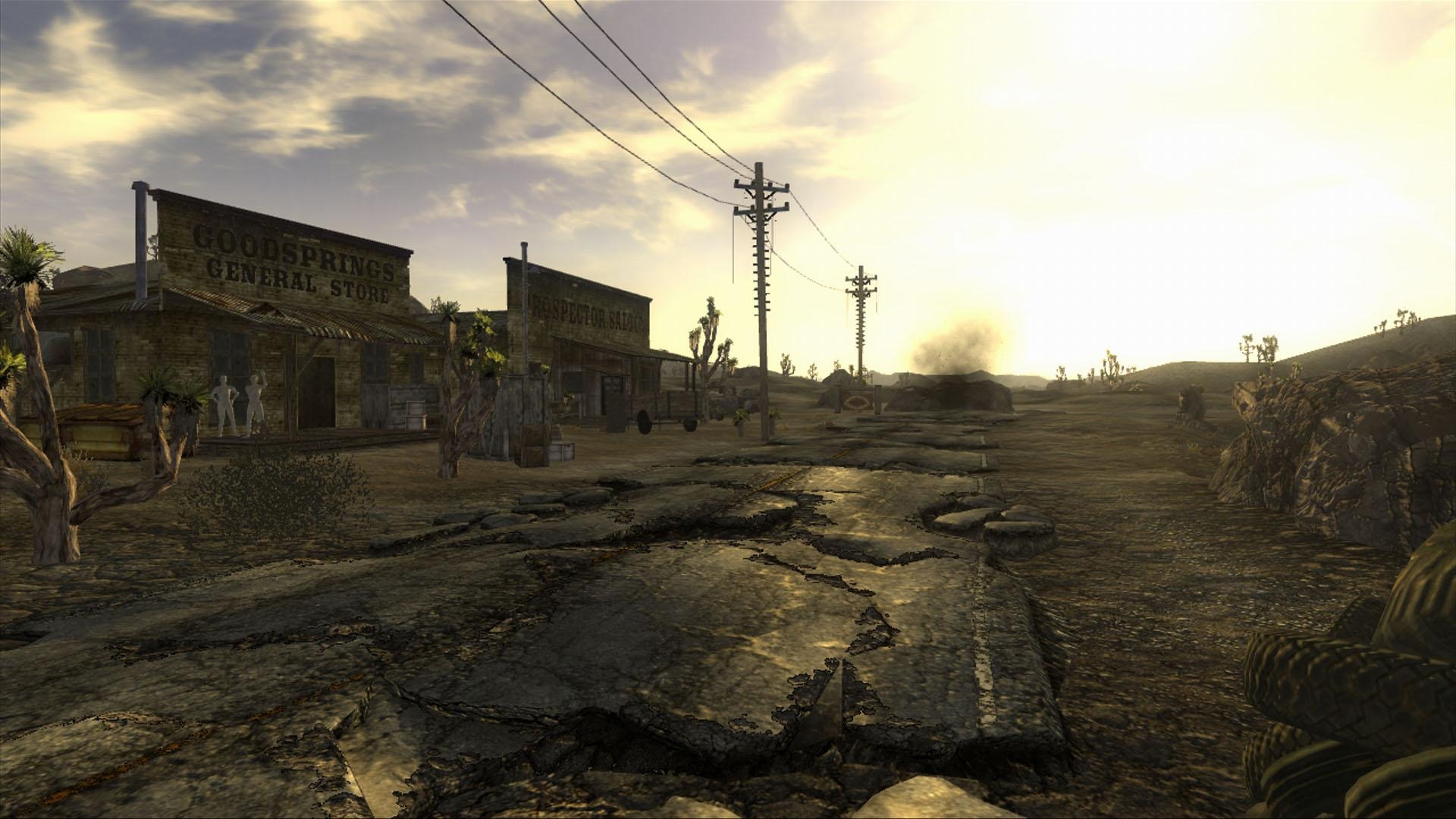
Why 26H2 is not the cause. Microsoft lists the same issue on 24H2 and 25H2, so PCs that never installed 26H2 can get it too. 26H2 itself went out as build 26300.9457, and KB5124010 is what moves it to 26300.9550. The catch is the toggle. BleepingComputer reports that this optional update installs automatically on 24H2 PCs where Get the latest updates as soon as they’re available is switched on, and that is the same switch Microsoft tells you to use to get 26H2 early. So if you went looking for 26H2, you probably have KB5124010 too. Skipping 26H2 does not protect you, and 26H2 on its own does not bring the bug.
Why the October security update matters. Microsoft’s update rules say each monthly security update, released on the second Tuesday, also carries the non-security changes from the previous month’s preview. Microsoft releases October’s security update on Tuesday 13 October 2026. So unless that update also carries a fix, the change behind this crash reaches every PC on 24H2, 25H2 and 26H2 that installs it, not just the PCs that took the optional preview. That is our reading of Microsoft’s release cycle, not a Microsoft statement. As of 12 October, Microsoft still listed the issue as confirmed, said the fix will come “in a future Windows update”, and had given no date and no workaround.
If an old game or player crashes now. Open Settings, Windows Update, Update history, and look for KB5124010. If an older program crashes when it plays sound, this is the likely cause. You can remove the update under Update history, then Uninstall updates, and pause updates from the main Windows Update page while you wait for the fix. You lose the preview’s other fixes until then. For crashes with other causes, our guide to PC crashes while gaming goes through the usual suspects.
Is Windows 11 26H2 safe? The other known issues on Microsoft’s list
For most home PCs, yes. Microsoft’s release health page for 26H2 listed four known issues on 6 October. By 12 October it had marked one of them, the domain problem on work PCs, as resolved. The Dolby Digital crash above is the one most likely to reach a home PC. The other three:
- USB audio devices that will not start or give no sound. This affects some devices that use the older USB Audio Class 1.0 standard, such as some USB headsets, microphones and DACs. Device Manager may show “This device cannot start (Code 10)”, or the volume may stay at zero. Microsoft marks it as mitigated and is still working on a full fix.
- Work PCs that lose their connection to the company domain. This only hits PCs where IT has set up a Credential Guard feature called Machine Identity Isolation without Windows Server 2025 domain controllers. A home PC is not affected. Microsoft now marks this one resolved: KB5124010 and later updates fix it.
- A black screen after sign-in. Microsoft has seen this mainly on Azure Virtual Desktop, the cloud desktops some companies use. If it happens to you, press Ctrl + Shift + Esc to open Task Manager, choose Run new task, type explorer.exe and select OK.
One more change matters if you use very old hardware. 26H2 removes Windows’ default trust for cross-signed drivers, an older way of signing drivers. Drivers certified by Microsoft and a list of trusted older drivers still work, and Microsoft says Windows checks driver compatibility for at least 100 hours and three restarts before it enforces the change. If you rely on an old printer, scanner or capture card, check its maker still offers a current driver.
If the update itself keeps failing to install, Windows has a repair option. Open Settings, System, Recovery, and under Fix problems using Windows Update select Reinstall now. Microsoft says this reinstalls the current version of Windows. A Reddit user who hit the same failure recommended this route, and noted that it first downloads a 25H2 repair image, so expect to install 26H2 again afterwards.
Windows 11 26H2 RAM usage: what the 2GB claim actually rests on
Several tech sites now report that 26H2 cuts RAM use by about 2GB. Before you plan around it, look at what the claim rests on. Microsoft has not said it. TechPowerUp notes that the change “wasn’t advertised by Microsoft”. The evidence is one publication’s laptop and a few users:
- Windows Latest’s 16GB laptop showed 7.0GB in use after a restart, where it “would often cross 10GB” before.
- A Reddit user reported about 2GB less in use at boot, on a PC with 48GB.
- A user on X reported 9.1GB on 25H2 and 7.5GB on 26H2, on a 32GB PC.
- An owner of an 8GB PC saw no change at all, still at 96%.
Windows Latest itself says its numbers do not prove that 26H2 cut RAM use, because startup apps, cached memory and app versions all move the figure. Also remember that high RAM use is not automatically bad: Windows keeps free memory busy with a cache of things you may open next, and hands it back when an app needs it.
Two things are firmer. Windows Latest reports that Microsoft listed “memory optimization for 8GB and above” as an official Windows focus area on 31 July. And Windows Latest found that 26H2 turns on a feature called Low Latency Profile on most PCs that install it. It pushes the processor close to full speed for one to three seconds when you open Start, Search or an app, so those feel quicker. That one you will notice. The RAM saving you may not.
This matters most for 8GB laptops, and there are plenty of them. Of the 815 laptop spec sheets in our catalogue that are not MacBooks or Chromebooks, 127 have 8GB of memory or less, and 50 of those use LPDDR memory that is soldered to the board, so it can never be upgraded. The only 8GB report so far showed no saving. If your laptop has a free memory slot, adding laptop DDR5 or laptop DDR4 does far more than any update. Memory has got more expensive this year, and our look at RAM and SSD prices explains why.
Windows 11 26H2 features: is it worth it over 25H2?
Because 26H2 shares its code with 24H2 and 25H2, most of what Microsoft lists as new has already reached up-to-date PCs through monthly updates. In Microsoft’s words, 26H2 “enables selected features and resets the support lifecycle”. Its list of what has arrived since 25H2 includes:
- Point-in-time restore, which rolls the whole PC, including apps, settings and files, back to a recent automatic restore point.
- Smart App Control can now be switched on or off without reinstalling Windows.
- Windows Hello Enhanced Sign-in Security now works with plug-in fingerprint readers, not just built-in ones.
- Windows Search copes better with typos and partial app names.
- Start and taskbar get new Start menu views, more taskbar positions and a smaller taskbar option.
- Task Manager shows how hard the NPU, the AI chip in newer laptops, is working.
- File Explorer gets AI actions for some images and can summarise OneDrive and SharePoint documents.
For businesses, 26H2 also builds in Sysmon, a security monitoring tool, and adds Administrator protection, which gives admin rights only when they are needed. Both are off by default.
Some features you may read about came with the KB5124010 preview rather than 26H2, so they reach 24H2 and 25H2 too: remapping the Copilot key to work as Right Ctrl or the context menu key, Emoji 17.0, single-finger scrolling on precision touchpads, and a setting that opens every app maximised.
Is it worth it? On 24H2 Home or Pro, yes, for the support date alone. On 25H2 you lose nothing by waiting a few weeks for the Dolby Digital fix, because you are covered until October 2027. The new features on their own are not a reason to rush.
How to download Windows 11 26H2: Windows Update, Installation Assistant or ISO
Windows Update. This is the route for PCs on 24H2 or 25H2. Turn on the toggle described above and check for updates. It is the smallest download and needs one restart.
Installation Assistant. Microsoft’s Windows 11 download page offers this for upgrading a PC in place. It only works on PCs with Intel or AMD x64 processors, not Arm-based ones such as Snapdragon laptops, and the PC must already run Windows 10 version 2004 or later.
ISO file. Microsoft’s download page now lists “Windows 11 2026 Update, Version 26H2” as the current release. The x64 ISO is multi-edition and uses your product key to unlock the right edition, and Arm64 ISOs are on a separate page. Use it to make a bootable USB stick for a clean install or for a virtual machine. If you are building a new PC, you need a Windows 11 licence.
Back up your files first whichever way you go, and remember that a clean install wipes the drive. If you want to start completely fresh on a laptop instead, our factory reset guide covers that route.
What we would actually do
- If your PC is on 24H2 Home or Pro, install 26H2 now. Microsoft’s updates for 24H2 end on 13 October 2026, and 26H2 is a small update that buys two more years of security fixes.
- If you rely on an old game or media program, check it after every update until Microsoft marks the AC-3 issue resolved. If it crashes when it plays sound, remove KB5124010 and pause updates, then try again after Microsoft’s fix lands.
- If your PC is on 25H2, wait until the Dolby Digital issue shows as resolved on Microsoft’s release health page, then update. You have until October 2027.
- If you have an 8GB laptop, do not expect 26H2 to fix a slow machine. Check whether there is a free memory slot first. If you are buying a new laptop, our laptop buying guide explains why we would get 16GB, and our slow computer guide covers the free fixes.
- If it is a work laptop, leave the timing to your IT team. The black screen issue mainly hits company cloud desktops, and IT has Microsoft’s workaround for it.
Quick answers
Yes. Microsoft released Windows 11 26H2, the Windows 11 2026 Update, on 29 September 2026. It is rolling out in phases. To get it sooner, turn on Get the latest updates as soon as they’re available in Settings, Windows Update.
Yes if you are on 24H2 Home or Pro, because that version stops getting updates on 13 October 2026, and 26H2 is covered until 10 October 2028. On 25H2 there is no rush: most of the new features have already arrived through monthly updates.
For most home PCs, yes. Microsoft listed four known issues and, by 12 October, had marked the work-PC domain problem as resolved. The one most likely to affect you is a crash in older apps and games that play Dolby Digital sound, which comes from the KB5124010 update and also affects 24H2 and 25H2. The other open issues mainly hit some older USB audio devices and company cloud desktops.
A small download and one restart on a PC running 24H2 or 25H2. It switches on features such as point-in-time restore, better Windows Search and new Start menu and taskbar options, and resets support to 24 months for Home and Pro. It looks and feels much the same as before.
On 13 October 2026 for Home, Pro, Pro Education and Pro for Workstations. Enterprise and Education editions of 24H2 get updates until 12 October 2027. Your PC keeps working after that, but it gets no security updates.
An optional preview update Microsoft released on 22 September 2026 for Windows 11 24H2, 25H2 and 26H2. It added features such as Emoji 17.0 and Copilot key remapping, but Microsoft has confirmed it can make apps that use Windows’ built-in Dolby Digital (AC-3) decoder close unexpectedly. As of 12 October, Microsoft promises a fix in a future update but has given no date.
Some users report about 2GB less in use after a restart, but Microsoft has not claimed it, and the one report from an 8GB PC showed no change. Treat it as a possible bonus, not a reason to update.
From Microsoft’s Windows 11 download page, which now lists Version 26H2 as the current release. Choose the x64 disk image, or the separate Arm64 page for Snapdragon PCs. The multi-edition ISO uses your product key to unlock the right edition.
Yes, if your PC meets the Windows 11 requirements. The Installation Assistant upgrades PCs running Windows 10 version 2004 or later with an x64 processor. If you are staying on Windows 10, Microsoft’s Extended Security Updates run until 12 October 2027.
Press Windows + R, type winver and press Enter. 26H2 shows as OS build 26300, 25H2 as 26200 and 24H2 as 26100.
Sources
- Windows 11, version 26H2 known issues and notifications, Microsoft Learn. General availability on 29 September, the phased rollout, and the four known issues: AC-3 crashes, USB Audio Class 1.0, domain trust and the black screen, with domain trust now marked resolved by KB5124010.
- Windows 11 release information, Microsoft Learn. The end-of-updates dates for every version, the builds 26300.9457 and 26300.9550, and 26H1 being for new devices only.
- KB5124010 (OS Builds 26300.9550, 26200.9550 and 26100.9550) Preview, Microsoft Support, 22 September 2026. What the preview added, the AC-3 known issue, and the 24H2 end-of-updates notice.
- How to get the Windows 11 2026 Update, Windows Experience Blog, 29 September 2026. The enablement package, the toggle, safeguard holds and the 24 and 36 month support periods.
- An IT pro’s guide to Windows 11, version 26H2, Windows IT Pro Blog, 29 September 2026. The feature list, Sysmon, Administrator protection and the features enabled by default.
- What’s new in Windows 11, version 26H2, Microsoft Learn. The cross-signed driver change and its 100-hour audit period.
- Update release cycle for Windows clients, Microsoft Learn. Monthly security updates on the second Tuesday include the previous month’s preview content.
- Download Windows 11, Microsoft. The Installation Assistant requirements and the 26H2 ISO.
- Get Windows updates as soon as they’re available for your device, Microsoft Support. The toggle, and the screenshot shown on this page.
- Fix issues by reinstalling the current version of Windows, Microsoft Support. The Reinstall now option under Recovery.
- Windows 10 Extended Security Updates, Microsoft. ESU running until 12 October 2027.
- Microsoft: Windows KB5124010 update crashes some games and apps, BleepingComputer, 5 October 2026. The automatic install on 24H2 PCs with the toggle on.
- Windows 11 26H2 quietly shipped with a major performance boost, Windows Latest, 5 October 2026. The 16GB laptop test, the Reddit, X and 8GB reports, and Low Latency Profile.
- Rising cost of memory: Microsoft explains why Windows 11 will use less RAM, Windows Latest, 4 October 2026. Memory optimisation for 8GB and above as a Windows focus area.
- Windows 11 26H2 update lowers RAM consumption, TechPowerUp, 5 October 2026. That Microsoft did not advertise the RAM change.
- Lead photograph: Microsoft, from its Windows 11 2026 Update announcement, cropped to 16:9 by us. Fallout: New Vegas screenshot: Bethesda Softworks, via Steam.
About Hardvance Team
The Hardvance Team is the editorial team at Hardvance, a UK computer and electronics retailer based in Mildenhall, Suffolk. We build and upgrade PCs and sell laptops, phones, networking gear, monitors and printers, and our guides cover the same ground. Every guide names its sources and explains how we checked the figures, and we say plainly when something is our opinion rather than a tested result.
View all posts by Hardvance Team