The Barebones Trap: The Best Mini PC in 2026 for Most Desks, and Why Gaming Is Mostly a No

0
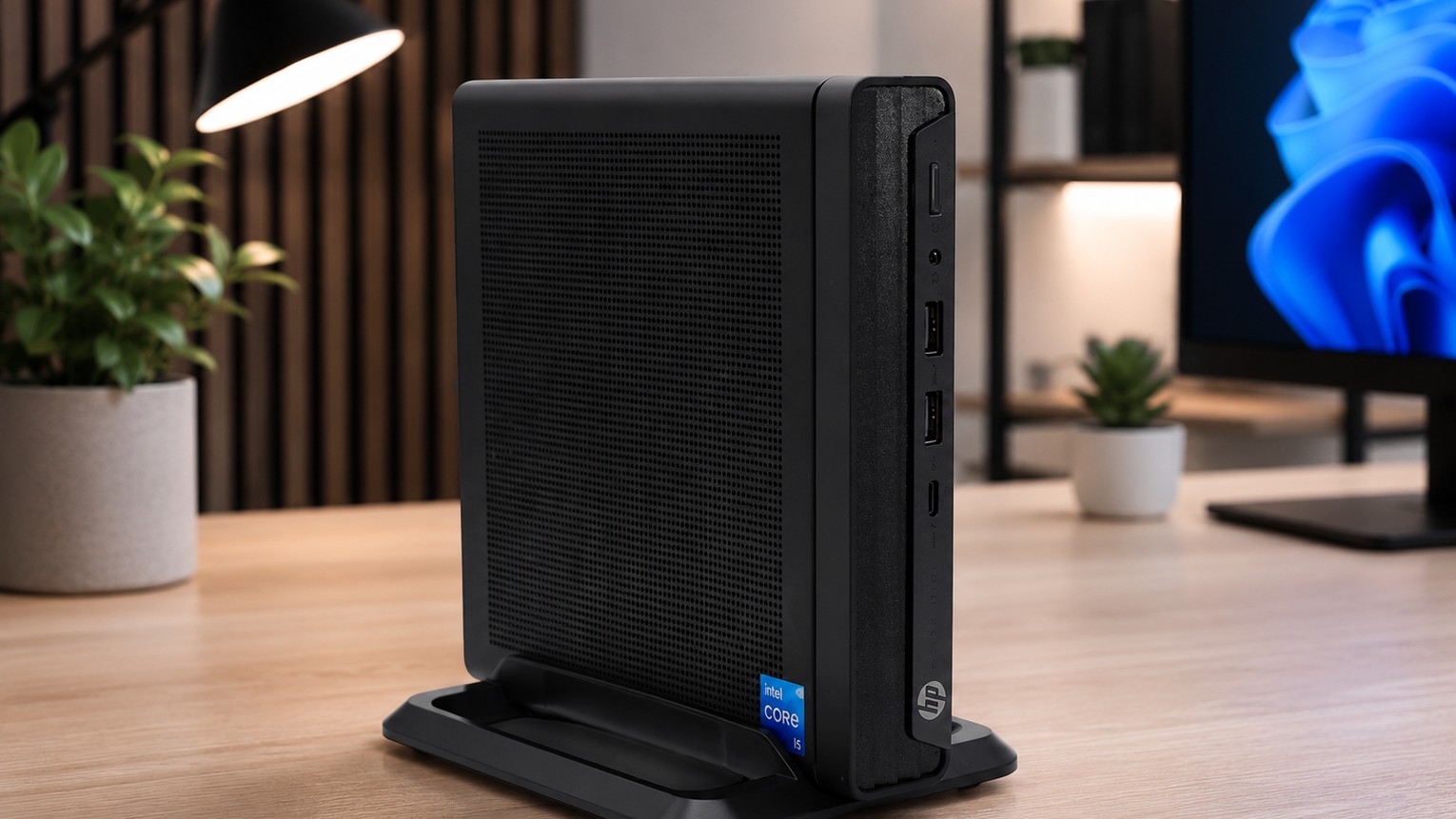
HP mini PC standing upright on a wooden desk

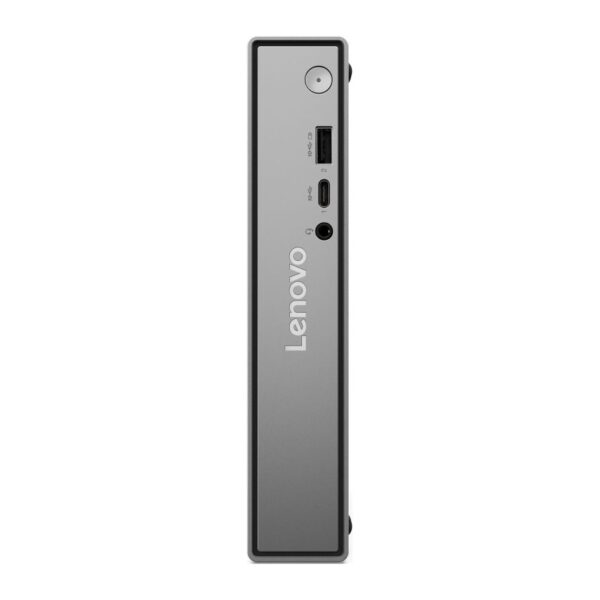
For most desks in 2026, buy the Lenovo ThinkCentre neo 50q Gen 6: 16GB of memory, a 512GB SSD and Windows 11 Pro, with a keyboard and mouse in the box. It is a one-litre box that weighs about 1.1kg, so it fits on any desk or shelf.

Your question, answered now:

The best mini PCs in 2026, side by side

Six small PCs, one line each. Read the last column first: a barebone kit arrives without memory, storage or Windows.

PickProcessorMemoryStorageReady to use?
Most desks: ThinkCentre neo 50q Gen 6Core Ultra 5 226V16GB, soldered512GB SSDYes: Windows 11 Pro, keyboard, mouse
3-year cover: ThinkCentre M70q Gen 5Core i5-14400T8GB, two slots, up to 64GB256GB SSDYes: Windows 11 Pro, keyboard, mouse
Budget: ThinkCentre neo 50q Gen 5Core 5 210H8GB, two slots, up to 64GB256GB SSDYes: Windows 11 Pro, keyboard, mouse
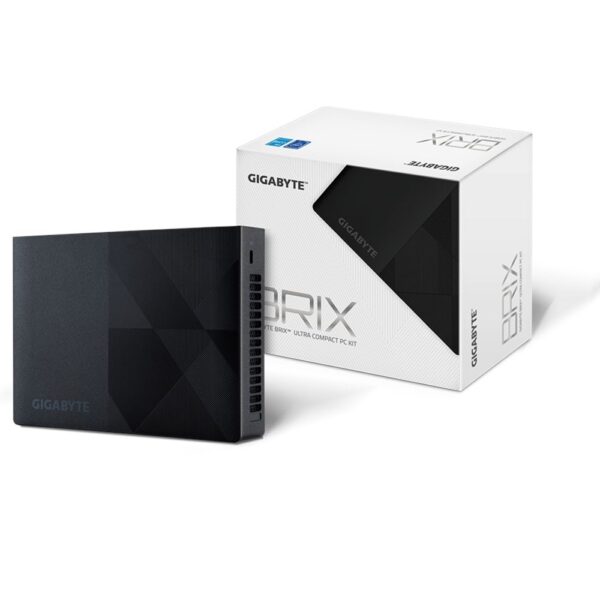
Lowest price here: Gigabyte BRIX N150Intel N150None: one slot, up to 16GBNoneNo: barebone
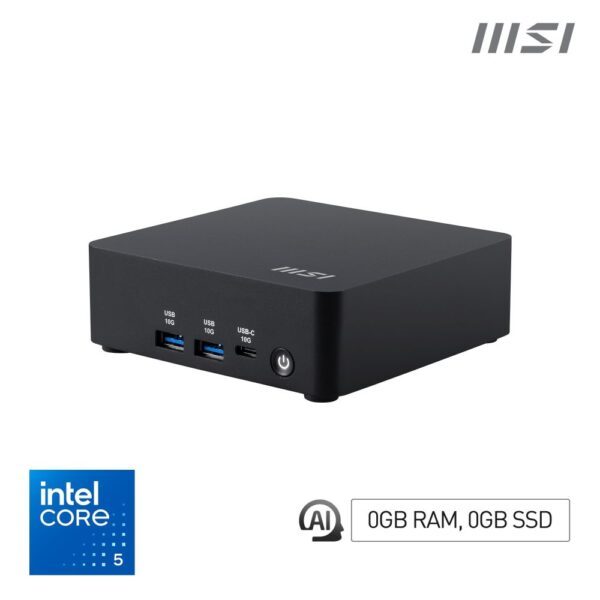
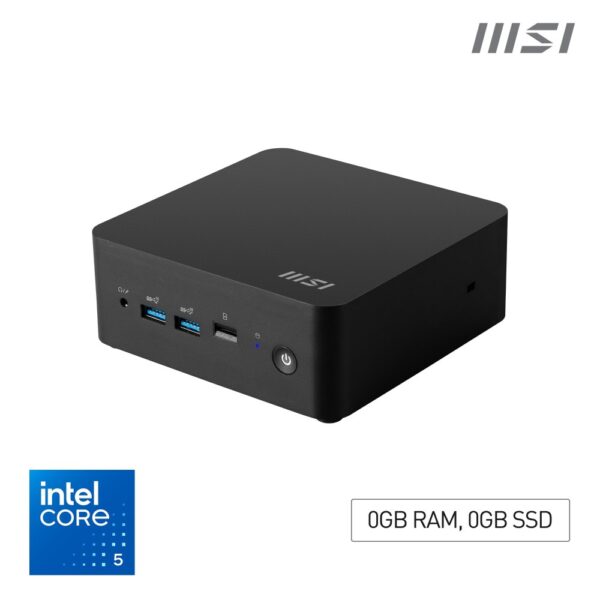
Power: MSI Cubi Z AI 8MRyzen 9 8945HSNone: two slots, up to 64GBNoneNo: barebone
Mac: Apple Mac mini M6Apple M616GB unified256GB SSDYes: macOS

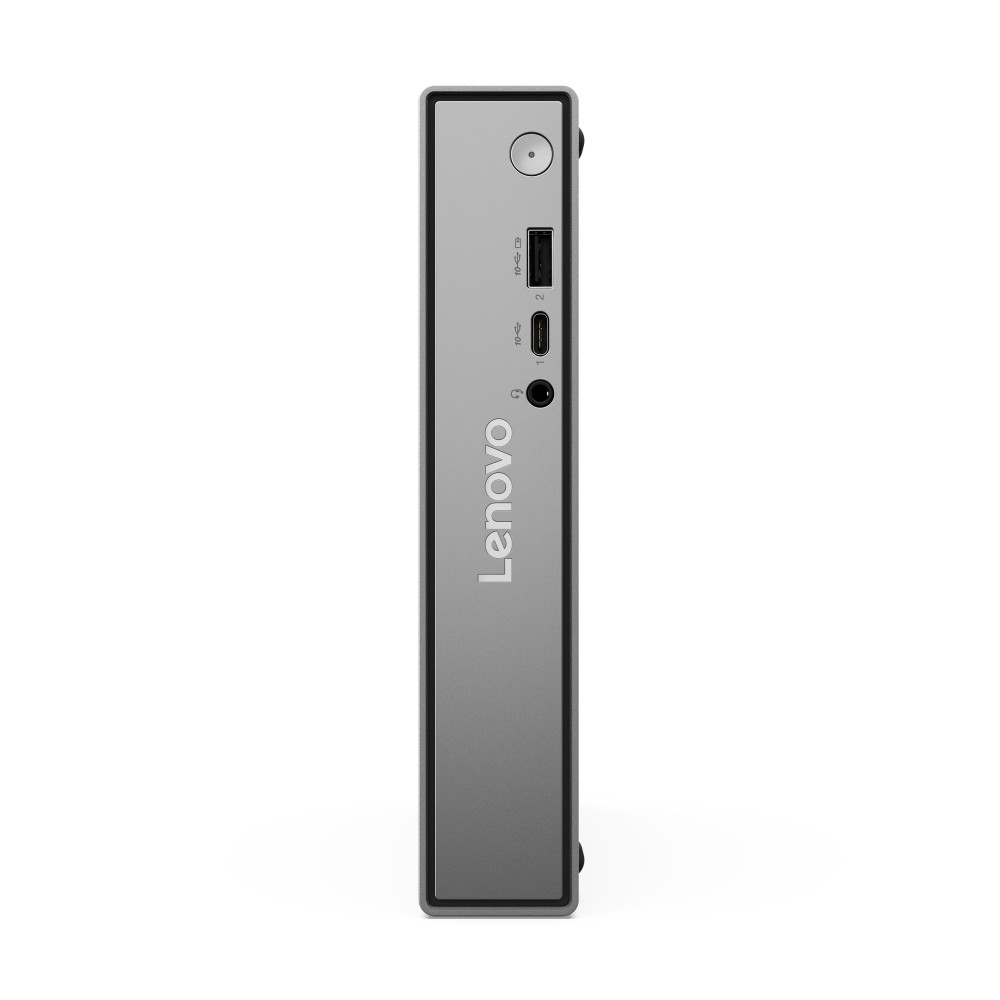
Best mini PC for most desks: Lenovo ThinkCentre neo 50q Gen 6

Plug in, sign in, done: 16GB of memory, a 512GB SSD and Windows 11 Pro, with a keyboard and mouse in the box.

  • ProcessorCore Ultra 5 226V, 8 cores
  • Memory16GB LPDDR5X, soldered
  • Storage512GB PCIe 4.0 SSD
  • AICopilot+ PC, NPU up to 40 TOPS
  • Size1 litre, about 1.1kg

Lenovo ThinkCentre neo 50q Gen 6 Mini PC, Intel Core Ultra 5 226V, 16GB RAM, 512GB NVMe SSD, Windows 11 Pro, Black

Out of stock

£746.18
  • Intel Core Ultra 5 226V processor with Intel Arc Graphics 130V
  • 16GB RAM and 512GB NVMe SSD for fast performance
  • Compact 1L Mini PC chassis in black
  • Windows 11 Pro operating system pre-installed
  • Wi-Fi 6, Bluetooth 5.2, and comprehensive USB connectivity
  • ENERGY STAR, TCO, and RoHS certified for energy efficiency
  • Includes wired keyboard and mouse
  • Good for: office work, homework and family use on one desk
  • Good for: Windows 11 AI features: Lenovo lists it as a Copilot+ PC
  • Skip it if: you want to add memory later: Lenovo lists the 16GB as soldered and not upgradable
  • Skip it if: you want two internal drives: it takes one SSD, up to 1TB

The neo 50q Gen 6 runs on Intel’s Core Ultra 5 226V, a laptop-class chip with Arc 130V graphics, from a 65W power adapter. The ports cover a normal desk: USB-C and USB-A on the front, HDMI 2.1 and DisplayPort on the back, gigabit Ethernet and Wi-Fi 6. Sixteen gigabytes is plenty for office apps, a busy browser and video calls at once.

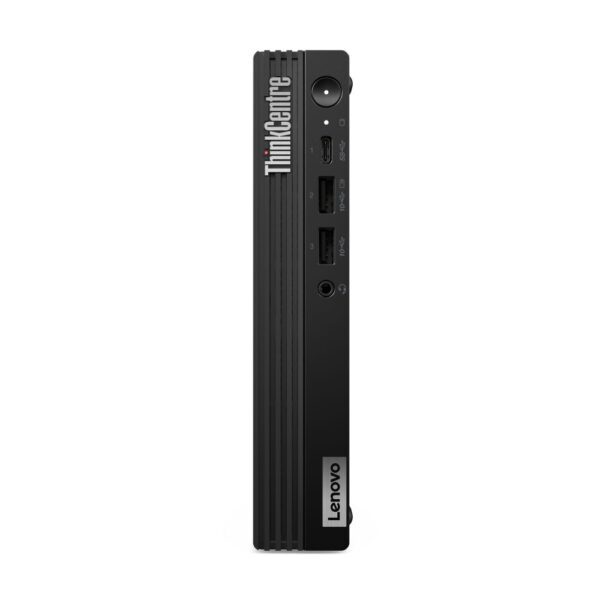
Want three years of on-site cover? ThinkCentre M70q Gen 5

  • ProcessorCore i5-14400T, 10 cores
  • Memory8GB DDR5, two slots, up to 64GB
  • Warranty3 years on-site (Lenovo)
  • In the boxVESA mount, keyboard, mouse

Lenovo ThinkCentre M70q Gen 5 i5 Mini PC Black

In stock

£710.35
  • 14th Gen Intel Core i5 processor with 10 cores and 16 threads
  • 256 GB PCIe 4.0 NVMe M.2 SSD for fast storage
  • 8 GB DDR5-4800 dual-channel memory expandable to 64 GB
  • Intel UHD Graphics 730 integrated graphics
  • Wi-Fi 6E AX211 and Bluetooth 5.3 connectivity
  • Compact 1L chassis with VESA mount capability
  • Windows 11 Pro with TPM 2.0 security

Lenovo lists this UK model of the M70q Gen 5 with a three-year on-site warranty and a VESA mount, so it can hide on the back of a monitor or a monitor arm. It ships with 8GB and 256GB, so add a second memory stick if you keep lots of tabs open.

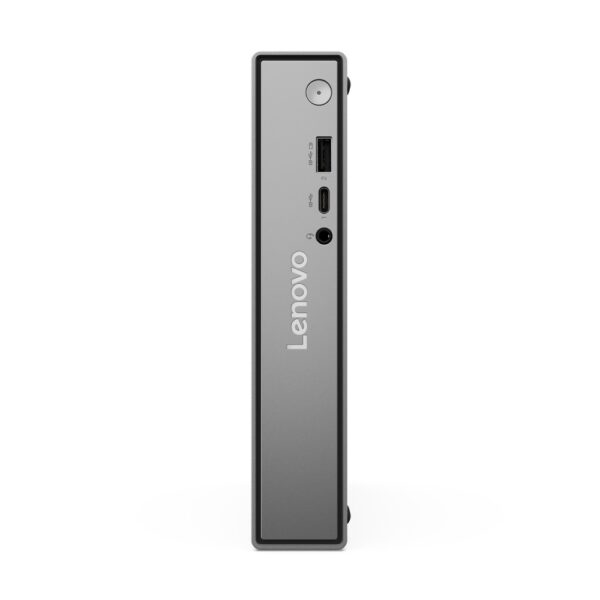
Best budget mini PC, ready to use: ThinkCentre neo 50q Gen 5

A Windows 11 Pro mini PC with room to grow: a free memory slot and space for a second SSD.

  • ProcessorCore 5 210H, 8 cores
  • Memory8GB DDR5, two slots, up to 64GB
  • Storage256GB SSD, room for a second
  • WiFiWi-Fi 7
  • In the boxVESA mount, keyboard, mouse

Lenovo ThinkCentre neo 50q Mini PC

In stock

£623.29
  • Intel Core 5 210H processor with 8 cores, 12 threads, up to 4.8 GHz boost
  • 8 GB DDR5-5600 SDRAM, expandable to 64 GB
  • 256 GB NVMe PCIe 4.0 M.2 SSD
  • Wi-Fi 7, Bluetooth 5.4, Gigabit Ethernet connectivity
  • Windows 11 Pro with TPM 2.0 security
  • 1L compact form factor with multiple USB ports and HDMI 2.1
  • Good for: a family PC or a second desk
  • Good for: upgrading later: there is a free memory slot and a second M.2 slot
  • Skip it if: you keep dozens of tabs open: 8GB is tight, so add a second stick
  • Skip it if: you keep lots of photos on the PC: 256GB fills up fast

The neo 50q Gen 5 is the same one-litre ThinkCentre shape with an older but quick Core 5 210H, Wi-Fi 7 and a VESA mount in the box, by Lenovo’s spec. Its memory sits in two ordinary slots, so 8GB today can become 16GB or 32GB later without replacing the PC.

The barebones trap, in one page of maths

Here is the thing that stings people. A chunk of the mini PCs on sale anywhere, including several we sell, are barebone kits: you get the box, the processor and the cooling, and nothing else. No memory. No storage. No Windows. The price looks brilliant precisely because a third of the computer is missing.

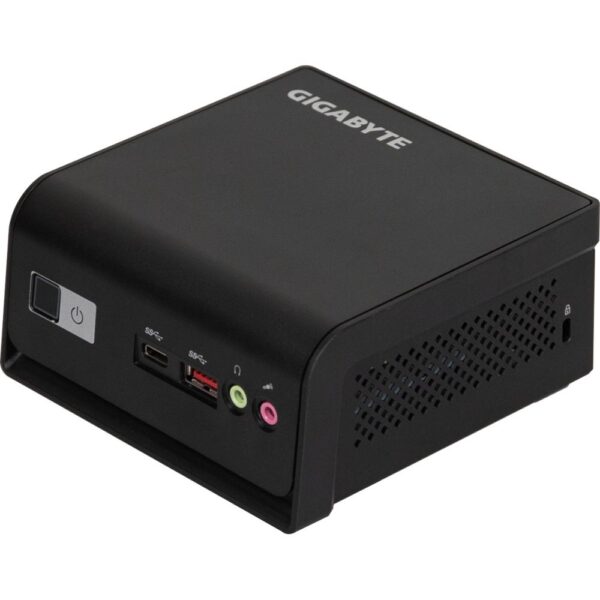
Take the Gigabyte BRIX N150. It takes one stick of laptop DDR5 memory, up to 16GB, plus one M.2 SSD, and it comes without Windows. At UK prices in mid-October 2026, the missing parts cost this much:

  • 16GB of memory: about £200. PriceSpy’s lowest UK price for Crucial’s 16GB DDR5-4800 laptop stick was £199.99, up from about £158 at its three-month low.
  • A 500GB NVMe SSD: about £70 to £90 on Amazon UK.
  • Windows 11 Home: £119.99 from Microsoft, if you need a licence.

That is around £400 on top of the price of the kit, plus twenty minutes with a screwdriver. In 2026 the memory is the dear part of this sum, so price it before you compare a barebone kit with a ready-made box.

Barebones still make sense if you already own the parts: a spare stick of laptop memory or an SSD from an old machine turns a kit into a bargain. You also get to pick your own memory and SSD. If you just want to plug in and go, the ready-made Lenovos above already include all three.

Cheap and cheerful: what an N150 or N100 mini PC really copes with

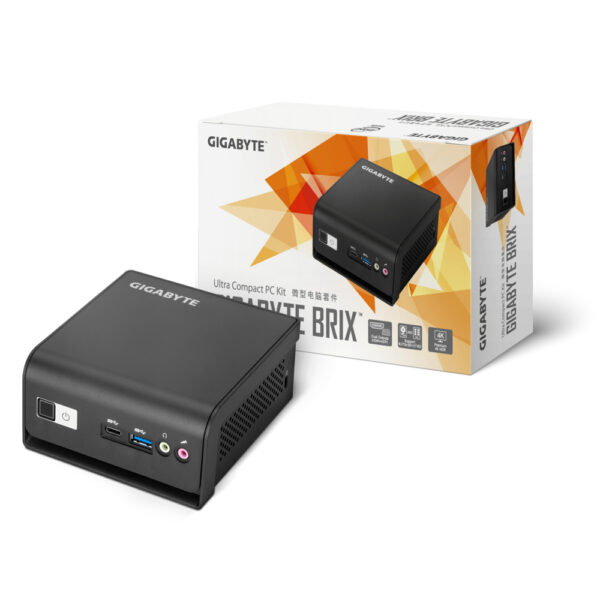
The smallest, simplest kit here: right for a second PC or a home server, wrong for your main computer.

  • ProcessorIntel N150, 4 cores, 6W
  • MemoryNone: one DDR5 slot, up to 16GB
  • StorageNone: one M.2 and one 2.5-inch bay
  • DisplaysHDMI 2.0 and 2 x USB-C, 4K at 60Hz
  • SoftwareNone: barebone, no Windows

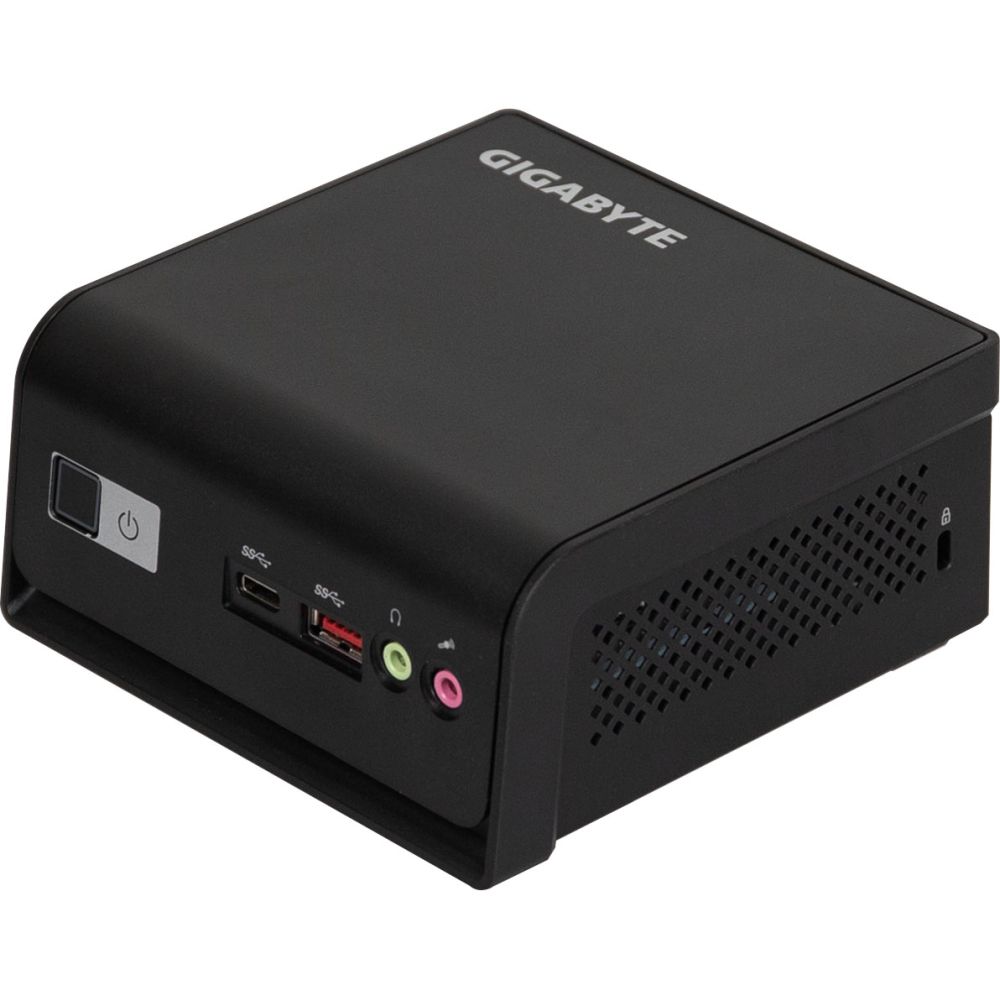
GIGABYTE BRIX N150 Mini PC

In stock

Original price was: £221.99.Current price is: £210.02.
  • Intel N150 processor for responsive multitasking
  • Ultra-compact 0.7-litre design for space-saving use
  • Supports up to 16 GB DDR5-SDRAM memory
  • Expandable storage with 2.5″ HDD/SSD support
  • Triple 4K display support for advanced productivity
  • Built-in Intel graphics for multimedia capabilities
  • Multiple connectivity options including USB-C and Wi-Fi
  • Good for: a kitchen PC, a TV box or a quiet home server
  • Good for: anyone who already owns a laptop memory stick and an SSD
  • Skip it if: it will be your main computer: a Core i5 class box is the better spend
  • Skip it if: you want Windows in the box: you install it yourself

Intel’s N-series chips, the N100 in older boxes and the N150 in current ones like the BRIX N150, power most of the cheapest mini PCs. Is an N100 or N150 mini PC any good? For browsing, email, YouTube, Office and a home server, yes. For heavy multitasking, big spreadsheets or anything creative, no. Our rule of thumb: N150 for a second PC, a kitchen PC, a TV box or a server; for your main daily computer, spend up to a Core i5 class box.

Best powerful mini PC: MSI Cubi Z AI 8M with a Ryzen 9

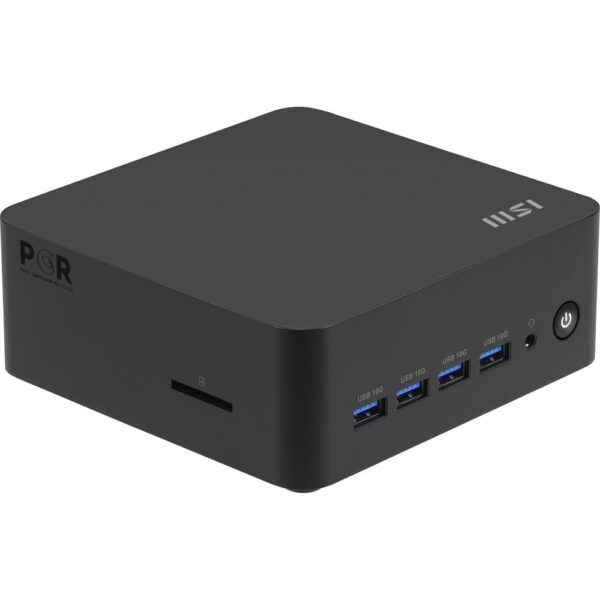
An eight-core Ryzen 9 and two USB4 ports in a box about 13cm square. Add your own memory, SSD and Windows.

  • ProcessorRyzen 9 8945HS, 8 cores, 16 threads
  • GraphicsRadeon 780M (AMD)
  • MemoryNone: two DDR5 slots, up to 64GB
  • Ports2 x USB4 40Gbps, 2 x HDMI 2.1, 2 x Ethernet
  • Size136 x 132 x 50 mm

MSI Cubi Z AI 8M AMD Ryzen 9 8945HS Barebone Mini PC

In stock

£516.32
  • AMD Ryzen 9 8945HS processor with 8 cores, 5.2 GHz boost frequency
  • Compact 0.9-litre cube chassis for space-saving setups
  • Dual 2.5G LAN for network redundancy and enhanced security
  • Quadruple display support via HDMI 2.1 and USB4 ports
  • Wi-Fi 6E and Bluetooth 5.4 for fast wireless connectivity
  • VESA mountable design for behind-monitor or wall installation
  • Good for: video editing, coding and heavy multitasking on a small desk
  • Good for: fast external drives and docks over its two USB4 ports
  • Skip it if: you want it ready to use: it is a barebone kit, so price the memory first
  • Skip it if: you want to game at high settings: see the gaming section below

The Ryzen 9 8945HS has eight Zen 4 cores, sixteen threads and Radeon 780M graphics. The Cubi Z AI 8M adds two DDR5-5600 slots for up to 64GB, a PCIe 4.0 M.2 slot, four 10Gbps USB-A ports on the front and Wi-Fi 6E or Wi-Fi 7, depending on the version. It is the most capable Windows box on this page, and the one where the barebones maths matters most.

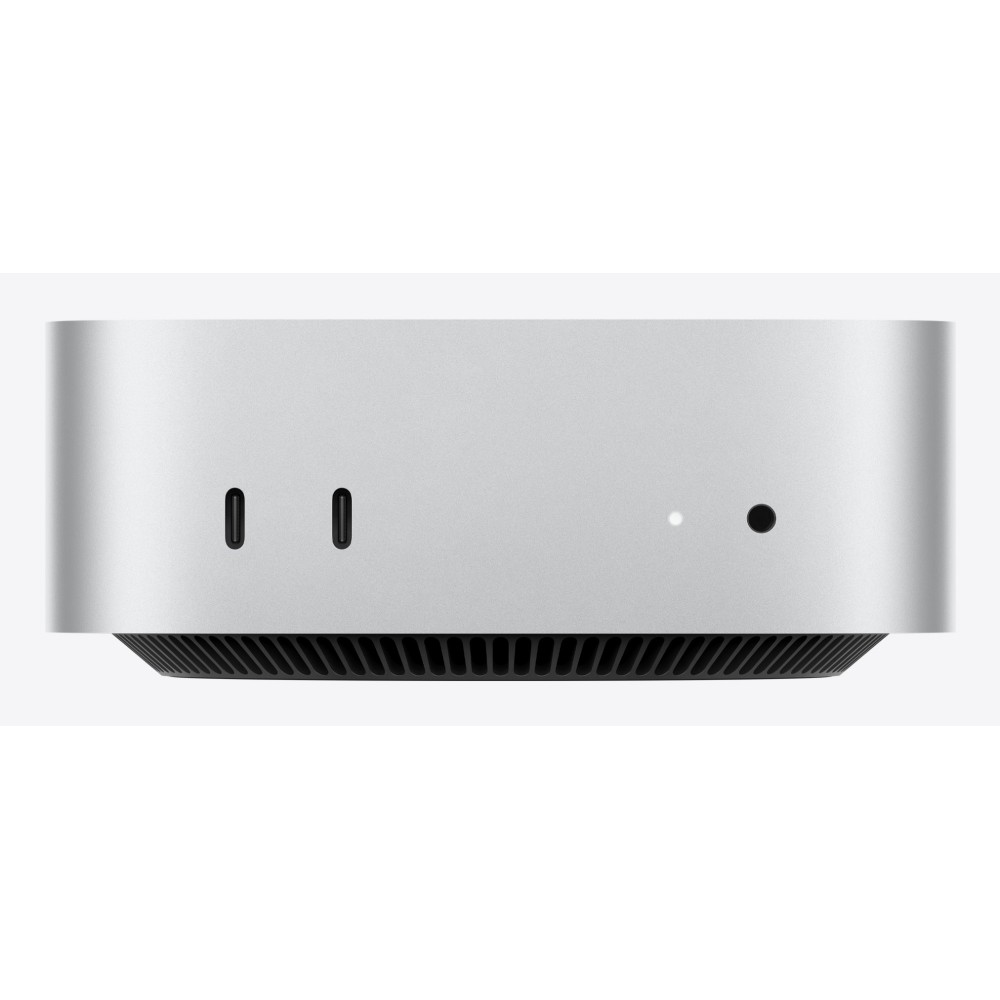
Best mini PC for Mac users: Apple Mac mini M6

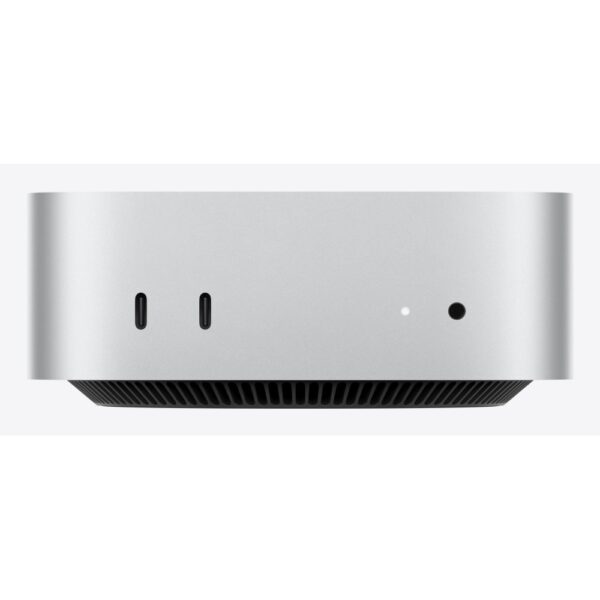
Apple’s newest chip in a box 12.7cm square, with 16GB of memory and three Thunderbolt 4 ports.

  • ChipApple M6, 12-core CPU and GPU
  • Memory16GB unified
  • Storage256GB SSD
  • Ports3 x Thunderbolt 4, HDMI, 2.5Gb Ethernet
  • Size12.7 x 12.7 x 5 cm, 0.67kg

Apple Mac mini M6 – 12-core CPU, 12-core GPU, 16GB RAM, 256GB SSD

In stock

£941.88
  • Apple M6 6th Gen processor with 12 cores and 153 GB/s memory bandwidth
  • 16 GB internal memory expandable to 32 GB alongside 256 GB SSD storage
  • On-board Apple GPU with 12 cores supporting ray tracing and Dolby Vision HDR
  • Wi-Fi 7 and Bluetooth 6.0 with three Thunderbolt 4 ports and one HDMI port
  • Pre-installed macOS 27 Golden Gate featuring Apple Intelligence and extensive accessibility tools
  • Compact silver Mini PC chassis made from aluminium measuring 127 mm by 50 mm height
  • Good for: anyone already on iPhone and Mac
  • Good for: up to three external displays, by Apple’s figures
  • Skip it if: you need Windows-only software
  • Skip it if: you keep a lot on the computer: 256GB fills up fast, so plan on an external drive

If you live in Apple’s world, the Mac mini M6 is the small computer to buy: Wi-Fi 7, two USB-C ports and a headphone jack on the front, and 2.5Gb Ethernet on the back, by Apple’s spec. For an Apple laptop instead, see which MacBook to buy.

Mini gaming PC: what a small PC can and cannot play

No mini PC on this page has a graphics card, and there is no room to add one later. Treat integrated graphics such as the Radeon 780M in the Cubi Z as a bonus for lighter games with the settings turned down, not as a gaming PC. Big new games at high settings need a real graphics card.

If gaming is the point, there are three small ways to get one:

  • A Mini-ITX build: a real graphics card in a shoebox-sized case. Our build guide walks you through it, our AM4 guide has budget boards, and the cases below are a starting point.
  • An external graphics dock: a mini PC with USB4, like the Cubi Z, can work with a desktop graphics card in a USB4 dock. Our eGPU guide explains the trade-offs.
  • A console-sized gaming PC: we costed Valve’s Steam Machine against a self-build in Steam Machine or build your own.

Mini PC vs laptop vs tower: what you trade

A small box now handles everything an office tower did: browsing with forty tabs, Office, video calls, 4K films and light photo editing, on a fraction of the electricity. With a VESA mount it screws to the back of the monitor where nobody sees it. What it does not replace is anything that needs a real graphics card.

Same money, three shapes: what you trade Mini PC Invisible on the desk, quiet, runs off a laptop-size power brick Best value per pound for office work No real graphics card, limited upgrades Laptop Portable, has its own screen, keyboard, battery You pay for parts you may not need Same money buys slower desk performance Tower Real graphics card, endless upgrades and cooling room The real gaming answer Big, audible, hungrier at the wall

Same money, three shapes: the trade-offs at a glance. Diagram: Hardvance.

The five kinds of mini PC, one table

“Mini PC” covers five quite different boxes, and most bad purchases come from mixing them up:

TypeExamplesReady to use?Best for
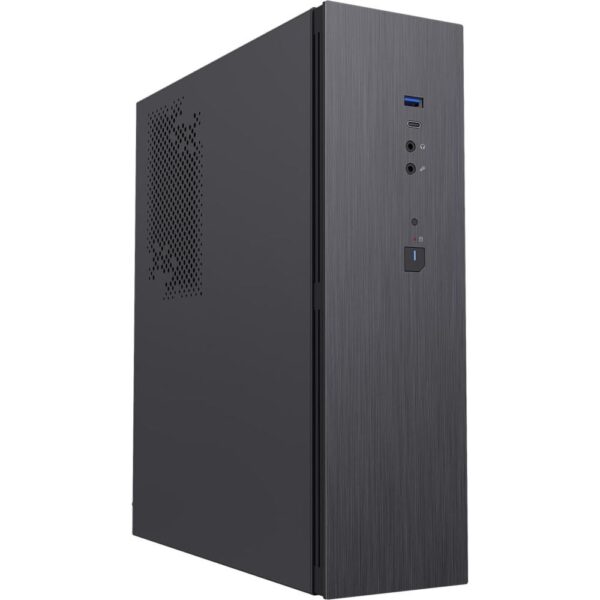
Corporate tinyLenovo ThinkCentre Tiny, Dell Pro Micro, HP ProDesk MiniYes, Windows 11 Pro includedOffices, families, anyone who wants zero fuss
NUC-style kitASUS NUC, MSI Cubi, Gigabyte BRIXOften barebone: add RAM, SSD, WindowsTinkerers, exact-spec builders, home servers
Online-brand boxesMinisforum, Beelink, GeekOM, GMKtecUsually readySpec-per-pound hunters happy to sort out support themselves
Mac miniApple M-seriesYesAnyone already using a Mac
DIY Mini-ITXYour parts in a shoebox caseYou build itReal gaming power in small(ish) form

The best mini PC brands: Lenovo, HP and Dell vs Minisforum and Beelink

The brand decides the support more than the speed. Mini PC makers fall into three groups:

  • Business brands: Lenovo, HP and Dell. Their tiny PCs come ready to use with Windows 11 Pro, and each model has a published spec sheet and warranty. A three-year on-site warranty comes with the M70q Gen 5, for example. You pay a little more for that paperwork.
  • Online-first brands: Minisforum, Beelink, GMKtec and Geekom. They often pack the most memory and processor per pound, and they sell mostly direct or through marketplaces. Before you buy, check how long the warranty is and where a faulty unit has to go back to.
  • Kit makers: MSI, Gigabyte and ASUS. Their Cubi, BRIX and NUC ranges are often barebone, so read the box before the price.

Our advice: if you are happy being your own IT department, the online brands are a fine deal. If not, buy a business mini from a big brand and let the published warranty do the worrying.

Quick answers

What is a mini PC good for?

Everyday computing: browsing, Office, video calls, 4K films, light photo editing and home-server duty. A modern mini PC replaces an office tower for those jobs, quietly, from a laptop-size power brick. What it cannot do is serious gaming or graphics work, because there is no room for a real graphics card.

Are mini PCs good for gaming?

Only lightly. Treat integrated graphics such as AMD’s Radeon 780M, in the Cubi Z’s Ryzen 9 8945HS, as a bonus for lighter games with the settings turned down. For big new games at high settings you need a real graphics card: a Mini-ITX build, a tower, or an external graphics dock on a mini PC with a fast enough port, such as USB4.

Is an N100 or N150 mini PC any good?

Yes, within its lane. N-series boxes are good for browsing, Office, YouTube, TV duty and home servers. They struggle with heavy multitasking and creative work. As a main daily PC, a Core i5 class machine is the better spend.

What does barebone mean on a mini PC?

It means the box ships without memory, without storage and without Windows. You add your own RAM and SSD and install an operating system. Price the memory first: in October 2026, 16GB of laptop DDR5 cost around £200 on its own, by PriceSpy’s lowest UK price. The upside is choosing your own component quality, or reusing parts you already own; the trap is thinking the sticker price is the finished price.

Do mini PCs run Windows 11?

The Intel and AMD boxes do, and corporate minis from Lenovo, Dell and HP usually ship with Windows 11 Pro preinstalled. Barebone kits need you to install it. Chromeboxes run ChromeOS instead, so check before buying.

Is Minisforum a good brand?

Minisforum sells well-specified mini PCs, mostly online, and often packs a lot of memory and processor for the money. Whether it suits you depends on support: check the warranty length and where a faulty unit goes back to before you buy. If you would rather have a published business warranty, a Lenovo, HP or Dell mini is the calmer choice.

Mini PC or laptop, which should I buy?

Buy a laptop if you need portability, obviously. If the computer lives on one desk, the same money buys noticeably more performance, better cooling and easier repairs in a mini PC, and you pick your own screen and keyboard instead of paying for built-in ones.

Every mini PC we sell

Cheapest first, straight from the mini PC range.

Sources and further reading

Leave a Reply

Your email address will not be published. Required fields are marked *