Thunderbolt Yes, USB4 Maybe, M-Series Macs Never: eGPU for Laptop and Which Ports Can Run One
An eGPU works on a Windows laptop with a Thunderbolt 3, 4 or 5 port. A USB4 port usually works too, but nothing guarantees how fast it carries the graphics card’s data. Apple silicon MacBooks cannot use an eGPU at all, and Snapdragon laptops only manage it with an unofficial driver. Nvidia’s own Arm chip, RTX Spark, takes a different route and builds the RTX graphics into the processor. In the one Thunderbolt 5 test we found, an RTX 5070 Ti kept roughly three quarters to four fifths of its desktop speed, and older ports lose more, so a mid-range graphics card is the sensible match.
Find your laptop:
- Windows, Thunderbolt 4 or 5Yes, any Thunderbolt enclosure. What each version gives you
- Spec sheet says USB4 or 40GbpsProbably, after two checks. The USB4 check
- MacBook with an M-series chipNo, and no dock changes that. Why not
- Mini PC or handheld with OCuLinkThe fastest link, but you reboot to connect. OCuLink
- eGPU or a gaming laptop?Do the sums first. Is it worth it
- What is an eGPU? External graphics card, enclosure and cable
- External GPU for laptop: which ports can run one
- Thunderbolt 3, 4 and 5 eGPU: what each version guarantees
- USB4 eGPU: why “40Gbps” on a spec sheet is not enough
- OCuLink eGPU: faster, but you have to reboot
- eGPU on a MacBook or a Snapdragon laptop
- How much performance an eGPU loses over each cable
- How to set up an eGPU, and why the laptop screen slows it down
- eGPU enclosure or eGPU dock: Razer Core X, ROG XG Mobile and OCuLink docks
- Wireless eGPU: what WiCi One promises, and what nobody has tested
- Is an eGPU worth it for a laptop?
- What we would actually do
- Quick answers
What is an eGPU? External graphics card, enclosure and cable
An eGPU, short for external GPU, is a desktop graphics card that sits in a box next to your laptop instead of inside it. The box is called an enclosure. It holds a full-size PCIe slot, a fan and a chip that turns the signal from your laptop’s port back into PCI Express, the connection a graphics card uses inside a desktop PC. One cable joins the two.
When it works, games and heavy apps such as video editors and 3D tools run on the external graphics card instead of the laptop’s own graphics. Your laptop keeps its own processor, memory and storage. So an eGPU makes the graphics faster, not the whole computer.
There are three kinds of box, and they differ more than the adverts suggest:
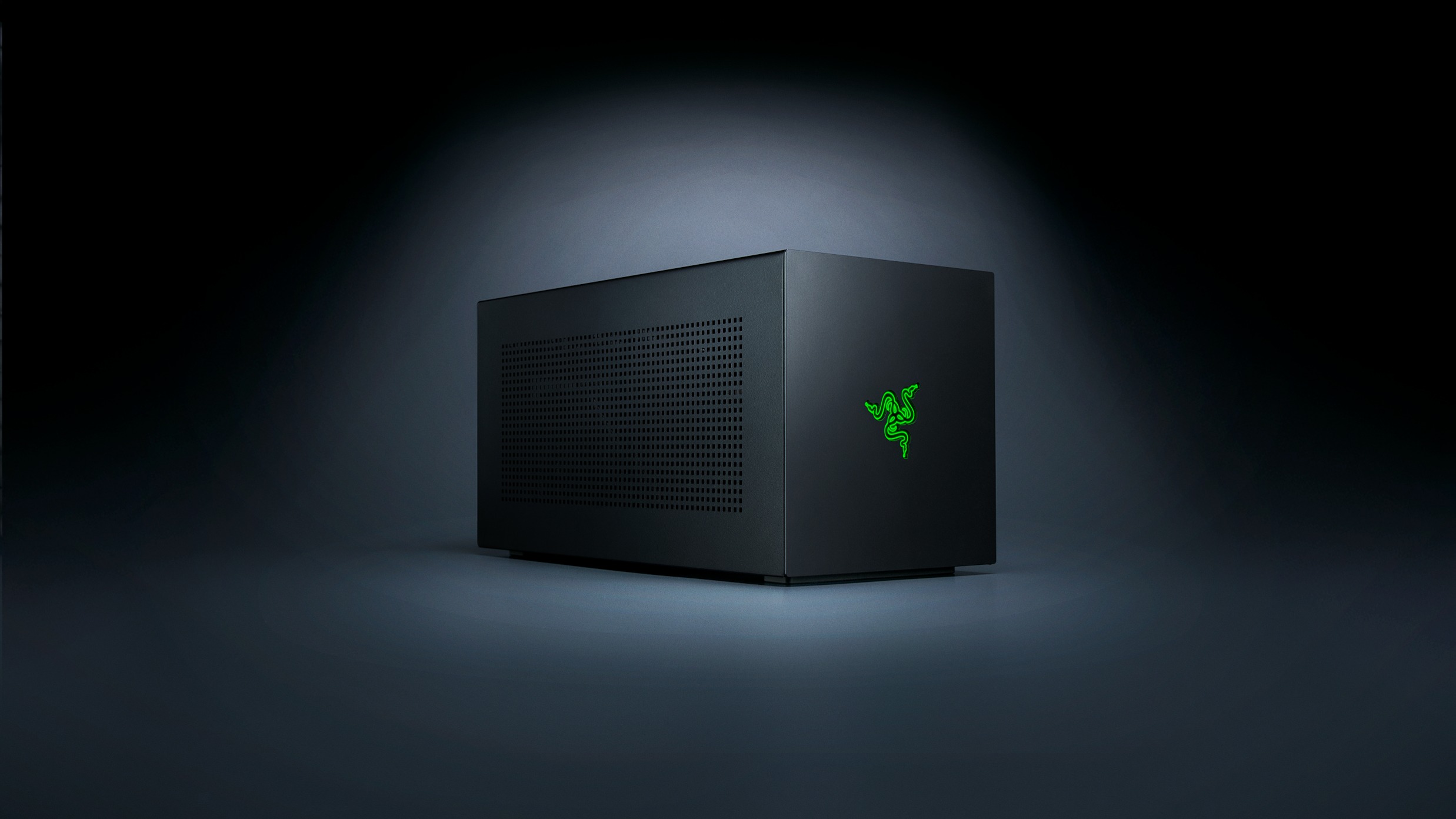
- Empty enclosures, such as Razer’s Core X V2. You add a graphics card and, on that model, your own ATX power supply too. Razer’s product page says both are sold separately.
- Open docks, such as Minisforum’s DEG1 and AOOSTAR’s AG02. A bare frame with a slot and a cable socket, with the card sitting out in the open. The AG02 has an 800W power supply built in. The DEG1 needs yours.
- All-in-one eGPUs, such as the ASUS ROG XG Mobile, which comes with a laptop graphics chip already inside. There is nothing to fit, and nothing to upgrade later.
If you go the empty-box route, you are buying three things, not one: the enclosure, a desktop graphics card and often a power supply big enough for that card.
External GPU for laptop: which ports can run one
A graphics card talks to the rest of the computer over PCI Express lanes. So the only question that matters for an external GPU for laptop use is whether your port carries PCI Express out of the laptop, and how much of it. The USB-C shape tells you nothing. The same oval socket can be anything from USB 2.0 to Thunderbolt 5, as our USB-C explainer shows.
| Port on your laptop | PCIe link for the card | eGPU on Windows? |
|---|---|---|
| USB-C, USB 3.2 only | None | No |
| Thunderbolt 3 | At least 16Gbps | Yes |
| USB4 (20 or 40Gbps) | Carried, no minimum set | Usually |
| Thunderbolt 4 | At least 32Gbps | Yes |
| Thunderbolt 5 | 64Gbps | Yes |
| OCuLink | PCIe 4.0 x4, direct | Yes, reboot to connect |
| Desktop PCIe 4.0 x16 slot | Four times OCuLink | For comparison |
Some of the guides that rank for this question are behind. HP’s guide to setting up an external GPU still says most eGPU docks need a Thunderbolt 3 port, and Lenovo’s glossary names only Thunderbolt 3 or USB-C ports. Neither mentions USB4, Thunderbolt 5 or OCuLink, the three ports that decide most eGPU choices in 2026.
We went through the spec sheets of every laptop in our catalogue that has a full one, 602 of the 1,001 we list, and sorted them by what they can do with an eGPU.
Two numbers in that chart surprise people. Thirty of the 36 MacBooks list Thunderbolt ports and still cannot run an eGPU. And 41 Windows laptops, most of them AMD, list USB4 without the Thunderbolt name, which is the grey area the next sections explain.
To check your own Windows laptop, look for the lightning-bolt symbol beside the USB-C port. Then open Settings, Bluetooth & devices, USB. On an up-to-date Windows 11 laptop, Microsoft says a “USB4 Hubs and Devices” page appears there when the laptop has USB4, although on some models it only shows once a USB4 device is plugged in. If you find neither the page nor a Thunderbolt symbol, check the maker’s spec sheet before you rule out a laptop eGPU.
Thunderbolt 3, 4 and 5 eGPU: what each version guarantees
Thunderbolt is the safe answer because Intel certifies a minimum. For a graphics card, the figure that matters is the PCIe number, not the big headline speed:
- Thunderbolt 3: a 40Gbps link, but Intel only required 16Gbps of PCIe.
- Thunderbolt 4: the same 40Gbps link, with the PCIe minimum doubled to 32Gbps. Intel says this means external graphics and storage can run faster.
- Thunderbolt 5: an 80Gbps link, up to 120Gbps one way with Bandwidth Boost for displays, and 64Gbps of PCIe, twice Thunderbolt 4.
So an eGPU Thunderbolt 3 setup and a Thunderbolt 4 eGPU can perform much the same, if the older laptop was built above Intel’s minimum. A Thunderbolt 5 eGPU gets a genuinely wider pipe. Newer enclosures also work on older ports, at the older port’s speed: Razer says its Core X V2 works with Thunderbolt 4, Thunderbolt 5 and USB4 laptops, and ASUS says the same of the ROG XG Mobile.
Thunderbolt 5 is still rare. Of the 602 laptops in our spec data, only 19 list it. Eight of those are MacBook Pros, which cannot use an eGPU at all, and the other 11 all have Intel processors, usually at the top of the range, like the ThinkPad P16 Gen 3 we reviewed.
Use the cable that came with the enclosure, or a certified Thunderbolt cable. A USB-C charging lead from a drawer often carries only USB 2.0 data, and an eGPU will not work over it.
USB4 eGPU: why “40Gbps” on a spec sheet is not enough
USB4 is built on Thunderbolt 3, but the USB4 standard makes PCI Express optional for the computer. On Windows, Microsoft closes most of that gap. Its hardware certification says every system with USB4 ports must support PCIe tunnelling on all of them, and it names external graphics as one of the reasons. So a Windows laptop with a USB4 port should see an eGPU.
What nobody promises is the speed. Microsoft’s rule sets no minimum PCIe bandwidth. Thunderbolt 4 guarantees 32Gbps. A laptop labelled only “USB4 40Gbps” guarantees nothing about PCIe beyond the fact that it is there.
This matters most on AMD laptops. In our spec data, 39 of the 134 AMD laptops list USB4 without the Thunderbolt name, against 19 that list Thunderbolt 4. It often works fine in practice: Razer’s compatibility list shows its 2025 Blade 14 and Blade 16 connecting to the Core X V2 over USB4.
eGPU owners find the labelling maddening. In an r/eGPU thread from February 2026, one owner said none of the laptop makers they looked at stated whether their USB4 ports supported PCIe tunnelling, so they had to ask other owners of the same model. That is still the best check you have:
- Search the maker’s spec page for “eGPU”, “external graphics” or “eGFX”. Razer, for example, lists a USB4 port “with external graphics (eGFX) support”.
- Search your exact model name plus “eGPU” and read what owners report on the eGPU.io forum or r/eGPU.
- If both come up empty, assume a USB4 eGPU will work at a lower speed than Thunderbolt 4, and pick a mid-range graphics card rather than a big one.
OCuLink eGPU: faster, but you have to reboot
OCuLink is the enthusiast’s option. It is a cable that carries four PCI Express 4.0 lanes straight to the graphics card, with no Thunderbolt or USB4 controller in between. Minisforum rates its DEG1 OCuLink dock at up to 64GT/s. That is the same PCIe 4.0 x4 link as Thunderbolt 5, without the controller’s overhead.
The difference shows in tests. When Try Some Tech ran an RTX 5070 Ti both ways, OCuLink moved about 6.6GB/s to the card against 5.6GB/s for Thunderbolt 5. Across 12 games Thunderbolt 5 was 13 to 14% slower than OCuLink on average, and 20 to 23% slower in Spider-Man: Miles Morales and Red Dead Redemption 2.
The catch is everything else. OCuLink carries no power and no USB, so the dock needs its own power supply and your laptop still needs its charger. It is not hot-pluggable either: AOOSTAR tells AG02 owners to power off before connecting or disconnecting the OCuLink cable. One r/eGPU owner moved away from an AG02 because it was “really annoying to have to fiddle with it every time” they restarted their MSI Claw handheld.
And almost no laptop has the port. Not one of the 602 laptop spec sheets in our catalogue lists OCuLink. You find it on mini PCs and gaming handhelds, which is where an OCuLink eGPU makes the most sense. If you want a small desk machine to pair with one, start with our mini PC buying guide and check each model’s ports before you choose.
eGPU on a MacBook or a Snapdragon laptop
MacBook: no. Apple’s support page is blunt: “To use an eGPU, a Mac with an Intel processor is required.” Razer says the same on its Core X V2 page, where eGPUs are “not supported by M1 & later Mac devices”. Every MacBook in our catalogue with a spec sheet, 36 of them, runs an Apple M-series chip, and 30 of them list Thunderbolt 3, 4 or 5 ports. The port is there. The support is not, and no enclosure or adapter adds it. An eGPU Mac setup now only works on an older Intel Mac.
So on a Mac, graphics power has to come from the chip you buy. That is why the choice between MacBook chips matters more than any accessory.
Snapdragon laptops: only unofficially. Windows laptops with Qualcomm’s Snapdragon X chips have USB4 ports, and Microsoft’s PCIe rule covers Arm systems too. The missing piece is a driver. Windows Latest reported in July 2026 that Windows on Arm PCs had not supported NVIDIA’s desktop GeForce cards, largely because NVIDIA had not released a public Arm driver for them.
That same month, a tester got a GeForce RTX 4060 running as an eGPU on a Snapdragon X Elite laptop, a Lenovo Yoga Air 14s, through its USB4 port. VideoCardz reports that it took NVIDIA’s developer-preview Arm driver, which is meant for NVIDIA’s own upcoming RTX Spark PCs, installed by hand through Device Manager after the installer called the hardware incompatible. NVIDIA does not support that setup. The first RTX Spark laptops are due to start shipping in October 2026, but NVIDIA has not said whether its Arm drivers will ever cover eGPUs on Snapdragon machines. Until it does, treat all 40 Windows Snapdragon laptops in our spec data as not ready for an eGPU.
How much performance an eGPU loses over each cable
Inside a desktop, a graphics card gets 16 PCIe lanes. Every eGPU link gives it four. Most games do not need all 16, but four is tight for a fast card, and Thunderbolt and USB4 controllers add delay on top. Two sets of tests put numbers on it:
| Test | What was compared | Result |
|---|---|---|
| Try Some Tech, RTX 5070 Ti | Thunderbolt 5 vs the desktop slot, 12 games | 19 to 25% slower on average, up to 36% in one game |
| Try Some Tech, RTX 5070 Ti | Thunderbolt 5 vs OCuLink, 12 games | 13 to 14% slower on average |
| PC Gamer, RTX 4070 Ti | 40Gbps Thunderbolt vs OCuLink, 1440p ultra | Around 25% slower in many games |
| PC Gamer, Cyberpunk 2077 | RTX 4090 over RTX 4070 Ti, per link | +45% in the desktop slot, +22% on OCuLink, +19% on Thunderbolt |
The last row should decide your budget. In a desktop, stepping up from an RTX 4070 Ti to an RTX 4090 bought PC Gamer 45% more frame rate in Cyberpunk. Over Thunderbolt the same upgrade bought 19%, with heavy stutter on top. The more expensive the card, the more of it the cable throws away. PC Gamer’s advice was to spend around RTX 4060 or RTX 3070 level and no higher.
Two more things change the loss. Lower resolutions lose more, because the card runs at higher frame rates and the link becomes the limit; owners on r/eGPU point out that 1080p suffers most and 1440p or 4K less. And a game held back by the processor loses nothing. In the Tom’s Hardware report, all three setups reached the same 120fps in Ghost of Tsushima, which points to a processor limit rather than the link.
How to set up an eGPU, and why the laptop screen slows it down
- Fit the card and the power. Seat the graphics card in the slot and connect its power cables. If your enclosure needs its own supply, check it covers the card’s rating with room to spare. The Razer Core X V2 and the DEG1 take a standard ATX power supply.
- Connect the cable. Thunderbolt and USB4 can be plugged in with the laptop running. OCuLink must be connected with everything switched off.
- Install the graphics driver from NVIDIA, AMD or Intel, the same one a desktop uses. The card then shows up in Device Manager next to your laptop’s own graphics.
- Plug your monitor into the graphics card, not into the laptop. This is the step people skip.
- Tell Windows which GPU each game uses. In Settings, System, Display, Graphics you can set a GPU preference for each app, so the game runs on the eGPU and not on the laptop’s built-in graphics.
- Disconnect properly. Close your games before you unplug a Thunderbolt eGPU, and shut down before you unplug OCuLink.
The monitor step matters because of where the finished picture goes. If you play on the laptop’s own screen, every frame has to travel back to the laptop before you see it. PC Gamer warns that this effectively doubles the data burden on a four-lane link. In an r/eGPU thread from March 2026, an owner whose results were “strangely mixed” was told by several others to try an external monitor for exactly this reason. Owners argue about the exact cause, bandwidth or processing overhead, but they agree on the fix. If you want to game on an eGPU, budget for a gaming monitor plugged straight into the card, and see our guide to setting up a second screen if you want to keep the laptop display for other windows.
eGPU enclosure or eGPU dock: Razer Core X, ROG XG Mobile and OCuLink docks
These are the main routes in 2026, with each maker’s US price in late September 2026. UK prices differ.
| Model | Connection | Graphics | Power supply | Maker’s US price |
|---|---|---|---|---|
| Razer Core X V2 | Thunderbolt 5, also TB4 and USB4 | Your desktop card, up to 4 slots | Not included, standard ATX | From $349.99 |
| AOOSTAR AG02 | OCuLink and USB4 | Your desktop card | Built in, 800W | $229 on sale, $249 normally |
| Minisforum DEG1 | OCuLink only | Your desktop card | Not included, ATX or SFX | $109 on sale, $139 normally |
| ROG XG Mobile (2025) | Thunderbolt 5, also TB4 and USB4 | Built-in RTX 5070 Ti Laptop or RTX 5090 Laptop GPU | Built in | $1,299.99 for the RTX 5070 Ti Laptop version |
| WiCi One | Wi-Fi 7 | Built-in RTX 5060 Ti 16GB, RTX 5090 later | Built in | $2,599, or $1,999 for early sign-ups, not shipping yet |
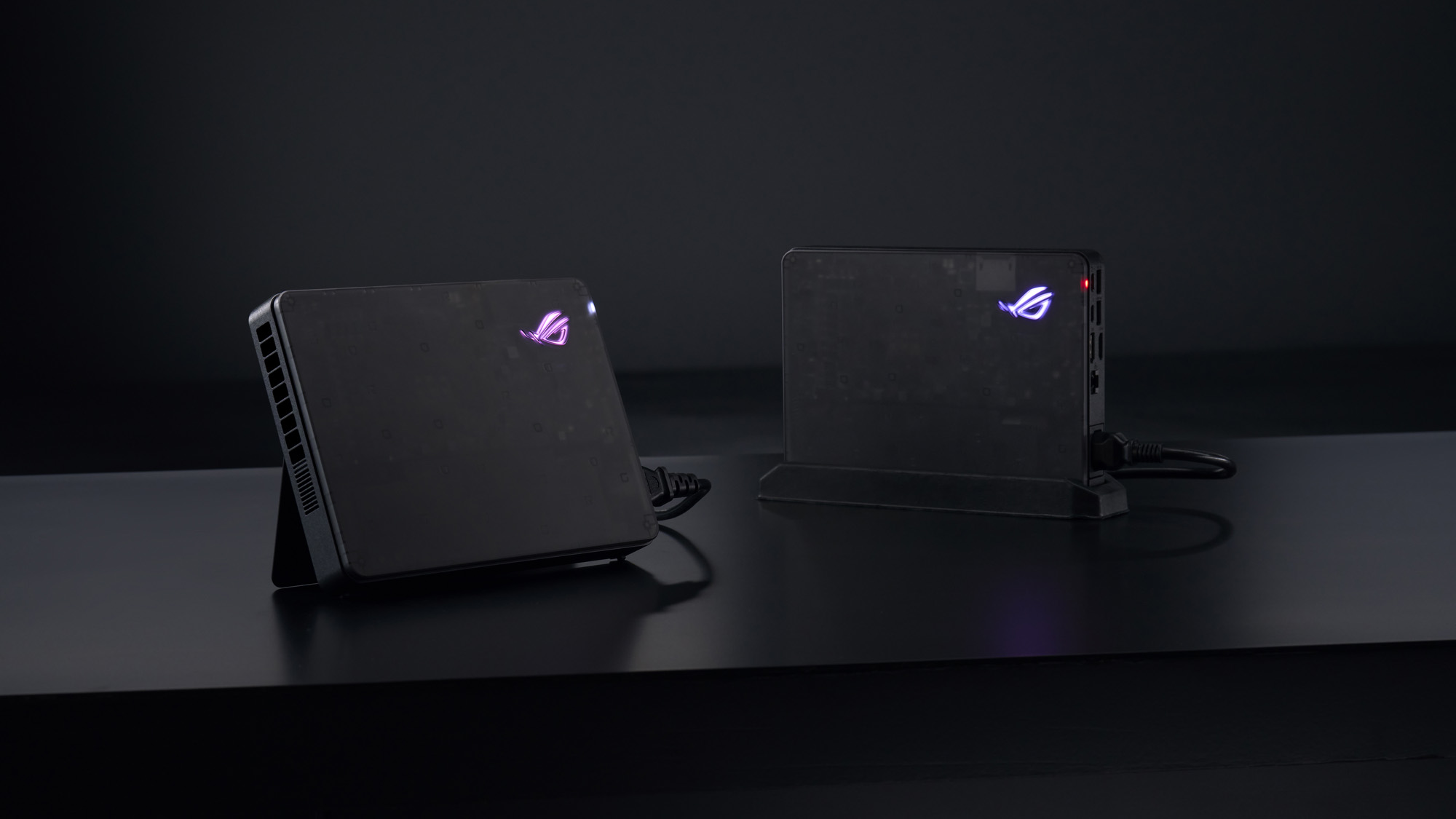
The pattern is simple. An empty eGPU enclosure like the Razer Core X is the tidy, supported way to put a desktop card on a Thunderbolt laptop, and you can move the card into a desktop later. An open eGPU dock like the DEG1 is the cheap, fast way if you have OCuLink and do not mind a bare card on your desk. The ROG XG Mobile is a sealed external GPU dock: at 0.9kg it fits in a bag and adds its own ports, but the graphics chip inside is a laptop part, an RTX 5070 Ti Laptop or at most an RTX 5090 Laptop GPU capped at 150W, and you cannot swap it for a better one later.
Why do the Thunderbolt boxes cost so much more than the OCuLink docks? An OCuLink external GPU dock is little more than a PCIe slot and a cable socket, because OCuLink needs no controller chip. A Thunderbolt external GPU enclosure needs a Thunderbolt controller, and the Razer also charges your laptop at up to 140W through the same cable.
Wireless eGPU: what WiCi One promises, and what nobody has tested
On 24 September a Palo Alto start-up called WiCi put the wireless eGPU in the headlines. WiCi One is a box with its own graphics card that your laptop uses over Wi-Fi 7. WiCi insists it is “not remote play, just a wireless GPU”. Its driver installs a virtual graphics card on Windows, macOS or Linux, the game runs on your laptop, and the box does the graphics work from across the room.
What WiCi says about it:
- Two versions: an RTX 5060 Ti 16GB model with an Intel Core 3 100U processor and a 1TB SSD, and an RTX 5090 32GB model with a Core Ultra 7 255H and 4TB, priced later.
- $2,599, or $1,999 if you sign up early. WiCi says it anticipates shipping starts in Q4, and it will show the box in New York on 5 and 6 October.
- A Wi-Fi 7 radio with 4×4 MIMO and 320MHz channels, plus WiCi’s own protocol and a caching system it calls ZeroTrip.
- WiCi’s claims: 80fps in Cyberpunk 2077 at 4K on the Ultra preset with DLSS 4 for the RTX 5060 Ti version, and 110fps for the RTX 5090 version.
Treat those numbers as claims until someone independent measures them. Watch for delay rather than frame rate, because a graphics card at the far end of a wireless link can add lag that a frame counter does not show.
Check the storage before you sign up. Tom’s Hardware’s launch headline pairs the $1,999 price with a 4TB SSD, while WiCi’s spec table lists 1TB for the RTX 5060 Ti version and 4TB for the RTX 5090 one. The macOS line is the most interesting on the page, since it would be the only way to add a graphics card to an Apple silicon Mac, and it is also the one nobody outside WiCi has shown working.
Is an eGPU worth it for a laptop?
An eGPU for laptop gaming is worth it in one situation. You already own a Windows laptop with Thunderbolt 4 or 5 that you like, you play at a desk, and you want one computer for work and games. Then a box, a mid-range card and a monitor turn a thin laptop into a capable 1440p setup, and the laptop stays light when you take it out.
It is not worth it if:
- You have an Apple silicon MacBook. It will not work.
- You want to game away from your desk. The box stays at home.
- You were going to buy a top-end card. Over Thunderbolt you pay for speed the cable throws away.
- You are buying a new laptop anyway. Price a thin laptop plus a box plus a card against a gaming laptop with the graphics chip already inside before you decide. The gaming laptop also works on the train.
Do the sums in that order. The cheapest OCuLink dock is $109 at Minisforum’s sale price, before a power supply and a card. A Thunderbolt 5 enclosure starts at $349.99 at Razer, before either. An all-in-one XG Mobile with an RTX 5070 Ti Laptop GPU was $1,299.99 on ASUS’s page, and out of stock. For the card, stay in the class PC Gamer and MakeUseOf both suggest, around RTX 4060 or RTX 5060 level. Our RTX 5060 vs RTX 5060 Ti comparison covers the two cards that fit that brief best.
Card prices are the other half of the sum, and they are high. In its WiCi story this week, Tom’s Hardware found RTX 5060 Ti 16GB cards listed at $800 or more on Newegg, and memory prices are still climbing too. The top reply to an r/eGPU owner weighing up a new PC in August 2026 was that there has “never in the history of PCs been a worse time to buy anything”. If you already have the laptop, an eGPU can be the cheaper upgrade. If you are starting from nothing, compare it with a desktop gaming PC first, which gets every lane the card has.
What we would actually do
Check the port before you spend anything. The lightning bolt beside the socket and the USB4 page in Windows Settings tell you most of it in a minute.
With a Windows laptop on Thunderbolt 4 or 5, we would buy an empty enclosure, put a mid-range card in it and plug a monitor into the card. With USB4 only, we would search the model plus “eGPU” first and still keep the card mid-range. With OCuLink on a mini PC or a handheld, the cheap open dock is the fastest route and worth the reboot.
On an Apple silicon Mac, we would not buy anything, because nothing works. On a Snapdragon laptop, we would wait for an official driver. And we would wait for independent tests before paying $1,999 for WiCi One, however good the idea is.
If you are about to buy a laptop and gaming is part of the reason, skip the eGPU plan and look at gaming laptops instead.
Quick answers
It lets a laptop use a desktop graphics card. The card sits in an external box connected by Thunderbolt, USB4 or OCuLink, and games and creative apps run on it instead of the laptop’s own graphics. The processor, memory and storage stay the laptop’s.
If it runs Windows and has a Thunderbolt 3, 4 or 5 port, yes. A USB4 port usually works, with no guaranteed speed. A USB-C port that is only USB 3.2 cannot. Apple silicon MacBooks cannot, and Snapdragon laptops only with an unofficial driver.
Yes if you already own a Thunderbolt 4 or 5 Windows laptop, game at a desk and pick a mid-range card. No if you need to game on the move, own an M-series Mac, or are buying a new laptop anyway, where a gaming laptop is simpler.
Yes. Razer’s Core X V2 and ASUS’s 2025 ROG XG Mobile moved to Thunderbolt 5, Minisforum and AOOSTAR sell cheap OCuLink docks, and WiCi One, a wireless eGPU, is due to start shipping in the fourth quarter of 2026.
In Try Some Tech’s tests, an RTX 5070 Ti over Thunderbolt 5 was 19 to 25% slower on average than in a desktop slot. Older Thunderbolt and USB4 ports lose more and OCuLink less. Faster cards and lower resolutions lose the most.
For speed, yes. In the same tests Thunderbolt 5 was 13 to 14% slower than OCuLink. But OCuLink carries no power or USB, needs a restart to connect, and almost no laptop has the port, so Thunderbolt is the practical choice on a laptop.
Lost speed over the cable, the cost of the box and often a power supply, stutter with high-end cards, extra slowdown when you play on the laptop’s own screen, and no support at all on Apple silicon Macs.
No. The same card is faster inside a desktop, because it gets 16 PCIe lanes instead of four. An eGPU is usually much faster than a laptop’s built-in graphics, though, which is the point of it.
A Thunderbolt enclosure needs a Thunderbolt controller, cooling and often laptop charging, and some include a power supply. OCuLink docks skip the controller, which is why Minisforum’s DEG1 was $109 on sale against $349.99 for Razer’s Core X V2.
It doubles the PCIe bandwidth to 64Gbps from 32Gbps on Thunderbolt 4, so it is the best laptop connection for an eGPU. Only choose a laptop for it if you will really use an eGPU. Few laptops have it, and on a MacBook Pro it does not help at all.
No. The port has to carry PCI Express, which means Thunderbolt 3, 4 or 5, or USB4. A USB-C port that is only USB 3.2, at 5, 10 or 20Gbps, cannot run a graphics card.
Only with an Intel MacBook. Apple says an Intel processor is required, so no Mac with an M1 or later chip can use one, whatever Thunderbolt ports it has.
Sources
- Intel: Thunderbolt 5 technology brief. The 64Gbps and 32Gbps PCIe requirements for Thunderbolt 5 and 4, and Bandwidth Boost.
- Intel: Thunderbolt 4 for gaming accessories. Thunderbolt 3’s 16Gbps PCIe minimum and Thunderbolt 4’s 32Gbps.
- Microsoft Learn: USB4 Systems PCIe Tunneling Support. PCIe tunnelling required on every exposed USB4 port, with external GPUs named, Arm included.
- Wikipedia: USB4. PCIe optional for USB4 hosts in the standard, and no minimum PCIe bandwidth under the Windows requirement.
- Microsoft Learn: USB4 settings enablement. The USB4 Hubs and Devices page from Windows 11 build 22621.1778, and when it appears.
- Microsoft DirectX blog: the Graphics settings page. Setting a GPU preference for each app.
- Apple Support: Use an external graphics processor with your Mac. An Intel processor is required for an eGPU.
- Razer: Core X V2. Price, Thunderbolt 5, cards up to four slots, graphics card and power supply sold separately, no support on M1 and later Macs, Blade laptops on USB4.
- Razer newsroom: Core X V2 launch. Thunderbolt 4, 5 and USB4 support and 140W laptop charging.
- ASUS ROG: XG Mobile (2025). The $1,299.99 price for part 90NR0MX0, the GC34R with an RTX 5070 Ti Laptop GPU, out of stock when read, and Thunderbolt 5.
- ASUS eShop: ROG XG Mobile GC34X. The RTX 5090 Laptop GPU model: 24GB, 150W, 0.9kg.
- ASUS ROG: the 2025 XG Mobile and Thunderbolt 5. Works with Thunderbolt 5, Thunderbolt 4 and USB4.
- Minisforum: DEG1 eGPU dock. Price, OCuLink, PCIe 4.0 x4 up to 64GT/s, ATX or SFX power supply.
- AOOSTAR: AG02 eGPU dock. Price, OCuLink and USB4, 800W power supply, no hot-swapping on OCuLink.
- WiCi: WiCi One. Both versions, prices, Q4 shipping, the New York showing, Wi-Fi 7 spec and WiCi’s own benchmark claims.
- Tom’s Hardware: WiCi One launch story, 24 September 2026. The launch headline pairing $1,999 with a 4TB SSD, and RTX 5060 Ti 16GB cards at $800 or more on Newegg.
- Tom’s Hardware: OCuLink outpaces Thunderbolt 5 in RTX 5070 Ti tests. Try Some Tech’s bandwidth and game results, October 2025.
- PC Gamer: Thunderbolt vs OCuLink external GPU interface-off. RTX 4070 Ti and RTX 4090 results, the card-level advice and the laptop-screen warning, October 2024.
- MakeUseOf: A year with an eGPU. The mid-range card advice, August 2026.
- VideoCardz: Snapdragon X Elite laptop runs GeForce RTX 4060 eGPU. The Yoga Air 14s test, the manual driver install and NVIDIA not supporting it, July 2026.
- Windows Latest: RTX 4060 on Windows 11 on Arm. No public Arm driver for desktop GeForce cards, July 2026.
- Windows Central: RTX Spark availability. First RTX Spark laptops due to ship from October 2026.
- r/eGPU: Thunderbolt vs Oculink + Gaming vs AI. Owners on unclear USB4 PCIe labelling, February 2026.
- r/eGPU: New to the scene impressions after some testing. Mixed results on a laptop screen, and the external monitor and 1080p advice, March 2026.
- r/eGPU: 0 performance loss with this setup. The AG02 owner who found OCuLink restarts annoying, January 2026.
- r/eGPU: Keep this setup or build a PC?. The reply on buying hardware in 2026, August 2026.
- HP Tech Takes: How to set up an external GPU for your laptop. Checked for the port advice it gives.
- Lenovo glossary: What is an external GPU. Checked for the port advice it gives.
- Lead image: Razer Core X V2, Razer press image from the Razer newsroom, cropped to 16:9.
- ROG XG Mobile: ASUS, from the ROG launch article.
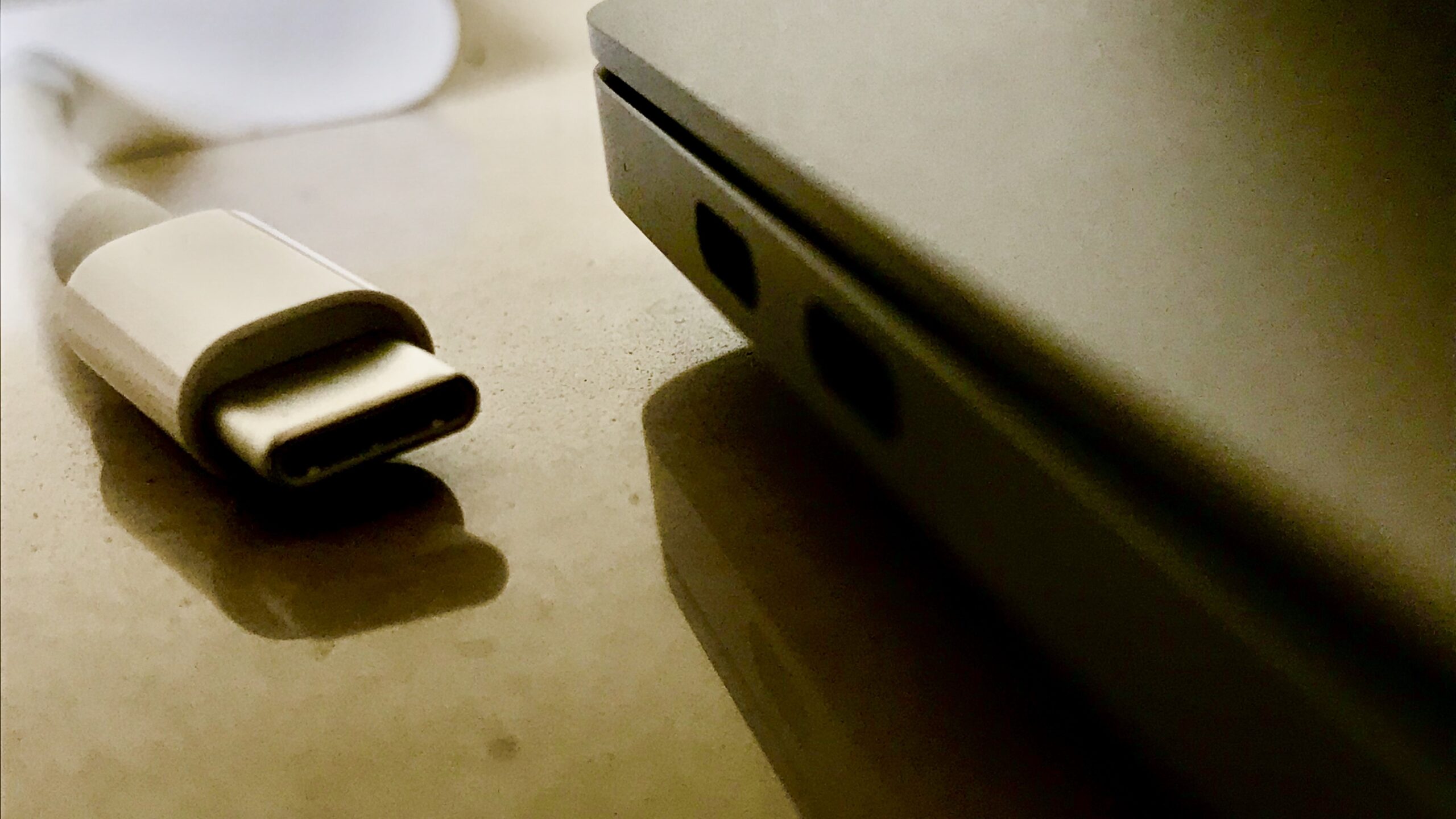
- MacBook Pro ports: IM3847, via Wikimedia Commons, CC BY-SA 4.0, cropped to 16:9 by us.
About Hardvance Team
The Hardvance Team is the editorial team at Hardvance, a UK computer and electronics retailer based in Mildenhall, Suffolk. We build and upgrade PCs and sell laptops, phones, networking gear, monitors and printers, and our guides cover the same ground. Every guide names its sources and explains how we checked the figures, and we say plainly when something is our opinion rather than a tested result.
View all posts by Hardvance Team