QHD vs 4K Gaming Monitors in 2026: Which One Should You Buy?

0

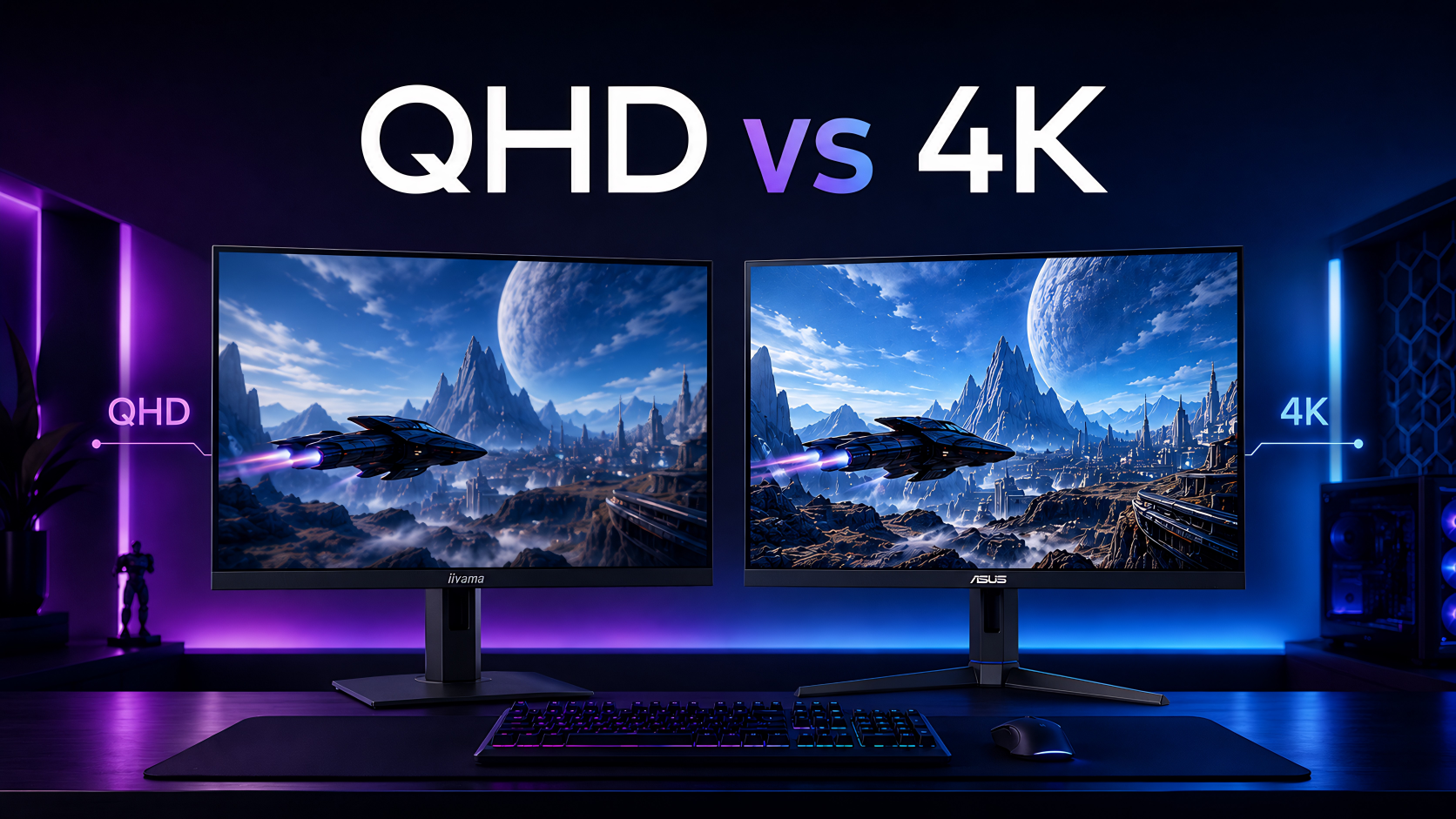
A 4K gaming monitor sounds like the obvious upgrade in 2026. It looks sharper, feels more premium, and the number on the box is bigger. But that does not automatically make it the best choice for every PC gamer.

For many players, QHD is still the smarter upgrade. It gives you a sharper image than 1080p, works better with high refresh rates, and does not demand as much from your graphics card as 4K.

This guide keeps the decision simple. We will look at when QHD makes more sense, when 4K is worth it, how your GPU affects the choice, and what type of monitor you should buy in 2026.

QHD or 4K for Gaming in 2026?

Choose QHD if you want smoother gaming, higher frame rates, better value, and lower GPU demand. It is the best choice for most PC gamers who play competitive games, fast shooters, racing games, or mixed titles.

Choose 4K if you have a powerful graphics card, use a modern console, play cinematic games, or want maximum detail on a larger screen. 4K can look excellent, but only when your hardware can support it properly.

Simple rule: QHD is the safer choice for performance. 4K is the better choice for detail. The best monitor is the one your PC can actually drive well.

Asrock PG32QFT 32″ Quad HD 1440p Monitor

In stock

£253.44 inc VAT
  • 32-inch Quad HD IPS panel with 2560 x 1440 resolution and 178° viewing angles
  • 180 Hz maximum refresh rate with 1 ms GTG response time and AMD FreeSync support
  • VESA DisplayHDR 400 with 151% sRGB and 97% DCI-P3 colour coverage
  • Anti-glare screen with Low Blue Light and Flicker-free technologies
  • Height, tilt, and swivel adjustment with VESA 100 x 100 mm mounting
  • Connectivity: 2 x HDMI 2.0, 1 x DisplayPort 1.4, and headphone out

Should You Buy a QHD or 4K Gaming Monitor?

The fastest way to decide is to match the resolution with your gaming style, your graphics card, and the screen size you want.

Type of User Better Choice Why
Competitive gamer QHD Higher frame rates are easier to reach.
Story-game player 4K Sharper detail improves cinematic games.
Console gamer 4K Modern consoles are built around 4K output.
Budget-conscious PC gamer QHD Better balance of price, performance, and image quality.
High-end PC owner Depends 4K makes sense if your GPU can handle it smoothly.
Older GPU user QHD 4K may force too many performance compromises.

Why QHD Still Makes Sense in 2026

QHD, also known as 1440p, sits in a very useful middle ground. It looks much sharper than 1080p, but it is much easier to run than 4K.

That balance matters because gaming is not only about sharpness. Smoothness, stable frame rates, refresh rate, response time, and input feel all affect the experience.

QHD Is Easier on Your Graphics Card

A QHD monitor gives your GPU more room to breathe. This can help you keep higher settings, better frame rates, and smoother gameplay without needing the most expensive graphics card.

QHD Works Better for High Refresh Gaming

Many gamers would rather play at QHD with 144Hz, 180Hz, 240Hz, or higher than use 4K at a lower frame rate. For competitive games, that smoothness can matter more than extra pixels.

QHD Is a Better Value Upgrade

If you are moving from 1080p, QHD already feels like a major upgrade. You get a sharper picture, better desktop space, and strong gaming performance without pushing your whole setup too far.

You can compare practical options in QHD Monitors and Gaming Monitors.

QHD vs 4K Gaming Monitors in 2026: Which One Should You Buy?

When a 4K Gaming Monitor Is Worth It

4K is not a bad choice. It can look excellent when the setup is right. The image is sharper, fine details look cleaner, and larger screens feel more premium.

The problem starts when people buy 4K before their PC is ready for it. A 4K monitor needs more GPU power, especially if you want high settings and smooth frame rates.

4K Is Best for Cinematic Gaming

If you play open-world games, RPGs, racing games, adventure titles, or visually rich single-player games, 4K can make the image feel more detailed and immersive.

4K Makes Sense for Console Gaming

If you use a modern console on your desk, a 4K gaming monitor can be a strong match. It gives you sharper output, a premium feel, and a more compact alternative to a large TV.

4K Works Better on Larger Screens

On a 27-inch monitor, QHD is already sharp for many users. On a 32-inch monitor or larger, 4K becomes more attractive because the extra pixels help keep the image crisp.

Buyer tip: If you want a 32-inch gaming monitor and care about sharpness, 4K is easier to justify than it is on a smaller display.

If your setup is ready for higher resolution gaming, compare 4K Monitors.

Hardvance 4K Setup

Your GPU Matters More Than the Monitor Marketing

A 4K monitor does not automatically give you a better gaming experience. Your graphics card still has to render the game at that resolution.

If your GPU is not powerful enough, 4K can force you to lower graphics settings, accept lower frame rates, or rely more on upscaling. That may still be usable, but it is not always the experience buyers expect.

QHD Gives You More Performance Headroom

With QHD, your graphics card has less work to do than it does at 4K. This can mean smoother gameplay, stronger minimum frame rates, and a better experience in fast games.

4K Rewards Strong Hardware

If you already have a powerful GPU, 4K becomes much more realistic. In that case, a 4K monitor can let you enjoy the visual quality your PC is capable of producing.

Warning: Do not buy a 4K monitor only because it sounds more premium. Buy it because your PC, screen size, and gaming style actually benefit from it.

If your GPU needs an upgrade before moving to higher resolution gaming, browse Graphics Cards.

The OLED Angle: QHD OLED vs 4K OLED

The QHD vs 4K decision becomes more interesting when OLED enters the conversation. OLED improves contrast, black levels, motion clarity, and HDR impact, so the screen can feel premium even without choosing the highest resolution.

For many PC gamers, QHD OLED may be the best real-world upgrade. It gives you fast response, deep contrast, strong motion clarity, and smoother performance without the heavy GPU demand of 4K.

A 4K OLED monitor makes more sense if you want maximum sharpness, cinematic detail, console gaming, or a larger premium screen.

OLED note: Panel type matters, but it is not the only thing to check. Resolution, refresh rate, screen size, warranty, ports, and burn-in risk still matter.

If you are considering OLED, read our OLED monitor buying guide for 2026.

Common Mistakes When Choosing QHD or 4K

Many buyers choose a gaming monitor based on one number: resolution. That is risky. A good monitor should match your PC, your desk, your games, and your budget.

Buying 4K Too Early

4K can look impressive, but buying it before your PC is ready can lead to lower frame rates and more settings compromises.

Ignoring Refresh Rate

A high-resolution monitor with a low refresh rate may not feel as good as a QHD monitor with smoother motion. For competitive gaming, refresh rate often matters more than resolution.

Choosing the Wrong Screen Size

QHD works very well at 27 inches. 4K becomes more useful at 32 inches or larger. Match the resolution to the size of the screen.

Gaming Monitor Buying Checklist for 2026

Before choosing between QHD and 4K, use this checklist to avoid buying the wrong monitor for your setup.

  • GPU power: Can your graphics card handle the resolution smoothly?
  • Refresh rate: Do you want 144Hz, 180Hz, 240Hz, or higher?
  • Screen size: 27 inches is ideal for many QHD setups; 32 inches suits 4K better.
  • Game type: Competitive games favour QHD high refresh; cinematic games benefit from 4K.
  • Panel type: IPS, VA, OLED, and QD-OLED all feel different.
  • Ports: Check HDMI and DisplayPort support for your PC or console.
  • Budget: Remember that 4K may also require a stronger GPU.
  • Desk space: Make sure the monitor size fits your setup comfortably.

Final Recommendation: QHD or 4K?

If you are a PC gamer and want the best balance of smooth performance, sharp visuals, and value, QHD is still the smarter choice in 2026. It gives you a clear upgrade from 1080p without putting the same pressure on your graphics card as 4K.

If you have a high-end GPU, use a modern console, play cinematic games, or want a larger premium display, 4K can be worth it. Just make sure your hardware is ready before you buy.

The right answer is not that QHD is always better or that 4K is always better. The right monitor depends on your PC, your games, your screen size, and whether you care more about frame rate or sharpness.

Best practical advice: Buy the monitor your PC can actually drive well. A smooth QHD experience is often better than a 4K setup that constantly forces compromises.

FAQ : QHD vs 4K Gaming Monitors in 2026

Is QHD still good for gaming in 2026?

Yes. QHD is still excellent for gaming because it offers a strong balance of sharpness, refresh rate, GPU performance, and value.

Is 4K better than QHD for gaming?

4K is sharper than QHD, but it is not always better for gaming. QHD can feel smoother if your GPU cannot handle 4K at high frame rates.

Should competitive gamers choose QHD or 4K?

Most competitive gamers should choose QHD with a high refresh rate. Smoothness, response, and frame rate usually matter more than maximum resolution.

When is a 4K gaming monitor worth it?

A 4K gaming monitor is worth it if you have a powerful graphics card, play cinematic games, use a modern console, or want a larger screen with maximum sharpness.

Do I need a better graphics card for 4K gaming?

In many cases, yes. 4K gaming requires more GPU power than QHD. If your current graphics card struggles at 4K, QHD may be the better choice.

Is QHD or 4K better for a 27-inch monitor?

QHD is a very strong choice for 27-inch monitors. 4K can look sharper, but many gamers find QHD more practical at this size.

Is 4K better for a 32-inch monitor?

 Yes, 4K often makes more sense at 32 inches because the larger screen benefits more from the extra pixels.

Leave a Reply

Your email address will not be published. Required fields are marked *