The GPU Number Lenovo Does Not Print: Lenovo ThinkPad P16 Gen 3 Review, and Why It Matters
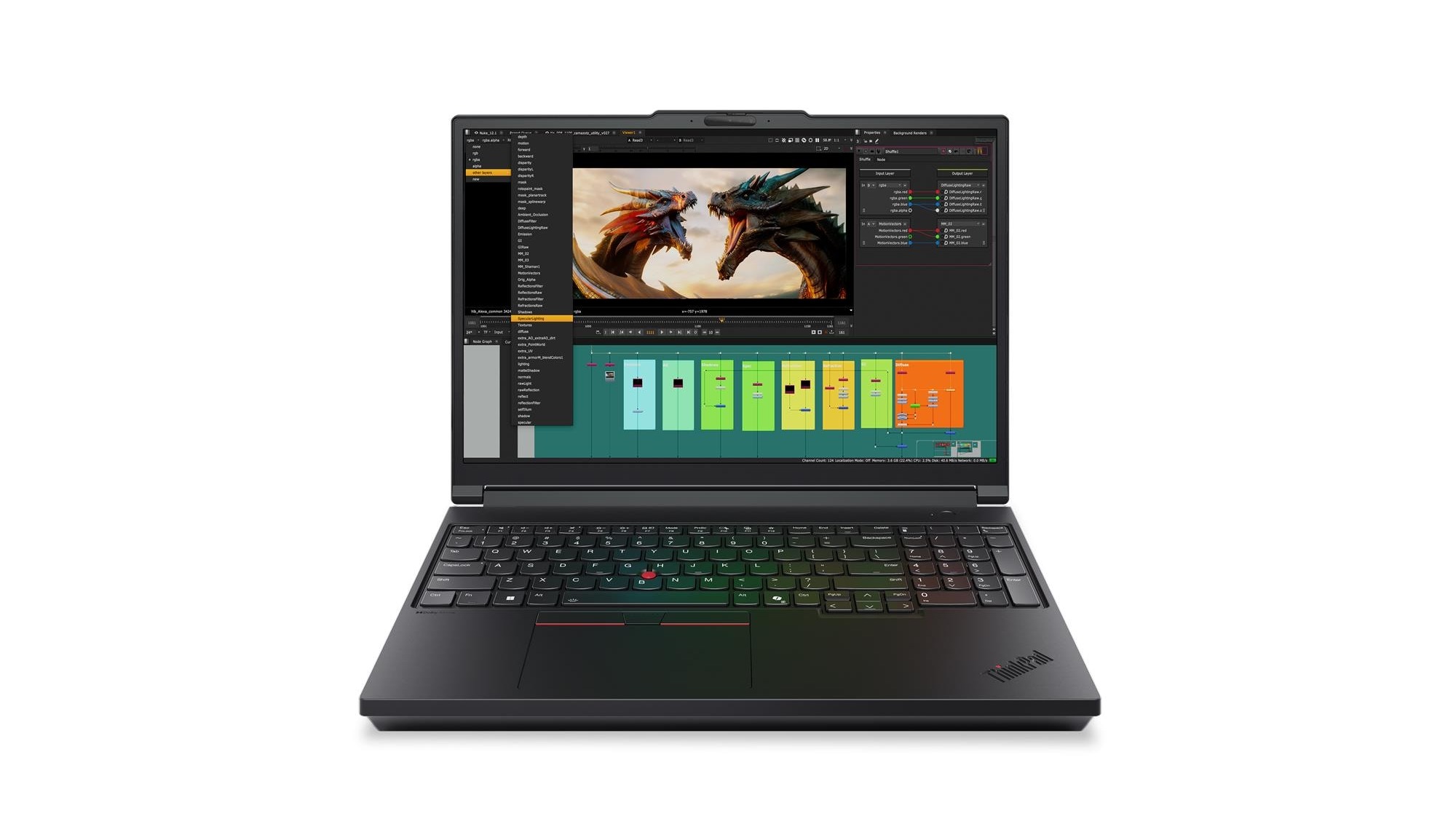
On this laptop, the number that decides how fast your ThinkPad P16 Gen 3 actually is does not appear on Lenovo's specification page at all. Lenovo does not publish the graphics power limit for any configuration. Notebookcheck measured the RTX PRO 3000 in its review unit running at 105W, and the machine landing roughly 24% behind a rival carrying the same processor.
Find your situation:
- You want the fastest CAD or AI laptopThis is not it, and the reason is the power limit, not the chip. The number that decides it
- You need huge memory locally192GB and three SSDs is the strongest argument for this machine. What the spec sheet means
- You are stuck between P16 and P16sThey are different classes of machine, not sizes. The difference in one table
- You already own a Gen 2The Gen 3 is lighter and slower in one specific way. Gen 2 vs Gen 3
- You fly with itThe 99.9Wh battery was chosen for a reason. Here it is
- You want a straight yes or noWho should buy it, and who should not
Notebookcheck rated it very good at 89% and still titled the review "One step forward, two steps back". Both halves of that are true, and which half matters depends entirely on what you do with it.
The one number that decides this laptop
Start here, because it is the thing a specification sheet will not tell you and a shop assistant probably will not either.
A workstation graphics card has a model name and a power limit, and the power limit is set by the laptop maker, not by Nvidia. Two laptops can both say “RTX PRO 5000 Blackwell” and perform very differently, because one is allowed to draw far more power than the other. Lenovo does not publish that figure on its specification pages.
Notebookcheck does. In its review of the Lenovo ThinkPad P16 Gen 3, published on 22 April 2026, it reports Lenovo limiting the RTX PRO 3000 in its review unit to a 105W TGP, and sets that against the 175W the Dell Pro Max 16 Plus allows its RTX PRO 5000. The measured consequence, in Notebookcheck’s words, is that the ThinkPad is “lagging around 24 percent behind the competitor in both professional (SPECviewperf) and consumer (3DMark) testing” despite both machines carrying the same Intel Core Ultra 9 285HX.
The same review lists the two things it disliked as, simply, an “underpowered charger” and a “low GPU TGP”, and its verdict is titled “One step forward, two steps back”:
“The older ThinkPad P16 was bigger and heavier than the competition. The newest model, the Lenovo ThinkPad P16 Gen 3, however, seems like an overcorrection: It is much more mobile, but makes sacrifices in terms of performance, with the 105 W TGP of the GPU and the 180 W charger coming to mind.”
What that means when you are choosing a configuration
Note what that does and does not prove. The measured 105W figure belongs to the RTX PRO 3000 configuration that was tested. Lenovo publishes no power limit for the RTX PRO 5000 option either, so the advice is not “this machine is capped at 105W” but “ask for the TGP of the exact card you are buying, because Lenovo will not print it”.
It means the GPU line in the configurator is only half the information. If your work is GPU-bound rendering or simulation and you are comparing this against another 16 inch workstation, compare the power limits, not the model names. If your work is CPU-bound or memory-bound, which covers a great deal of engineering and local AI work, the cap costs you much less than the headline suggests.
One more measured detail worth planning around: Notebookcheck recorded the GPU dropping to 37,978 points in the 3DMark 11 GPU test on battery, a 23% reduction. This is a machine that expects to be plugged in when it is working hard.
Lenovo ThinkPad P16 specs, read as a buyer
The machine type code on ours is 21RQ, which is the Gen 3 series.
- Processor. Intel Core Ultra 9 275HX, 24 cores (8 performance plus 16 efficient), 24 threads, up to 5.4GHz, 36MB cache. Lenovo also lists the Core Ultra 9 285HX at up to 5.5GHz and the Core Ultra 7 255HX at 20 cores.
- Graphics. Up to NVIDIA RTX PRO 5000 Blackwell. Read the section above before you choose.
- Memory. Up to 192GB of DDR5. This is the headline capability and the reason the machine exists.
- Storage. Up to 12TB across PCIe Gen5 slots, and three 2280 SSDs fit.
- Screen options. A 16 inch 3.2K (3200×2000) Tandem OLED at 600 nits, 100% DCI-P3, 40 to 120Hz, DisplayHDR 600 and Dolby Vision, with touch. Or a 16 inch WUXGA (1920×1200) IPS at 500 nits, 100% sRGB, 60Hz, described by Lenovo as the low power option.
- Ports. Two Thunderbolt 5 and one Thunderbolt 4, all with DisplayPort 2.1 and 180W power input, two USB-A at 10Gbps, HDMI 2.1 up to 8K60, 2.5 gigabit Ethernet, SD Express and a 3.5mm combo jack.
- Battery and charger. 99.9Wh, with a 180W USB-C GaN adapter.
- Size and weight. 362 x 252mm, 15.8 to 20.9mm at the front and rear and 29.8mm at its thickest, starting at 2.54kg.
- Camera. 5MP with infrared, a privacy shutter and human presence detection.
The two choices that matter most
The screen. The OLED is genuinely better and it is also the one that will cost you battery life. The WUXGA IPS panel is not a downgrade so much as a different decision: fewer pixels, 60Hz, and Lenovo explicitly flags it as low power.
The memory. If you do not need more than 64GB, much of what makes this machine expensive is wasted on you. If you routinely run models or assemblies that will not fit in 64GB, there is very little else in a 16 inch chassis that takes 192GB.
ThinkPad P16 vs ThinkPad P16s
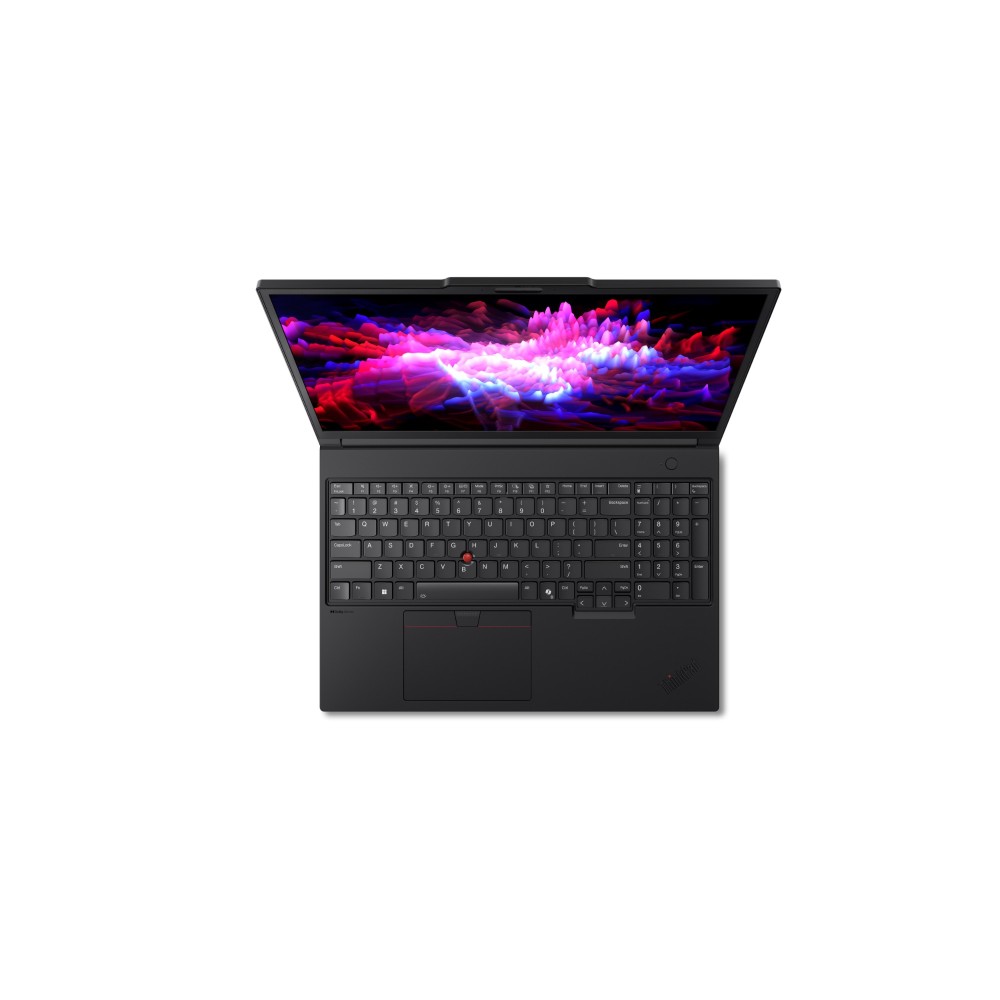
This is the question Google asks on Lenovo’s behalf and Lenovo never answers on its product pages. The single letter is doing a lot of work: the P16 and the ThinkPad P16s are not two sizes of the same laptop. They are two different classes of machine that happen to share a screen size.
| ThinkPad P16 Gen 3 | ThinkPad P16s Gen 4 | |
|---|---|---|
| Processor class | HX, desktop-derived. Core Ultra 9 275HX, 24 cores | H, thin and light. Core Ultra 7 255H, 16 cores |
| Graphics | Up to RTX PRO 5000 Blackwell | Intel Arc 140T integrated, or RTX PRO 500 6GB, or RTX PRO 1000 8GB |
| Memory | Up to 192GB DDR5 | SODIMM DDR5-5600, non-ECC |
| Screen | 3.2K Tandem OLED 600 nits 120Hz, or WUXGA IPS 500 nits | WUXGA IPS 400 nits, 45% NTSC, 60Hz |
| Battery | 99.9Wh | 57Wh or 75Wh |
| Weight from | 2.54kg | 1.82kg |
How to choose. The P16s is a business laptop with a workstation graphics option bolted on, and it weighs 720 grams less. The P16 is a desktop workstation that folds. If you carry it every day and your heavy work runs on a server anyway, the P16s is the better machine and the lighter bag. If the heavy work runs on the laptop, the P16s will not save you. And if you do not need workstation graphics at all, a ThinkPad T14 Gen 7 or E14 Gen 8 is the better everyday work laptop.
Do not let the 45% NTSC line on the P16s panel pass you by either. That is a noticeably narrower colour gamut than the P16’s 100% sRGB option, and it rules the P16s out for colour-critical work.
Lenovo ThinkPad P16s Gen 4 and the rest of the range
The Lenovo ThinkPad P16s Gen 4 comes in Intel and AMD forms, and the range around it is wider than most buyers realise. Five versions are worth knowing:
- ThinkPad P16 with the Core Ultra 9 275HX, 32GB, 1TB, RTX PRO 2000 Blackwell. The full workstation.
- ThinkPad P16s Gen 4 with the Core Ultra 9 285H, 32GB, 1TB.
- ThinkPad P16s Gen 4 with the Core Ultra 7 255H, 32GB, 1TB.
- ThinkPad P16s Gen 4 on Ryzen AI 7 350, 32GB, 1TB, the AMD option. Note that a Lenovo ThinkPad P16s Gen 3 exists between this and the older model, so read the generation as well as the name.
- ThinkPad P16s Gen 2 on the Core i7-1360P, 16GB, 256GB, with RTX A500 graphics. The older and much cheaper entry point.
- Plus the full laptops range if none of these is the shape you need.
A note on that last one, because it is the trap in this range. The P16s Gen 2 is several years older, and the i7-1360P is a 2023 chip. Its RTX A500 is a certified professional card, so it is a genuine entry workstation rather than an ordinary laptop, but it sits several tiers and several years below a P16 Gen 3. If somebody has handed you a list with both on it, they are not comparable products.
⚠️ One more thing a retailer notices that a reviewer does not. Supplier listings for this family routinely drop the “s” and the generation, so a line that reads “Lenovo ThinkPad P16” can be any of five very different laptops. Check the machine type code before you buy anywhere. A 21RQ prefix is a P16 Gen 3. A 21QR or 21QV is a P16s Gen 4. A 21HL is a P16s Gen 2.
ThinkPad P16 Gen 2 vs Gen 3
Plenty of people searching for the Lenovo ThinkPad P16 Gen 2 are deciding whether the newer machine is worth the jump, so here is the shape of it.
The Gen 3 is the more mobile machine. Notebookcheck’s framing is that the older P16 “was bigger and heavier than the competition” and the Gen 3 “seems like an overcorrection”. You get Thunderbolt 5, a 180W USB-C charger in place of a barrel adapter, an optional Tandem OLED panel and up to 192GB of memory.
What you give up is headroom. The same review that praises the construction, the input devices, the upgradeability, the screen brightness, the modern ports and the battery life lists exactly two complaints, and both are about power delivery.
Our read: if you own a Gen 2 and it is doing the job, the Gen 3 is an upgrade in portability and connectivity rather than in raw output. If you are buying new, buy the Gen 3, because USB-C charging and Thunderbolt 5 are the kind of thing you live with for five years.
The 99.9Wh battery and why that number was chosen
The battery is 99.9Wh. That is not a coincidence, and it is the sort of detail that only matters once, at an airport.
Airlines cap the lithium battery you may carry in the cabin at 100 watt hours without special permission. A 99.9Wh battery is the largest one Lenovo can fit while keeping the machine in the ordinary carry-on category, and every workstation maker builds to the same ceiling for the same reason. If you fly with your work, this is the number that stops the conversation at the gate before it starts.
It is also why the same rule catches people out with spare power banks, which we went through in detail in our guide to taking a power bank on a plane.
Notebookcheck lists “good battery life for a workstation” among the machine’s strengths, which is the right way to read it: good for a 2.54kg laptop with 24 cores in it, not good in the sense an ultrabook is good.
Noise, since nobody publishes this either
Notebookcheck measured idle noise of 23.6 to 27.2 dB(A), and under load 42.7 rising to 53.9 dB(A). Their comment is that the dual fans are “mostly quiet during office usage, but can get quite loud under load”, and that over 50 dB(A) is “very audible, even from different rooms”. They found no coil whine. If you share an office, that is worth knowing before it arrives.
Is the Lenovo P16 a good laptop
Yes, with one specific caveat that you now know more about than most buyers do. Notebookcheck scored it very good, 89%, and the complaints were the charger and the GPU power limit rather than anything about how it is built.
Buy it if
- You need more than 64GB of memory in a laptop. Up to 192GB is the thing almost nothing else does.
- Your work is CPU or memory bound: large assemblies, simulation setup, compiling, local AI models.
- You want a machine you can open and upgrade. Three 2280 SSD slots and accessible memory is rare now.
- You want Thunderbolt 5, fast enough for an eGPU, and USB-C charging on a workstation.
Skip it if
- Your work is GPU-bound rendering and you are comparing like for like. The 105W limit is a real cost and a rival at 175W will finish first.
- You carry it daily and the heavy work lives on a server. The P16s weighs 720 grams less.
- You need colour-critical output on a budget panel. Choose the screen deliberately.
- You expect full performance unplugged. Notebookcheck measured 23% off the GPU on battery.
What else to look at
If you want a high performance mobile workstation and the GPU power limit is your deciding factor, the Dell Precision 5690 mobile workstation is the direct rival, and it is the machine whose 175W RTX PRO 5000 Notebookcheck used as the comparison point. HP’s ZBook line is the third major option, and older units such as the mobile workstation HP ZBook 15 G3 still turn up cheaply if your needs are modest.
Inside Lenovo’s own range, the Lenovo ThinkPad P1 mobile workstation is the thinner, lighter alternative to the P16, and the Lenovo ThinkPad P14s mobile workstation is the 14 inch version of the P16s idea.
Quick answers
Notebookcheck rated it very good at 89% in its April 2026 review, praising the construction, the input devices, the upgradeability, the screen brightness, Thunderbolt 5 and the battery life for a workstation. Its two criticisms were the 180W charger and the 105W GPU power limit. So: a very good machine that is deliberately held back on graphics power.
For memory-heavy and CPU-heavy professional work, yes, and the 192GB ceiling is close to unique in a 16 inch laptop. For GPU-bound rendering where you are comparing against other workstations, it is handicapped by its own power limit, which independent testing puts at roughly 24% behind a rival with the same processor.
Three, in order of how much they will affect you. The graphics card is capped at 105W, which is low for the class. The 180W charger is described by reviewers as underpowered for the hardware. And it weighs from 2.54kg before the charger, which is a lot to carry daily. Against that it is highly upgradeable and takes far more memory than its rivals.
They are different classes of machine. The P16 uses HX processors derived from desktop parts, up to an RTX PRO 5000, up to 192GB of memory and a 99.9Wh battery, and starts at 2.54kg. The P16s uses H-series thin-and-light processors, graphics up to an RTX PRO 1000, a 57Wh or 75Wh battery, and starts at 1.82kg. The P16s is a business laptop with a workstation option; the P16 is a workstation.
It is the current generation as of September 2026 and has been on sale since before April 2026. The machine type code is the reliable way to identify it: a 21RQ prefix is a P16 Gen 3, regardless of how a retailer has written the product name.
Up to 192GB of DDR5, alongside up to 12TB of PCIe Gen5 storage, and three 2280 SSDs fit in the chassis. That expandability is the single strongest argument for buying this machine rather than a thinner one.
Yes, and it is one of the bigger changes from the previous generation. Lenovo supplies a 180W USB-C GaN adapter, and the two Thunderbolt 5 ports and the Thunderbolt 4 port all accept 180W input. Reviewers consider 180W on the low side for the hardware, but a workstation that charges from USB-C is genuinely useful on the road.
It will play games, but you are paying a large premium for certified professional drivers and memory capacity that games do not use. A gaming laptop with a GeForce card at a higher power limit will be faster for the money. Our gaming laptop guide covers what each tier actually buys you.
In office use, yes. Notebookcheck measured idle noise between 23.6 and 27.2 dB(A). Under load it rises to between 42.7 and 53.9 dB(A), which they describe as very audible even from another room. No coil whine was detected.
Yes. Its 99.9Wh battery sits just under the 100 watt hour limit airlines apply to lithium batteries in the cabin, which is why almost every workstation lands on the same figure. The laptop itself travels in hand luggage as normal; it is spare batteries and power banks that attract the stricter rules.
If you carry the machine every day and your heavy work runs on a server or in the cloud, yes, because you save 720 grams and a good deal of money. If the heavy work runs locally, no, because the P16s tops out at an RTX PRO 1000 and a 400 nit 45% NTSC screen. Decide by where the work happens, not by the screen size, which is the same on both.
Pick the memory first, because it is the hardest thing to change later and the main reason to choose this family. Then pick the screen deliberately, since the OLED and the low-power IPS suit different jobs. Then read the GPU power limit rather than the GPU name. And check the machine type code matches the generation you think you are buying.
Sources
- Lenovo PSREF: ThinkPad P16 Gen 3. Processors, RTX PRO 5000 option, 192GB memory ceiling, 12TB storage, both screen options, Thunderbolt 5 ports, 99.9Wh battery, 180W GaN adapter, dimensions, 2.54kg starting weight and the 21RQ machine type codes.
- Lenovo PSREF: ThinkPad P16s Gen 4 (Intel). Core Ultra 7 255H, RTX PRO 500 and 1000 options, SODIMM DDR5-5600, the 400 nit 45% NTSC panel, 57Wh and 75Wh batteries and the 1.82kg starting weight.
- Notebookcheck: Lenovo ThinkPad P16 Gen 3 review, 22 April 2026. The 89% rating, the 105W GPU TGP against Dell's 175W, the 24% deficit in SPECviewperf and 3DMark, the 23% drop on battery, the noise measurements, the pros and cons list and the "one step forward, two steps back" verdict.
- Taking a power bank on a plane, our own guide to the 100 watt hour cabin limit.
- Best gaming laptop in 2026, for readers who want frames rather than certified drivers.
About Hardvance Team
The Hardvance Team is the editorial team at Hardvance, a UK computer and electronics retailer based in Mildenhall, Suffolk. We build and upgrade PCs and sell laptops, phones, networking gear, monitors and printers, and our guides cover the same ground. Every guide names its sources and explains how we checked the figures, and we say plainly when something is our opinion rather than a tested result.
View all posts by Hardvance Team