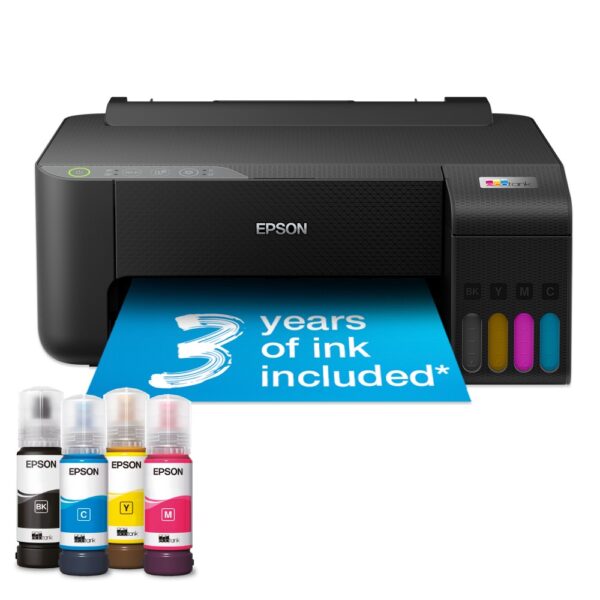
The best printer for your home depends on how often you print, not just how much. If you print most weeks, buy an ink tank printer such as an Epson EcoTank or a Brother DCP-T580DW: the ink in the box covers years of printing. If weeks go by between prints, buy a mono laser, because toner is a dry powder and cannot dry out. A cheap cartridge inkjet only makes sense if you print a little, every week. The gap is bigger than most people expect. At 150 pages a month, Epson's XL cartridges for its XP-2200 would cost you £373.89 over three years. The EcoTank ET-2862 needs one £10.49 bottle in the same time.
Which of these sounds like your home?
The printers we would short-list are at the end.
If you only compare printer prices, you are comparing the smaller number. What you spend on ink or toner over the next few years is usually the bigger one. So we costed it.
We took seven printers we sell and read three things from each maker’s UK website: what the replacement ink or toner costs, how many pages it prints, and how many pages the ink or toner in the box prints. Then we worked out what you would spend on ink or toner over three years at three levels of use:
The figures are for black text pages. We counted whole cartridges or bottles, because you cannot buy half of one.
| Printer | Type | Ink or toner in the box | 20 pages a month | 50 pages a month | 150 pages a month |
|---|---|---|---|---|---|
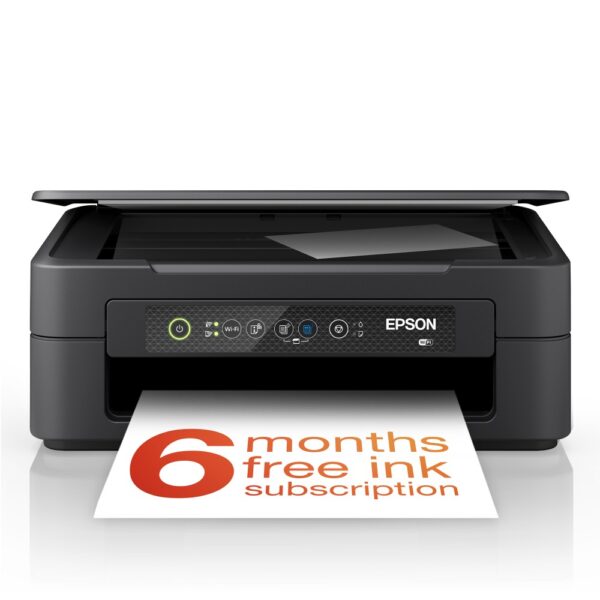
| Epson XP-2200 | Cartridge inkjet | Not published | £67.98 | £135.96 | £373.89 |
| Epson EcoTank ET-2862 | Ink tank | 3,600 black pages | £0 | £0 | £10.49 |
| Brother DCP-T580DW | Ink tank | 7,500 black pages | £0 | £0 | £0 |
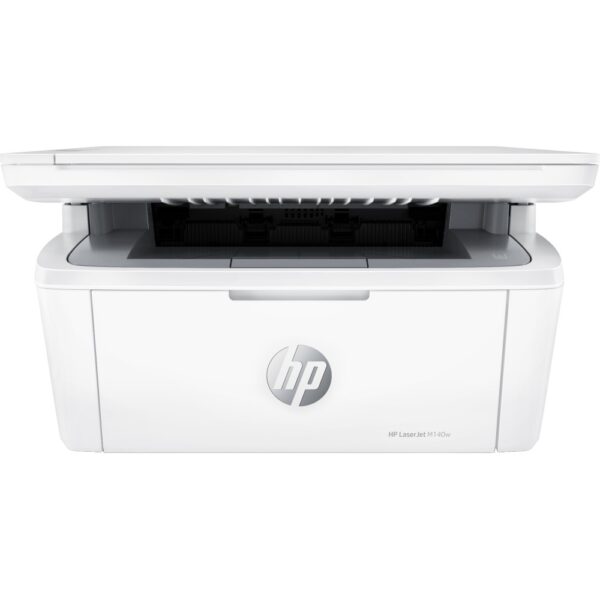
| HP LaserJet M140w | Mono laser | 300 pages | £54.49 | £108.98 | £326.94 |
| Brother DCP-L1640W | Mono laser | 350 pages | £51.70 | £103.40 | £310.20 |
| Brother MFC-L2800DW | Mono laser | 700 pages | £60.23 | £60.23 | £214.72 |
| Brother HL-L2865DW | Mono laser | 1,500 pages | £0 | £60.23 | £167.59 |
Three things stand out, and each one changes what you should buy.
1. An ink tank’s ink is close to free for three years. The Epson EcoTank ET-2862 comes with enough ink for 3,600 black pages, and the Brother DCP-T580DW with enough for 7,500. Even at 150 pages a month, the Epson needs one £10.49 bottle in three years and the Brother needs nothing. You pay for that ink up front, in a higher printer price. On Epson’s UK store, the ET-2862 costs well over £100 more than the XP-2200.
2. So find the price gap, then use this rule. With Epson’s 604XL cartridges, each black page on the XP-2200 costs you 6.8p. On the EcoTank it costs 0.23p. That means every £100 you pay extra for the ink tank comes back after about 1,500 black pages. At 50 pages a month that takes about two and a half years. At 150 pages a month it takes about ten months. At 20 pages a month, the XP-2200’s whole three-year ink bill is £67.98, so an ink tank that costs you more than £68 extra will not pay for itself in that time.
3. Check what comes in the box. Two mono lasers can look alike and ship with very different amounts of toner. HP’s LaserJet M140w comes with a 300-page starter cartridge. Brother’s HL-L2865DW comes with 1,500 pages. At 20 pages a month, that is 15 months of printing against more than six years.
This is what one black page costs you in the maker’s own ink or toner:
| Ink or toner | Fits | Pages, maker’s figure | Maker’s UK store price | Per black page |
|---|---|---|---|---|
| Epson 604 black | XP-2200 | 150 | £15.99 | 10.7p |
| Epson 604XL black | XP-2200 | 500 | £33.99 | 6.8p |
| HP 142A | LaserJet M140w | about 950 | £54.49 | 5.7p |
| Brother TN-1150 | DCP-L1640W | 1,000 | £51.70 | 5.2p |
| Brother TN2510 | HL-L2865DW, MFC-L2800DW | 1,200 | £60.23 | 5.0p |
| Brother TN2510XL | HL-L2865DW, MFC-L2800DW | 3,000 | £107.36 | 3.6p |
| Brother BTD180BK | DCP-T580DW | 7,500 | £17.93 | 0.24p |
| Epson 104 black | ET-2862, ET-1810 | 4,500 | £10.49 | 0.23p |
If you do buy a cartridge printer, buy the XL cartridges. With standard 604 black cartridges, the XP-2200’s 150-page figure would rise from £373.89 to £575.64.
Two things to keep in mind. First, Epson does not publish a page count for the cartridges that come with the XP-2200, so we counted them as zero. If yours print a few hundred pages, knock one cartridge off its figures. Second, makers measure page counts by printing continuously, one page straight after another. Epson says its printers run scheduled cleaning cycles that use some ink, so an inkjet that sits idle between jobs will get fewer pages than the table shows. Toner does not have that problem, which is the next section.
One small oddity in the table: the Brother MFC-L2800DW’s 700-page starter toner runs out 20 pages short of the 720 pages in the light-use column, which is why it shows a toner purchase there.
The two work in different ways, and the difference matters most when your printer sits unused.
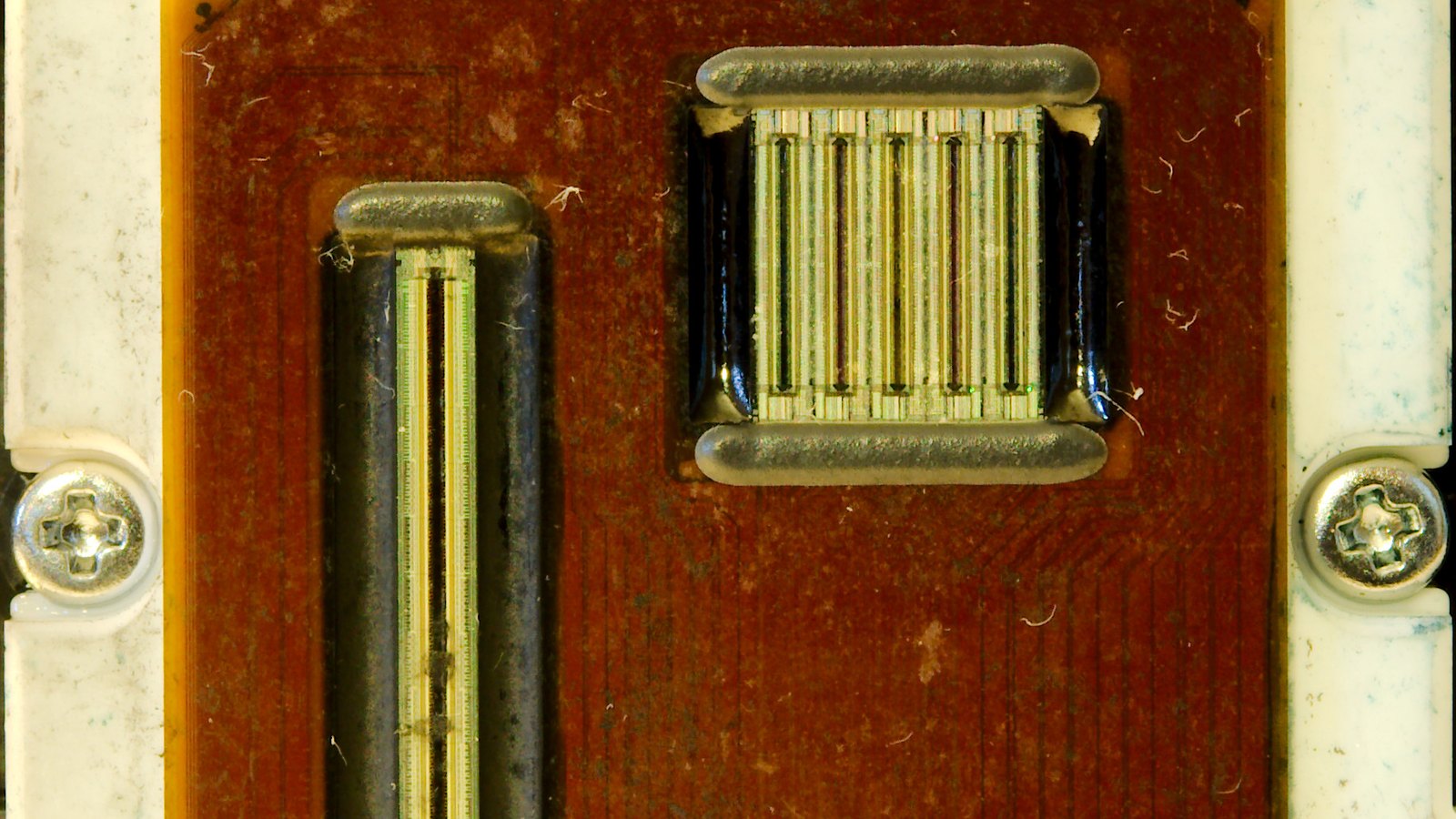
An inkjet printer sprays liquid ink onto the paper through rows of tiny nozzles. A laser printer uses toner, which Brother describes as “a fine, dry powder made up of polyester particles”. Heat fuses the powder onto the page, so the print is already set when it comes out.
Liquid ink can dry in those nozzles. Epson’s user guide says: “If you have not used the printer for a long time, the print head nozzles may be clogged and ink drops may not be discharged.” If cleaning does not clear it, Epson recommends contacting its support for repairs. Brother says inkjet cartridges “can dry out if not in regular use”. A powder cannot dry out, so a laser can sit for weeks and still print the first page cleanly.
| Cartridge inkjet | Ink tank inkjet | Mono laser | |
|---|---|---|---|
| Prints with | Liquid ink in cartridges | Liquid ink poured from bottles | Dry toner powder |
| Colour and photos | Yes | Yes | No, black only |
| Left unused for weeks | Can clog | Can clog | Nothing to dry out |
| Black page cost in our table | 6.8p to 10.7p | 0.23p to 0.24p | 3.6p to 5.7p |
| Best for | A little printing, every week | Regular printing, colour included | Rare printing, mostly text |
People who print rarely feel this most. In an August 2026 thread on the r/printers forum, someone whose laser had just broken asked whether an inkjet would be fine for occasional printing. One reply said it was “no question”: get a laser printer. A technician who works on industrial inkjets wrote that “nozzles WILL clog from lack of usage”, whatever the printer cost. Not everyone agreed. One Canon MegaTank owner said theirs had sat unused for five or six weeks at a time and still printed a clean first page.
The test is simple. If you print something most weeks, an inkjet is fine, and an ink tank is the cheapest way to run one. If weeks or months pass between prints, buy a laser. If you want photos, you need an inkjet, whatever else is true.
You can browse both types in our inkjet printers and laser printers sections.
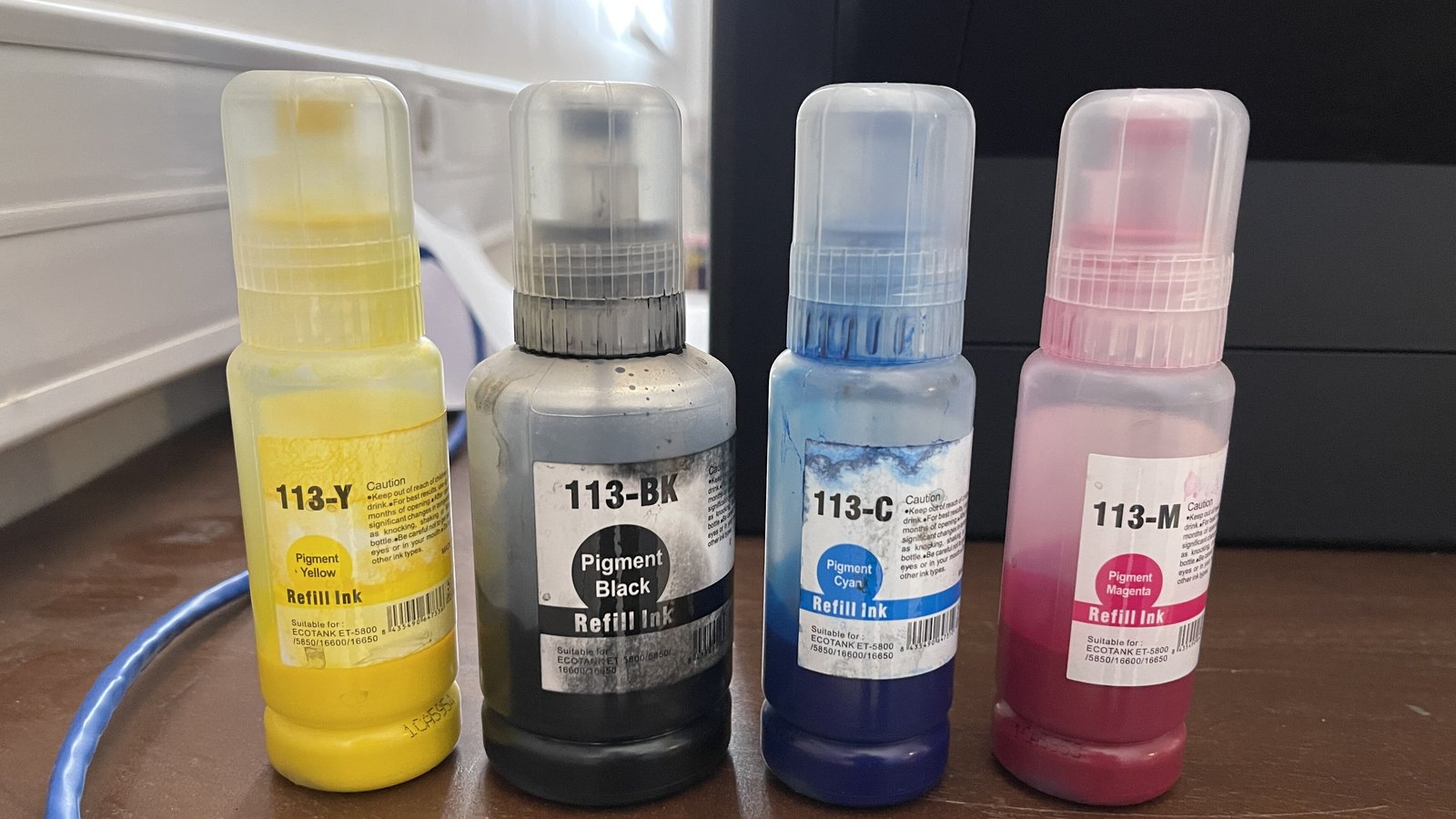
If you print every week and want the lowest running cost, this is the type to look at. An ink tank printer has refillable tanks built in. When one runs low, you top it up from a bottle. There are no cartridges to buy.
Epson calls its range EcoTank, Canon calls its range MegaTank, Brother sells its ink tank models as tankbenefit, and HP sells Smart Tank printers. The idea is the same across all of them: you pay more for the printer and very little for the ink.
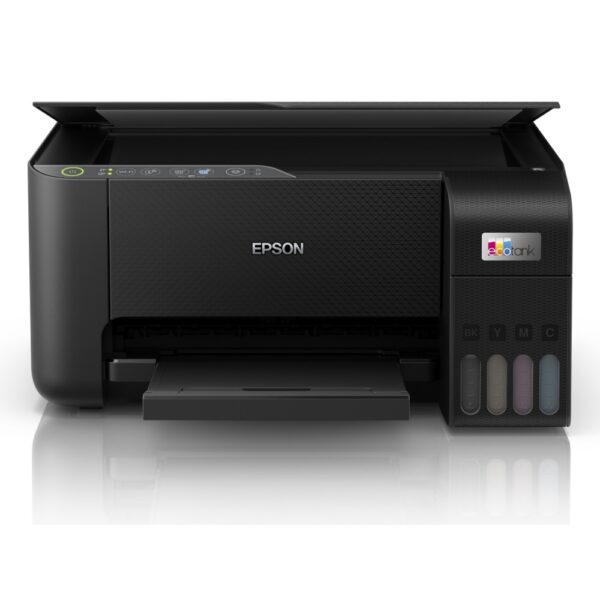
Epson EcoTank ET-2862. It prints, scans and copies. Epson says the ink in the box is good for 3,600 black pages and 6,500 colour pages. Replacement 104 bottles cost £10.49 each on Epson’s UK store and print 4,500 black or 7,500 colour pages. Epson advertises “up to 3 years’ worth of ink” in the box, and its small print says that figure assumes 100 A4 pages a month. One thing to know: Epson lists its two-sided printing as manual, so you turn the paper over yourself. The ET-2862 is the model we would start with.
Brother DCP-T580DW. It also prints, scans and copies, and it has 2.4GHz and 5GHz Wi-Fi. Brother says it comes with ink bottles good for 7,500 black and 5,000 colour pages. That is more than twice Epson’s black figure, and at 100 pages a month it would last you over six years. A replacement BTD180BK black bottle costs £17.93 on Brother’s store. See the DCP-T580DW.
Canon MegaTank. Canon is one of the main names in this category and worth a look. The PIXMA G650, for example, uses six inks, including red and grey, and Canon says one set of bottles prints 3,800 photos at 10 x 15 cm.
Before you buy one, know the trade-offs:
Epson EcoTank or Brother? On running cost there is almost nothing between them: 0.23p against 0.24p per black page. Brother puts more black ink in the box, Epson more colour. Choose on the features you need and the price, not on the ink. If you want an EcoTank that only prints, the Epson EcoTank ET-1810 uses the same 104 bottles and has no scanner.
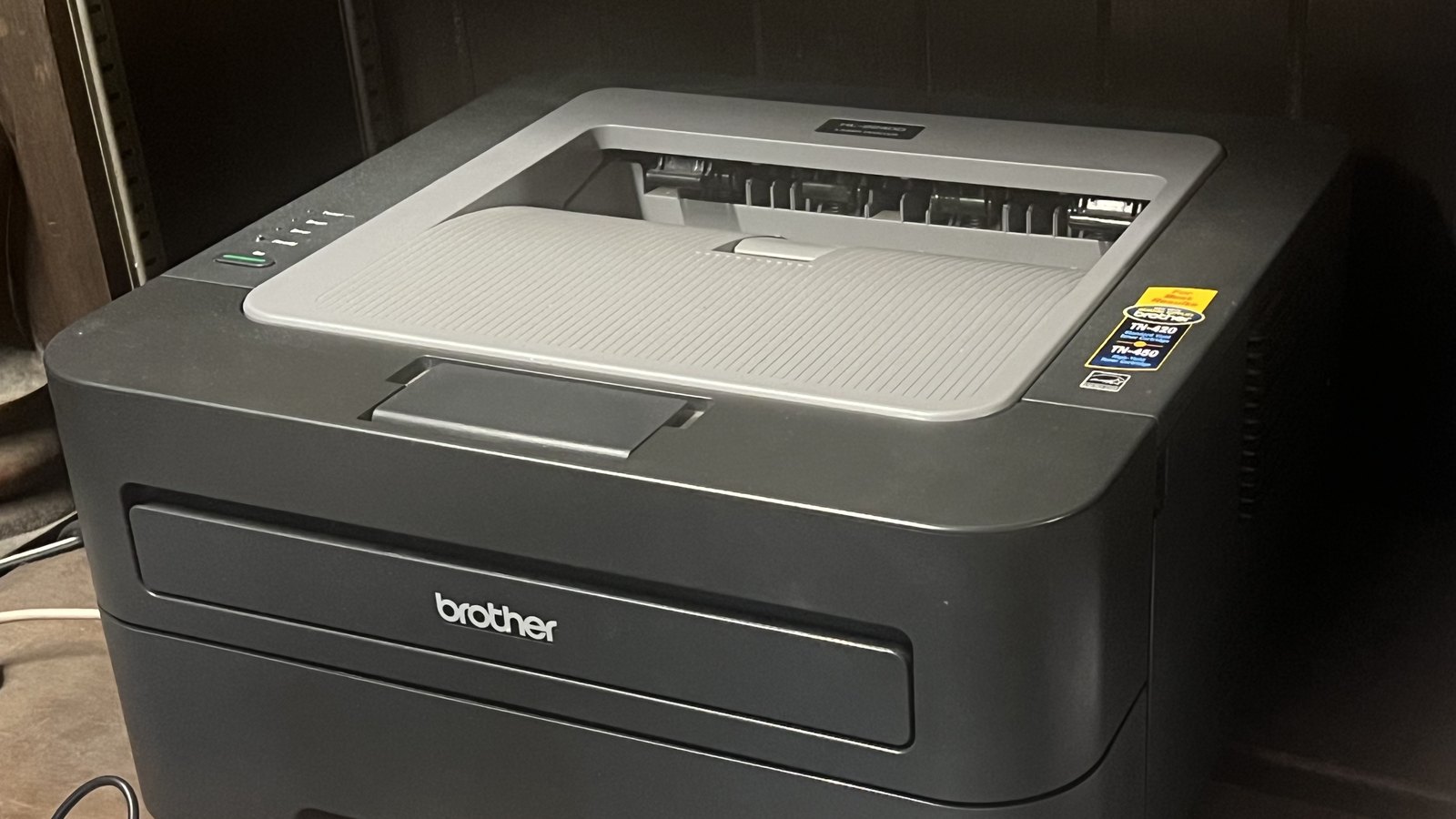
You print a form, a return label or a letter, and then nothing for six weeks. If that sounds like you, a mono laser printer is the safest buy. Mono means it prints in black only. Because toner is a dry powder, nothing inside it dries out while it waits.
A UK thread on r/printers in July 2026 asked for a printer for a couple who print about five times a year. The replies pointed to a black and white laser, for exactly that reason. One owner of a Brother MFC-L2800DW wrote: “With occasional use we are still on the starter cartridge after about 6 months.”
The thing to compare between lasers is the starter toner, because at home it can last for years:
| Laser | What it does | Starter toner | Replacement toner, maker’s figure |
|---|---|---|---|
| Brother HL-L2865DW | Prints only, two-sided | 1,500 pages | TN2510 1,200 pages, TN2510XL 3,000 pages |
| Brother MFC-L2800DW | Print, scan, copy, fax | 700 pages | TN2510 1,200 pages, TN2510XL 3,000 pages |
| Brother DCP-L1640W | Print, scan, copy | 350 pages | TN-1150 1,000 pages |
| HP LaserJet M140w | Print, scan, copy | 300 pages | HP 142A about 950 pages |
The cheapest laser to buy is not always the cheapest to run. At 50 pages a month, the DCP-L1640W spends £103.40 on toner over three years and the HL-L2865DW spends £60.23. The HL-L2865DW starts with more than four times as much toner, and its bigger cartridge costs less per page.
The Brother lasers in this guide also use a separate drum unit, which you replace far less often. Brother rates the DR2510 at up to 15,000 pages and the DR-1150 at up to 10,000. At 50 pages a month, 10,000 pages is more than 16 years of printing, so for most homes the drum is not a cost to plan around.
How long does toner last? In pages, 300 to 3,000 for the cartridges above, going by the makers’ figures. In time, it depends on how much you print, but it does not dry out between jobs the way ink can.
Our picks are the Brother HL-L2865DW if you only print, and the Brother MFC-L2800DW if you need to scan or copy too. If you want a laser that prints in colour, read the colour section first, because the toner prices change the picture. If you are looking at the HP LaserJet M140w, read the section on compatible cartridges before you buy.
With an ink subscription you pay a monthly fee for a set number of pages. The printer tells the maker when it is running low, and new cartridges arrive before you run out. HP’s version is called Instant Ink. These are its UK plans:
| Pages a month | Monthly price | Per page if you use them all | Over three years |
|---|---|---|---|
| 10 | £1.79 | 17.9p | £64.44 |
| 50 | £4.49 | 9.0p | £161.64 |
| 100 | £6.49 | 6.5p | £233.64 |
| 300 | £13.49 | 4.5p | £485.64 |
| 700 | £28.99 | 4.1p | £1,043.64 |
HP says that “whether you print in colour or black & white, every page costs the same”. Unused pages roll over, up to three times your monthly allowance. If you go over, you buy extra sets of 10 to 15 pages for £1.50.
Is HP Instant Ink worth it? It depends on what you print. If most of your pages are full colour, paying the same as for a page of text is good value. If most are black text, the maths is less kind. At 50 pages a month you would pay £161.64 over three years, against £60.23 of toner on the Brother HL-L2865DW, or nothing on an ink tank once you have paid its higher price.
The catch is what happens when you stop. HP’s page says: “HP Instant Ink cartridges will not work after the end of the current billing cycle in which you cancel.” So have ordinary cartridges ready before you cancel, or your printer stops printing.
HP+ printers go further. HP says these need an HP account and an internet connection, and that they require “the use of Original HP Ink or Toner to operate”, even after the Instant Ink trial ends. On an HP+ printer, cheaper third-party cartridges are not an option at all.
Owners do run into this. In a thread on the r/UKFrugal forum, someone whose Instant Ink trial had ended asked what to do, believing supermarket cartridges would not work in their HP. Several replies told them to buy a Brother laser instead.
If you are buying an HP printer now, HP is running an offer with the code SUMMER26UKI. It adds three free months of Instant Ink, and if you enrol within seven days of setting up an eligible printer, those months go on top of the printer’s standard trial, for up to nine months in total. It is for new Instant Ink customers and ends on 31 October 2026. After the free months HP charges the plan fee unless you cancel, so put a reminder in your calendar.
Other makers do the same. Epson’s ReadyPrint Flex starts at £1.99 for 15 pages a month and goes up to £19.49 for 500 pages. Unused pages roll over for two months, and A3 pages count as two. Brother’s version is called EcoPro, with plans from £1.99 a month. The same advice applies to all of them: work out your real monthly page count first, and check what happens to the cartridges if you leave.
Compatible cartridges are made by other companies to fit a printer, and they usually cost less than the maker’s own. Whether your printer will accept them is something to check before you buy the printer, not after.
HP is the clearest example. Its product page for the LaserJet M140w says the printer “is intended to work only with cartridges that have a new or reused HP chip, and it uses dynamic security measures to block cartridges using a non-HP chip”, and that “periodic firmware updates will maintain the effectiveness of these measures”. In plain terms, a compatible toner that works today might stop after an update. Look for the words “dynamic security” on any HP printer’s page before you buy it.
Epson takes a softer line. It says third-party cartridges “are not tested or approved by Epson” and “may not operate effectively or consistently”, and it only measures page counts with its own ink.
If cheap ink is the main reason you are shopping, keep these in mind:
The ink and toner we sell is in our inks and toners section.
A colour laser printer sounds like the best of both: sharp prints that do not smudge and a printer that does not clog, in colour. It is a good machine. But look at the toner prices before you decide it is the cheap option.
Brother’s HL-L3240CDW is a colour LED printer from Brother’s laser range. It uses toner and a drum, like a laser, with four toner cartridges. It comes with 1,000 pages of black toner and 1,000 pages of each colour. After that, each standard colour toner costs £74.46 on Brother’s store and lasts 1,000 pages. This is what the colour part of a page costs you with each type, using the makers’ own prices and page counts:
| Colour ink or toner | Pages each | Cyan, magenta and yellow per page |
|---|---|---|
| Epson 104 bottles (EcoTank) | 7,500 | 0.42p |
| Brother BTD180 bottles (DCP-T580DW) | 5,000 | 0.43p |
| Epson 604XL cartridges (XP-2200) | 350 | 15.9p |
| Brother TN-248XL toner (HL-L3240CDW) | 2,300 | 17.6p |
| Epson 604 cartridges (XP-2200) | 130 | 21.9p |
| Brother TN-248 toner (HL-L3240CDW) | 1,000 | 22.3p |
At the makers’ own prices, colour toner costs a little more per page than Epson’s cartridges, size for size, and 40 to 50 times more than ink tank bottles. If that surprises you, you are not alone. In July 2026 a former tech journalist asked on r/printers why the colour laser they were looking at cost more per page than an inkjet, when they remembered it being the other way round.
One caution: ink and colour toner are measured with different ISO test pages, so treat these figures as a guide rather than an exact match. The direction is clear, though.
So which should you get? If you print a lot of colour, an ink tank costs a fraction as much to run. If you print colour only now and then, and it has to work first time after weeks unused, a colour laser such as the Brother HL-L3240CDW is the reliable choice, and you accept the higher cost per page.
Photos ask a lot of a home printer. They cover the page in colour, and borderless prints use extra ink: Epson says ink goes into its waste pads “when printing borderless photographs”.
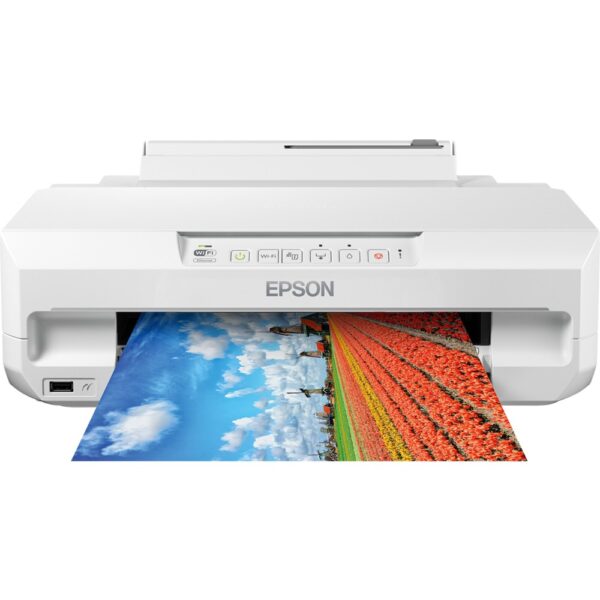
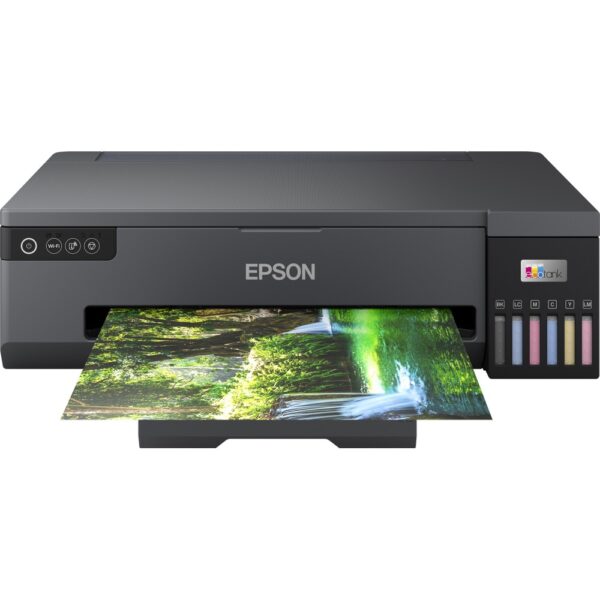
Printers built for photos add extra inks on top of the usual four. Three examples:
If you print a handful of photos a month, a subscription can be the cheaper route, because HP charges the same for a full-colour page as for a page of text. If you print photos every week, a photo ink tank will cost you far less per print over time. And if you only print a few a year, paying a photo shop may be cheaper than owning a photo printer at all.
You probably print from a phone or a laptop, and now and then you need to scan something. Every printer we recommend in this guide has Wi-Fi. Where they differ is size, scanning and how they connect.
Printer and scanner for home. If you want to scan or copy, look for “print, scan, copy” on the maker’s page. In this guide that means the Epson XP-2200, the Epson EcoTank ET-2862, the Brother DCP-T580DW, the Brother DCP-L1640W, the HP LaserJet M140w, and the Brother MFC-L2800DW, which adds fax. The Brother HL-L2865DW, the Brother HL-L3240CDW and the Epson ET-1810, XP-65 and ET-18100 print only. Our all-in-one printers section lists the ones that scan.
Small printer for home. Measure your space with the lid open and the paper tray pulled out, not just the size of the box. HP calls the M140w “HP’s smallest laser”, based on a 2020 study that HP paid for. Brother describes the DCP-L1640W as compact.
A wireless printer that keeps dropping off. If your printer lives in a far corner of the house, check the Wi-Fi signal where it sits before you blame the printer. Our guide to getting strong WiFi in every room covers the fixes. If it shows as offline even with a good signal, our guide to connecting a printer to WiFi and fixing offline errors goes through it step by step. Some printers make this easier: Brother lists 5GHz Wi-Fi and an Ethernet port on both the HL-L2865DW and the MFC-L2800DW, so you can plug in a cable if there is one nearby.
Printing from your phone. Each maker has its own app: Epson Smart Panel, the HP app and Brother Mobile Connect. Brother also lists Apple AirPrint and Mopria support for the DCP-L1640W, the printing systems built into iPhones and many Android phones. If you use a Chromebook, Brother lists ChromeOS among the supported systems for the HL-L2865DW. Our guide to Chromebooks covers what else those laptops can and cannot do.
Match the printer to how your home prints, not to the price tag. This is what we would pick for each situation, from the printers we sell.
Other printers are worth a look too. Canon’s MegaTank range includes photo models such as the PIXMA G650. HP sells DeskJet, ENVY, OfficeJet and Smart Tank printers alongside Instant Ink, but read the Instant Ink section and check for dynamic security before you choose one.
If you are setting up a student’s desk, our guide to the best laptops for students covers the other half. If the printer is for a home office, our pick of the best mouse for work is worth a look too. Everything we sell in this area is in our printers section.
These are the printers from this guide, if you want to compare them side by side:
It depends on how often you print. If you print most weeks, an ink tank printer such as the Epson EcoTank ET-2862 or the Brother DCP-T580DW is the cheapest to run: over three years at 150 black pages a month, the Brother needs no new ink and the Epson needs one £10.49 bottle. If weeks pass between prints, a mono laser such as the Brother HL-L2865DW is the safer choice, because toner does not dry out.
No single brand wins every job. Epson and Canon are the big names in ink tank printers, Brother lasers are the most common recommendation in printer forums, and HP runs the Instant Ink subscription. Check how a brand handles third-party cartridges before you commit: HP says some of its printers block cartridges without an HP chip.
For regular printing with some colour, an ink tank inkjet. For rare printing, mostly text, a mono laser. For photos, an inkjet with six or more inks. A basic cartridge inkjet only makes sense if you print a little every week and the ink tank model costs a lot more.
Printer makers do not publish failure rates, so nobody can give you a verified league table. The most common home problem is an inkjet that clogs after sitting unused, which Epson's user guide warns about. A laser avoids that, which is why forum users so often recommend one for occasional printing.
Ink tank printers. At the makers' own UK prices, Epson's 104 black bottle works out at 0.23p a page and Brother's BTD180BK at 0.24p. Epson's 604XL cartridge costs 6.8p a page, and the standard 604 costs 10.7p.
An inkjet is better for colour and photos, and an ink tank inkjet is the cheapest to run. A laser is better for black text and for a printer that sits unused for weeks, because toner is a dry powder and cannot dry out the way ink can in the nozzles.
A mono laser prints black only. Colour lasers cost more per colour page than most inkjets: Brother's standard colour toners for the HL-L3240CDW work out at about 22p a page for the three colours. Lasers are not built for photo prints, and many Brother models need a separate drum unit: Brother rates the drums for the lasers in this guide at 10,000 and 15,000 pages.
No. Laser printers use toner cartridges, which hold a dry powder instead of liquid ink. Many Brother lasers also use a separate drum unit, which lasts much longer than the toner.
It can be if you print a lot of colour, because HP charges the same for a colour page as for a black one. For mostly black text it is expensive next to an ink tank or a laser: the 50-page plan costs £161.64 over three years. Remember that Instant Ink cartridges stop working at the end of the billing cycle in which you cancel.
They can. Epson warns that the nozzles may clog if the printer has not been used for a long time, and Brother says inkjet cartridges can dry out if not in regular use. If you choose an inkjet, use it regularly. If you print rarely, a laser is the safer choice.
Makers do not give a lifespan in years for these home printers, so be wary of anyone who quotes one. What is clear is that a laser copes far better with long gaps between prints, and an inkjet with clogged nozzles may need a repair: Epson's guide says to contact its support if cleaning does not fix it.
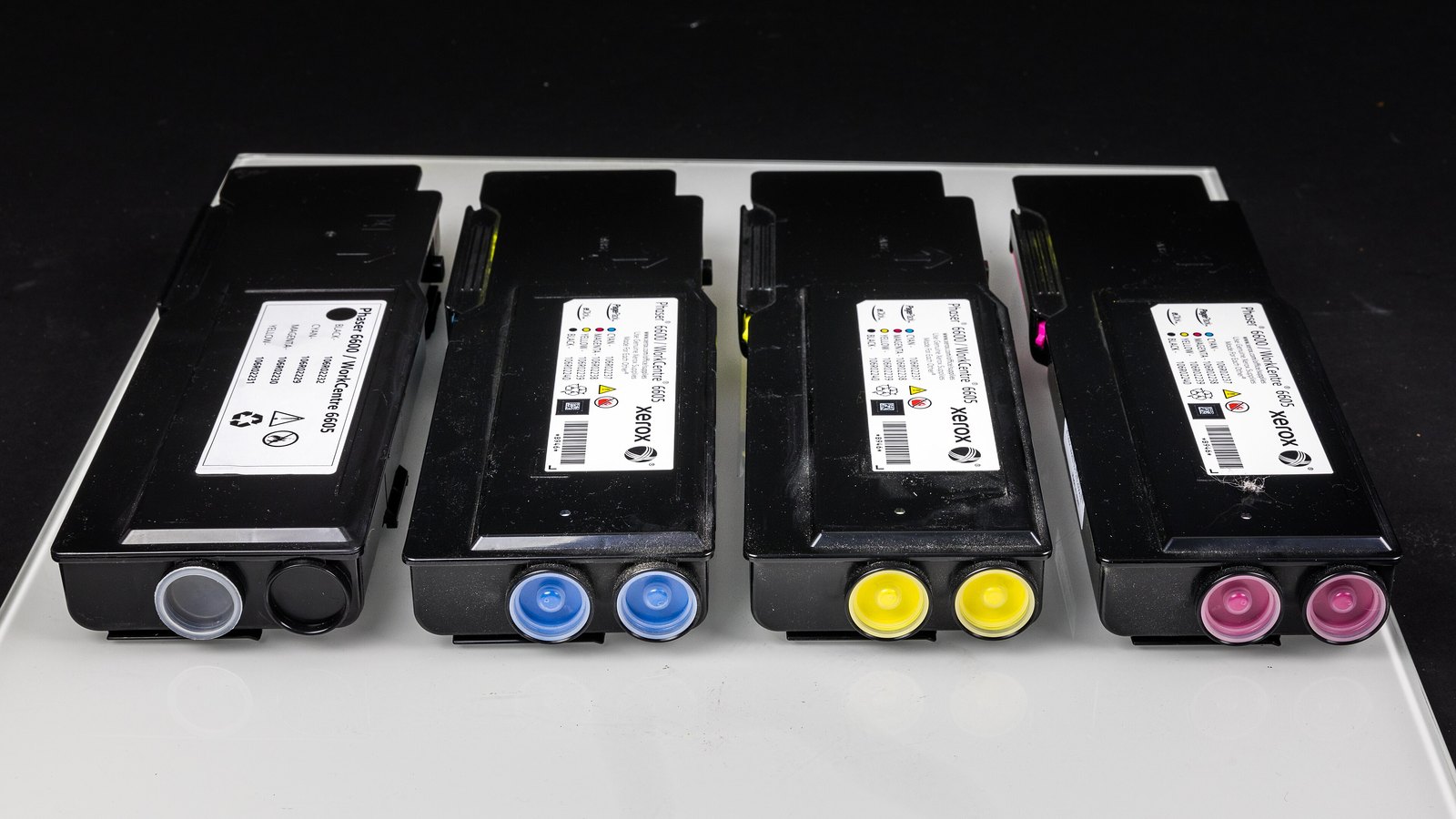
Photographs: Canon iP3500 print head by Fletcher6, CC BY 3.0. Epson 113 ink bottles by Fawaz.tairou, Brother HL-2240 by TaurusEmerald and Xerox Phaser 6600 toners by Raimond Spekking, all CC BY-SA 4.0. All four were cropped by us. Other photographs from Pexels.
The Hardvance Team is the editorial team at Hardvance, a UK computer and electronics retailer based in Mildenhall, Suffolk. We build and upgrade PCs and sell laptops, phones, networking gear, monitors and printers, and our guides cover the same ground. Every guide names its sources and explains how we checked the figures, and we say plainly when something is our opinion rather than a tested result.
View all posts by Hardvance Team


No account yet?
Create an Account