Logitech M185 Wireless Mouse | Reliable Office Companion
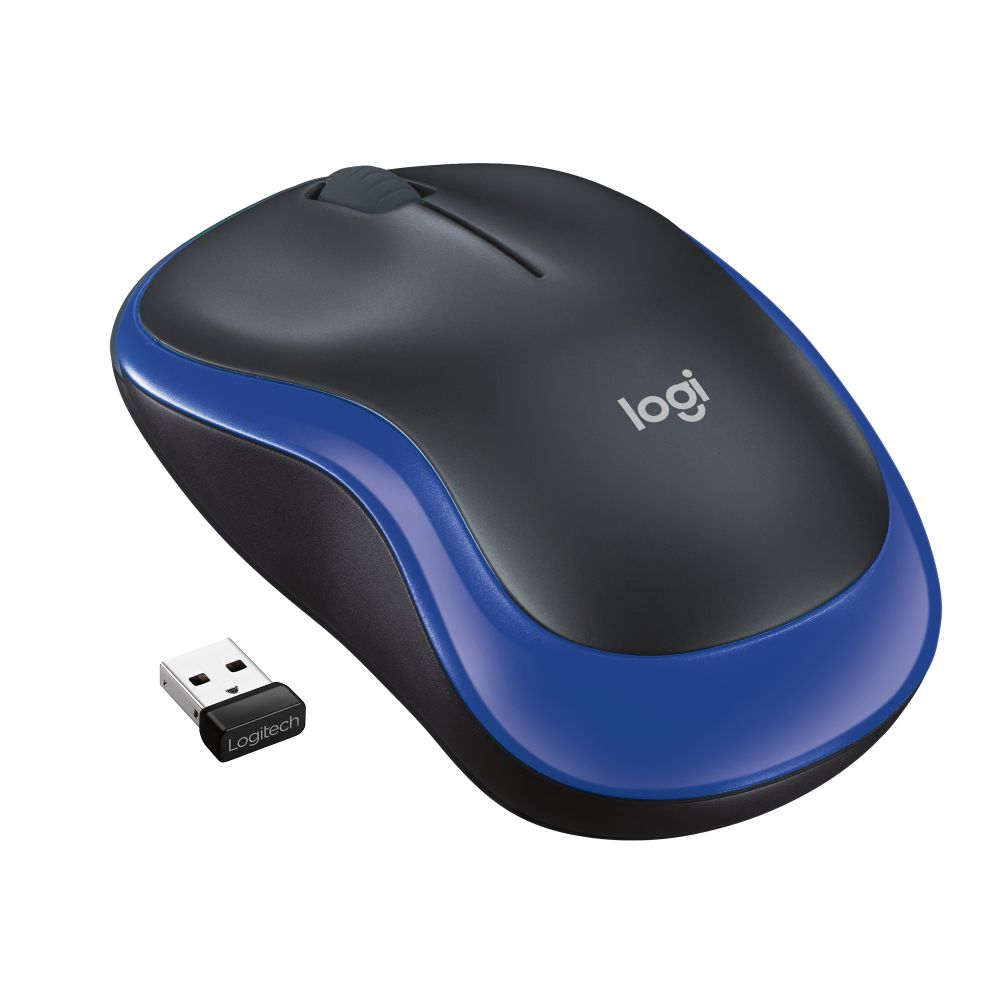
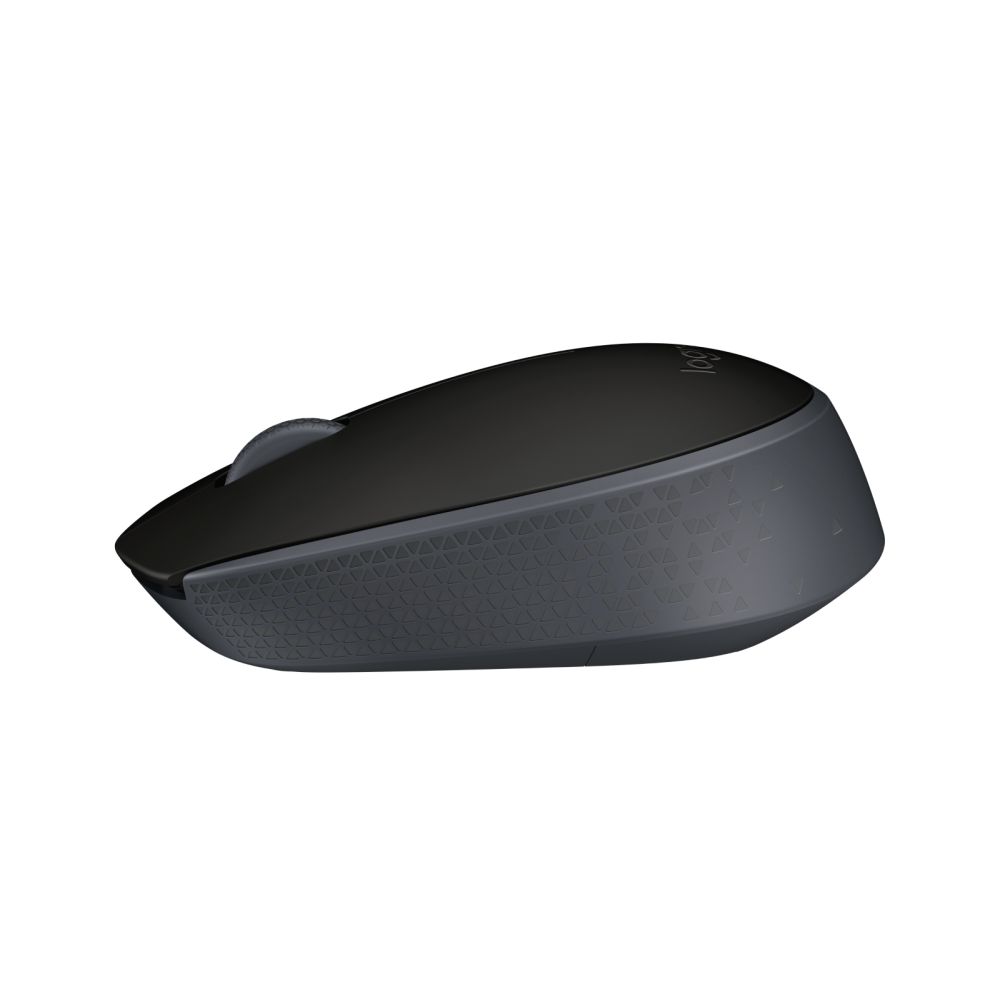
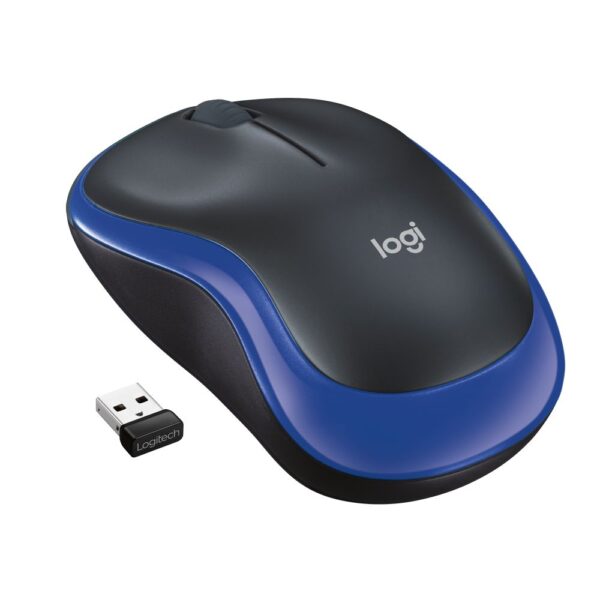
The Logitech Wireless Mouse M185 delivers dependable wireless performance for everyday office tasks. This ambidextrous mouse connects via a tiny USB nano receiver and works straight out of the box with Windows, macOS, ChromeOS and Linux systems. With a 10-metre wireless range and 12-month battery life, it’s built for hassle-free daily use.
Key Specifications
| Metric |
Spec |
| Wireless Range |
10 m |
| Battery Life |
12 months |
| DPI Resolution |
1000 DPI |
| Battery Type |
1 x AA (included) |
| Buttons |
3 (Left, Right, Scroll wheel) |
Plug-and-Play Simplicity
The M185 works without software installation – simply plug the nano receiver into any USB port and start using immediately. The receiver stays in your laptop for travel or can remain connected to your desktop. Its compact design means you won’t lose the receiver, and the mouse automatically enters sleep mode to conserve battery when not in use.
Ergonomic Design for All Users
The contoured, ambidextrous shape fits comfortably in either hand, making it suitable for shared workspaces or personal preference. The smooth, monochromatic blue finish resists fingerprints and maintains a professional appearance. At just 75.2g, it’s lightweight enough for extended use without causing fatigue.
Cross-Platform Compatibility
This mouse supports Windows 7 and later, macOS 10.5 and later, ChromeOS, and Linux kernel 2.6+. The 2.4 GHz wireless connection provides stable performance across all supported platforms. Whether you’re working on a Windows laptop, Apple desktop, or Chromebook, the M185 maintains consistent cursor control.
Box Contents
- Logitech Wireless Mouse M185
- Nano receiver (stored inside mouse)
- 1 AA battery (pre-installed)
- User documentation
Check before you buy
- Confirm your computer has an available USB Type-A port
- Verify your operating system is supported (Windows 7+, macOS 10.5+, ChromeOS, Linux)
- Check if you need a mouse for right or left hand (ambidextrous design works for both)
- Ensure you have space for the mouse receiver when travelling with a laptop
Questions and answers
Does the Logitech M185 require any special software?
No, it’s plug-and-play with no additional software needed.
How long does the battery last?
The single AA battery provides approximately 12 months of use.
Can I use this mouse with a Mac computer?
Yes, it’s fully compatible with macOS 10.5 and later versions.
Is the receiver easy to lose?
No, the nano receiver is small but designed to stay in your USB port or can be stored inside the mouse when not in use.
What happens if I need to replace the battery?
Simply remove the battery cover on the bottom, replace with a new AA battery, and you’re ready to go.
Buying advice
The Logitech M185 Wireless Mouse offers excellent value for office users, students, and anyone needing reliable wireless pointing without complexity. Its cross-platform compatibility, long battery life, and ambidextrous design make it versatile for various work environments. Covered by the applicable manufacturer warranty.




 Buy now, pay later with Klarna at checkout
 Pay in 3 interest-free payments with PayPal at checkout






Reviews
Clear filtersThere are no reviews yet.