CPU Cooling in 2026: Air vs AIO, X3D Temperatures and the Tricks Most People Miss
Open r/buildapc on any given day and you will see the same handful of CPU cooling questions, often answered with advice that was true five years ago and is not any more. Cooling has quietly changed: modern chips behave differently, air coolers have caught up with most liquid coolers, and a few cheap tricks make a bigger difference than an expensive radiator. This is the no-nonsense 2026 guide, built around the questions people actually ask, including a few answers that surprise even seasoned builders.
Last updated: June 2026 · Hardvance Team
The short version
- A good £30 to £45 air cooler matches a £120 AIO on most CPUs.
- 95°C on a Ryzen 7000 or 9000 chip is normal and by design, not a fault.
- X3D gaming chips run cool. You do not need an AIO for a 9800X3D.
- Your case airflow usually matters more than which cooler you buy.
- For set-and-forget, a PTM7950 thermal pad beats paste and never pumps out.
CPU cooling: air or AIO in 2026?
For years the assumption was that liquid cooling beats air. In 2026 it is mostly a tie. A top dual-tower air cooler like the be quiet! Dark Rock Pro 5 or DeepCool AK620 trades blows with a 240mm or 280mm AIO, and a £30 ARCTIC Freezer 36 will handle almost any mainstream gaming CPU.
So when does an AIO actually make sense? Three situations: you have a hot chip such as a Core i9-14900K or Core Ultra 9 that benefits from a big radiator, your case cannot fit a tall air tower, or you simply want the clean look and a screen on the pump. For everything else, air wins on reliability. There is no pump to fail and no coolant to slowly permeate away, and a good air cooler will outlast two or three AIOs.
Do I need an AIO for a Ryzen 7 9800X3D?
This is the most common cooling question on Reddit right now, and the answer surprises people: no. AMD’s X3D chips are not power-hungry. A 9800X3D pulls around 120 watts under load, far less than a Core i9. The twist is that the 3D V-Cache sits on the die and limits how hard you can push temperatures, so bolting a huge cooler on does not unlock much extra.
A solid air cooler such as the ARCTIC Freezer 36 or DeepCool AK620 keeps a 9800X3D perfectly happy, and the money you save on an AIO is better spent on the graphics card. If you want near-silence, a 240mm AIO is more than enough. A 360mm on an X3D chip is mostly for show.
Is 95°C normal? My Ryzen is scaring me
Yes, on Ryzen 7000 and 9000 it is completely normal. These chips are built to boost until they reach their thermal limit, which is 95°C, then hold there while running the highest clock the cooling allows. Hitting 95°C is the processor doing exactly what it was designed to do. It is not throttling and it is not dying.
Better cooling does not really lower that number, it just lets the chip boost a little higher before it gets there. Intel is the opposite story. A 14900K or Core Ultra 9 can climb into the high 90s and truly throttle, so on those chips a stronger cooler does turn into more sustained performance.
240mm or 360mm AIO?
Bigger is not as important as the marketing suggests. Moving from a 240mm to a 360mm radiator on a typical gaming CPU buys you a few degrees, and most of that shows up as lower fan noise rather than higher performance, because the larger radiator can shift the same heat while spinning slower.
Save the 360mm for a hot Intel flagship or heavy all-core overclocking. For a Ryzen gaming build, a quality 240mm or 280mm such as the ARCTIC Liquid Freezer III is the practical pick, and it leaves more room in your budget.
Which way do the AIO tubes go, and can the pump sit at the top?
This is the mistake that quietly kills AIOs, and most people have never been told it. Never mount the radiator so the pump is the highest point in the loop. Air naturally gathers at the top, and if that is the pump, you get gurgling, hot spots and an early failure.
The safe layouts are the radiator at the front with the tubes at the bottom, or the radiator on top with the tubes running toward the front so the pump always sits below the top of the radiator. Front mounting usually gives the best CPU temperatures; top mounting is fine and keeps the radiator out of the warm air rising off your graphics card. Get this right and a good AIO will run quietly for a long time.
Do I need a contact frame for a 13th or 14th-gen Intel?
If you are on Intel’s LGA 1700 socket, which covers 12th, 13th and 14th-gen, the standard retention bracket bends the processor very slightly in the middle. A contact frame replaces that bracket, flattens the chip and lets the cooler sit more evenly against it. The result is typically a few degrees cooler and more even temperatures across the cores.
It costs about a tenner and takes ten minutes to fit. On a hot Intel build it is one of the cheapest worthwhile upgrades you can make. AM5 owners can skip it, the socket does not have the same problem.
How often should I repaste, and what is PTM7950?
Ordinary thermal paste lasts roughly two to four years before it dries out, and on hot chips it can suffer pump-out, where repeated heat cycling slowly squeezes it away from the centre of the chip. That is the real reason some PCs quietly creep warmer over time.
The set-and-forget answer in 2026 is PTM7950, a phase-change thermal pad rather than a paste. It stays solid when cold, softens to fill every gap once the CPU heats up, then holds its place. It does not dry out, it does not pump out, and it stays steady for a good few years. The one quirk is that it needs a handful of heat cycles to reach its best, so do not panic if temperatures look a touch high on day one. For most people a good paste applied properly is still fine, but if you hate repasting, PTM7950 is the quiet upgrade few people talk about.
Why did my new cooler change nothing?
This one catches a lot of people. You fit a big new cooler, temperatures barely move, and it feels like a waste of money. Almost always, the real bottleneck was your case airflow, not the cooler. A cooler can only dump heat into the air around it, and if that air is not being replaced with fresh, cool air, it simply recirculates the same hot air.
Make sure you have intake at the front and exhaust at the rear or top, a front panel that actually breathes rather than a solid sheet of glass, and a sensible fan curve. Fixing airflow is often free and does more than spending another fifty pounds on a cooler. We go deeper on this in our PC case guide.
The coolers we would actually fit
Every one of these is in stock and one we sell and support with its full UK warranty. Match the cooler to your chip and your case, not to the size of the box.
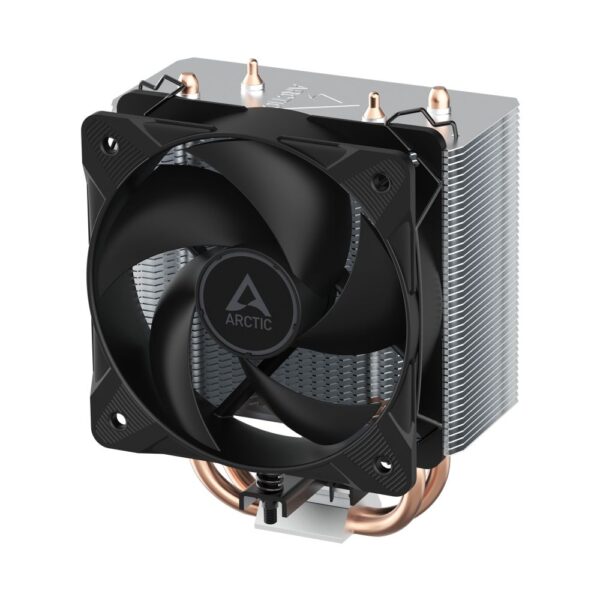
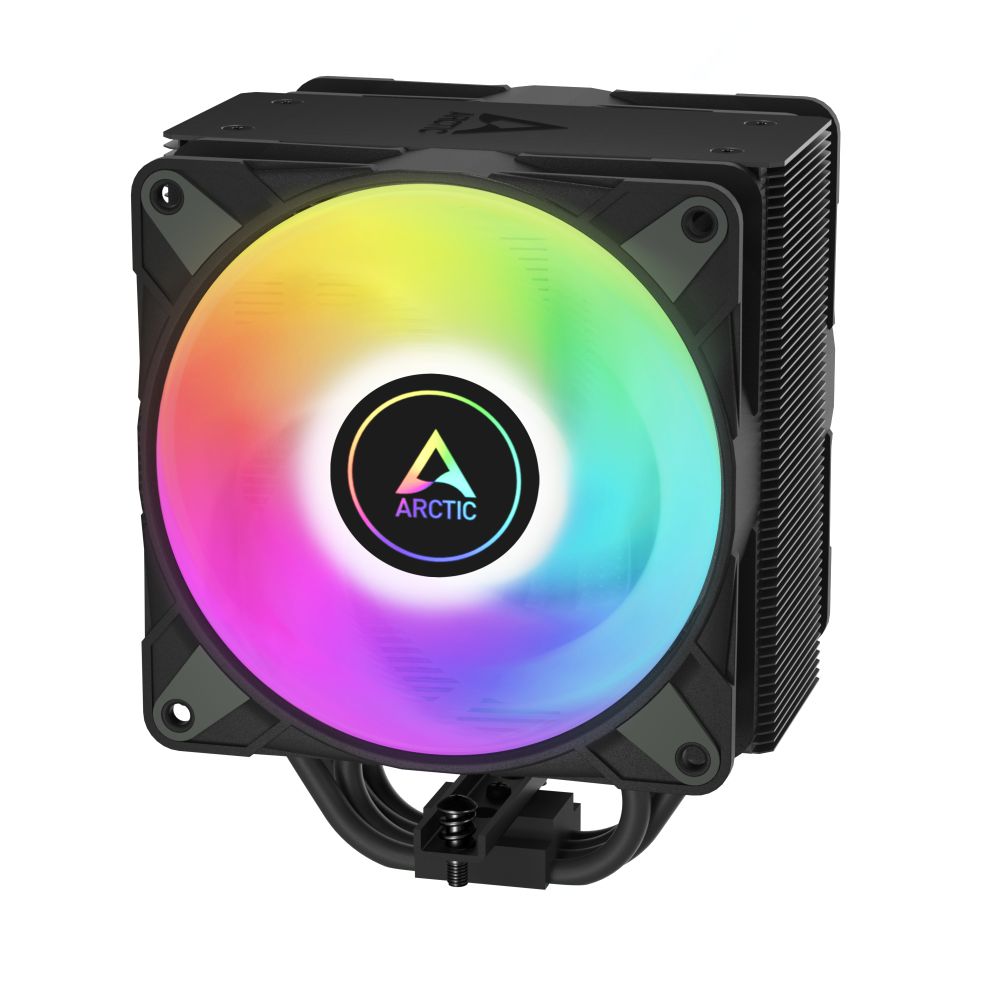
Best budget air cooler: ARCTIC Freezer 36
ARCTIC Freezer 36 A-RGB Tower CPU Cooler
In stock
£31.93 inc VAT- Multi-compatible tower CPU cooler with A-RGB lighting
- Supports LGA 1851, LGA 1700, AM4, and AM5 processor sockets
- Features 4 heat pipes with aluminium fins for efficient heat dissipation
- 12 A-RGB LEDs with 3-pin connector for customisable lighting effects
- 12 cm fan with PWM support, 200-2000 RPM range for optimal cooling
- Fluid Dynamic Bearing (FDB) for quiet and durable operation
- CE, REACH, RoHS, and UKCA compliant for sustainability
It punches far above its price and handles any mainstream Ryzen or Intel gaming chip, the 9800X3D included. This is the cooler we fit more than any other, and for most builds it is all you need.
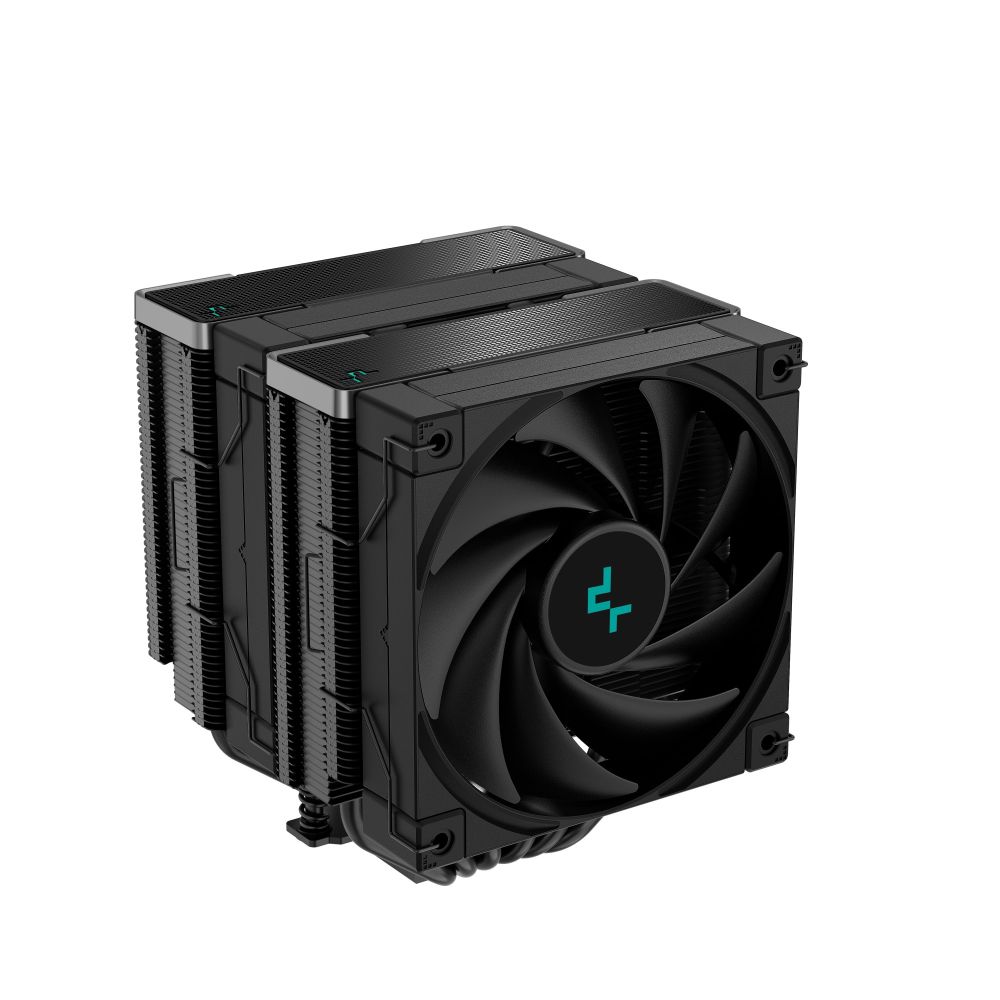
Best high-end air cooler: DeepCool AK620
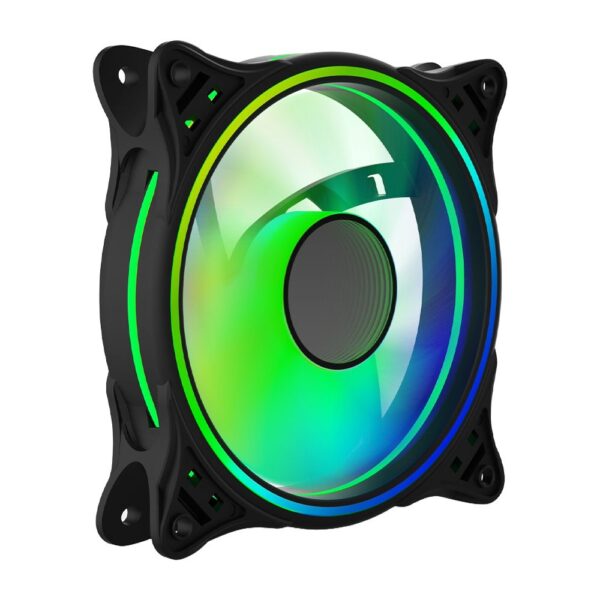
DeepCool AK620 ZERO DARK CPU Cooler Black
In stock
£44.36 inc VAT- High-performance air cooler for processors
- Six 6 mm copper heat pipes with dual-tower design
- Two 120 mm PWM fans with fluid dynamic bearings
- Supports Intel LGA 1150/1151/1155/1200/1700/2011/2011-v3/2066 and AMD AM4/AM5
- Maximum heat dissipation of 260 W
- All-black design with premium finish
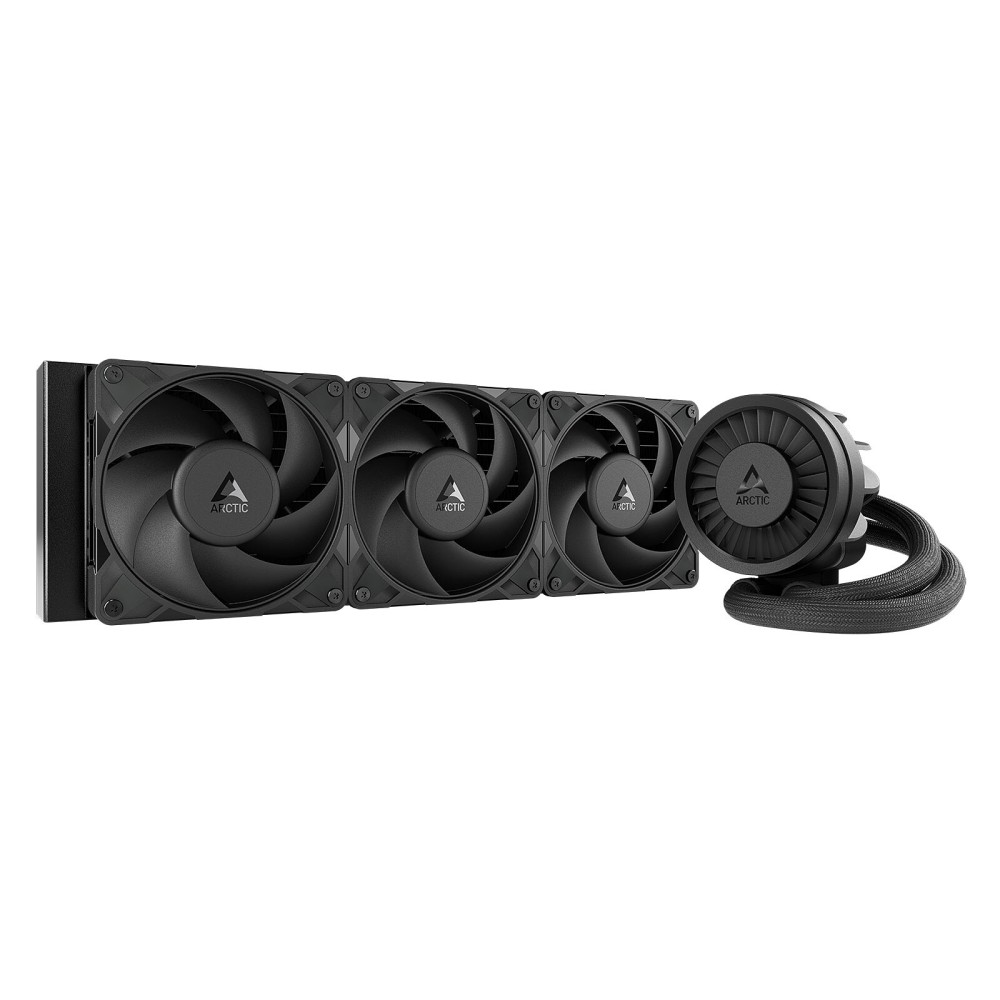
A dual-tower beast that trades blows with a 240mm AIO and has no pump to ever fail. Ideal for a hot CPU you want to keep quiet for the next ten years. Check it clears your RAM and case before you buy.
Best AIO: ARCTIC Liquid Freezer III 360
Arctic Liquid Freezer III Pro 360 Black
In stock
£77.97 inc VAT- Arctic Liquid Freezer III Pro 360 (Black) water cooling with 360 mm radiator and 120 mm PWM fans
- Processor support for AMD AM4/AM5 and Intel 1700/1851 sockets
- High static pressure fans with 600–3000 RPM, 77 CFM airflow and 6.9 mm/H₂O pressure
- 60 mm VRM fan for additional socket area cooling during overclocking
- PWM-controlled in-house pump with copper/aluminium construction for quiet operation
- Pre-installed push configuration radiator with MX-6 thermal paste included
The AIO enthusiasts keep recommending. Strong, quiet cooling, a tidy build quality, and a small VRM fan that also helps cool your motherboard. The one to get if you have decided you want liquid.
More CPU coolers in stock
DeepCool AG300 9. 2cm Black Air Cooler
In stock
Frequently asked questions
No. A good air cooler handles almost every gaming CPU, including the Ryzen 7 9800X3D. AIOs make sense for very hot chips like a Core i9, for cases that cannot fit a tall tower, or for the look.
Yes. Ryzen 7000 and 9000 chips are designed to run up to 95°C and hold there. It is normal behaviour, not throttling and not damage.
Only by a few degrees on most CPUs, and mostly as lower noise rather than more performance. A 240mm or 280mm is plenty unless you run an Intel flagship or overclock heavily.
A phase-change thermal pad that replaces paste. It does not dry out or pump out and stays steady well into the future, which makes it the set-and-forget choice for people who hate repasting.
Only on Intel LGA 1700 (12th to 14th-gen), where it flattens the slightly bent chip for a few degrees lower temperatures. AM5 does not need one.
Usually case airflow. A cooler can only work as well as the air feeding it, so sort out your intake, exhaust and front panel before blaming the cooler.
Where this advice comes from
This guide reflects the current consensus among PC builders and independent thermal testing, alongside our own day-to-day experience selling and supporting these coolers:
- Community discussion on r/buildapc and r/overclocking
- Independent cooler and thermal testing from outlets such as GamersNexus and der8auer
- Manufacturer specifications from ARCTIC, be quiet! and DeepCool
Related buying guides
About Hardvance Team
The Hardvance hardware team builds, upgrades and troubleshoots custom PCs every day. Our buying guides are practical and free of hype, drawn from hands-on experience across AMD and Intel platforms, and focused on the parts that genuinely matter for your build and your budget.
View all posts by Hardvance Team